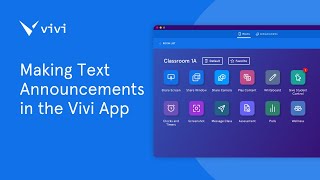
This is a YouTube video titled "Making Text Announcements in the Vivi App" created in April 2025. The content is an instructional guide explaining how to use the VIVI application to send, schedule, and manage text announcements on VIVI network displays, including permissions, message setup, display behavior, and announcement controls.
Foreign With VIVI Text Announcements, you can share on screen text announcements to any display in your VIVI network. To send announcements to VIVI displays, permission will need to be given to selected users by an IT administrator. Refer to our video on setting up announcements for more information on this. To send an announcement, open the VIVI application on the Rooms page, select the Announcements tab at the top. Ensure that messages is selected. Use the Add Destination button to choose which VIVI displays will receive the announcement from the pop up. You can select individual rooms, locations or groups depending on your permission levels. Once selected, click Add. Enter your message into the text box. You can enter up to 150 characters. Note that this can include letters, numbers and symbols. A preview of the announcement will be shown on the left side of the screen. Use the slider to choose how long the announcement will be shown on the display between 1 and 30 minutes. Once complete, select Send now in the pop up, confirm the details and select Send. The announcement will now be shown on the selected VIVI displays. If the display is currently showing a splash screen, the announcement will appear at the top of the display. If the display is showing digital signage or if a presenter is sharing, the announcement will appear at the bottom of the display. The announcement will automatically disappear after the allocated time. Alternatively, you use the End Announcement button in the VIVI application to end it early. Note that the End Announcement button will only be available for the most recent announcement and will disappear if you navigate away from the Announcements tab. To end an announcement early through VIVI Central, select Announcements in the left hand menu, then select Stop next to the announcement to be removed from the VIVI displays. Text announcements can also be scheduled via vivicentral. Refer to our video on scheduling announcements for further information.