Strengthening School Safety in an Evolving Risk Environment

Craig Harwood, a former Victoria Police tactical officer, walks through Australia's school safety risks from active shooters to assaults, then outlines a three-year plan: emergency drills and staff training now, threat-assessment teams within months, and redesigned buildings long-term. Vivi's system sends emergency alerts to classroom displays, phones, and laptops.
Chapters
until—
beautiful.
Yeah, I'll just hang on for the next minute or so until we officially start. We'll probably start like a minute late, but yeah, cool. All right, I'm going to go live so people will be able to join as I go live right now. So welcome everyone. We'll kick things off in about a minute or so, just while people join. So if you're still joining, don't panic, we're not starting quite yet. So yeah, we'll kick things off in about a minute or so and then we'll get going. So if you have just joined us, we'll kick things off. We'll just give it another 30 seconds before we kick off, although the first little bit's just me doing some housekeeping. So it's all good if people are running late, but just for those people who are still joining, we will get things started in a moment. All right, let's kick off. I do like to try and start as close to on time as we can. So, welcome everyone to our Strengthening School Safety in an Evolving Risk Environment webinar. Just a little bit of housekeeping before we kick things off. First of all, just to let you know, you are currently muted, so if there's noise going on around you, don't stress, we can't hear it. However, saying that, if you do have any questions, questions or comments as we're going, please feel free to use either the chat or the Q&A. We'll be able to see these as we go, and so we can pass them on to people. So if you see me looking over there, that's what I'm looking at. But yeah, welcome to pop those in as we go through. We will also— I'll show the agenda in a moment, but we will also have a Q&A time session at the end. So yeah, feel free to pop any questions in as we go through. We are recording this webinar, and it'll be sent out to attendees— should be sent out tomorrow. Chloe was just letting know that it should be all good to go for tomorrow. So watch out for that one to come through. So our agenda for today, basically we'll do a little bit of a welcome, which we're in the middle of at the moment. I'll then be passing over to Craig, who I'll introduce in a sec, to talk through a few things. We'll also be having a bit of a look at Vivi's new device alerts feature so you can see that in action a bit. And then, as I mentioned, we'll have some Q&A and a little bit of feedback at the end. So just as way of introduction, I'm going to come back to Craig in a moment because I have a little bit more info on him. But for those who I haven't met, my name's John. I'm the Senior Customer Education Manager here at Vivi. So look after training for all of our different schools. I'm also joined by Nathan, who's our Senior Business Development Manager. He's just going to be sitting there looking pretty for a little bit, but going to be running our device alerts demo later in the section. And then as I mentioned, we are joined today by Craig. So as a little bit of an introduction, Craig Harwood is a former Victoria Police Special Operations Tactical Officer. Leader. So he served with Victoria Police for over a decade, including within the Special Operations Group, where he participated in hundreds of high-risk operations and held leadership roles in tactical training and selection. Following his policing career, Craig founded SecureCorp, an international security services company he established in 1998 and later sold in 2016. He built the company into a major security organization employing thousands of staff and supporting hundreds of clients across multiple countries. He's also contributed to the development of several security and life safety technologies and continues to advise on risk management and security strategy. So it now gives me great pleasure to pass over to Craig to talk further on ways that schools can strengthen safety in the current evolving risk environment. So, Craig, I'll pass over to you. So take it away.
Thanks, John. Let me just So one of the first things we need to look at is the current safety landscape in Australia to make some assumptions of what we're going to do in relation to training and response. Now, the interesting thing about data is there's no one source nationally for school-related emergency management or data incidents. So what we had to do was look at each incident and then extrapolate that. That's why we've sort of got this following slide. It's a bit all over the place, but we can make some assumptions out of the data. For example, in 2016, there was a study done in relation to national bomb threats, of which there was 591. That's been going up since then. New South Wales in '24, there was 700 weapons incidents recorded in New South Wales schools. Same year, 1,500 assaults. And then in the '24-'25 New South Wales data, there was 153 knife or firearms possession incidents. Interestingly, in Victoria in 2025, there was 150 schoolteacher assaults daily. So it's a lot. 25 in Vic, 277 lockdowns, so nearly, you know, 1.8, a lockdown every 0.8 of a day or a week. The national number of fires is about 1 a month. Luckily enough, we didn't have any active shooter or stabbing incidents in that year. So the data's all over the place, but we can extrapolate some stuff from that to make our assumptions in relation to how we should be training and how we should be managing these incidents. Staff impact: 70% of teachers have experienced threats of violence, and no doubt some of you listening today have been through that. Leadership impact: 33% of principals and administrators have reported aggressive behaviour from parents. So what does this data actually tell us? Well, we can develop a hierarchy of risk. It's statistical, and it's the inverse from consequential. So what I mean by that is our least likely incidents, fires and active shooter, have our highest consequence. Doesn't mean to say that assaults and threats of violence, which we have a high number of, can't lead to serious injury or death, but their impact geographically within the school environment is smaller. So we can look at that hierarchy of risk out of those that data and we get assaults, threats of violence, weapons incidents, bomb threats, fires, and active shooter and stab incidents. And that'll lead into how we should be training for those sort of things. It's really an eternal emergency problem. It's not going to go away. It's actually increasing in a lot of areas, unfortunately. And That's one of the reasons for those increases. Well, COVID had a bit of an impact, as we all know, on developmental disruption, change behaviour across a lot of sectors, including the school and student sector. Mental health pressures— we've identified more students are more aware of it, as well as educators. Institutional strain— so we've got budgetary issues, lack of staff, lack of equipment, et cetera, to manage these sort of things. Cultural shifts in authority. Well, we've seen that, you know, we're all aware of it. They're more educated in relation to authority. Authority seems to be held to a higher standard than ever before, as they should be. That in line with digital amplification. So any issue is amplified way beyond its impact and usually in the negative. Plus, we have greater reporting transparency. So we're learning more because more people are reporting these things. So the numbers are going up. So we need to understand that this is a problem that can't be managed to zero. It's always going to be there. So part 2, I really want to look at how these challenges are presenting in school environments. If we look at at the centre of this diagram, we know that school safety is faster, more complex, and more visible than ever before. And if we go to the 12 o'clock and work around in a clockwise manner, escalating violence and safety threat, it's presenting there. It seems to be getting more violent, weapons are scarier, machetes, et cetera, and safety threats. Worsening bullying and online harm. A lot of these issues originate in a digital world before they translate into the real world, and we can make some decisions there in relation to how to handle those incidents. But that's how they're presenting. Stress and systemic strain on school leadership, whether it's a lack of staff or just the sheer volume of incidents, are creating huge stress on the teaching body. Student wellbeing and behavioural impacts. They're more aware now than ever before of their own wellbeing, and behaviour is escalating in relation to some of that. Communication and perception gaps. We're seeing if there is a communication or perception gap, it's rapidly amplified in the digital realm. So we're seeing, you know, uptake in that. And misinformation and rapid escalation via social media— once again, this amplification problem goes way beyond the school environment, you know, and it can go international, national extremely quickly, which exacerbates our problem in relation to handling it. So I want to look at some practical steps to take in the short, medium, and long term. Firstly, I'll apologise, there's a lot going on in relation to this slide. Excuse me, I'll just go back. Auditing your emergency management plan in the first 3 months. So our short term is— that's the term we're talking about. 0 to 3 months, our immediate actions. We ordered our emergency management plan, so we've got one, but is it, is the contact information current? Is the chain of command obvious? Does everyone know who calls 000? You know, is it relevant to the staff that's on duty? You know, are they Are they present? Excuse me, sorry, I'm just having some issues there. We need to look at a flexible plan in relation to human resource. So human resource changes, people go on leave, people are sick, they change positions. The emergency management plan has to reflect those changes as well, because you'll see we rely on several people and usually the main people in the emergency management plan to deliver the outcomes. So we run a 90-minute tabletop scenario in the first 3 months. That's to exercise a walkthrough of probably, you know, if you've had an incident in relation to an assault, something like that, you exercise that first. Something you're familiar with, you know some of the failings of the plan, etc. So probably best to exercise that in, in as your first test of your EMP. So you walk through a knife incident or aggressive parent, or you might have had a micro lockdown in relation to an area, and you identify confusion points there and you work through those. We'll see that, um, communication is really, really important here. Uh, it'll be the mainstay of how we handle things. Once one agreed emergency phrase per scenario, so we can work with colour coding or you can work with simple phraseology in relation to an emergency. Don't get complicated here. You develop pre-written PA scripts, SMS templates are ready, parent communication holding statements are pre-drafted. So for an example, you might say the school is currently in lockdown as a precaution. Students are safe, please do not attend the school site. So if you've got these things already made up, you don't have to rely on a PA anymore. You know, can you get the information out to every student, every facilitator? Can you get it out to the whole school in relation to your communications? So you have to work that problem. Using technology, but also, you know, preempting all of this. Because under stress, people make mistakes. They say things incorrectly or not as clearly as you want them. And there's plenty of examples where people have given instructions and it's been misinterpreted. So if you can clarify those as much in your protocols early and practice that, that's, you know, You're getting some of these potential problems out of the way. Staff micro-training, 30 minutes per staff meeting. You know, once again, establishing who the staff are that are going to handle certain incidents, what the expectations are in relation to those people, who's managing the incident, what your lockdown expectations are, who escorts the students, who checks the toilets, who supports distressed students. All of those things are important, and for me, Familiarity and repetition brings capability and competency. So, you know, when I was on team, we had certain ways to handle critical path decision-making and responding to, you know, active shooters or a siege situation or a major arrest of an armed suspect. We had process and procedure that we practiced. We had terminology that we practiced, and we had certain individuals that were slated into certain roles.. So we make sure that they're well and truly exercised over and over again. The next one is more in the, in the immediate sort of 3 months is environmental design. It's a lot harder. You'll see that pop up again in long term, but the front office is the choke point, and you can make some short-term improvements there. Signing processes enforced, visitor badges are visible. Clear sight lines, lockable internal access doors, etc., can be done very quickly. You can de-weaponise the area, make sure there's nothing that can be thrown around. So those points of contact where you might have an angry student or a parent arrive, they can be hardened, so to speak. So they're the first short-term stresses that you need to look at and exercising that emergency management plan, really debugging it and making sure that everyone understands it and simplifying it. It doesn't need to be complex. Medium term, 3 to 12 months, what strategic initiatives can we do here? Well, scenario-based training is always the best form of training. You rotate the scenarios. I wouldn't get complex and do multiple scenarios together. Just exercise one, and then the next month or next term, you, you exercise another one. Intruder, knife threat, parent aggression, environmental threats, and, and relate it to what your statistical information tells you, and we'll get into that. Shortly. You integrate layered alerting capabilities. So, you know, can you talk to individual facilitators? Can you talk to individual classrooms? Can you send out an alert to all layers of the school or facility at the same time? You know, do you have that capability in relation to communication? So, Layered alerting is not just a PA. The PA now is just one of the tools for notification. So you have all this electronic capability, you need to exercise that with screens, et cetera, throughout the facility. So you need to make sure that that is in place, and obviously Vivi has some capability there. You need to debrief after every drill. Debriefing is extremely important. When I was on team, it used to be extremely brutal. It doesn't have to be, but it has to be extremely honest. You have to identify if there's a personal failing, a leadership failing, a procedural failing, an equipment failing equally without fear or favour. It's important that you do that and then you identify how you rectify that. A lot of people don't do a debrief properly and it has to be extremely honest, a really reflection of what actually happened and what the impact that those mistakes and good points and good actions would be. It's often a test of leadership capability. Drills should create mild stress, not trauma. It's extremely important with realism-based scenarios or training that you're actually pushing your capability. You're feeling like how you would if it's a real fire, if it's a real, you know, aggressive student with a knife, et cetera. So you've got to avoid that announced drills with zero realism, tick the box evacuation. I'm sure you've seen it, you know, we must do this and we just got to tick the box and get through it. So then we can get on with the real world stuff. It's really important that you exercise how you would actually facilitate or respond to that incident. If it's a tick the box, no one's going to take it seriously and you're not going to get that culture of safety and security or competency flow through the organisation. Behavioural threat assessment team, really important that you create a small multidisciplinary group and may include the principal, the deputy, a wellbeing lead, the school psychologist, or a year-level coordinator, whoever you think's appropriate for your facility. And their purpose is to identify early warning signs and manage escalating behaviour before crisis to reduce the reliance on reactive. So we're going proactive here. A lot of these issues are preempted in the digital world. Okay, have you got the right reporting mechanisms by students to escalate that up to the right people, i.e., this multidisciplinary team? And then they can identify what or how they should react to that before it becomes a real-world issue. Most school violence is preceded by observable observational behavior or patterns and social media indicators as stated. So you sort of get a feeling, go with your gut, and intervene as early as possible. It's better there than when it goes into real world. Obviously a lot of these issues do occur with parents. They usually are at the front of house, so if you have a reception or their main point of entry, So you can plan for and run your scenarios around that location, whether you do a micro lockdown, et cetera, for that area. But in relation to parents, you know, you need to facilitate and send out that clear parent code of conduct, define consequence for aggression, an escalation pathway that is not a negotiation. It's not an informal negotiation. You stick to the rules and you make sure that they're applied appropriately and everyone's aware of the rules and how they are applied and when they are applied. Use of meeting protocols. So if you're going to have a meeting, and this is basic stuff, but if you're going to have it in a meeting room and you have an expectation that this may go south, there may be violence involved, etc., is the room appropriate in its location? Can that room be managed? Is it de-risked? So, for example, no picture of glass or glass cups, etc., that may be turning into weapons. Even your seating location— the parent or potential student or issue is placed furthest from the door, you're placed closest to the door so you can egress quickly if you have to, and a place to egress to. So you're constantly looking at, if worst-case scenario, how do you make the staff feel protected and are protected with process and procedure. So it's really important that you look at these policies in relation to protecting your staff. And as you can see, the number of staff, 150 a day in Victoria, assaulted. So it is a big problem. But you can mitigate some of those consequences by environmental design, seating positions, de-weaponisation, etc., of the locations. Incident debrief and recovery model. You know, I've already stated how important it is to debrief after an incident. Who supports the staff? Who checks on the students? Who communicates the next steps? All that wellbeing stuff that we need to do. But from a procedural and equipment point of view, management competence point of view, you need to really look at and sit down with a formal process with debriefing. It's the only way an organisation learns. Like I said, it was a constant process for us. Debriefs sometimes went longer than the operation themselves to make sure that we were constantly evolving in relation to how we handle issues and also critical path thinking, how management interpreted the data, the information at hand, and what decisions they made. And why they made those. That's really important too. You know, obviously that goes to depth of capability and competence in relation to the management team. Long-term, 1 to 3 years, embedding resilience into culture. So we'll touch on first environmental design. They're usually cap works, you know, capital improvement works. So you have clear sight lines, reduced blind spots, controlled but welcoming entry, and zoned movement. Can you zone the movement, and can you isolate that movement within zones? So that environmental management of the facility takes a long time. It's common sense generally. Is there a blind spot where you can get, you know, into trouble? Is the school classroom or the room that you debrief students or parents appropriate in its location and its setup? So you need to build a predictable behavioural culture. And obviously emergency management starts long before emergencies, way before. You need consistent behavioural frameworks, and that's behaviour like said touched on, um, these scenario-based— if it's just a tick-the-box exercise, everyone will treat it as that. You need to be focused and you need to be professional. You know, I've been under fire numerous times, seen people, uh, lead and fall apart in high policing positions when it's extremely, uh, stressful environments. And people gravitate to people that are consistent in their behaviour, that, you know, you might underneath be extremely concerned for your own safety and that of others and a little bit confused, but the outward demeanour is you follow process and procedure and you inspire others around you. Just like fear spreads very quickly, so does confidence. Early intervention for repeat aggression. You know, once again, this is with this, you know, your body you can set up. We identify early and we get in early before it turns from digital or mild aggression into something more serious. Strong relationships with high-risk students. Obviously, you know, we used to use the negotiators, and the first thing that they were trying to do was form a relationship to mitigate any escalation of behaviour. And that's what you need to do here. Clear restorative and consequence balance goes without saying. You know, we reinforce consequence and we debrief and we make sure that we're changing our environment or our process and procedure as we learn. You're not going to get these things right perfectly every time. Every situation is different and They say, you know, in a battle plan, the first thing that fails is your plan, but the skeleton of it always remains. So you need to be as predictable as you can. It reduces volatility, but you need to be flexible within that plan and expect that there will be some changes and some amendments you'll have to make on the fly, no matter how well you plan. And that comes down to leadership competence. So you need to be confident that, okay, if this happens, What would I do? Or how would I, how would I lead? Relationships are important with responding bodies like police. You know, we used to do a lot of Jewish schools with armed individuals, security. And so we had the Jewish security group as well as police liaison. You don't have to meet them daily or even monthly, but you should run at least one joint tabletop exercise with your local law enforcement, shared expectations, how they're going to respond. Where they're going to respond, common terminology on location and where you should want them for certain issues. So if it's at the head office, where should their vehicle be or arrive to? So all those things are worked out early, and you can send a staff member to assist them to come to the location. Creates faster communication pathways and local context. Intelligence. Schools that know their local command perform better under stress. It's a fact. You're developing those relationships and assisting on that when you do have an incident. You've got familiarity there. It does ease the friction and communication protocols if they're aware of your terminology from, you know, environmental location, what, what they're named, and how you're handling incidents, the type of incident, how you communicate that. Really important that you have those relationships formalized and exercised. Data-driven monitoring. So we can see, and we just spoke at the start of this in relation to the fragmented data, and we can only extrapolate some ideas from that, but you can internally track on your incidents, and you should. Your frequency of aggression, your time of day patterns, location hotspots, you know, parent complaint escalations— why are they occurring, how are they occurring, what's the percentage of them coming in, how do you negate them coming in or escalating? So patterns predict incidents. So you should be creating your own data model that tracks all of these, and you're developing some plans those, both preemptive and reactive. So there you go, short, medium, and long term. There's a lot in there, and you need to flesh those out, obviously. But if you basically— your emergency management plan is clear, it identifies your major issues, and your communication capability is exercised both electronically We have all these devices now, let's use them other than just the PA. You can use that but have scripts. So you're testing all of that, you're looking at the environment, you're preemptive in relation to your data set, what it's telling you. All of those things are important. So what we then have is a really layered approach to this. There's no one silver bullet in relation to managing these issues. It's always a layered approach, and each layer is different because, and flexible, because each incident has nuances and differences. And standardising your plan, like I've said, but it's a layered approach. So behavioural culture is really important. And we've touched on a number of those layers within that layer, behavioural culture. It's not just the capability and competence of the emergency management team, but it's how you're handling your students and parents and what the expectation of those people are. So you're creating this behaviour culture, a safety and security culture, and that takes a lot of work and it's driven by competent individuals that when they speak, people listen and they understand that it's a logical approach to the issue. And obviously then technology, we've touched on that, and that goes into early identification and communications clarity. Vivi, obviously you spent a fair bit of time in layering that communication piece. So information is power and gives you capability of decision-making. You're not always going to have 100% clarity. In fact, you probably won't have 100% clarity, but with the information that you do have, you need to get it back out there, but you also need to get it into you so you can make some critical path decisions. Information clarity is key to a lot of this. It allows you to make solid decisions in relation to your emergency response and hopefully will negate or minimise disruption and damage and potential injury to anyone involved. Layer 3, this is more environmental design. You've got controlled access and egress for your lockdown and/or your evac. So are those plans reflective of the number of staff that you have, the number of students you have, the volume that would be moving through those corridors to your emergency evacuation areas, or, you know, do you have clear sightlines? Do you have CCTV technology integrated into a command and control position so you get a god-eye-down view of the facility so you can make some decisions there in relation to even partial evacuation or partial lockdown?. So environmental design is important. I think the key though, really, and I've seen it, like I said, numerous times where circumstance and situation can be changed from one of panic and lack of clarity to one of control and capability by clear leadership response and confidence.. So no tick the box, let's get through this. It has to be done as realistically as possible and reinforcing that culture of leadership, confidence, and capability. And then once again, that final layer of not just recovery, you know, be trauma recovery and assisting students and teachers in managing that incident. It's looking at every layer. And like I said, it's confrontational if someone hasn't led properly or made decisions outside of logical response or a plan. Is that a training issue? Is that a capability issue? Do we need to look at our emergency management committee or response capability, the people within those positions? And you need to either retrain them or move them to a position that's more suited during such an incident. Now, you may not have a lot of depth of capability there in relation to management, but those people there need to be competent and need to be confident too that what they're being taught is the most logical progression of thought in relation to critical path decision-making. Cool.
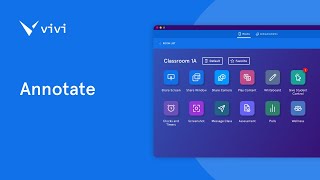
Awesome. Thank you, Craig. Some really interesting things to unpack there. Yeah, I always find that kind of thing fascinating. Just before I jump into that, let me just go back to what you were just showing then, Craig. I think what I took out of it is, you know, you can have the best plan in the world, but it really does come down to that communication. So that was kind of what Nathan and I wanted to show a little bit today as well, kind of how that layered instant communication can really look in practice. So first of all, I know that some people on this webinar are long-term Vivi users, have been a ViviSchool for years and years and years, but there are some people on this call who have not used Vivi yet. So I just want to do a very quick 2-minute demo. As I'm running through that, if you do have any questions, especially for Craig, please feel free to pop them in the Q&A in the chat, and we will come back to those questions shortly. So yeah, feel free to pop those in now as we're running through this. So first of all, for those who have never had anything to do with Vivi, are like, what's a Vivi and how does that work? As a very quick summary, so basically Vivi is made up of 3 parts. So the first part is the Vivi firmware. So it'll either run on a little blue box that looks something like this, or it can also be installed natively on select displays. So like I have a Philips panel behind me here and it's installed natively on there as well. So that's the first part. The second part of Vivi is the Vivi app, which looks a little bit like this. This is what our teachers and our students use in order to share to the classroom display. So they're able to use their share screen button, be able to push content through to the classroom display without worrying about cables, connectors, all those kind of things. So that's a really key part of it. Now, as you can see, there are a whole bunch of features built into Vivi, and I will say that is my job in getting it set up. Get your teachers trained up in how to use all those different features. So for those of you who are current schools, if you want training, please feel free to reach out. Always happy to book that training in, especially for your teachers to get them up to scratch on everything. But there's some really cool features in there for them to use. The third part of Vivi is Vivi Central, which is our administration platform. So from here, I'm able to administer my entire Vivi fleet. I have very small fleet in my school here with 9 units and able to customize, you know, everything down to being able to customize the names of the different rooms so that it all makes sense to the staff and the students. And so it just flows nicely through. Now, coming back to that communication piece, did want to closely have a quick close look at 3 in particular. So the first one of those is signage. With our signage tool here, what you're able to do is push things like daily notices and all those kind of things out into the school and so get that messaging out. One of the key things I like to point out about this is yes, Vivi will work on dedicated signage screens. So if you have those in like corridors, common areas, that kind of thing, will 100% work on there. However, where this has its real advantage compared to a traditional signage system is that you can get that signage in front of the students' faces. So instead of it just being in those corridors where, let's be honest, how often do they actually look at those screens? If it's in the classroom as well, so if this was my classroom here, I could get those notices and show them to the students. The second part is announcements. So with announcements, it's actually better if I go back into the app here and show them in here. So there are two aspects to announcements. The first one of those is text-based announcements. So this can display a short text message of up to 150 characters on the classroom displays, whether or not somebody is sharing. We like to kind of describe this as replacing the PA system. So think about, for example, we've got NAPLANs coming up, and during that time, you know, you tend to avoid making announcements during that. But, you know, a student in, in Year 8 who isn't doing their plans has suddenly needed to go up to the office, well, instead of having to send a runner across the school to go and fetch them, you're able to shoot those messages out to the individual screens and get that communication out into the classrooms for that kind of scenario. The second part of announcements is we do have video and audio. So I'm able to grab a livestream of my webcam. That's just my laptop sitting there. So I can grab my laptop's webcam push it through to the classroom displays. Really useful for kind of those leadership people. So for example, a principal who might want to run an assembly, but they're like, I've only got 2 or 3 things to talk about today, so there's no point getting all the students together. So I could now go live to those screens and blah, blah, blah, here's the announcements for today. But also, you can also set it up for people like your year level coordinators or house coordinators, those kind of people who might want to run things for that. The third part is then emergencies. So with emergencies, this is where I'm actually going to pass over to Nathan to talk a little bit more about emergency alerts and our new device alerts feature.
So Nathan, take it away. Not a problem. Thank you, John. Let me just go ahead and pull up a couple of little details here. Apologies, one moment whilst I actually hit share screen would be a good thing. So I'm gonna go ahead and just share my screen very, very quickly here. But to kick things off, I just wanted to kind of provide some indication as to around our emergencies. We have 2 subscription types for emergencies. Now, if you're currently using a Vivi subscription, you do receive emergency notifications as part of that subscription. That particular subscription provides for emergency alerts directly to the display. So that would be your TV projector or your interactive panel. So that's within the Vivi subscription where it's licensed per display. What we've just released is Device Alerts, which is a separate subscription. You can use Device Alerts on its own or in conjunction with your Vivi subscription that's licensed per a school or your campus. And that basically provides for all of those emergency alerts, where they're going to the user or the client device. So that would be a laptop like your Windows or macOS device. So whether it be Vivi or device alerts, both of them can be used either independently or together. Now, in terms of actually doing an emergency, as John showed earlier briefly, we utilize Vivi Central. It's our central portal for all things emergencies. And within here we can set this up where we can enable it for your tenancy and you're able to create any type of an emergency. Now, an emergency for Vivi doesn't necessarily have to be the traditional evacuation or the lockdowns. It could be things around medical assistance that might be needed. It could be things around other areas where you might want to just override displays or the actual end devices. And so we can actually create any particular emergency that we want with Vivi. We give it a name, we can add a particular default image, and then if you're using the Vivi subscription, it would be sent to the display. If you're using device alerts, we're able to send it to the client itself. Now, if you have both, we could choose which or the other we might want to send that particular emergency, um, to. So practically speaking, there's actually 3 different ways that you can trigger an emergency with Vivi. The first is by triggering it through Vivi Central. So with Vivi Central, we can actually come in, we could trigger an emergency. Now in this instance, I'm going to go ahead and I'm just going to trigger a hold. I'm going to trigger this to my entire school or my entire tenancy. We could segregate this and either break it down into a location or building. So if you don't want to send this this emergency to your entire campus. You could just send it to one area if you wanted to. In this instance, I'll go ahead and send it to the entire school, and this is actually only going to go to the displays itself. So when I go ahead and if I switch screens here and I create or trigger that particular emergency, no matter what's happening on those displays, it's going to override them with a visual notification that we've actually set up in Vivi Central. Now, if someone was using Vivi, as John mentioned, for screen mirroring, an emergency is going to take priority, and so it's going to override that individual's display. It doesn't stop a user from using their laptop at all. As you can see, it hasn't overridden the device at all. Now, we can cancel that particular emergency at any given time directly via Vivi Central. So I could go into that particular emergency and simply go cancel and remove that from being presented to a screen. Now, the second way you're able to trigger emergencies with Vivi is we can integrate directly into your emergency management system. And so in that scenario, you'd be able to utilize that emergency management system and basically pick any emergency type, whether it be an evacuation or lockdown, and in conjunction with your existing emergency management protocols, of course, when you trigger that emergency where you might utilise your PA announcements as well, it's going to override your displays and all your clients accordingly. Now the other type of emergencies that we're able to do, and this relates to device alerts, which is our brand new product where we can basically override an individual device. Now that would be a Windows or macOS device. And so I've actually got an emergency which is called medical assistance needed.
Needed.
So I can come in— sorry, I can actually go to my emergencies, trigger that from ViviCentral. Again, in this case, we're going to go with medical assistance needed. I could send it to a particular area. Now, based on various groups that you can create, you can determine who this actually goes to. But again, when I go ahead and I create that particular emergency, in this instance, my laptop is going to override with a visual notification of an emergency in place. There's some assistance that might be needed, in this case in the sickbay. So it's a silent emergency. You could trigger it out, as Craig referenced to earlier. It could be an SOS, or maybe you need some assistance in an area for a particular disgruntled parent or otherwise. This is a really handy, uh, particular way of being able to trigger that type of assistance. Now, on my particular laptop when that message provides or appears, it'll override everything else. I am given the ability to acknowledge that particular message and I can go about my day and utilise that laptop again. In Vivi Central, that particular emergency, I'm able to see that emergency and we actually can see a broadcast summary where we can see who it's been sent to. In this case, Peter Jackson, which is my laptop. They've actually acknowledged that they received that particular message. So we can gain some insight around who's receiving these messages as well. As well. Now the final type of emergency I just wanted to show, and I'll do this directly from the Vivi application itself, is whereby we can override both the displays around school as well as any client devices. So John mentioned we can trigger an emergency from our Vivi application utilizing the little emergency button. Looks like a star. In doing so, I can trigger a evacuation, for example. I can confirm this evacuation. Again, I'm going to go to my entire school and we can basically trigger— sorry, let me actually first go ahead and stop the initial emergency that's currently running here. Let me cancel that one emergency first of all. Apologies. And now let me go ahead and trigger my new emergency. Now, in this case, when we trigger this, it's overridden by classroom screens. It's also overridden your particular device as well. So even staff members who might be in offices where they don't have a screen in front of them, if they're your principal and they're in their meeting rooms, etc., they're going to get that notification directly on their device. They're able to acknowledge it on the classroom displays. It's going to override if a classroom display has CEC. Which is your consumer electronic controls where the display might be turned off. We would be able to turn that display on as well. And so any displays that might be off, we would turn on. Anything that's utilizing those displays, we would override with that emergency. Now within that emergency, whilst that's ongoing, one of the cool things with Vivi is that we're able to manage the emergency where in conjunction with our text announcements, we could send quick update to any of those displays as needed. And in doing so, if you were doing something like a lockdown, you can provide direct communication into the classroom via this particular method where we've sent an update which says send a quick update so that you can communicate to your students, your faculty, without the need to utilize a PA system, which you might not be willing to utilize during something like a lockdown, for example. So all of our particular emergencies are completely customizable. The imagery that gets presented is customizable at a display level if you're using a Vivi subscription, or you can present a different image on device alerts. So I'm going to pass back to John now for him to continue on and finalize the webinar with any questions or so forth.
Awesome. Thanks, Nathan. I'm actually going to direct 2 questions to you first, so I'll leave you in control because I've got a couple of questions about device alerts. Alerts. So the first one was basically, will device alerts work if the user doesn't have the Vivi app open?
Yes. So provided that the Vivi application is— and in fact, I'll show this live— provided if I turn around and I actually closed my Vivi application on screen on my laptop, provided that the application remains logged into and available in the system tray, it will continue to work. So you don't need to have the Vivi app open in front of you for it to work, it'll still override that display provided they're logged in and have it loaded in the background.
Cool. And then the second question that we had was any indication on cost for the device alerts?
Yeah, so device alerts is based upon the school size, and so depending on the number of enrolments you have, whether you've got 500 through to 5,000, the price does vary. We can reach out to you individually and your customer success manager our account manager will be able to provide you with a price specifically for your school based on your enrollment numbers.
Awesome.
Thank you, Nathan.
So I'm just going to jump back in and do a little bit of Q&A. So first question, Craig, is actually from me to you. So something that I first of all would hear when— so for those who don't know, I'm a former teacher, so I have been in schools for many, many years. So first of all then, but also working with Vivie as well, one of the questions that, or one of the things that I do hear a bit is we're not somewhere like the US where, you know, these things happen all the time and, you know, all those kind of things. So from your perspective, why in somewhere like Australia, which is considered a fairly safe country, like why is this kind of whole emerging emergency talking point such a key factor at the moment?
Well, it's a good question. You know, this global digital environment that we live in probably alters our perception a bit about the threat. So we, you know, we hear every day or twice a day the US has a school shooting, or globally there's an active shooter or an active stabber. So our perception is probably a little bit skewed from the data in relation to the high-impact, high-risk emergencies. You know, we're more likely to have intervention by a group of youths with machetes, you know, paying back somebody rather than an active shooter. You know, after Port Arthur, we basically took all the guns out of our environment that didn't need to be there, and we went on a different path. So I think that's what the data is saying. You know, it's more likely to be low-level assaults or assaults against a teacher by a student or a parent. Could be a fire, but probably limited impact now with our fire suppression systems that are mandatory. So you're most likely to encounter now you know, angry student, someone coming on-site from off-site that shouldn't be there, that's drug-affected, etc., that they're more likely events. And that's why I sort of stressed you need to look at your own data. And yes, you need to exercise those high-impact potential, you know, risks, but the frequency of of training should really revolve around the problems that you're most likely to encounter. And VIVI is structured that way, you know, for micro-lockdowns, like, you know, notifying just a certain area of the facility about what's happening, you know, changing egress or access to that. So we have to be careful that we don't get, you know, caught up in this this news cycle where everything looks totally bad. You know, we do have a relatively safe society, but low-level assaults and physical harm is still high.
Cool, awesome. Thanks, Craig. Question that we had, which is just relevant to Vivi itself, was kind of around if emergencies can be modified, cancelled from like different spot to where it was started. So I can take this one. So yes, they can to a certain extent. To an extent. So if, for example, an emergency is triggered within the app, it can be cancelled via ViviCentral. So ViviCentral essentially can override everything. So yes, it can do that. Similarly, when— so Nathan didn't go through the full setup of emergency, so obviously happy to run through more extensive of that with various schools if you want to run through that. We can definitely run through the full setup because there's some other things that can be done in there around things like emergency wardens where text messages and emails can be sent out to those people. And within that text message or email, they do have the ability to cancel it from there as well. So yeah, there is that kind of different layers that can be introduced in there for sure. So yeah, definitely keep an eye out for that. I think that's all the questions that have come in. What I'm going to do now though is just to wrap up, I am going to switch to our next slide, which is just for a little survey that we've done, and I've just popped it into the chat as well. We'd love for you to provide some feedback in there. There is also a spot for questions, so if you do have any other questions, please feel free to pop them in there. Just pop in there your email address if you are asking a question, because this form is anonymous, so it doesn't record your name. So just so we know who to reply to, pop that in the, in that text box as well. If you do have anything or obviously please feel free to reach out to us. As I mentioned, we'll be sending out the recording tomorrow. And so if any questions come up between now and then, feel free to reply to that email and we'll definitely direct that to the correct person to get back to you so that we can make sure you've got all that information in there. So that wraps up our webinar for today. Thank you so much for coming along. I know I learned some new things out of this session. So it was great to hear some more from Craig and to kind of hear about some of these things that are going on. So thank you everyone for coming, and hopefully we'll see you all again soon. Thanks, everyone.