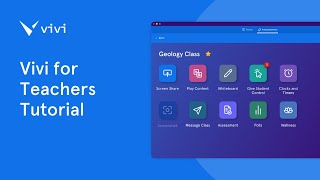
A walkthrough of the Vivi platform for teachers. Learn how to set up classrooms, get students to join, share your screen, use a wireless whiteboard, and control a timer from your phone or web dashboard.
Welcome to Vivi for Teachers. Here's a quick tutorial to get you started right away. After you've signed up for Vivi for Teachers using this form, check your inbox and you will have your magic link. Your magic link will bring you to your own unique classroom. You can name your classroom using this edit right there and and also get your students to join. Before having your students join, make sure and pair your phone. This will allow you to walk around the room and control the dashboard straight from your phone. All you have to do is scan the QR code and then put in the four digit code. Now you're ready to go. In order to have your students join your class, all they have to do is go to share.myvivvyio and then put in the code. Let's get started. I'm going to move the student to a different window to make this easier. A good thing to do before you get started in your classroom is to practice using the student app as well. Here I can ask to share. So I ask to share my screen over here. I allow and it pops up for the student to share any of their tabs, their windows or the entire screen. So here I'm going to share a PowerPoint on Vivi for teachers. Right there. It took over the screen. I as the teacher can stop sharing from my phone or the web based app. The student can also stop sharing themselves. Students can also use their wireless whiteboard. Here as a student I can write hi in the top right. I can ask to share again. The teacher allows they can pick to share their whole window. Here we go. And it shares right to the teacher screen. You can stop sharing also. One other fun thing on the teacher dashboard is a timer. You can set the timer from the dashboard itself or from your phone while walking around the room. Here you can see you can set specific times, add time, etc. Hope you enjoy using Vivi for teachers.