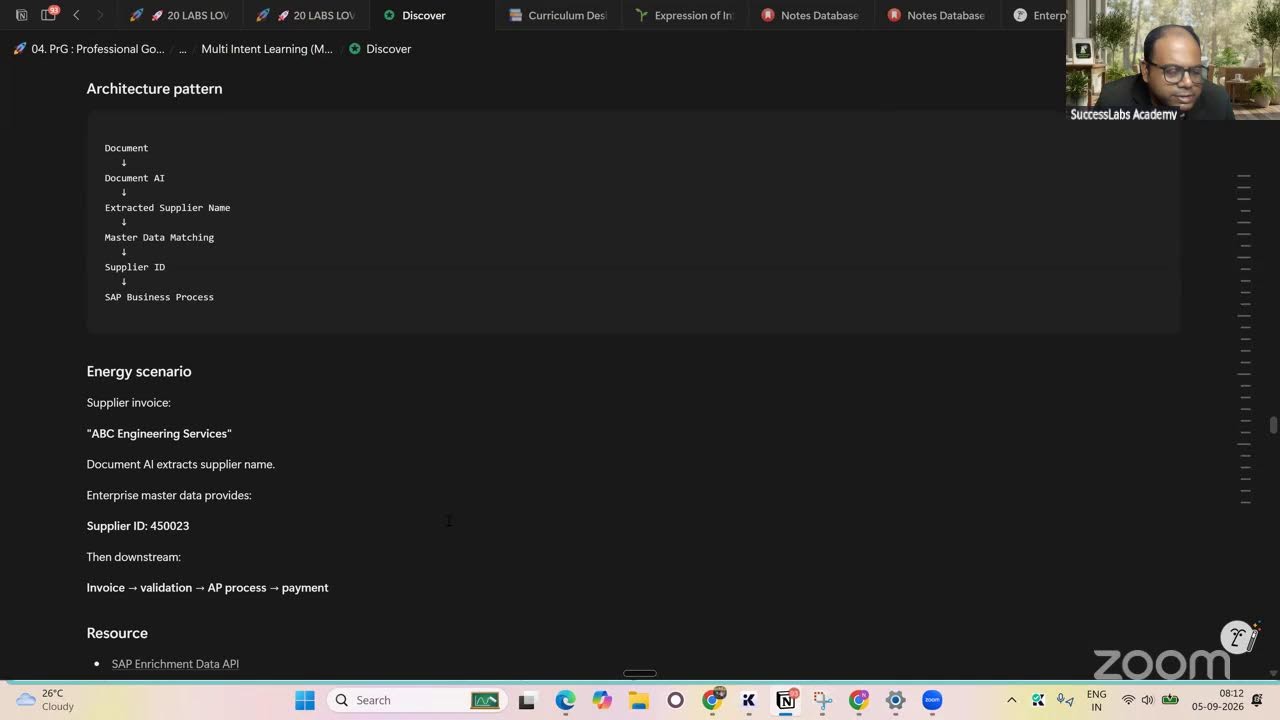
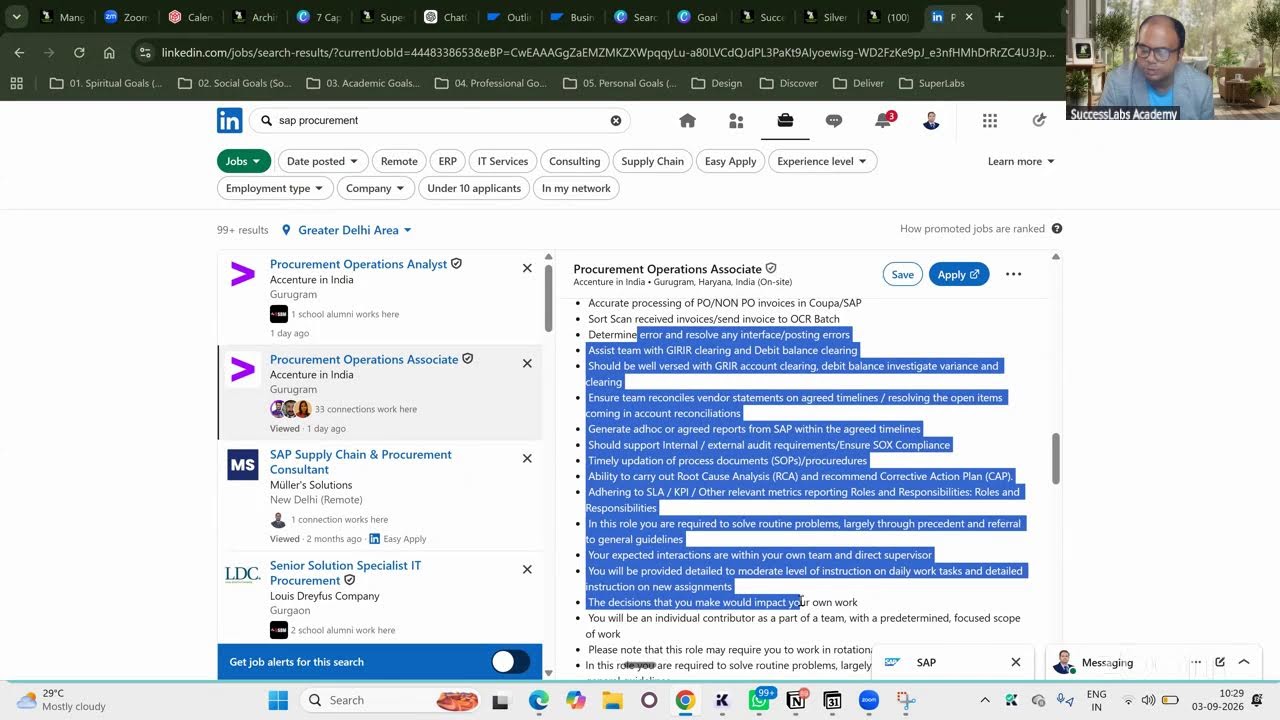
GitHub for All- Architecting the Inner Transformation - Reimagining Identity, Leadership

Dr. Niladri Bihari Nayak shows consultants how to use GitHub as a portfolio tool, not just for code. Create repositories with AI-generated documentation of your project work, track it via Issues and Projects, and link it to LinkedIn to build visibility and credibility in your field.
Chapters
So thank you everyone for joining in. So let's then get started and let me show you something today. Let me share my screen. I will start recording the sessions first. Okay, so let me share my screen. Welcome. So in today's sessions, primarily we'll be focusing on a tool called GitHub. Okay, how many of you have known that that there is a tool called GitHub, and also you might have heard about it, right? So GitHub is nothing but we will be having a tool, and let me go there. So this is how the tool will be looking like. So if you do not have any GitHub, you can go to github.com, and from there you can directly go to that site and you will be able to sign up. It is free of cost. Okay, and primarily we use it developers. If you are a developer at coding, if you have done earlier, you might have used it. Okay, but today which I'll be talking about, so in recently in one of the conference I have used SAP Cloud ALM. Okay, so there this is a file which I have created during that project. Okay, so this is how a typical end-to-end implementations, uh, I have participated in that activity. Okay, so here all the details were there. Even all of the exercises were also maintained in the GitHub only. You can see that, right? Each and every activities. Okay, so the primary purpose of this is you don't have to— if you can see, this is a Cloud ALM exercises I have done it in one of the project, right? You can see each and everything they were maintained in the GitHub only, right? And the easy part is you can see everything. You don't have to create a different, uh, you know, OneDrive or Google Drive for that matter, right? Directly you can maintain. It is also easy to share, okay? And another most important part is you can share it, you know, typically, uh, you will be able to submit it, okay? Also you can submit all of these things in here directly, okay? So, uh, inside this, so you have to maintain all of these things, okay, all the activities, all exercises, okay. Publicly also, whenever you will be preparing a portfolio— nowadays CVs are fine, but more than the CV, portfolio matters a lot, right? So in the portfolio, you will be able to maintain all of those things, okay. So you can simply share this link, okay, directly and make it publicly available. People will be able to see your work. Okay, all the developer used to do that, but functional consultant, technical consultant, everybody now they can utilize this kind of a— the link they will be publish it. Okay, and then you can showcase. Okay, you can see that these are the repository which I have created. Okay, so some of the repository I have created, and you can also showcase all of these things in your profile. Okay, and same thing, it is more professional compared to this submit something in your Google Drive or other than that. This is very popular, so for the reason, uh, I'm just showcasing that. Okay, so at present, for example, I've created certain things here. Okay, so I can update here and I can showcase that projects, any kind of packages. Okay, so this is something even I was using, uh, definitely Notion and all is good, but Notion is something, uh, you cannot, you know, publicly share many times due security reason and all. Okay, for learning point of view, from operations point of view, it's okay. Okay, but from a maintaining point of view, this is more— looks more professional. Okay, so this is what exactly I prefer. You can utilize it. Again, it's an optional, it's up to you which one you are using it. But there is a basic learning curve required for GitHub. Okay, so mostly the developer and all, they primarily use it heavily. Okay.. But as a functional consultant, as an architect, you think like an architect, right? Definitely you can utilize. So I'll be showing one example how for one of the project, it is not SuccessFactors in general, okay? I have used it, okay? And how you can primarily, uh, you can see there is a different boards are there, all of the activities, like what are the activities if you're doing it, what is to be done, what is in progress, okay? What is in, you know, to-do list, okay? All the things, any kind of iteration if you're following a sprint Okay, so, or you are following, uh, typically any kind of a sprint method or agile sprint methodologies and everything, you can follow this thing here directly. Okay, so this is what exactly we have from a project point of view. Okay, but how do we start actually? Okay, so how do you start? So I will just give you some example, then we will be going further. Okay, so first of all, account creation. So you can just go to github.com. Create an account using your Gmail or Outlook, whatever you are having it, okay? So then after you do that, so you have to come here. These are different repos— we call it repository, okay? Whatever you are creating, it is a repository. So this is a repository which I have created for learning module, okay? And everything, whatever the files and all, if you're maintaining, creating, something like that, that will be end with a .md. Okay, so .md is what? Okay, so this is, uh, something we will be generating whether you're using AI. So why I'm using it? Because nowadays if you are using AI, Claude or ChatGPT, okay, so you have to ask for it. If you ask it for an MD file, so MD file is nothing but markdown file, M-A-R-K-D-O-W-N we call it, okay. So this is something we you know, we can find out. So if I click it, it will be looking like this, okay? This is normal document only, okay? But entire structure has been maintained here. You will be able to find that here directly, okay? This is what exactly this entire thing Markdown— we call it Markdown file, okay? You just ask for it and system will be anything. You will be able to create it like this, okay? This is normal project documentation's point of view. We will be seeing that. So That is what exactly we call it. Okay, so now how do you generate it? Okay, so I will be showing you a live example, then I will come to this. Okay, this is the entire documentation has been stored here. It's a .md file. Okay, now what I will be having is here, if you see, uh, let me go to the here again. Okay, so what we have here, I, um If you go to ChatGPT or anywhere, okay, any of the product, any other project you are doing it, right? So ask for the MD file, okay? So let's say in the previous chart I have created an MD file for— Markdown file for recruiting, okay? Sorry, LMS, okay? I also asked for a recruiting and payroll. In general, I am asking it, okay, irrespective of any module, okay, any of the product, right? So if you can see, I'll just like— I will show you. This is a previous chart, okay? And this will be very much relevant for everyone. You can see that. So this is for a recruiting. I have asked for it. And recruiting, what I need as an architect, okay? I need product vision, strategy thesis, okay? All those things. I need a different, different persona pain points also. I'll be maintaining capability map, reference architecture. Most important part for recruiting is these are the different user stories I want. Okay, so I will need user stories for candidate, user stories for recruiter, hiring manager. Okay, all of this AI recruiting assets, recruiting agents are everywhere now. Every module you will be having this. Okay, all these things I require. Okay, and at the same time I will also require AI data flywheel. Okay, what are the things required for a modern, uh, AI-driven recruiting system? I'm not talking about SuccessFactors, whether it is SuccessFactors Smart Recruiting or a Workday Recruiting, anything, okay? A modern recruiting system should have these kind of capabilities, okay? So you can see all of the candidate to enroll, to in, a lot of other things are there, okay? So now you can see that I have requested to ChatGPT saying that create a .md file. .md file is a markdown file, okay? So now it is generated, by the way, you can see that, okay? And if you click also Okay, without downloading, right-hand side, by the way, you can read it. Okay, so it is not a doc file or a PDF file, rather it is a .md file you will be finding, right? This is the .md file. In right-hand side, you can read it out. Okay, this is, you can say, this is a, you know, for a product requirement document. You might have heard BRD, business requirement document, right? And once, um, according to that, the products also Okay, the problem product point of view. This is how the entire thing you'll be getting. Just to try it out today, okay, any of your favorite modules, whether it's HR, non-HR, anything, anything, you can find it out. Create a— call it out saying that I need an .md file for a particular module of your choice, okay. Then you just, uh, you will be just give some context to it, okay. Then you you, you'll be getting a file like this. Okay, so now what I will do, how do I, you know, so you can see how very, it is very easy to maintain. Okay, you respect, instead of typing everything in a Word document and all, you don't have to do that, right? Simply you just generated a document like this. The latter point of time you can keep on adding. Okay, so let's say recruiting point of view, right? The recruiter, suppose you are going to, you know, Carrier portal, the candidate pain point is job descriptions are very generic and unrealistic, okay? And the hiring processes are opaque, not transparent, okay? Rejection rarely produces any useful development guidance, okay? After you— somebody is getting rejected but no guidance what exactly went wrong in the interview. There is no pay, you know, explanations, right? These are different, different problems, okay? Similarly, we do have recruiter pain point, hiring manager pain point. You are actually capturing all of this thing in one place. Okay, so, and also from a product point of view, today's recruiting system, what should be the principle? Candidate-centric, evidence-based, AI-native. Okay, so that is what exactly everybody is expecting. API-first. Okay, so this is what exactly the MD file. Now I will be downloading it. So it is a preview I am doing it here. Okay, if you find something is wrong, again you chat with AI saying that— any AI, ChatGPT, Gemini, whatever, right? You can tell that you can modify it little bit here, okay? And like also you'll find the user stories also for every roles, every personas. We do have a user stories like this, okay? So this list entire thing you can see here directly. Now what I will do, I'll be downloading this, okay? So now I will go and download this file. Oh, this is the payroll. I also downloaded a payroll, so I'm doing both, okay? One for recruiting, one for payroll, okay? So this is the file for you are typically recruiting, okay? And same thing I will be doing it for a payroll. So payroll also, for the model payroll system point of view, what are the things required? You can see that all the details, right? I can again download this one. So I will be putting all of these things into different repositories, okay? So you download it, okay? Now what I will do, I will go to my GitHub, okay? So in the GitHub I will be importing them. Okay, so I will go to the main page of my GitHub. This is my main page repository. Okay, so there are multiple things you can see: repositories, projects, okay, packages, stars. So today's sessions will be focusing on the repository and projects, which primarily will be utilizing it. Okay, then I will talk about the other things. Okay, many other things you also not required because we are not developing a new product, right? Rather we are customizing a product, right? If you say developer and you are developing something new thing, right, that's a different thing, okay? But today how you maintain that, I will be talking about it, okay? So I will go to repository, okay? I can see a lot of repository which I already have created earlier. So I will go here, new. I will click new button here, okay? And here I have an option to maintain all of the things, general things, configuration thing, all this thing. Rather, I will import here. Okay, I'm already having a, you know, repository. I will be going and, okay, import that. I can also import that. That's one another option also we do have here. Okay, so there are two different options. You can start from scratch or you can directly import your project to GitHub. Okay, so this is another options, and if you want to maintain that, you can do that as well. Okay, so your new repository details and everything, then you can import all the details things here. Okay, so now there are two different options are here. Other than that, you can also have, okay, other options like a project, other things are also here. Okay, there are two different way, okay. So you can maintain it directly. So again, I go back, I'm repeating here, okay. So either you can create a repository or directly from scratch from a new and maintain the— let's say I will be giving a name to it, okay? So I would prefer— I will show you manually first, then import part later point of time we will be doing it, okay? So let's say the repository name— ask for a meaningful name, okay? So let's say in case you are getting stuck, open Gemini or any other, you know, simultaneously side by side, okay? By opening this, okay? So let's say I want to create a recruiting operating system. Okay, suggest a good name for recruiting autonomous recruiting operating system. Okay, so that is what exactly I have asked. Okay, you can see that. So suggest a good name. Okay, recruiting operating system, right? So it will suggest me a repository name which is, you know, user-friendly, short, and punchy. Okay, otherwise in general also you can create intelligent recruiting operating system autonomous Autonomous Recruiting. So I will utilize the word Recruiting, okay? So I will be preferred to use Recruiting rather than the Talent, okay? So I will be utilizing this name here. I will say not Talent, rather I will say Recruiting, okay? Recruiting Operating System, okay? A-R-O-S, okay? Just like we have a LOS for Ladder System. So in this way, I will be creating this. And give me a description, suggest a small description for GitHub for Autonomous Recruiting Operating System, right? So you can just, you know, utilize parallelly your AI, okay? And maximum up to 350 characters, okay? So I will be copying this, whatever I like it based on this, okay? I will say the— prefer the last one. A modular architecture for autonomous and matching pipeline management and AI-driven recruiting workflow, right? So I will simply copy it, paste it here. Okay, so now there are important thing is configuration-wise, whether you want to, you know, suppose you are creating something to showcase to the recruiter or in your resume or profile in your website, right? You can prefer to use choose visibility, okay? Or if you're doing for something, or you do not want to disclose, it's okay, up to you, okay? So I will choose public here, okay? Then there are 3 things you will be understanding: the README file, .gitignore, okay, and add license, okay? These are 3 things you have to understand, you have to create before you go to the next step, okay? So I will be using first of all README file, okay? So for if you're having a very long description, right, for a particular project which is very not— you cannot explain in a small 350 characters, right? Inside that you can simply enable it, okay? And similarly, uh, also in the repository what you are not going to track, okay? So that is also, if it is required, you can choose it. Otherwise it's okay, okay? This is something for now you can choose it, okay? And license also, what exactly we do? Usually if it's publicly, we are making it available, right? So people choose any specific license, or let's say if it's publicly, we are going to, you know, submit it, okay? Or any project you are working, you want to showcase that, right? So you can choose MIT or something like that, similar to that, okay? Then simply just for formality, okay, then I will be creating a repository like this, okay? So create repository. Okay, so now I can see that these are the things has been already done. Okay, and the README file is there. Okay, and the README, as I said, whatever the description I have given here. Okay, let's say I want more further here, I can simply edit directly. It will look like a coding structure like this, you can see that. Okay, so let's say in the README file I want more, suggest more detailed explanations for a README.md file. Okay, so let me do that. So you will be finding, okay, so in a detailed one you will be finding here, okay, so like this, okay. So you can simply copy here and paste it here, very simple. So we are just trying to explain what are the things you are going to do in this particular project and all the details, okay. So this is what exactly we have done it, okay. So now We do not call it a save here in GitHub, we call it commit. Okay, so we are just giving our commitment. So they are using a difference also. What is the reason? So you'll be finding that different version also at a point of time once you commit it. Okay, and you can simply automatically— it will be saying that what exactly changes you have done it. Okay, then you simply create a commit changes and choose always commit directly the main branch if you want to do something on a different branch, you can choose the second one. Okay, so I'll simply commit changes here. So it is saving it, entire thing. Okay, so now my— this thing is ready. Okay, so whatever you can see, whatever I've copied here, okay, it has actually brought in like a different kind of structure like this. Okay, this is how you can do in the detail. And while doing these activities, you can see there are multiple things— issues, agents, actions. So you don't have to work on everything. Okay, you can simply go to issues and here you can choose like, well, let's say you are implementing a module, okay, you are having some 2 or 3 issues, okay, that also you want to showcase in an interview or any of the process, right? These issues I have faced it all, okay. So this is a very really good things, okay, which you can go for. Let's say I'm having some issues, okay. So let's say I will tell that give me some example of issues in a typical recruiting technical model. It could be SAP SuccessFactors Smart Recruiters. Just give me some one or two examples so that I can document that. Okay, so this is what exactly I've asked to AI. Okay, so now parallel in the GitHub, okay, so technically I can say that some issues, okay. So let's say I'm getting some issues in the— there is issues in the integration between your Employee Central to Recruiting Offer Approval. Okay, so there is an issue. And what is the explanation? When offer letter is approved in recruiting module, the candidate data is failing to update in the HR system, that is SuccessFactors Employee Central, due to mismatched mapping keys between— suppose you are having any custom field, that mapping is not done. Okay, and what is the impact of it? It delays the onboarding process and requires manual intervention from the system. So this is an issue, let's say you have faced it out. Okay. And what you need to do is simply go here, click New Issues. Okay, so you don't have to use separate, separate files for all of these things in the same project document itself. Okay, so in this way, it is a smart way of using it. And many of the functional consultants, they do not— they do not even know what GitHub is. Okay, so let's say this is the issue number 1. Okay, so our incident number 1, I will say. Okay. Incident 1. In this way, in one place, okay, so you can capture it, okay. Then type your entire description, whatever you are having here, okay. And later point of time, you can also link it to the projects and everything. Here you can see there's an option for project, all these things, okay. You can do tagging all to here, and also you can assign to your team members, okay. So let's say you are doing yourself Okay, then you will assign. So I have— this is my GitHub ID, I have assigned to myself. Okay, so in this way you can just update it and you can also put some attachment also. Okay, some screenshot or something like that you can put it. Then you click create here. Okay, so in this way you can— while doing this you can see that now this is an open issue. Okay, so that means you have not yet solved it. Okay, and under that if you want to explain something, you can also create— there is something called sub-issues also, okay? So we're not going there, but anything you have also commented, okay? So let's say already fixed it out, okay, due to XYZ reason, you got a solution for it, okay? So close as completed, done, closed, fixed, resolved. Once you resolve it, then you click this, okay? So I'm not doing that, okay? And also you can label it, okay? So level to anything, okay? So let's say this is a— what kind of an issue? Issues. Okay, this is, uh, like, uh, some documentation issue, a bug issue, you know, enhancement issues, or you do not understand something, right? You can maintain those levels also. Okay, so this is, let's say I am new, it's a good fastest. So that means I am a newcomer to this particular module, I do not understand anything. So let's say that is my issues. Okay, project point of view, I can click into it. I have not created a project so far. I will be creating a project for Autonomous Recruiting Operating System, and I will be— I can also able to assign that back later point of time. Okay, so in this way you can utilize this repository. Okay, this is an ISU repository where you can create incidents even for a dummy project. Whenever you will be now deploying any of the SuccessFactors project or any of the SAP projects, okay, you can simply, uh, create this for your own information. Okay, many a times, we do not document, right, in one place. Instead of putting here and there, it is better to put in this kind of a professional tool, okay? You can track it always, uh, okay, very easily. So this is a free, of course, there's no— it's not a premium cost, okay? This is a tool you can utilize it, okay? So this is what exactly from an issue point of view. Now you understood, okay? So now we will be going for this pull request and agents are not required at this moment. I will come to this latter point of time. Now I will be going to the actions. Okay, so this is again, at this moment we are not doing this, okay, because this is more from a development point of view. We do not require this, okay. Suppose if you are a developer and all, then in that case you may have to deploy into a particular, I know, cloud or AWS, Azure, all this thing. So this is not required at this moment for now, okay. So I will be skipping this part of it, agent action, pull request. Project is very important here. So project point of view, let's say I have given you a project, okay, and the project title, let's say for recruiting operating system, okay. I will be giving the same project name here. I will be saying— so whenever going for a project, you'll be getting a lot of templates like this: team planning, Kanban, bug tracker, feature release, iterative development, okay, product launch, roadmap, team retro— so there are some predefined templates you'll be getting here. Okay, so let's say I would be interested to use more of Kanban. Okay, team planning. So in our case, if you're having 2 members, 3 members, you're working in the same project, you can go for team planning. Okay, and feature release is not relevant for us because we are not developing a new product. Okay, mostly people who are actually into a product development team and also they usually use it. Iterative, you can use it. Okay, it's up to you which is iterative or Or you can utilize your, you know, Kanban. Okay, so this out of this thing, if you're working in a support project, you can utilize the bug tracker, something like that. Okay, so for now, I will— let's say I'll be utilizing iterative development. So let's say I will be asking the AI also, I'm having so many templates, uh, from implementation point of view, which templates ideally I should use it? I think it's iterative development because we are not going to develop a new product, rather we are going to deploy an existing product from SAP SuccessFactors. Factor or Workday or similar kind of an ERP vendor, right? So this is the question I have asked, okay? And preferably I will be utilizing this Kanban, or okay, you will be having your backlog, okay? Current sprint, okay? This is what exactly I will say. Iterative development, as I was saying, it is more relevant for our, for our scenario, okay? So I now created a repository in and I have linked into a project, okay? And in the project I will be having this kind of a structure. You can visualize in your projects also, you can see that you have options like backlog, ready, in progress, in review, like that, okay? So now what I will do, I will be creating a project like this. So once it is done, import is completed, saying that It is updating everything. Now you can prioritize, okay, what are your based on your user story. So here I will be giving the name of the project also, again, once again. So here instead of having a generic name, I will be saying that same name, Autonomous Recruiting Operating System, right? Autonomous Recruiting. And by default it will be going to my Eros. Eros is your same name I have given. To easily remember it. Okay, so I will be giving the same name here, AROS, right? So this is what exactly the name I have given here, Autonomous Recruiting Operating System here. Okay, now what you'll be doing is, uh, write a sort of— so I'm not going to do that. Okay, but you can do that, a lot of other things are there, right? And, uh, let's say I will be saving changes here. Okay, and latter point of time, if you want to you know, once you complete one recruiting project, if you go for a new project and it is the same thing but for another industry or sector you're doing it, so you don't have to start from scratch, come here and make a copy of it. Okay, so in this way you can save your time instead of creating from scratch. You can do that as well. Okay, so this is how again you can update. Okay, there are some other fields also. You can manage your access. Suppose two people people are doing collaborating, right? So I'm planning to do this activity. Once you take up any of the projects, uh, okay, and from the case studies and all, I will be inviting you as a collaborator. Definitely you have to create, and I will be also sharing my ID so that also you can review, get it reviewed by me, okay? So this is a very smart way of doing it nowadays, okay? You can simply give an access to me and I will evaluating that, okay? This is another way instead of upload uploading everything in a platform, right? You maintain your repository, everything, okay? And you just share this GitHub link with me, okay? And then you can share with me whatever the development you have done it or changes you have done it. You can see that, okay? So everything, once everything completed, you can move them into the done part of it, okay? So here what you have to do, what is the backlog mean? What is ready mean? I'm just giving some example here. Uh, give me some examples of a recruiting module point of view. What is the backlog? Ready, in progress, one item each for every status, right? So we will be seeing that. It could be any product, okay? This is SuccessFactors or Workday, it doesn't matter, okay? So the backlog will be, let's say, I have to configure some screening questionnaire for technical screening stage in a, in a typical interview point of view, right? This is one of the requirement I'm having it. So how do I update it? Simply come here, add items. Okay, once you hover around it, it will say add item here. Okay, and you can start typing here, paste it here. Okay, so this is, uh, something I can put it here directly, uh, configure custom screening questionnaire. And, uh, okay, and I can do that. Otherwise, if it's already having in your repository, you can create it. Okay, so that is what exactly I will be doing it. Okay. And, uh, I will be— I faced any template is there, otherwise I can simply use it like this. Okay, this is what I want. And in the detail sections, I can put the entire thing here directly. Ctrl+C, Ctrl+V. Okay, so in this way you can create your backlog like this. Okay, and you can update all of these things. Okay, so in this way— okay, I think I have not started it. Let me put it— I'm not seeing the save it actually. Okay. So you have to put it here, create a new source, blank. Okay, create a new here and update here. Okay, and you can simply create like this. Okay, so in this way you can maintain all of these things and update all of these things here. Okay, so that is what exactly we have and For each and every point of view, you can simply maintain all of this in Trello. That will really beneficial. You just explore it, okay? Anyway, if you're not comfortable, you can still utilize Notion or Word document. I'm fine with that, okay? I'm just sharing because this is easy to share with anyone professionally, I'm saying, okay? People can see your projects directly and all of these things, okay? So this is what exactly I just thought of sharing with all all of you. Now going back to the repository, okay, as I was saying, this is how the repository will be looking like once you share this, okay. It will be looking like this. All the details are available here, all right. So this is, uh, one part of it. Now if I go to the project section, in the project section also, this is one thing we have— Autonomous Recruiting Operating System here directly. I can see this, whatever already have created, okay? Or if you want to a different view, you can change your view also here, okay? Table view, if you want to see in a table format, you can see the table format, okay? The view can be changed, okay? So you, you want to see, uh, another view, move view, okay? Depending upon your requirement, right? You can do that, right? So roadmaps, everything you can look it, you can check it out directly. From here, right? So this is what we have in the directory in this, or if you want to create something new also, you can do it from here, okay? So now what I can do, I can suppose I want to import something, right? There's an option called import here, okay? And what I can import, whatever I've already created, okay? So that is another option we have. You can also try to the same thing, import git repository, all of this. This is the documentation again, okay? You can try to use that also. That is another options we have, okay? And, uh, other than that, okay, we have here in this repository, okay, we generally do not use this option. This is more of a like, uh, if you're doing a coding, that is not required for this, okay? Only specific things, whatever I mentioned, you can utilize this in our repository, okay? So other than that, we do have, uh, I'm just telling you what additional things you may require. So go to File. There is also an option to go to different, different files we have created, right? And you can also generate this kind of a file, okay, at a point of time, okay? So there are different structure to it and you can utilize it directly, okay? So now what I will be doing is another activity I will be performing here. Uh, let me try this. This is where all the repository will be there. I think everything is repository here, they call it repository, okay? And this repository, you'll be finding anything you want to add, you can do that. Your contribution, it will be counted as your, um, you know, contributions here, okay? So in the learning system, I have already created a similar thing. I just wanted to show you, okay? So here in the project section, if I go Okay, and this is what exactly I have created, Autonomous Learning Operating System, very similar. Okay, and same, same principle also I have followed there as well, you can see that. Okay, so now what I will be doing, so in this main repository, okay, and I also uploaded an MD file here directly. You can see that this is an MD file which I have directly updated, uploaded here. Okay. So same thing I will be trying to do it for a recruiting. So if I have done that, if you see, this is the entire file of 2953 line items, okay, entire PRD, okay. So after your BRD is over, business requirement document is over, you are just giving a details list, okay, or starting from a pain point to, you know, entire— there's a— you can see this is actually an architecture also I was able to update here. Okay, this is from a learning management system point of view, how there are different layers— experience layer, AI experience layer, multiple. So I didn't draw anything from manually, okay, directly from ChatGPT I have generated it, okay. And I just uploaded the MD file, .md file, okay. And that is actually maintaining— so it's a paperless architecture. Now you can see I don't have to maintain any PPT, Excel, Doc, right? Rather in a paperless Okay, purely paperless thing. Everything is placed in one place. You can see that, okay, all the user requirements, all the user stories, okay. This is also, if you're utilizing, um, Jira or similar kind of, you can also link it, okay, there also, right. This is the entire thing, whatever I'm showing you, I have generated from ChatGPT and I've updated here. And latter point of time, okay, if I want to maintain it, okay, there's a simple edit option is there, okay. Okay, and you, whenever you're editing the picture, those fonts will be looking like this, just like as if writing a coding, right? But it's not a coding, just you mention everything from here. Okay, and you will be able to add anything new thing. So let's say coaching pain point, or let's say learner pain point. Okay, I do not know what I want to learn next. This is again most of the learning system, they do not not say that. If you're entering into a particular learning management system, it will not tell you that what you have to read next, right? But this is possible. So in nowadays, in AI-based learning system, this allowed. So you can write down the pain points here. I forget what I have learned, right? So if you're not having a learning history, a lot of things. So you can always add on points here, okay? So this is a go-to place for any of the new things if you want to update any any— your client has given some new requirements, right? I am captured here from a different user stories point of— from a learner experience point of view, 100 user stories. Coach point of view, I have a 50, you know, points where exactly these things we have to update. From a community and gamification, okay, we have a 40 points. So there are 470 requirements I do have especially for a recruit— sorry, learning management system point of view, right? So these are the different user stories for each and every capability domain I just talking about, right? So you can maintain all of these things in one place, okay? So now it will be easy. So somebody wants to update anything in a real time, you can go to the GitHub and update these things, okay? You don't— and also you can link it to your Jira ticket or ServiceNow ticket or whatever, any or any change requests coming up, right? So this is how professionally Product development companies use these things, okay? Even I never used it earlier, okay? For the last one year I have been started— I started using it personally myself, okay? But this is very easy and easy to maintain everything. And also good thing is it will update the version, okay? You can always update and commit the changes, okay? You can always, you know, go back to the previous version seamlessly. Okay, so very easy and to go through and everything. Okay, so now we also have an option called a wiki. Okay, so wiki is what? Wiki is actually, you can also create, um, you know, for your generally documentation, again for the documentation. So I'll be asking for an example here. For an autonomous learning operating system, suggest a best, best wiki for my GitHub. Okay, so maybe something interesting you found out, okay, in some of the public domain or some of the research content, right? Usually, and those things you can maintain here, okay? So here you can basically create this thing, okay, and update here. So you create the first page. When you create the first page, okay, so it will automatically say welcome to the Autonomous Learning OS. Keeping because as for the name of the project, it will tell you that, right? Then you can update all of this. This can be a structure, it is recommended, right? So what I would do is I may be writing here, I am generating a new page for my autonomous learning operating system for the first time, okay? Suggest best content for this particular page. So this is my home page, by the way. Okay, so new homepage. Yeah, so homepage, I'll be— this is equivalent to you are maintaining a website, okay? You are creating a web page inside your website, right? So same thing, you can go here, okay? You have to create a markdown file, okay? Or simply you can upload here, or you can simply copy. You can see that there's an option called— whenever editing anything, it's always an MD file. Markdown mode, okay. This is what exactly you are having it, markdown. We call it a markdown file only. So now what I have to do is I have to simply copy paste, okay, whatever I've got it from here, right? And I will be updating here, right? This is again a simple documentation, okay, but, uh, this will be making your life easy whenever referring something, okay? So this is my home page, okay? I will save this page. Okay, and then I will go to further pages. Okay, so you can see now this is the first revision I have done it. Okay, you can see how nicely it has done it. Okay, and if you see that in the right-hand side, okay, automatically it is broken down to different, different part. Suppose it's a long page, I've written a very small page. Okay, so I suppose I want to go to the implementation roadmap. Okay, simply click implementation roadmap, it will take you to that particular link.. All right, so similarly, a lot of other things. If it is very long, you don't have to scroll a lot. Okay, directly you can see this is a kind of a map set. It will be finding for you, it'll be creating for you, and you can maintain all of these things on a regular basis. Okay, so this is the smart features we do have. Okay, and similarly, there are so many other things. Okay, so you can find it out, settings, and these are not required at this moment. Whereas when required I will tell you, right? But here we have a very basic thing I am talking about, okay? From a functional consultant point, this is not for a developer. For a developer there are n number of things, another— so we just don't have to go there, okay? If you are doing a coding and all, right? But for a functional consultant, how we can basically maintain all of this thing as a repository, okay? I just thought of sharing this with you and I think this is enough for for you to start with. Okay, so I'm just running a testing for this for the students, how much I will check the usage, how they are managing all of these things. Okay, and if it is going well, definitely it is again a beta testing for every students. Okay, you can see that now I have created two different, uh, like this recruiting one and learning one I have created, right? So same thing you can do it for any of the module with the payroll or something like that if you are creating you can do the same thing here directly. All right, so this is— I think it will be helpful for you. In one place you maintain it, and most important part is you can share the link. Okay, so you can simply go and share your link, okay, of your any of the project if you want to showcase. Okay, many times we have to showcase in our— if you go to your LinkedIn profile, right? I'm just coming to the personal branding now. Okay, if I go to my LinkedIn profile, even So here we have an option, okay? So what I will be doing here, let me go to my page. So in the, my, in my LinkedIn profile page, I can simply update here if I want to showcase any of the project, okay? I will simply go to here and edit, edit here, okay? So I will go to my edit LinkedIn. So here, so let me go there where exactly we have Just a minute. If I'm going to my LinkedIn profile, view profile, view profile is fine, but here we have an option to add a lot of things, right? So it is always, um, if you go here, okay, of this section or any other section of your project, there is a section called, uh, in your LinkedIn profile, we have an experiences there. Experience, okay, okay. So let's say, um Some of the projects, definitely these are client projects, you should not showcase publicly, but a replica of it, what you have done in that project without taking the client name, right? It's like a structure you can maintain and you can basically publish, like, uh, in general I'm talking about, right? Otherwise, another options we do have, okay? So in the project itself, you can see that, and these are some of the 14 projects I have worked in different, different company. Right, this is one of the project which I have done in a Deloitte, right? I have shown that, okay? But if I click here, so project, right, it will be not showing the exact thing, rather it will maybe showing a company name, right? Where exactly I have implemented, right? But instead of that, what I will do, I will be creating a GitHub file, okay, without taking the client name, okay? What I have done that in that project, maybe 5-10 issues I remembered, or 5-10, you know, innovations I have done it, right? Here simply I can update that. Okay, see, I will go here and you will be seeing here, and directly instead of that, instead of giving this project URL link, right, I can simply add the link of the GitHub. Okay, so for now I'm just showing a dummy one. Okay, the dummy one which I just created, right? So this is a And so let's say I will be asking again here, Autonomous. So let me go here, my profile, and there's a repository sections, okay? So the repositories, you can see that, uh, this is a public repository now, Autonomous Recruiting Oper— Autonomous Learning Operating System, right? Nobody in, in the world, they have created a repository like this, okay? So for the reason it's a unique one, okay? So simply I will go here, this link which I have created, right? Autonomous Learning Operating System, right? So this will be having— these are the things I have done it in that project, okay? And general name I have given. I have not taken any client name, okay, for data privacies and all, right? So you have to respect that, okay? This one I can showcase, otherwise, uh, you know, this is a private one, okay? So this is something I may have to— okay, this is— this will not go there. In— so you showcase the general one. You don't have to showcase this one, okay? So you can use the general one so that everyone be understanding what kind of projects you have done it and everything. So now I will go to my LinkedIn profile. This is very important, and activity, because we are all doing it for our visibility and our showcasing our portfolio, right? And also in that project, what are the 5 skills you have learned, right? You can— previously I have given an example. In actually, I document in every, each and every project Whenever I'm working in any other project, I usually go there and update my project, what I have done in that project, and I can update. So here, instead of showing something else, in the GitHub, the GitHub which I was maintaining, right? So the GitHub, I maintained the entire project at a very high level, okay? So that link I will be giving here, okay? So that, that's the link. It, you do not have to share anything. Which is confidential for your client, you should not show that. Rather give a GitHub link, okay? And let's say I will give one example also. So let's do a demonstration. So this is one thing you can do, okay? And add skills, definitely add media, anything you can do it, right? At a point of time, right? Then you can simply save it. So in this way, in your LinkedIn profile, okay, you can mention somebody wants to see this, right? They will go to your profile profile, okay? And maybe you can check it out, my profile. Go to LinkedIn, okay? Go to my project section. If you click Show Project, okay, and you will be able to see the GitHub link which I have shared there, okay? Simply I will put it here in the chat. This is my LinkedIn profile. Go to the My Project system, okay, in the section in the LinkedIn profile. Click Show Project, okay? It will be showing you something which I have the create it like this in general, okay? Same thing you can do for any of the— you might have worked on 10, 20 projects, okay? So instead of telling the entire history of the project, rather you can just maintain, okay? So previously I have done a lot of things to maintain my profile properly for every roles which I have worked, right? Deloitte project number 1 where I have done this many activities. Because in a CV you cannot showcase, it will become a book, okay? If you're having worked on 10, 20 projects Okay, and it will be very difficult to showcase everything. Rather, you comprehensively— I mean, here also you do not have a space too much, right? There's a word limit to it, right? So for the reason, I highly recommend, okay, do something like this in the GitHub, primarily for your personal branding, career branding, right? So you can say that when you do the interview, it is available in my, you know, LinkedIn, uh, sections, and you can showcase the project directly here. Okay, so this is the best way Okay, you can document it. It's all about you because this is the career branding I am focusing on for you. Because even if you know everything, basically, unless and until you are, you know, showcasing it, nobody will be knowing it, right? So this is what exactly from an SEO point of view, anyone is searching you as a, you know, a profile, everything should be there. Okay, many a times for developer interviews, they also ask for GitHub directly. For functional, they have not asked it, but actually it is a better way of presenting it. Okay, you can see that, okay, this is the most important part, okay. So we are not learning for learning, rather learning to showcase our work to the public and, um, it, okay, so that you increase your visibility in the marketplace, okay, and get more and more opportunities. That is the intention behind this session, okay. So this is how exactly you can update here directly, right. So now I will be giving you another option so This is one way, okay. Now also, in your typically, uh, any of the projects you have worked, okay, any of the sections, you can simply maintain that here as well, okay. So primarily it is better to mention here in the project section because, okay, you can even— I have not maintained a lot of project which I have worked directly and I need to update, but it is the best way, okay. Another option I will be giving you, let's say any company-specific project you have worked for it, and how do you anonymize it, okay? So let's say I will be going for that. Usually people who are into financial and all, they go for, you know, like, uh, your different website to— for the, you know, marketplace, okay? So if they are doing any kind of, you know, activities, primarily, uh, what they call it, stock market and all, right? But we will be going to similar side but for a different purpose, okay? So let's say for— if you're in India you will be going for— there is an option for screener, right? So ideally go for screener. Okay, there we go. And generally from there we identify the companies. Okay, so let's say you have worked for a cement company. Okay, I'm just giving an example. Okay, so cement company, you— let's say in India we work for UltraTech Cement. Okay, so what I have to do is, uh, okay, instead of saying— even I develop my case studies from like, like following this kind of a structure only.. Okay, so I will go to this kind of a website. Okay, and I will go understand these are the things. Okay, parallelly I'll be opening the Gemini. Okay, so I will say that follow the UltraTech Cement Limited company and you are going to implement SAP SuccessFactors, let's say, Work Zone module for this particular company. Do not take the company name directly. But take a fictional name but exactly the same characteristics, everything from this company. You just clone this company entirely. Now I have to also produce a GitHub file from, uh, from my skill point of view, and just to guide me. Okay, so this kind of a prompt, I, I never know people will be utilizing like for like. Mostly people use it for different purpose exclusively. Okay, the marketplace financial people, okay? But, uh, we will be utilizing in a different way, okay? So you can see that we are utilizing a different way, as I said, right? And my AI has given me a clone for it, and it is saying that instead of using, uh, Ultratech Cement, you use Bajra Cement Limited, some other similar company name it has given. It's a fictional name, right? So now I'm confidently— I do not want to showcase anybody's project publicly, right? Even I have learned a lot of things, right? So what I have to do is simply I will be utilizing this name, okay? And from a GitHub point of view, you can see that it has created a structure for me. You can nicely can see that, right? Enterprise entity, this much, this is the industry, this is the workspace. It looks like a coding, but you can see that all of these things, okay? And what are the integrations they have done? Let's say Employee Central, Employee Central Payroll. It may not be accurate, okay, in that company because we never know in that company, but at least this is a hypothetical company. Okay, it has created a similar kind of a structure of it, and it is create a JSON file. We call it a JSON file, and inside that it has created an entire thing. What I can do, right, I will be asking it for a create a .md file focusing on SAP SuccessFactors Work Zone as if I have implemented, use for this particular company, and I have to showcase this project as a milestone project, as a successful implementation project, award-winning project in my LinkedIn profile, and list down the complex challenges I have faced in this project. List down the top achievements quantitatively and qualitatively in this project. Okay, so this kind of a prompt I have given. Okay, and it will be generating a .md file out of it. Okay, so let's see how Gemini has been created. You can see that this is a production-grade, I will say, You can directly copy paste, by the way. It is created, generate a .md file. Okay, so .md file is nothing but the entire documentation. It has created— you can see that is the client name, this what was your role. Okay, so it could be, uh, because I have trained my system, it is always tell me always I'm an Enterprise Architect. Okay, it may not be for you. You can choose a like SuccessFactors Consultant, Senior Consultant, something like that. And what you have done it in that project, what is the summary of the project, you can see that that what are the modules you had. Many people interview ask, right, what are the modules you have in the scope in the project, right? You can say that we had— although you are working on QuarkJob, they have EC, EC payroll, custom UI extension, digital workspace project, okay, all of these things, okay? Because it's a cement company, okay? And what is the gap they are having? So they have a factory floor, they have original depot, right? And all of these things were there. Right, so you can simply choose, pick and choose all of these things. And this is very, very important. Every project they will be asking for it, what are the challenges you have faced, right? So you can say that work for segmentation, okay? There is a difference between a white collar plant floor, blue collar technician, remote logistics operator, okay? They do not have any traditional desktop. It's very common, right? Everybody do not have, doesn't have, they do not have anyone, uh, cement company, if you go manufacturing company, they do not have everybody's laptop, right? They will be working in their mobile phone or in a kiosk like that, right? And what kind of challenges for payroll, what kind of a supply chain ecosystem point of view, what kind of change management, the heavy industry, right? Especially, right? So this is something you can always talk about, right? What are the impact, what was your achievement? You can see, okay, reduction in query resolution, okay? What are the things you have done it so that the resolution is it has been resolved, right? And so though all these things to be called out, and you cannot mention all the things in the CV, okay? Even if you have done 20 projects, it becomes a challenge where you work in multiple projects, okay, over a period of time. Especially if you start at least 4-5 years of experience, right? Your resume will not look like a book, okay? In resume should be always 2 pages, 3 pages maximum, okay? But your LinkedIn, you just give a link to that, GitHub link you give it there, right? Or people, I have seen also smartly, they use a QR code of their GitHub, right, in the CV. Also, I have seen some of the profiles in European countries, I have seen it, okay? People simply take a QR code of their GitHub, post it in there, you know, people— I don't know how many people scan it, but, uh, I was curious one time whenever I was taking an interview from a guy from Finland. So this is from pretty much— you can do it and you can simply copy this entire thing, okay? Now I will go to my GitHub, okay? I will be creating a repository or a project maybe, okay? Inside my, uh, I will be going, let's say, here directly, project, okay? And I can create a new project and from that I can simply post it there, right? So what I will be doing, simply go here, either create first— you always start with the repository because that is the best way, okay? And new repository, you can start here and you can say that repository name is, uh, this is the Autonomous Digital Workspace. Okay, so if the name is already there, you cannot take the same name. I will say Digital Workplace. Okay, Autonomous Digital Workplace operating system. And here I can give a description similar, AI native and digital Digital workplace, okay. For, so for that reason I just maintain this. I will make it public, I will make the README file, and I will be using MIT license or GNU, whatever is Apache, whatever. So simply create a repository out of it, okay. So you can create a repository and then you, so let's say for this module, it may happen for Employee Central or any of the module you created, you have 5, 6 different projects you have worked, right? So you don't have to create multiple repository. Create one repository and link it to 5 different projects, okay? So we can link a project. If you're already having a project, you can link it to here. Otherwise, you go here, create a new project, okay? And pick up any of the template, okay? So mostly we use iterative. You can use that. And for From that you create a project here like this, the same process which I have told to you, right? So now you can update all of these things. So definitely this will be all completed, showing in a completed status, right? All the items, okay? Because currently you are not working in that project, right? So here also you can give the name, same here, Autonomous Digital Workplace Powered by SAP SuccessFactors Work Zone. Sorry, powered by, it is pronounced it, but it is listened to differently. Powered by SAP SuccessFactors, right? Then you write a description. All of these things I'm not doing now, okay, but you can maintain these things, okay? Now in the short description itself, you can maintain this is the project settings, okay? So now you can go back in your project settings here directly, and another way for you can do here is this is one thing. And, uh, okay, and let me go to the next one, uh, My Items. Okay, the My Items. Okay, here also you can assign to yourself, okay, directly. And you don't have to do anything else because this is something for a demo. You are, you know, for that you are showing it for showcase purpose, you are using it, right? Okay, so in this way you can just update here. Okay, if you're currently working, definitely you can maintain all of these things. But if you already have completed that project, right, then everything should be in your Done section. Okay, what are the things you have completed? 5, 6 things you have done it, right? So let's say you have done a setup of, uh, or you can even if you're implementing Employee Central, right, so, or any other module, what are the list of activities you have done it? You simply go here, list down that items Okay, so this is something you have already done in a 20, 30, 40 items in a sequence, right? In sequence you maintain it, it is easy actually. Okay, so this is a smart way of using this particular tool. In the market I know there are so many tools, okay, but this is a standardized tool and free of cost, okay? So you don't have to pay anything to GitHub for doing this activity. If you're using any Trello or any other Jira, you may have to— they do not have free things, okay? So So it is easy and many of the people use this as a— for this particular purpose, right? You can easily do that, right? This is what we have done it for this. And in the short description, as I said, I can maintain this, uh, okay, sorry, I didn't copy it here. So basically I have to go here and, uh, README file, I can update few things, okay? The project details I can give it here, or I can drop a file here, okay, .md file, whatever. If I want to create, I can do that. I can update here, okay. So let's say I will be asking for this project, uh, where can I update my .md file for this entire project, okay. So let's say update— I will rather, I will say upload, okay. So you can see, you can take help of Parallely if you are not comfortable Initially, okay, directly go to your— it says that I have to go to the README file, okay? So README file is here, right? In the README file, I can go and, uh, go and there's an option, okay, to upload, paste, or drop, or click to add files, okay? You, you can upload your .md file, okay, directly from here, okay? So that is the one way you can do, okay? And let's say say I will be creating a .md file. I've already created the MD file out of it, so if you have seen that, okay, in the Gemini. So same thing, I can, you know, this is actually what it has done. It has not created an MD file, rather it has actually given you the entire preview of it. Okay, in ChatGPT actually it happens maybe easily. I have not used Gemini for it. I will go to, let's say, ChatGPT. I will be asking directly, give me, you know, .md file directly. So I is saying that this is— I pasted here— create an expanded version of a digital workplace. Think like an enterprise architect. Think of all possible user stories, strategy, architecture, your project following SAP Activate methodologies, project roadmap, all the possible challenges strategic AI agents, everything, and create a comprehensive, in-detail .md file out of it. You can enhance the current description. Okay, so I've just asked for it. Okay, and it will be giving me a .md file directly. Okay, so this is actually in the cloud also, they have— they also follow the same structure. Okay, if you ask for the .md file it will be giving you a smart link. Okay, so it will take some time. Okay, once you get that .md file from this ChatGPT or Claude, okay, and you can simply— because everything you cannot copy paste here, okay, because this is a limited space, right? So for the reason, I will say upload that file, okay? And after uploading, you can say that it will be doing entire thing for you. Okay, so that is what exactly smartly you can do it here. So it— I think it is taking some time here, uh, maybe ChatGPT as well. Let me refresh this page, or I can change it. Let's see, let me add it. Yeah, so you may edit it, send it again. Yeah, it keeps taking some time. Okay, because .md file is like a brain Okay, so for whatever your requirements, strategy, architecture, whatever you are having, it's like a skeleton for your entire project file, right? And it has to take some time, okay? So because I have asked for a lot of things in one place, right? If you have done it in a documentation, you could have prepared 10-20 different files for it, right? If you are not comfortable, you can always build, you know, comprehensively separate. Just like I will be showing a structure which I have created for LMS, by the way. Okay, so this is an LMS-specific— I have created it, okay, in one of my architecture project. Okay, so in that what I have done is they have asked me to create a structure using PowerShell, and inside that I'm having a user stories, AI segment. So these are the possible, uh, you know, files I have to have, just like like you are putting all this in the folder structure and all of this thing, right? I can create such a kind of a structure also inside the GitHub, okay? So inside the GitHub, this is a README file, then documentation from product point of view, architecture point of view, this kind of a structure also you can build it, okay? So maybe sometimes I will be creating a YouTube video for this, how do you do in detail, okay? But for now I'm just showing you the simpler example, okay, and which you can immediately implement document and you can link it to your LinkedIn profile. Okay, so somebody is going to LinkedIn profile, definitely, okay, you can showcase that and definitely it will be helpful even for your personal level also. Okay, how much your work you have done in the previous projects and everything, right? You can always go back and you document it. Okay, unless and until it's documented, it is very difficult to showcase in any of the, you know, details part benefit, right? So for the reason, I highly recommend do these activities. It is pretty interesting. Also, it's a kind of a self-reflection for you, okay? And it'll be easy to, you know, update all of this. You can see now my MD file is ready, okay? So you can see that it has thought of everything. You can see because I just given a prompt naturally, I didn't tell me— I didn't tell it like how much you have to do. So it has created 311 business requirements. Even my client has never gave me this requirement, okay, in such a project. 60 strategic AI agents is going to create for a digital workplace. I never— there's an enterprise architecture, you have to see if you do. You can see how much you can think of because nowadays with AI and all, your sky is the limit, okay. You can, you know, how much you are able to think of strategically, uh, futuristic, okay. You have to challenge yourself, okay. You can see that the entire thing it created. If I want to review it, in the right-hand side I can definitely review this entire— this looks like a thesis for me, PhD thesis, okay? Entire thing with the executive summary in a very professional way, okay? Architecture principle, what is the objectives of your transformation, what is the context. It is also thought about, uh, you know, like it's a project, Bajra Cement Limited, right? Is thought of that this will be having this much manufacturing unit, this much logistic truck it is having, this much dealer, which my Gemini didn't think about it. Okay, I'm not saying good or bad, but the thing is, uh, I am using ChatGPT very frequently for the reason it has been trained in that way. Okay, so if I had been using Gemini for that way, I could have done a similar work, right? Because I heavily use ChatGPT for this purpose, right? I have developed a lot of things. It is giving me a similar kind result. Even it has given me a drawing, a diagram also. You can see that target experience architecture. This is an architecture design, drawn a, you know, a sketch diagram for it. Okay, all the things, delivery model also I talked about it. And in general, it has given me not very detailed, but at least this is very easy to start with. Solution architecture, how my solution architecture should be looking like. Okay, experience layer, identity access layer, BTP align layer, Okay, AI Agent Fabric. So this is— suppose I didn't like this, the solution architecture actually doesn't look like an architecture diagram. Okay, I can ask for the— okay, so to this is an AI Agent, you can see AI Agent point of view, 60 AI Agent has given to me, that Identity Agent, Audit Agent, everything, right? Even SAP also has not developed this much. Okay, so it is all futuristic. User Stories point of view, right? So what are the user employee experience point of view, 47 stories, right? And similarly, for manager point of view, 40 stories. 40 stories means 40 requirements, okay? Business requirement, HR point of view, okay? Then it has given me a frontline plant manager point because this is a cement company, right? So we have to also think about the plant manager, frontline worker, right? So these are different requirements. You can see how much, how smartly it has done. And if you could have done it manually, right, If you wanted to generate these things manually, you have to write a different line of prompt for each and every persona, okay? An advantage of using .md file is it will automatically create all this entire brain for you. Only thing is you have to review it, okay? You can see because we have a word limit also, right? So whenever you are running in your ChatGPT or any of the AI tools, okay, you should go one by one, one by one, one by one like this. Rather, you give a metadata to it. I did it. I just spoke it to it, right? I just spoke 3-4 lines here and just given the idea. It has created a lot of metadata for it, okay, metafiles for it, and based on that it is generated. You can see 311 requirements, right? So this is again, uh, people— suppose somebody will be working in this project in your work zone and all, I will be giving this as a task to them, okay? Then we will be seeing, evaluating how much it can be done in SuccessFactors, how much it cannot be done. That's a different thing. Right, so now this is how we can also trace it entire thing. Okay, now you can see this is the MD file. Now this MD file, I will be downloading it and I will be uploading to my GitHub. Okay, so this is a— I will say AI Native. So everything actually I am now doing, putting into an AI, and I will be naming the file also in AI. Space. Okay, so AI-driven or AI-native work zone implementation for Bajra. Bajra is a cement company, right? So I will say that this is a GICS material sector. So for my easy understanding, okay, I will be also mentioning the material sector here so that I can, when I go to a case study, it will be easy for me to track, right? So I'll simply save this like this, okay? And it is available in my platform. So I will go and simply upload this. Okay, so now I will be going to my GitHub, and inside the GitHub, if I go— let me go there— in the GitHub itself, in the project settings, okay, the Digital Workplace powered by SAP SuccessFactors Work Zone. Okay, and I will be also mentioning a short description for it. Write a short description for Digital Workplace like SuccessFactors Work Zone. So it is a space here, so write, write a description, right? Sort. So I will be also putting it here, then I will be uploading this thing. Okay, so I will be giving a sort description. So let's say first one is easy one, I will use this. Ctrl+C, Ctrl+V. Then I will be uploading this, the PEST file. You can see that I will be going to my lab. Okay, it is where it was, Notion Academy, a new folder, Design Coaching. Inside the coaching, there were— just a minute, calibration. So where I had stored it, I forgot. I will be downloading directly here. So it is difficult where I have saved it. Let me go to the GitHub again. I will be ChatGPT, and from here again I will be downloading this file, store in my desktop. Okay, directly here. Then I will be downloading here from AI Native. And also you can see, always you do not change it anywhere. Always save it as a markdown document. We call it a markdown document. It's the name— MD file means markdown. Okay, so AI Native, Native Work Zone Implementation, Bajra GICS Materials Sector. I'll simply save it and it will will be saved here. Okay, so now because I use Notion for that reason, it is also— I will show you after this point of time. You can, you can create once and use in multiple places if you are utilizing Notion, and also pretty much easy for you. Okay, but GitHub is actually say it's publicly you can showcase. Notion you cannot use it for that. It's also not professional to give someone the link of your Notion, although I am sharing with you for, uh, as in a project point of view. But now what I will be doing is I will be putting here that document, that MD file from here. Uh, this is the file. Here is the file. Custom files, all files. I go here, AI Native. Yeah, Bajra, this is the one. Okay. Oh, I think here it is not supporting. Oh, okay, understood. So this is, uh, Let me— then I have to go there. Okay, so I think this part is not allowing. Yes, okay, but anyway, then I have to upload. Okay, here, other place then. Okay, so I think here some issues are there. It's okay. Save changes. You can simply put the name of the project only and you put your description only, not much. Okay, so I think here they are not allowing you. This is okay. Save Changes. Okay, and here what I will be doing is, uh, let me go to another place. So here custom field is not required, and I will be just posting here, uh, add update here. Let me try this one, uh, new repository, import repository. So is it allowing me importing? Oh, this is not allowing me. So let me see that. Okay, so in this project, Autonomous Digital Workplace, let me show you one second. There is an option I had seen. Just a minute. Project, uh, these are different place. Okay, just a minute. Why it is not allowing me? Uh, where do I place the .md file? So that it will support this particular page. Okay, so yeah, let me see that. I think there's an option which is not allowing me to do here. Directly in the project's description, click on the three dots. Okay, so okay, here let's say I am doing it. Let me go here directly, the main page of the project. There are different views of the project I can see. Okay, so they are saying that, uh, directly project description, README side, README sidebar, they're saying, uh, right side of the project border. This is the place. And if you go here, edit the project description, they are saying. Okay, so let me try that here. Okay. And what they are— this is also already you have tried it, but let me show you, this is slightly different here. And this was a description, README file. And another option they have given me, uh, let's say you just like to add item to your columns, the backlog. Okay, backlog or something like that, you can also embed in here. So they're asking us, okay, so let me go there, okay. And we can put it another place also. Let me go there. So this is a little tricky one initially, you will find, but once you figure it out, it will be easy for you. Okay, so here maybe a done part of it I will be putting here. Let me try this one. Okay, uh, add item. Okay, so this is, uh, this is not allowing me here directly. I'd like to put done. Let's add item here. Repository, I will say project Bajra repository. No, it is not the issue, by the way. It is not the right one. Just a minute. Uh, click Add Item. One of the following, like Backlog, Interface, Type, Title to your task. Okay, this is a— no, I will be giving you a project documentation. Documentation. Okay, so this is how I have created it. Okay, and it's a template and forms, but we are not creating issue out of it. I need to see it what exactly to be done here. So here they have given an option, paste and drop. Let me try this one. Okay, so this is an option here, uh, they are, they are allowing me to upload. Okay, yeah, so here they're allowing me to upload. Here is the entire thing has been uploaded here. I'll be creating the space. Okay, so project, or you know, now project of this has been done. I will see. Okay, this is a documentation I have uploaded, and you can see now this documentation, and it's in .md file. Okay, and, uh, yeah, so if I click here, okay, so it is showing me, uh, No, it is not showing. This is actually— you should be able to download that as well. Okay, so that is one thing you can see here automatically. But Autonomous Digital Workplace, so if you see directly here, let me go here, project number 3. Okay, so here your activities-wise it will be saying that this item has been completed. Okay, this is one other way. Okay, uh, but what exactly I'm interested in here is, uh, update. Creating here. So it was nicely— I have done it in the previous project, but let me show you what exactly it is to be done. So now, um, this is the backlog. Let me try the backlog. All the things are same. Maybe another template we can try, okay? Or in this project space, it is, uh, somehow not allowing me to do. Okay, it's okay. So this one already we have tried it, it was not working. Thing. Okay, so I will check it out, but otherwise mostly you can put it here and link it here also if you're having a different URL. Okay, so in general, this is how you can set it up any of the project. Okay, and you can update it here, MD file. So if I go back here once again, let me see the other one which I have done it for, uh, learning operating system. Okay, so here also I tried the same it is allowing me to do that. Okay, so here you have to have something like this. Okay, in the code section only they have— it allowed me to do that. And there is an option called main file. And here I tried to new file here. So whenever I'm putting a file here inside this, okay, it is allowing me to do that. Okay, here if I go natively, I can see this entire thing. It's not a code But, uh, okay, let me try this, okay, the same structure for my other project, the Varjun project, okay. So let me try this. I will duplicate this page and I will follow the same structure here, okay. I will go to this repository, Digital Workplace Operating System, directly, okay. Now we go to the code section. Yeah, this is where exactly, in the main page only have to to do it, okay? Not the other one, not inside the project. So if you do there, it will not be capturing everything, okay? So now I will be adding the file here, okay? So even the Gemini was also giving the wrong answer. So you have to put it here, okay? So you have to put the add file here, upload the file, okay? And let me try that, okay? And it will be asking you to the choose your file in the repository. Now this repository is okay for me, okay, gics-material-sector, and I will be updating here, okay. So after doing that, you simply, okay, create— maybe try to do a— create a new branch, okay, okay. So you can do that. Otherwise, first, you follow— for now, I'm just putting everything in the main branch only. Later point of time, if I realize I need a separate branch, Okay, I may create it. Okay, so for now I will be committing to this. It will be processing my file. Okay, you can see this file has been now processed and the entire thing is available here. Okay, and you can see the history also. Previously I have updated like this. Okay, now what I have to do is if I open this file— okay, now it is done. You can see that it is not downloading, rather entire thing. I can see the .md file here directly. Okay, so now what else also can do? I can also put any diagrams, pictures, anything to it. I can, at a point of time, I keep on adding the things directly. So remember that although we are not writing a code here, okay, but you can put it here. And after doing this, even you can import the same thing to your typically, uh, go to your, let's say, I will open my Notion. The same file I can import to my Notion as well. Okay, so for me it is easy because by default I have given a Notion. Okay, so I will be opening that directly in my Notion page. Okay, so I will be going to my notes. So you can see that this is my Notion file. Whenever I'm downloading MD file, by default it is open, uh, is Notion. Okay, so if you see even, but it is not uploaded to my Notion page. Okay, so once I click it, automatically it will be asking me, are you going to import this file to the your Notion digital workplace or Notion space workspace like that? Okay, so it will be opening up. Okay, so now it will be asking me, you can see that in the top it says there's a read-only preview. Okay, Varjun Implementation, Bajira Cement Limited, so and so, and I have to simply click there in the top, import to Notion. Okay. This file will be now will be also placed in my Notion. In the Notion I can do all of my regular tasks and everything, and whatever I think to be showcased in the, uh, your GitHub, I can showcase that. So now I can see that. So I do not want to make my Notion public now, okay? So I will make it in a private page. So I will continue to do that activity. Then once it is progressed So selective portion of the things only I will be showcasing in the GitHub. In the GitHub, suppose in the Notion you are doing 30 activities and out of that you thought that, okay, out of the 10 things is very— you have nicely done it, okay? Only those 10 you document it and pull it into the your GitHub, okay? So in this way, this is how you will be updating, okay? And now it looks like this, okay? And simply I will Customize this thing's look and feel of it a little bit. Small text and full width, I can do that. I can put some picture. Okay, so this is how you can see all the details. So same thing, we have once, once you generate and you use it everywhere. Okay, create once, okay, use it everywhere. In a GitHub, in a Notion, in any plot also. Okay, you can go if you want to ask something instead of— this is actually Many times people struggle with the cloud credits, right? So in this way, you will not be consuming a lot of credits, okay? So simply .md file, you use it and ask as much as question. You don't have to— if you're uploading a Word document or PPT, it will be consuming a lot of major credits, okay? And cloud is, if you're utilizing it, the credits are little expensive compared to any other thing, right? So it's another way of utilizing it. Even I'm also exploring an innovative way how we they can do all of these things. But it is something that came to my mind. I just thought of sharing with all of you. I think, hope it was a little offbeat things, but the thing is, this is how you can do a personal branding, okay, for your LinkedIn and everything. You do it, okay. I hope it was helpful for you, all of you, and we will see in the next session next week and another topic, innovative topic, and in the Sunday sessions, okay? And, uh, looking forward, if you're not done the hackathons and you just continue with that hackathon, okay? And we will be having— is announcing boot camps also for a couple of modules, okay? And yeah, that's it. And now we will be going to the— your profile, your basically the attendance part of it. You just mark your attendance. Let me activate that for you, okay? And, uh, we will be Closing now. Okay, so let me go in there. Today's workshop, we have 15 minutes, so I will just, you know, back to the workshop. I will be activating this thing. Okay, I think it is already done. Okay, so I think— okay, so this is
More from Dr.

SAP Procurement with SAP LeanIX x SAP Signavio Webinar | Architecting the Future of Procurement

Global Compliance Navigator by Dr. Niladri Bihari Nayak | SAP LeanIX Sep 2026 Contest Entry

SAP LeanIX to SuccessFactors integration Webinar | Architecting the Future of Work

2027 Leadership for Enterprise Architects : What Changes ? | Architecting the Inner Transformation

Reporting in SAP LeanIX Webinar | Architecting the Future Autonomous Enterprise
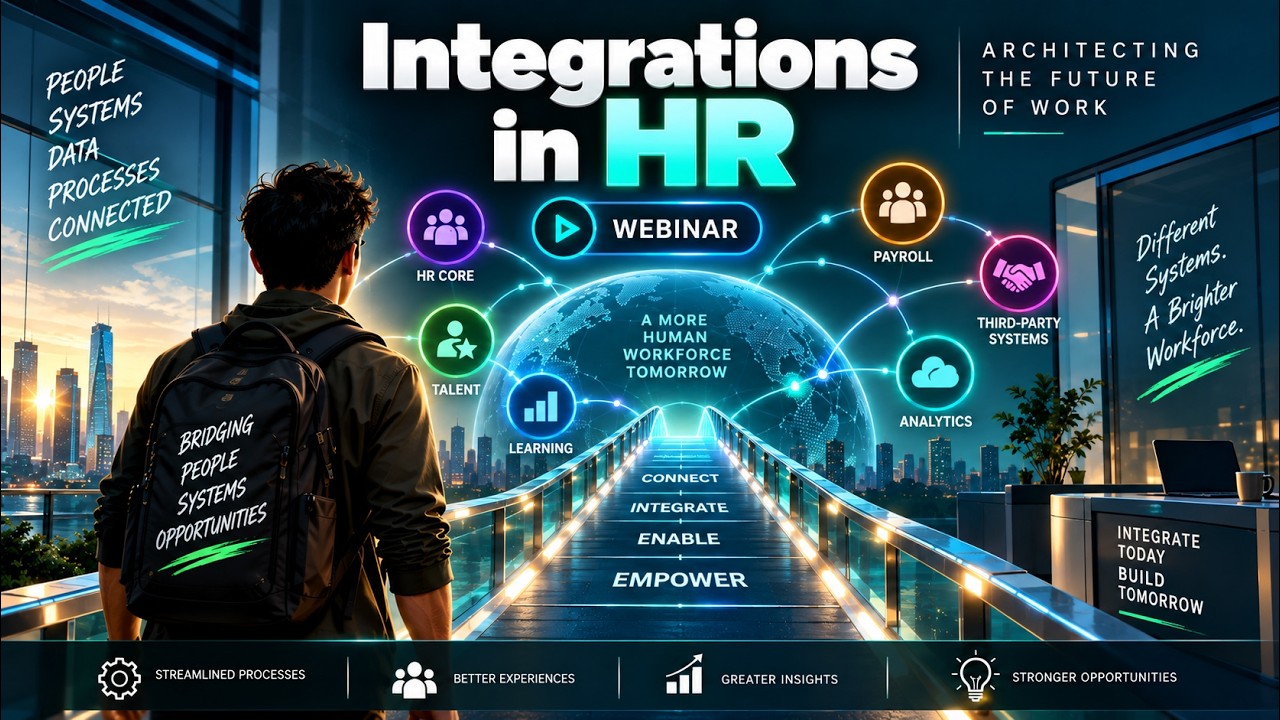

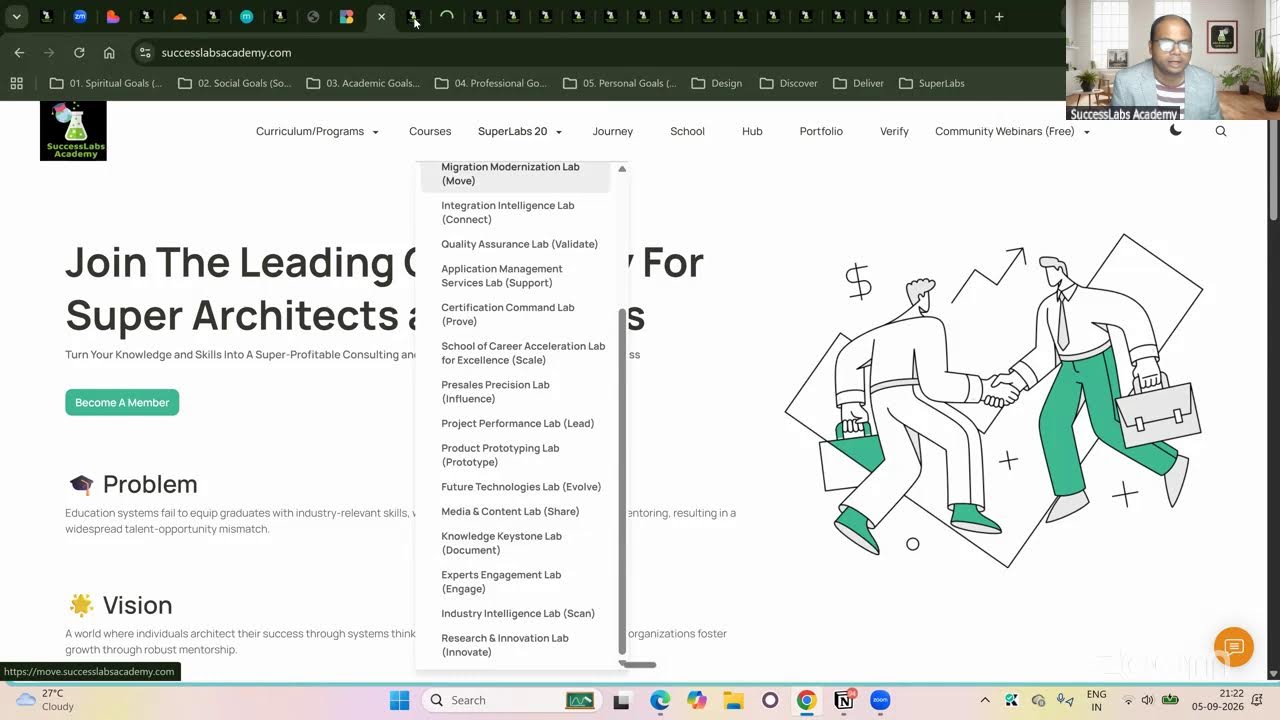
20 SuperLabs for Architecting the Future Autonomous Enterprise (Business Arch & Enterprise Arch)