LeanIX Custom Report Workshop | Diamond Mixer ( EMEA/AMERICAS)

Dr. Niladri Bihari Nayak walks through building a LeanIX custom report, fixing TypeScript errors, adding risk score breakdowns, and creating a new GDPR assessment field. The workshop covers debugging the UI, extending the data model, and surfacing compliance dimensions like GDPR, PCI, SOX, and HIPAA.
Chapters
So welcome, welcome everyone. Thank you for joining in. So in the previous sessions, we talked about the report, the custom reports in SAP Analytics. How do you do that? So now in this current session, so we will be doing some minor changes to the report, some modification enhancement, and we got some errors also. I was showcasing you that we will be fixing it now. The troubleshooting part of it, we'll be doing it here today's session. So let's do that. Okay, so that error which you've got it earlier, it was showing some script we have changed in this code And the key is, okay, I have put, okay, this entire code. I have to do what? So I will do this entire thing. So instructions, whatever you got it, right? So I will be doing a copy this entire code part here for the application interface which is showing an error in this report. Entire this app.tsx, I will be using again. We are using AI and all for to do this, so you don't have to do much. So I will be Ctrl+V here. Okay, so we will see the replace the code again. So we will see that. Okay, so now this entire TypeScript code which we have added here in the VS Code, okay, I pasted that. And so it will be updating, and we will be updating this code now in our link. Okay, so now I will be updating this, the app.tsx. And, uh, in the broken sections starts with this and just before this, delete the entire section, replace it with this exact code. Okay, so you will be going to this src/app.tsx, src source. So this is the src/app.tsx. Okay, src/app.tsx. We can see that. And what exactly we have to do is, uh, TypeScript const openApplicationDetails. Const openApplicationDetails. Yeah, this is the one. And ends just before Okay, TypeScript useEffect. TypeScript, TypeScript, this is the one. Okay, and Linux ready callback TypeScript. If I go here TypeScript useEffect. Okay, I have to Ctrl+F useEffect. Yeah, this is the one, useEffect. It ends here, right? Right. So now what I will do Delete that entire section, replace with this code. Okay, so I will rather— I will recommend to give this entire code to me. Okay, give me entire code for app.tsx. So so that I can replace the entire code here actually.
So we'll go here.
I will replace it. So around how many lines? We can see that it is around two forty, two fifty. No, more than that. So around we have, uh, 502. Not bad, not language. So 502 lines of code. Replace the entire content of this. So it is updating. Okay, now do only this code here. We will check the white and we will do it here. Okay, so now I will do Ctrl+S. Okay, Ctrl+S is done. Now what I will do after it is done We yeah, sort of record here the Linux development thing here. I will refresh this page. Okay, I need to log in. Okay, the localhost custom code challenge reports development. Now here we go with the one, this one. Okay, I need to refresh this page even after doing this. Average risk, risk assessment is 1. This So one, okay, this is clickable. So if I go here, um, just Oh, okay, I can see that. Okay, so if I click this application, see, and in this right-hand side it is opening up, taking some time, but it is fine if it is ब्रिंग योर गुड रिजल्ट्स क्यों? इट शुड बी एक्सप्लेनेबल, दैट इज़ मोर I have to click it on. I have to record it because it is more than 1 minute now. Uh, the side panel is opening, but since last 1 minute This WhisperFlow. So let me check it out. The side panel is opening, but it is not giving the results. So my WhisperFlow is also stopped working. Let me check it out. Yeah, the side panel is opening, but it is not giving the results. I'm just saying to the WhisperFlow, and this is 21.
It's okay.
Let's see that what is saying. It's— we may have to troubleshoot a little bit more.
After checking the results, let me see that what's happening.
So still it is analyzing the image.
So let me check.
So let me refresh this page. So meanwhile, check if any attendance is coming. Still it is Loading some performance issues. Maybe I will check further. The extended warehouse management screen is not loading here. Okay, so it is coming like this. So let me put it here, Ctrl+V, and I will put the same thing here. The side panel is opening, but it is not fetching the results here. So let's see what is the solution for it. The click program is working. If I exit, remain inside the site and a lot more. Support vector inside the tensor. So this is not a problem with the click handler. Okay, so what the parallel will show— this would show— this is what exactly the detail. Why this score? Because that should be giving an explanation to this, right? So it should give us an explanation to this. Let's do this way. Okay, so let's go ahead with this change. So I will go to update here now. Okay, so we'll go back to the methodology risk assessment method. I will go to this code and we have to update here is again, okay, with app.tsx. Okay, so I go here, app.tsx. I will be updating here, Ctrl+S. Now let me try with this. Let the— while it is rebuilding the entire thing, and then I will go here, SAP Extended Warehouse Management. So I will be refreshing this. I will close it, it was not working. And let me go to the— refresh this page. And now I will go to my SAP Extended Warehouse Management. Oh, I can see now the dimension. I can see that 2 of the 7 risk dimensions populated. So I can see the score here that lower risk, but why? The coverage is 2, and business criticality point of view, this is what exactly in any of the risk applications that business criticality, technical suitability, this is what exactly we have only measured this one, right? And Okay, so 7 out of— 2 out of 7 has been assessed. Okay, risk is 0 and risk is 30. Uh, okay, so now this is at least we got it for this applications. And also I can go back to the application if I want, but this is exactly what we got it now. So risk breakdown and compliance readiness, this kind of a detailed report if I want to check. I can always check this here. Okay, so now what I will do, I will go here and I will update here. Let me check it out, the first part of it. Now I believe after this is done, we need to make this report more reusable. So let me do that activity. Yeah, this is something to be created. Okay, so fix this one line, app.tsx.find not undefined to this one. Okay, so small changes they are suggesting here. Dimension, okay, equal to dimension value is not equal to undefined. And, and this one line we need to add here. Okay, so this one, that's all. Let's see that in the TypeScript. We will go there. And, uh, Yeah, so what I want is also it should show me this calculation. So I want this mathematical things also. I also want this calculations in so details so that everybody can understand. So what I need to change is, so I first of all I will do this change for First, I will go to my code constant. So I will go to my code here now. TypeScript app.tsx const populatedDimensions. So where is my populatedDimensions? I have to go here. Ctrl+F, populated dimensions. Yeah, so no. Okay, this is one thing. And where we have— no, I don't have anything else. So let me check it out further in this entire script where, where else I see. So populated dimensions, right? Okay, only one place, but let me check further. Const populated dimension. Okay, like this. Okay, not like this. Okay, populated dimension, not space. Yeah, so here we see it is undefined here. So rather what I have to do is I will be adding a line item here, this part. Okay, undefined, and then this dimension value is not equal to null.
Okay, so here undefined.
Okay, this is a null. That's it. Now further what I want is, so further I need this calculations. पापुलर डाइमेंशंस, दिस इज़ ओके। एंड आल्सो वी विल बी पुटिंग दिस पार्ट, कांस्टेंट, वेरी गो, दिस इज़ वी हैव डन इट। एंड बिलो दैट, कांस्टेंट टोटल अवेलेबल वेट, कांस्टेंट वेटेड टोटल, रिटर्न टोटल, नॉर्मलाइज्ड स्कोर, दिस विल के, देन इट विल बी शोइंग द इंटर कैलकुलेशन, ह actually calculated. So though we don't have to, you know, anyone who is watching it, anyone who will be seeing that from a business angle, I'm thinking, okay, so this should be able to see this entire calculations. So first, let's test it out, whatever is coming up here. So this part we will check after this. We will verify the other one, one step at a time. So this part is done. Now I will be putting it here. So this part is also— we have done populated dimensions. Now total available weight. Total available weight, total available weight. Yeah, so this part is done. We are taking, uh, 7 areas, that is fine. Okay, and, uh, return these things we are saying it. So now let's see how it is coming up. Ctrl+S. I will go back to my Panel Linux. Go to here, refresh this page. I got some error, I see. Okay, so you see I got some error again, so that is fine. So let me check it out. I got this error. So let me troubleshoot it. So this troubleshooting is also part of our learning journey. Then only we'll be understanding this in a depth. Okay, so now let's see. Section is missing the closing. This is a syntax error. 240 to 247 currently have something like this. We have to put it— missing line is okay. Right after null dimension value is equal to null. Okay. Okay, so I think this is Done equal to null. Okay, so now what we'll see, we will see this. Save it, Ctrl+S, and verify this thing. Signal Linux, this should refresh this page. No, still we are having this Error. So only way is actually I should keep this, I think. Ctrl+C. I will be going back to this code, check it out, and give me full code. The 977, I will upload only extra. Okay, filter. So now correctly closed, corrected so and so, Linux breakdown, human readable formula, download the corrected FTSX. Okay, also for extended weight loss management, score is this, it is this, contribution is 450. Okay, now weighted total is 450, available weight is 20%, normalized score is 450 into divided by 20, 2.5. Final score is okay. So that is fine. Formula is weight total by available weight, 450 by 20, 25 slots. So this is dynamic. Okay, that is perfectly fine. Okay, so now I will just go to this particular code. This is my code. I will go to this entire code here. So this entire thing is available now. I will be going here and updating here. Okay, so now this is done. So Ctrl+S. It should be now okay. Okay, so in the app.tsx we have done it. Ctrl+S. Now I will go and back to check here. Okay, now this is perfect. I will check only this part. There is no error as such. Now what I will be doing here is a little bit of SAP Extended Warehouse Management. For this I will go now. I can see the detailed explanation also. So 30, weightage is 15, contribution is 450, and weighted total is 450. Available weight is 20%, so it does the calculations, 22.5. Final score is 23, is a low. Okay, so we can see that at least this is pretty much readable. And data quality point of view, we have only checked 2 out of 7 things. Okay, so this is pretty much what we expect. Expected low risk, okay? And we are having a coverage of two.
Okay.
So now I will take a snapshot of it. Meanwhile, we will do a few more testing. This is what we are doing a testing now. So now I will be putting myself here. So this is the testing we are doing it now. So you'll be seeing that this is what exactly we got it. Okay, so I'm a little bit zooming in, zooming out so that the entire page will go as a— from an understanding point of view, this is the part. So this calculation, how exactly it is done, so we don't have to wait again for someone to calculate. Rather, how it is calculated also anyone can, you can Open it up and you can explain it how exactly this is done. So this is perfectly fine. So I will be taking it up here and tap each. No, not this one, not this way, rather Okay, so how this actually— the thing is, your most important part is how this entire thing is calculated. Okay, so this part is, again, you don't have to do any manual calculations. Sublime Text will be giving you now that part of it. And in your ADR and all, you can always put this, uh, this is how it is calculated, and you can always put it there. Okay, so now this is the thing we have got it. I'm going to put Here as this as an outcome. Okay, so now what I will do. Okay, so now this is now working fine. Calculations are visible, understandable. Okay, so now this is good. One small issue I notice still says this. This is correct. However, why this score? Section says no higher specific level certificate. Okay, but our explanatory we have exact mathematics. And so, okay, 30 test points. I recommend one final enhancement: how to read the score. Let's go to the formula. Okay, okay. So this is a good one. Okay, so I will be updating this. Tell me what to update in code. So we are doing that. Let's see. What exactly to be done? Okay, so I need to go to replace gate risk explanation. So there is a gate risk explanation, right? So where is that? Inside the app.tsx. App.tsx. We have to get the risk explanations here. So let me go there, uh, let me go there, go there, go there. Okay, here we are. We have something called getRiskExplanation. Replace with— okay, getRiskExplanation. Get risk explanation. Get risk explanation. Yeah, application, application results. So and so this is the segment. This is the function we are having. Breaking down. If it is not breaking down, company level readiness data, missing dimension, extra rather. Okay, this is fine. So what exactly we are saying here is now. Return explanation is there. Return, yeah. So this is application constant breakdown. If not breakdown, return this. And then with complete function, function get us explanation. It is starting here. Const breakdown, breakdown return. This is the function. So I'm getting By the way, so this is the functions and Ctrl+C. Okay, they are saying to okay written explanations. I don't see. This is what I see here. Starts with this, ends with written explanations. Okay, I need to check this one where exactly. Get risk, we have seen it. Ctrl+C, Ctrl+F, we are seeing that. Yeah, written explanations is here. Yeah, so the entire thing you're asking to replace. So this is line number 171. And we are having here the first part is TypeScript function. This is a 171. This is for this part. We have to look it here. This is 171 function. Okay, 85 to entire thing. Get risk explanation. Function gate is okay. 81, delete everything function through this closing. Paste this entire thing here with this. Okay, so I have to replace this. First of all, I have to delete this 85 to 171. This entire thing. Okay, this is the entire thing. 85 to— no, from here.
171.
171, yeah. Written explanation. So till this we have to delete. Now we have to put in the new one. New code is here. This would be the code. Then we will save, save it. So this is the one. So here, this is the one we have done it. Now Ctrl+S. Let's see. Okay, so let the white is rebuilding this entire thing. Now we should be going and seeing this thing. Checking it out, refresh this page again. Risk assessment is done for what? So we are looking at, we will be going to warehouse management. So now we can see that it is showing this much. Why this score? So we can see that this score is 30, weight is contribution is this एसएस ऑफ़ इंडिया स्कोरेस वेट 50 परसेंट 20 ओनली 20 परसेंट ऑफ़ अवेलेबल वेटेज़ ओके सो डर्मोनाइज़ रिजल्ट इस 23 एंड क्लासिफाइड एस लो सो एंड सो ओके सो नाउ व्हाट आई विल से दैट वेदर दिस एक्सप्लेनेशन इज़ इनफ़ लेट्स सी दैट दिस इज़ एक्सप्लेनेशन्स वी आर गेटिंग सो वी व this. Finally, I see this. Okay, so before that I wanted to check this, all this data, little bit of data testing I want to do it here. So we will be enriching few data and let's verify this. Okay, so this part is again in this segment we try to fix it, that is done, right? So now what we will be doing here is the next part, we will be checking further, we're verifying that as well. So now in the next part, a few announcements from a data point of view. So what we would like to see, how this GDPR, PCI, SOX, HIPAA, this 5 varieties of data is coming up, right? We would like to add those. Okay, so let's say I will say that I want to add these values in the application. So how do I do that and how do you Populated. Okay, so let's say I will putting this. I want to add this value or data in at application level in SAP Analytics so that the report will be showing some data. Okay, so how do I do that? So let's see. Do not create one generic GDPR yes or no field for governance. You started, so create a new application subsection. So what they are saying, okay, so create this field GDPR and all these things. Data classification single select. Go to data metamodel configuration, advanced metamodel configuration. Okay, so they're asking us to check one thing, one here.
Right step.
Report is currently showing not assessed because, okay, we have to put something in the meta model. So this is— and also we'll be learning how the meta model enhancement in this series, in this topic today, uh, custom fields on application fact set, application meta model configurations. Okay, so we will not be creating something like that. We will create a new application subsection compliance and data governance point of view. So From a compliance and data governance point of view, I don't think we are having something here. Let me check it out. So if I go here, Applications Inventory, at this moment if I go to Applications, we have these things like business applications, AI agent, all these things we are having here. Functional fit, technical fit, all these things we are having here. Subscription lifecycle, that's okay. But what we are missing here is they're saying any of the applications, if I'm going here, let's say we are looking after, let's say, SAP Extended Warehouse Management, right? So let me go to that applications once again, and because this is what exactly we're testing here, check needed. I will say this is active, this acts it anyway. And meanwhile, okay, save it. This is already tested. Approved Fact Sheet. And what we are going to do here is, so if I go further, so these These are the fields which at present we do not have. So any of the applications from a compliance and data governance point of view, compliance and data governance at this moment, how do I check it out? Let me check it out. First of all, is standard dependency available in any SAP Linux applications? How do I check compliance and data governance in general without customizing it? Let's see what is coming up. Still access a lot of data governance technology, but there's an important distinction. Solinex doesn't provide native application fields such as GDPR compliant, SOX compliant, HIPAA compliant on the standard application package. That's it. Instead, out-of-the-box model supports compliance assessment indirectly through the data objects, data classifications, application relationships, technical risk, data quality governance. SAP's own GDPR example actually uses a custom application field when explicit GDPR status is required. Suppose I want to check it out, right? So if I go there, I can verify this. Okay, modeling and reports. What we are seeing here is reflecting GDPR status of application reports. GDPR compliance is relevant for all companies, so and so. And, uh, it is, uh, applications. It is a— whether the application landscape reports would be a best way to visualize whether an application is operational, but if so, whether it is compliant. Then the mere side view or edge case set an exclusion. Okay, for the argument, we will stick with a single select field with the following applications. What they are saying here is, uh, okay, for this purpose we must create a new custom field in your application package using the metamodel configuration with the type of single select and add values for every option. So we will be utilizing these options. Okay, we don't have any other choice here that, uh, okay, so we have to check this. Okay, this is a standard thing we have to do, uh, not standard, it's a custom thing we have to build in step by step how exactly you have to do it. And we have to include in our views as well. Okay, so this is something we are going to do now. So let's see how we are going to do it. So we have to start with application fact sheet.
Let's see.
We are going here. Those standard attributes are lifecycle, business criticalities, all these things we are having it here. Anyway, technical side is generally based on native Linux data. The most important place for data governance, data objects. This is where Linux becomes so interesting a use case. Applications or relations connected facts that look for the data objects. For example, okay, so I will be going there, application relations connected database. Okay, so I will be going to the Lennox relationship here, business capability, business support, there are different applications, dependencies. Yes, Relationship Explorer. I see all these things, this define all these things, this is okay. And, uh, yeah, because for data objects, okay, look for the data objects here. So if I go here, Relationship Explorer. If I see further, so this is what exactly I see.
So let me see once again what is happening. So these are the different streams which I can see. Let me open it up. I will close this part of it. Okay, so I don't see anything here directly.
So here we go.
From a data governance point of view, I don't see anything. Applications, data object, application flow. So in this way we can check also. So I will go to Applications, data object. So I will go to Applications. No, not this way. Go to applications from here. Organizations, functional field, technical field. Expand Host Manager. Okay, there is no data object here. Okay, I see the data objects here. If I choose the data objects here, the filter, how I see the difference. Okay, so here these are the data objects I can see: customer master, sales order, vendor master. Okay, so these are data we are having here. But if I go with particular applications, let's say SAP Extended Warehouse Management. So here, if I go further. Data object is here. Data management. I will be adding here. Search for the fact set. These are my results. Because this is an extended warehouse management, I will be looking for a few data like this: purchase order, material order. Maybe this data I will look into. I will save it and I would like to check this. I will save it now. Okay, so this is the— I can see here, but yeah, so Extended Warehouse Management is using these data— material master, customer master, purchase order, sales order— when, let's say, and this is linked to which applications. These are the applications I have been using. SAP, okay, that is fine. Material master is using this many interfaces. Similarly, purchase order is using these many applications. Along with SAP Extended Warehouse Management, I can see we have Coupa, Ariba. Okay, all this thing, that is fine.
So now what exactly is—
we see that these are different, we are having it. Is this— I have to create anything here? Let me check. To application in the seat. So this is important from a governance point of view. So this is good. So next, click purchase order and show me the data object fact set. I want to see the native attributes. Purchase order. Okay, so I will go to the purchase order. In detail. And, uh, so this is the purchase order data object. What they're asking here to check is— so let me go there. So this kind of analysis is required before you do go for any of the changes, okay? So now what are the attributes CFAE is asking here to check? These are the different data classifications, applications, interfaces, projects, but I don't see any attributes here. Description says no attributes as such maintained. No attributes as such found here. Okay, so what they are saying is, uh, application risk data relationship is there. So I can do one thing, check before customizing. Relation Explorer, 5 interfaces. Click on one of those interfaces. We have to see whether the interface has native information about this. So this is a data flow capability, so I have to return. So let's take a reference. Okay. So purchase order, we will be checking the interface to— okay, so we will verify the interface now after checking the— okay, this 5 interfaces, and out of that Purchase data process. Let's say that we will check it out, one of that. This is how an interface looks like in Lennox.
We will see that.
So this is the procure-to-pay integrations. We are having this much data. Yeah, here we have data objects. Okay, but not much. So if I go further We see this much only, but it is not giving us a direct compliance status anyway. It says authentication, provider application, consumer application lifecycle, and everything, but still not there. So we cannot legitimately calculate GDPR compliance is equal to 80%, 70%, like that. Similarly, OAuth also will not prove GDPR compliance. So this kind of a compliance and data governance exposure, it will not be giving anything. Data management point of view, this is what exactly it has. Usage point of view, I can go and edit here. I can say that It can create, update all these things. What else? Active from 1st of September, let's say. I can create, I can read, I can update, I can archive. Let's say I will save it here. So data management point of view, I can put it here. I think this is the relevant information. I can put it here to check it out. Let's see if you want to get an active governance score here. Medium exposure if it is reading and updating. High exposure application creates an object. Very high governance application creates objects and achieves archives and deletes data. Okay, this is an architecture-derived risk indicator, the legal compliance determination. Active from so-and-so. Temporary information. So I mean, it's a meaningful governance model. This changes our compliance heat map design. I would now avoid creating— yeah, that is good one— that GDPR status is equal to not compliant.
I will not say that.
Regulatory compliance, data governance, create capability, update, read, archive capabilities. Then something like this. Plus one. Okay, create archive, read plus one.
Update.
Yeah, create archive. What was that? Update.
Yeah, that is an update one.
Last one is update. So it's a native CRUD style. Data governance signal, application governance risk is this much, and separately, okay, this one, high exposure security is this, data governance exposure is this one. Let's see. Okay, so now let's say we will be building it upon— I am ready to build upon this data governance exposure in the report, but at least how do I then check this GDPR PCI SOX fields? I need those also in my report. Okay, so this part we will be doing here anyway. This would be application level fields. There's a better way to this. I couldn't simply create GDPR is equal to compliant. That creates a potentially dangerous thing. Okay, already has this, so not assist. Keep that behavior with some guessed values. Application custom. Do not create five fields blindly. Let's fly create application called GDPR assessment status. Okay, so we will be doing this activity rather. Create a custom single select field. Type is document and GDPR. Okay, not assessed. Complete this pipeline once GDPR works. We will replicate this pattern for this. Okay, so now what I am going to do here is I will go to the meta model and create a custom single select field. Administration, meta model configurations. And inside that, we will be going to Applications, create a custom single field. Custom single select field. Okay, applications details. These are the details. Required by portfolio strategy. Okay, so they are saying to add few things here. Custom single select field. Okay. So I don't see anything here. Where should I add it? Let me check that. Let me check it out. How do I add a custom single select field? Give me the steps. So already we have chosen the applications. Create a new subsection called Compliance and Category Regulatory. New section. Compliance. We'll be creating a compliance and regulatory field here. This is the compliance, and inside that we will be creating a field here. Field type is single select, single select, and Label is GDPR assessment status, and the values are like this. Not assessed. Assessment in progress. On slide. Non-compliant. Then not applicable. So what we are seeing here is Okay, I think it is not added here, right? So we have to make it again, these things. I had to, by the way, create the GDPR things. Single select. We forgot to click that Create button, so I think that is the reason. Not assessed, we'll be putting the gray color. So what I will do Assessment in progress. I will be utilizing different color. Compliant. Not assessed. So no test is already done, not compliant. Okay, so now I see This is from a GDPR point of view. This is what exactly has been done. This view, I can review the changes here. Single select, these are the possible values we can have, right? So now Metamodel update is done. So this part we have done. I'm not able to find out a way how it can be human readable without that underscore. Can you please guide me how to do that? There's a translation tab. Oh, okay, this one. Okay, so here, okay, I will be using this. Not applicable, not assessed. Then we have Assessment in progress. Compliant, non-compliant. Okay, so let's see that. Okay, so now it has changed. I see that. Review changes. Apply. Now what I'm going to do here is— this is done.
Okay, now I will apply.
For now, I will go to my applications.
Inventory.
Warehouse management. Inside this, we'll be looking for compliance here. Compliance here is editable. So GDPR assessment status is there, single field. I will say it's compliant. Okay, so now I will save it. Okay, so now what I will do So this part we have done. Technical name, field ID, key identifier— these 4 things we need to check for this. So we have to go to the applications. Meta model configurations, navigations. GDPR is the key. Okay, so this part we will check. Key is review. So with these values here. So we'll be checking the field code here, the VS Code. So I will go to app.tsx. So attributes are here. Ctrl+F. Yeah, so here we have the attributes list. I will be adding one attribute called GDPR. So I'll be adding to the model as well, the TypeScript model. Having here, I will be adding one thing here. Now we'll be going to app.gdpr, app.tsx callback. And let's start the session. So here, after this, I have to add few more things. So this part is done. Okay, so now I have to do more things here. Format valid string. Okay, so this is fine. Compliance. I will go here. Roles compliance frameworks, my framework. This part. This will be checking the compliance. This part we have done. We have to change So we have to fill this with I will go and check. I will go and check now. Power cell. Okay, so now this is fine. I will do that. The development report, not this one.
I need to retrigger it.
Oh, I see this. Oh, I got this. We'll get the PID. 23344. So I will run this. Okay, it is doing nothing, so I will now start deploying. Okay, so now I will use H plus Enter, O plus Enter. Okay, some error is coming up still, so we'll troubleshoot it. Some syntax error, I'm sure. Okay, so I have to go to my code, app.tsx, search for 481. 481, yes. Okay. I need to check this. Okay, so now I will Ctrl+S, check it out. Ctrl+S, it is done, saved. Linux report. I will now refresh this page. Still, I'm having some issues. So we will continue to fix this error continuously. Let's see. So this is an easy one, we will fix it.
More from Dr.

SAP Procurement with SAP LeanIX x SAP Signavio Webinar | Architecting the Future of Procurement

Global Compliance Navigator by Dr. Niladri Bihari Nayak | SAP LeanIX Sep 2026 Contest Entry

SAP LeanIX to SuccessFactors integration Webinar | Architecting the Future of Work

2027 Leadership for Enterprise Architects : What Changes ? | Architecting the Inner Transformation
Reporting in SAP LeanIX Webinar | Architecting the Future Autonomous Enterprise


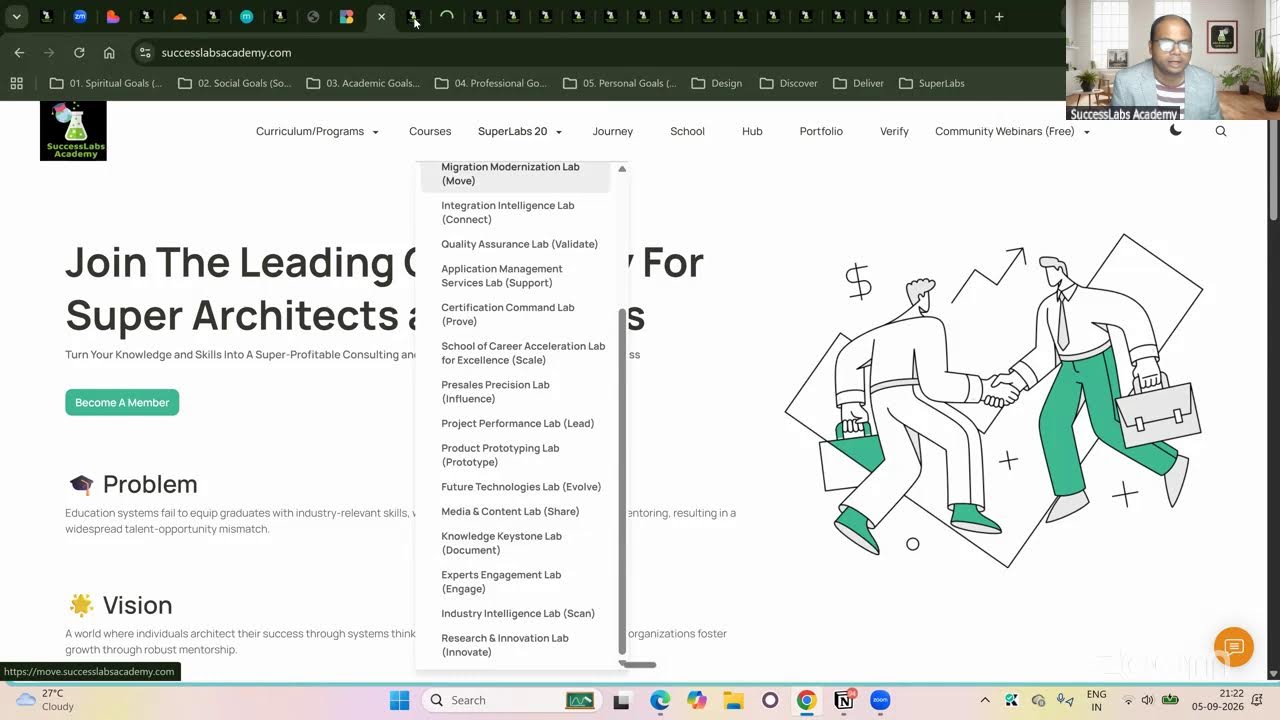
20 SuperLabs for Architecting the Future Autonomous Enterprise (Business Arch & Enterprise Arch)