How to View Replication Results and Resolve Issues in SAP SuccessFactors ECP
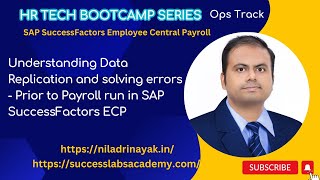
Dr. Niladri Bihari Nayak walks through the Data Replication Monitor in SAP SuccessFactors ECP to fix replication failures. The demo shows how missing bank account details cause failures, then fixes them by editing employee payment info and reprocessing the replication for validation.
Chapters
So welcome to our employee central payroll bootcamp sessions. So bootcamp sessions are actually how it is different from the hackathon is. Hackathon is more detailed where we cover concept as well as the practical part of it. Everything. But bootcamp sessions are highly skill oriented. And we will be performing the exercises which I'm going to show you one by one. Okay. So today's sessions we will be highly focusing on EC payroll, highly focused on payroll control center piece of it. And we will be performing the exercises official exercises which is given by SAP. And before that I will recommend if you're having access to the learning hub, you can open the HR812 guide. Okay. So which will be following in this exercises. So doing performing all these hackathons. But if you do not have, don't worry, I will be sharing this. It is already in my platform. You can also have a download after this. Okay, so meanwhile, let's then get started. And we will be starting with the EC payroll. The first lesson we will not be going through the theory part of it. So take your time and go through the theory part of it which is already covered in our platform. And this is that cover it. What is the payroll processes? What are the difficulties in the traditional payroll process? Okay. And what are the problem EC payroll is going to solve? Okay, the payroll control center is going to solve that. Is something covered here. One click. Monitoring your simulations, Payroll, production, payroll follow up. Okay. All these activities. Okay. Post payroll activities and all. So this is something they covered in the lesson number one. Okay. And these are different steps of the payroll. Okay. Near typical payroll control center. And this is very much aligned with the EC payroll. Right. And you can go through the theory part of it. And I've already opened the system and we will be going through the processes, policies and everything. Okay. And we will be looking to that. Okay. So having said that, I will quickly go through the directly go to the exercise. Okay. The unit number two, which is the first exercise for us is the replication results and resolve issues. Okay. And this is all about your employee data and payroll data management point of view. Okay. So for that to perform the exercise number one and one thing is we have to see if you are using a Google Chrome or any other ads browser and all. And if you're using a training environment, you have to delete your cache occasionally. That is something I have faced the challenges. Okay. But if you're doing in a live system, I don't think there will be any challenges. Okay. So that is something even I have faced a challenge okay, so what I will do. So the story goes like this. So we do have an administrator who is the payroll administrator for the employee central payroll, Emily Car Clark for our demo session and we will be going to the data replication monitor and we will check. Okay. Is there any issues with any employees? And for our employee scenario, we will be using a Mark Brown as an employee. Right. So without any further ado, let me go to the system and we will see how does it look like. Okay. So if you can see my system. So this is the Emily Clark who is a payroll admin. I have already logged in as a payroll administrator and what I'm going to do is I will be logging into, I will be searching for basically the employee they're talking about. So employee, part employee they're talking about. So this is Mark Brown is the employee. Right. So what I will do, I will go to the first of all before I go there, I will check the employee. Okay. Whether that employee is having the payroll data, everything or not. Okay. So this is some, some kind of a demo if you are presenting in a, let's say to a client before actual project. Okay. So you can follow this video if you're watching, let's say later on. Okay. Or you'll be watching in this my platform later on. Right. So you can see how I doing. I'm doing it. Okay. So we have to talk about that Persona. So at present, although I'm an admin, I am going to a employee and I will be checking whether the person is having all the details for payroll, whatever is relevant or not. So I will go to the. This is a spotlight feature. I will go to the full profile and I will verify the compensation, the part of it, whether the payroll data is there or not. So I can see this employee is already having the data for payroll. Annual salary 54,000 solid K& pay range, almost whatever is needed. Pay group is 11. Okay. Just to remember we are using the group number 11 and for the demo purpose and salaried employees. So whatever the data is required for payroll, I can see there is a base salary 4,500 USD monthly frequency and this is the way. Okay. So at least I can see all the details are there. There's a spot bonus also. Okay. So all these things are there. Okay. Pay component, whether the bank details are there or not. This is just a quick data check. Okay. Before I go for any data, application check and everything, I would like to show that. Okay. So I will just verify all these things. Okay. So now this verification part is Done. Employee master data point of view. I have verified everything. So my next step will be after the verification is done, I will go to check. Okay, and if anything is missing, definitely I can enter. But I see everything is okay. Okay, so now what I will do, I will go to the employee Mark Brown, right? And I will go to the data replication monitor. Okay, so data replication monitor, why it is used? Anyone would like to say, From your knowledge, data from SAP, SCM to ecp. Yeah, Data application monitor is yet primarily used for the replication purpose. So if you had to monitor anything, any issue is happening and. All, right, so that is something you can verify from here. Okay, so that is the monitoring tool for checking any kind of, you know, your issues pertaining to data application. You can always verify. Okay, so for whom I will be checking? I will checking for this employee named Mark Brown 11. Okay, so this is the employee I'm interested to check and I will click go. Okay, so at present I do not have any data. Let me check successful, because I think it's successful. Okay, There is no error. Okay, so it is showing success only. Okay, all until now if I check. Okay, so it was failed for a while long time back. Okay, so in 23rd of September somebody has run. At that point of time the bank transfer data was missing. Okay, so because of that it failed. Otherwise after it has been corrected. Okay, so now this is correct. Okay, so if I reprocess it, Reprocess it. Okay, so what it is saying? Replication scheduled for so and so timing. Okay, so if you see because the data earlier, whenever the replication was started at that point of time, the last, last replication, you can see it was happening, it happened in September 23rd, long back. Okay, so now at that point of time it failed because this data was missing. Okay, so at any point of time, if you like to monitor certain things, you can specify or in general, if you want to monitor everything, you can always put a remove that filter and you can always choose. Suppose, let's say I want to check only which are failed, right? I can always use this tool. Okay, so this is the tool in the first exercise, our intention is to learn for how many people this is failing. Okay, so you can see for other people it is also failing the number 8, number 20, number 19, right? So for so many people, okay, and it has been failed. And if you go to the message, particular message here, it says that for payment method bank transfer, enter an account. If you see detail about it, account details. Okay, so it is missing for that employee. Okay, enter an account Number So we have to generally suppose I want to correct this. Okay. So I will simply go to that people profile and I want to update that. So where should I update it? Anyone? Payment information. Payment information? Yeah, let's see. So inside payment information I will go. I will change it and main payment method, bank transfer, everything is there, right? Only thing is I'm missing the all the other details about it. Okay, so this employee belonged to what? Just a minute. I think US Most of the employees are in US only this in this my system. So I will use a US based bank. Okay. So I will use this one bank entry as a USA and the bank also whatever existing banks are there I will be utilizing those and account number. I will just put a some relevant number which is. Okay. I don't know whether there's a check or not in this. Okay, let's see. Okay. Whether it is allowing us or not. Account owner I will use Mark Brown. 08 EAN number currencies. I think these are all optional but still I will choose USD and that is fine. I will simply try to save it. Yeah. So this is saved. Okay. And if I go back now to my the replication this is for the eight actually. Okay. So in the next applications once it is again if you want to reprocess it definitely it will be taken care of. Right. So because these programs are again always risk scheduled in a timely manner. Right. So you can reprocess if you want to make it correct immediately. Otherwise you can always check after a while. Okay, so this is how just a focus on the process. I'm not going to tidbit of it but still this is the process. So I'll take a pause. Any question here? Understanding this process, how do we correct and how do you understand the monitor using this tool? Anyone any questions here? People who are new to EC payroll. Yeah, so again it is showing failed. Can anyone tell what could be the reason? I again run it. Right. But still I can see this is failed. I have just replicated at 11:17. Right. And if I go here. Sorry, payment information. Okay. Main payment method. Okay. So still for this employee the data was not there. Right. So for the reason it was giving it's another employee by the way not the 8 employee. Right. So I will just go for it. USA bank details I will enter. Let's see. And Account owner Mark Brown 11. Then currency I will use a USD. Right. Then let's try to save it. Yeah. And again we can go back and check to replicate it reprocess it. Okay. It's 11:22. Maybe after two minutes we can come back and check. Right. So meanwhile we will go back to the guide again. We will see what extra they are saying here. Okay. Okay. So they are saying on the payment okay. Information tab, ensure the bank entry is set to usa. Okay. Under that bank is Change Manhattan Bank. By the way, we have chosen Citibank. I don't think there's any problem. But still enter the missing account number this and in the payment information screen area choose payment information history and enter and save the account number. Okay. So what they're saying is. Okay, so let's try to follow this for another employee maybe. Okay. And after that verification is successful, we have to reprocess change the data replication monitor status. And once it is successful, this Mark Brown will be disappearing from the screen. So that is the expected results from this exercise. Okay. And how they have done it. So they exactly the follow the same thing in the solution part. If you go for it, we little bit deviated from what they are saying. But the thing is we are choosing another bank. It should work actually. But if it is not working, we have to see otherwise. Okay. Okay, so let's see that. Okay, so if I go for the other one, 1881 we have tried, right? Eight. Great. Eight. Okay. So still it is failing. So let's see can anyone would like to try like what could be the reason? Because we entered the details. Right. What is saying? They are saying is this is the target system. This is the content type. Enter an account number. Maybe the account number, the pattern. They have some validations. We are not following that. That could be the reason. Right. So let's do it again by following the guideline. Okay. Because this is a control environment. Okay. And it is not a live instance. Okay. So we have to follow what the guide is saying. Right. So maybe some validations they might have put it. I don't know. Okay. But this exercise point of view. Okay, so we have to follow this. Okay, so let me try again once this. Okay. Mark Brown 08. And we will go for. Let's say this one. Go to the profile. This is the error. Go to the profile and we will do what the guide is saying. Okay, so let's see that payment information. Change it. And they saying that the payment information tab Bank Country USA is already set. The bank is Chase Manhattan Bank. Okay. So we will choose that. Let's see my Chase Manhattan Bank. Yeah. So after using this account number also their validation. I think so. And the missing account number is 1234. Then we do have what is next in the choose. Okay, this is this much only they are saying then after choosing Manhattan and all save the entry and close the payment information. Okay, so what I will do the remaining information I will just leave as it is. I will leave it open, not needed and I will save it. Invalid bank details. The given combination of routing number and bank entry region doesn't exist in the bank data. Okay, so some data issues are there. But let me check once again. She is Manhattan Bank. Okay, after choosing this, what else is happening? Okay, so routing number let it is B. And I try to save it. Okay, so now I am able to save it. Okay, so now what they are saying once it is done this part close the payment information change. Okay, so that is fine. So this is something just to check the historical information. So verify details change Manhattan bank bank transfer. Main payment method Date is correct. Currency is correct. Okay, so these are the details we do have, right? As in today we have updated it. Right? So now this is done. So once it is done again, we can reprocess it. Okay, we can reprocess. Meanwhile the other one also reprocess. Okay, so it will take another two minutes maybe and it will check. Okay, so any feedback or any. What is your learning for this? Anyone would like to say the reflection what you have learned from this exercise? Anyone? So how to monitor the actual data replication. And if there are issue what to do and how to solve it and correct and reprocess it. Exactly, exactly. So basically it is a monitoring tool. At an individual level we are doing it. But same thing also we can do in a mass. Right? Right. But for this exercise point of view, we are doing it at an individual level. Okay. So this is a good learning for everyone. If you're doing further application for the first time. Okay. And if you're getting an issue or a ticket like this, okay, so you can always go there. And the linkage is all everything here. So you don't have to go anywhere. Just study the error, understand the root cause of it. What could be the root cause of that error? Okay, so it is a missing account number, right? Okay. And also we do not know about it actually what validations is there. But for this issues, we are just correcting as per the guidelines, which we have an exercise, but in a live system. So you are free, you have a freedom. If you do not have any other validations or anything you do not have. Okay. So you are free to do all those changes, whatever you require to do. Okay. So I will Follow the guidelines here for the simplicity. I will be using only the bank which SAP is saying in this exercise to do. And I will not be using some random bank. Okay, so yeah, so let's follow this and the idea is to fix the error. Okay. Okay, so this is now have been saved and I will. I'm verifying the data once again. Chase Manhattan Bank 1234 markdown 11. So markdown 11 also not needed. But anyway, so it is just a text, but we will follow that what the exercise is saying. Okay, so now let me try to check both the replications, both for 8 and 11. And if it is successful, it will not appear in the failed category. Okay, so I will check once again. This one I will reprocess it reprocessing the data replications. And it is scheduled at 11:30. Okay. Another one minute for this employee. We will check. Okay. And meanwhile we will check the eight actually. Okay, Mark Brown. Mark brown08 and we will see the status. Okay. It was already scheduled and last time. Replication data replication details. But this time what could be the reason it is showing for payment methods bank transfer enter an account number. Okay, so which we have already done. This is okay. Effective date. Let me check once again. Demo environment is a little tricky, you know, sometimes you never know what is going on because we never have an access to the back end. Okay, what has been done and all these things. So let me check the details about it. So we followed whatever is required for this replication to work. Main method if I go back again. So this is a payment information bank country. Bank country is USA bank is Chase Manhattan Bank. This is already we have chosen, right? Missing information is account number which you've already updated. Then we have payment info. Choose payment information history and in the payment information area Payment information tab choose Edit bank entry USA this already we have done it, isn't it? So this is already done, right? So if I go back over here also same thing. Bank transfer 1234. 1234. Yeah, this looks okay for me. Okay, so that is done. So this is some other error we need to see. Let's see the other one. I'm testing both the thing actually to understand what could be the other issues. Okay, so otherwise we will move on to just to make a note of it, what could be the error. We will check with SAP what is the thing. But the thing is whatever they were mentioning, as per the guides, as per our knowledge and understanding. Okay, so we are checking it out today. Last 24 hours to go backward. No, there are some other Issues with this with which is not properly meant mentioned here. Right? I can see that even after maintaining it, it is giving me an error. Right. So go to this same thing. Okay, this is. Selected items will be reprocessed during the next application run. Ignore data correction log in the replication application target system. Okay, that is fine. Yeah. Ideally it should be have been fixed. But the thing is the message which we are getting here. This is not correct. Okay, so for payment method bank transfer already we have an account details, right? So in spite of that, if. In case. If you're getting such error, definitely you can reach out SAP in your live system. Okay, but the thing is here in the demo environment, I don't know what could be the other issues. Bank details, almost everything we have filled up. But still we are getting the issues here. Okay, so let's go anything first January we can give. Okay. Okay, so let's try that effective date. Okay, let me try with Mark Brown. Mark brown 11. Then I will go to the employees. You want me to go to the people profile and edit something this one you are saying? Yeah, effective date first while updating the bank effective data we can give. Oh, okay. Instead of. Let's. So let's see. That might be. I missed that. Okay, so you are saying that here if I go and edit it is effective. Okay, so you want to me to update it? Edit it this one? Yes. You want to make it update from when? First january first January, right? Okay, I think. Yeah. Okay, let's try that. I have not. I have ignored it. Sorry. Let me check it out if it is working. January 1st. Okay. Record is already available on this date. So it is not allowing you. Okay, so there is already record from January 1st, the previous record it might be. Okay, so it is not allowing me to do that. So what to do next? Any idea? No idea. No. Okay, so if you already record is existing actually on the same date. Right. System will. As per the setting, it will not allow. But there are also other configurations. If you allow that. Okay, then Let me try January 2nd. If it is. Yeah, it is saving because in the previous record. Okay. At a one time it is allowing only one record on the same day. Okay. So it is very logical. Also in the same day you cannot have a two different, you know, paying details. Right? So that's quite the logical. Okay, so if I go for January 2 also let me try to do this. Okay, so if I go to the January 2nd record and it is having the details of this account number and everything and all right. But if I go to January 1st and there was no details about it for timing what I will do, I will also update that record which is having the January 1st. So what SAP is saying here I have to use USA. Okay? And they are saying the bank is change Manhattan bank. Okay? And we're not updating anything. Only thing is the same data what they have given to us. Okay? Just we are trying to save it. Okay? So this is the consistent data. Although there is a split, okay, January but the data remains the same. Okay? From a data point of view, nobody can tell that we do not have a good data, right? So it is a whatever the offered the test data. So we try to maintain it. Okay? Ideally it should not be giving on any error. Okay? If it is still giving an error, we have to see. Okay, so let's see it. And we will go back to the employee and reprocess Mark Brown again. Okay? Okay. Successful. So what had happened? So actually the date was one issue. Another one is the even if the date was issue, say the 1st of January also it was considering okay? With effective from that date as well as your it was considering your 2nd of January. Okay, so the two issues by the way, okay, so on the 1st of January whenever IT system A checking replications and all the it was not having the data for on the 1st of January and 2nd of January onwards. We have tried to solve it, but again it is partially correct. Okay, so now this is successful. Okay, so now what we will do? We will check. So you have to tell me how how we can correct the mark Brown 11 sorry 8 as well. Anyone? Already we have done it one so let's fix another one so that you will be getting confidence. Okay, so 08 let's see. So what correction I will make so that okay, I will be able to replicate the successfully. Okay, so you can see for this employee Mark Brown 8 if I go back. So what you are seeing here, the replication targets everything remains the same, right? But with what effective date you are seeing here? Effective Data is from 1st of January to yesterday's dates. Part of the application has already happened, right? If I go to the people profile again here, okay. And if you go to the payment information again, so let's see the data and everything. So why they are referring the historical information? So that is why they are referring historical. We have not done that earlier. Okay, so they are saying choose payment history. Okay? And they could have told us here if there is an existing record, edit that in so that would be more clarified. Okay, but if there are two records, three records. And if the effective date is from 1st of January, for that matter, either you can edit it or you can basically update it. Okay, so what I will do is this time I will not split the record. Okay, let's do another testing. I will simply go to the historical information. Okay? This one I will delete it, okay? Which I have created. Now another round of testing with different data. So I will be make sure whatever the data was already there on January 1st. Let it be, okay? I do not want to split. Okay, so with effective of January 1st only I will simply change the bank entry here us. This is the right way approach of doing it, by the way. Okay, so United States I will choose the bank here. Let's say Chase Manhattan bank account number. Let it be 1, 2, 3, 4, whatever they are recommending. Then. Then I think we are done now let's try to save it and reprocess it. It should work. Let's try to save it and done it. Let's reprocess IT for Mark Brown 8 Employee Reprocess. Is pending. We are in the status. It will take some time. Let's see again we'll do a refresh. It is taking time for this employee. I do not know what the reason, but still it is. Let's waiting for a time. I think. So what you understood anyone Again what we did and just to can anyone reflect upon this exercise what is the one line and learn from this summary. There is a summary also, but yeah, find your own word. I know it is taking some time. By the way, 3-08-08 I don't know, but we will. So messages is close, close. No data, no error as such. But the status is showing as the pending now. Okay, it's interesting. So what I will do, I will close other tabs and again refresh. Now it is successful. Okay, so it is done now. Okay. Although it took some time, but anyway, so the key learning here is for this exercise, what we have done to data replications whenever we are doing date effective date plays a major role. Okay? So we have to do it carefully whenever you are doing it. Okay? So the data application makes it becomes successful at the end of the day. Okay? But of the data is missing and you already know payroll point of view, what data is essential for us. Okay? In this context, the bank details was missing. Bank account details, your bank main bank details, everything was missing, right? So that is the point of this exercise. Okay? Okay. So thanks for those inputs everyone. And let's now move to the next exercise.
More from Dr.

SAP Procurement with SAP LeanIX x SAP Signavio Webinar | Architecting the Future of Procurement

Global Compliance Navigator by Dr. Niladri Bihari Nayak | SAP LeanIX Sep 2026 Contest Entry

SAP LeanIX to SuccessFactors integration Webinar | Architecting the Future of Work

2027 Leadership for Enterprise Architects : What Changes ? | Architecting the Inner Transformation

Reporting in SAP LeanIX Webinar | Architecting the Future Autonomous Enterprise


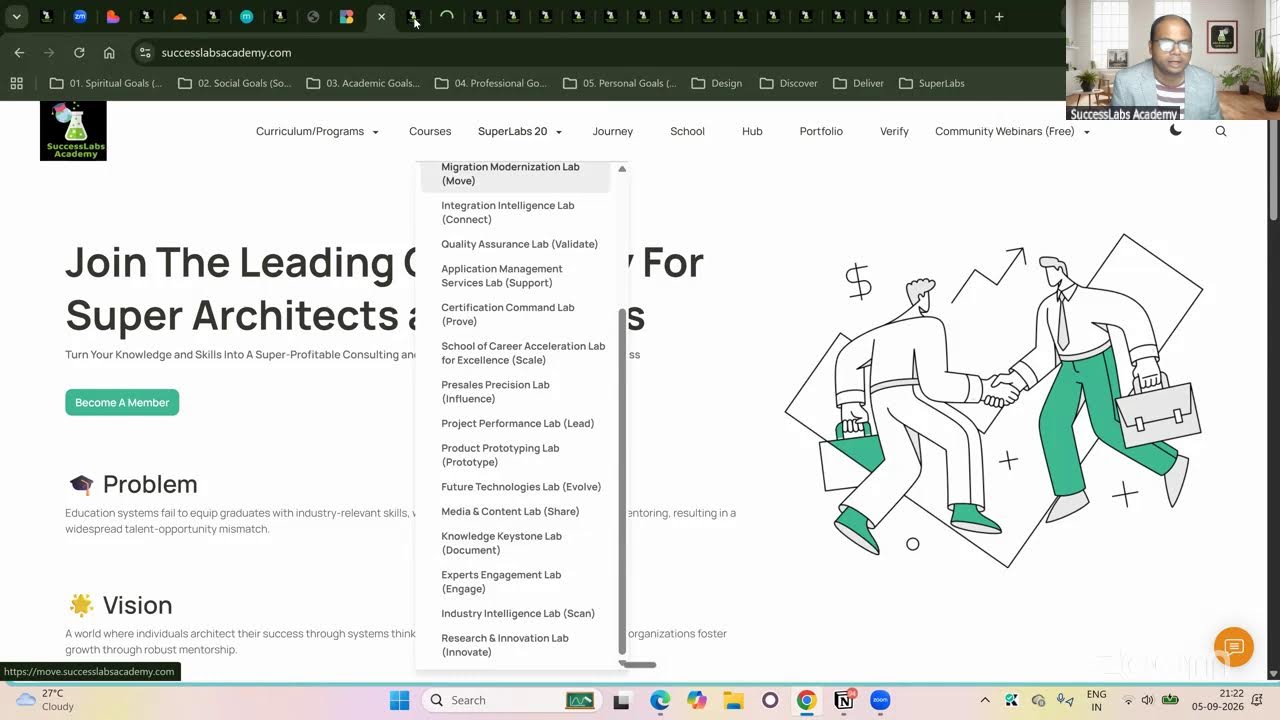
20 SuperLabs for Architecting the Future Autonomous Enterprise (Business Arch & Enterprise Arch)