PMGM 002. RBP Set up in PMGM
Dr. Niladri Bihari Nayak walks through setting up role-based permissions in SuccessFactors by creating three permission groups: Performance Admin (user-based), Human Resources (department-based), and Individual Contributors (job-code-based). Uses Action Search to Manage Permission Group.
Chapters
Hello everyone. Welcome back to our another session of success factor pmgm. We are continuing our Hackathon series and if you might have remembered in the last sessions we have started with the activities of this hackathon and the first one, first two activities were focused on downloading the PMGM templates. We have done it. So we have seen in the provisioning. So we have used SAP provisioning as a success factor provisioning for that and in after downloading those templates we have seen the provisioning how do different activities we have done in the provisioning setup. What are the different features and functionalities we've activated as per our requirement and we have followed those guide implementation guide and for that and today we are going to start with the new activity. That activity is related to permission group. Right? And people who have already done platform fundamentals and already you are a veteran in success factor. You don't have to. You can skip this activity. But from a PMGM point of view there are some specific groups it is worth watching this and if you watch till the end we have something good excitement news for you. It's going to end. We'll I will keep that secret for now. Let's move on to the first the third activity which we are going to perform today. Creating a permission group. Right. And we will follow the exercise file which we are having in our file. So what exactly the business scenario, what kind of permission groups you are going to create? Let's say your organization is actually following the role based permissions and you want to create the permission group with. Suppose there are different roles called Performance Administrator, HR Human Resources in individual contributors. If you are having. Okay, so you can use the initial rbp we can utilize that. So we will be going to create this kind of a group in our success factor. Okay so huh. So this is something already covered. So this is the same thing that talking about Platinum Introduction Academy. It is already covered and it can be used as per recap. Okay, so we are going to create. We are going to check it out if anything is missing there. Okay. Yeah. So now let's go to our permission group and we will be creating these three permissions. So what are the permission. These are the three different. In this exercise we'll be creating performance admin. Second one is HR and third one is a individual contributor. So I'm just making you know what are the formation group we'll create. I'm just mentioning that so in it will be one. First one is your performance administrator, Second one is your HR coordinator. I believe HR and Individual contributor. Okay, so I will just mention HR and third one is an individual. Contributor. Right. So these are the three permission groups we are going to create and it is super easy people who have already done in the same thing in the platform fundamentals. Okay, so we will be creating this and we will go to. Let's for that we have to go to manage permission group using the action search. People who do not know. Excellent search what it is. We will check it out here. Excellent search is very exactly in success factor instance. So last two, in the last session we have seen the provisioning. Now we are going to the instance. So this is how your instance. How does it look like? So we have all the details like quick action algorithm opted. This is a new screen and where you will be in this is called your action search. And here we can search for actions of people. And what I will do, I will search for manage permission group. So we'll not spend much time. So we'll quickly do it this easy easier one Permission group, Manage Permission group. And if I go to the manage permission group I can see there there are some existing. Okay, only one is there. Simple. It's a clean system. And what I will do, I will create a new group and the create new group. The group name definitely I will follow the same step. Group name is Performance Admin. This is the one. Then after doing that we will go to the. In the people pool, locate, pick a category and select username in the people pool. So we will be going to the people pool, pick a category. We'll be using the username here. Let's search for that. Yeah, Username, we'll search for admin. This is my. The first one, right? Admin. I think this is the one they are talking about. Yeah. So pick a category, select username and select the admin checkbox. Click Done. And this is the one. Click Done. Yes. Now active group membership. You will be updating it. You can see now previously it was zero, now it became one. Because we've added one member in this group. Right? So this is done. Now click done to save changes and we'll be repeating the same steps to create the other two groups for HR and individual contributors. Okay, so let's do that. Super easy. Yeah, People who have not done also previously. This is also very simple. Okay, so this is one group we have created for performance Admin and another group we are going to create that is one is called human resources. And for that in the exercise they are telling which ID to use. Human resources. So this will be our Group Human Resources. And what they are saying here it is little different employees in the HR department. Okay, so how do you find it out? So here you type pick a category. It could be a department, right? And hr. Let me search for it. Okay, Human Resources. Yes, we found it out. Right. So this is something we can search for here. And if you search in the entire thing. Yeah, you can click Human Resources. Click Done again. Active Group Membership. Click Update. Here you can see there are four people in this group, right? And we will be checking it out. Who are those four? Then simply click it. You can see these are the four people in the HR group. Many Manager Edward, Employee Donor Director, HR Coordinator. Yeah, it's rhyming. So please, please click close and click Done. Now this is done for us, right? This is very interesting, very simple, right? Update is done. Then next one is Individual Contributors. The group name is Individual Contributor. We will be creating another group called Individual Contributors. Control C Create a group Control V. Individual Contributors. Pick a category. So which category you have to use? The category should be the job code as ic. Okay, so we have to choose the another category. Let's say Job code. And the job codes would be ic. We do have. Yes, we do have. So this is the one we will select. And again we will be after selecting this. Don't forget to update. Click Update button. Here in the Active Group membership. You can see there are three people in the individual contributor. So who are those three? ADWord employee, HR coordinator, success factor, Admin. Right, so click Close then simply scroll down. Click Done. Okay, so now we have completed this exercise. Just to summarize what we have seen, we have created three permission group known as your performance Admin and Human Resources and individual contributors. Individual Contributors was based on the job code. Human Resources was based on the basically the department and Performance Admin was directly from the user and the user ID we have used. Okay, this is very simple exercise. Hope you liked it. And you have completed. Ensure you are completing this exercise. So as I was saying that some good news for you. So this kind of exercises solution in details, within discussions and all, everything will be available in my platform. So for that you have to go to the school.success labs academy.com so from where you will be getting those series of video, right? So school.successlabsacademy.com there is a module called Performance management and goal Management as a part of this continuous hackathon. Okay, so we will be covering. So you'll be getting a series hackathon to the year and the videos will be any Miss any missing video or any missed any session. Definitely refining in this platform. And we are following 17 tracks. Okay. Process, strategy, operations, implementation. This will be mostly part of the implementation because we are configuring everything from the beginning. And all right, there will be a live hackathon and this is a virtual hackathon. So live hackathons. So again it will be like here in Hackathon series you'll be finding all the lessons where people join and over zoom and we discuss to get it done. But this is an for community hackathon. So here exactly how we will be doing the sequence, people who are watching or will be watching the future session, it will be uploaded here in the implementation track itself. Right? So that's the good news. And to have this you should have a subscription. This is a lifetime subscription. And for that you have to follow niladirnayak.in you can check the difference between all the three hackathon series and your PNG will be part of this gold hackathon. Okay, so this is where you can find it out and it's a lifetime access. I keep on operating. And also this is again I can say 90 day challenge, but people can also finish within 30 days. So why I put it 90 days because we are professionals or working professionals or there are people who have their other work along with their those work. They're also doing the studying this. Okay, all there are students, right? So based on your availabilities and all, you can finish it within 30 to 90 days in each module, right? And we'll be getting a certification if you're completing so completion certification from second slots Academy. And we'll be happy to help you serve you in this capability. So we call it as a success print certification if you're completing all the challenges, whatever we are offering here, right? So now coming back to our mind map. So in today's session we have completed the activity number three, right? So I will just mark it as a complete. We will mark as a green color and so it will be marked as a complete. Let's say apply style to children. All the three things we have seen these three roles, three groups basically we have created right in today's session Performance Admin. This was just to make a note, it was based on User ID based. What is that field? If you remember, that was Performance Admin. It was called People Pool in that People pull. The category was People Pull category was username. Okay. So you have to remember what are the People Pull category? What are the People Pool category? Anyone? So I will just copy it here so that it will be. You will not be forgetting ever. Paste. Paste. People pull category was your user name. People category was your username. And the other one was, you can see, HR was a department right here. The people pull category was department. And the last one was job code, I believe. Yes, we have done that. So list on that. This is based on a job code, right? So I will update that. This will be based on job code, Right? So we will just update it. Yes. So this is something we have done here. People put category. Okay, so in the next session, what we are going to do in the next session, we will start with the next text activity that is creating and granting the formation roles. This is again not a very new people who have already completed your PM platform fundamentals. So the activity number four and five again, super easy. These are all again not specific to pmg. These are again common. Okay. Across your modules. Okay, so we'll stop here. Thank you everyone for joining in. Looking forward to the next session. It's a new activity that is activity number four, right?
More from Dr.

SAP Procurement with SAP LeanIX x SAP Signavio Webinar | Architecting the Future of Procurement

Global Compliance Navigator by Dr. Niladri Bihari Nayak | SAP LeanIX Sep 2026 Contest Entry

SAP LeanIX to SuccessFactors integration Webinar | Architecting the Future of Work

2027 Leadership for Enterprise Architects : What Changes ? | Architecting the Inner Transformation

Reporting in SAP LeanIX Webinar | Architecting the Future Autonomous Enterprise

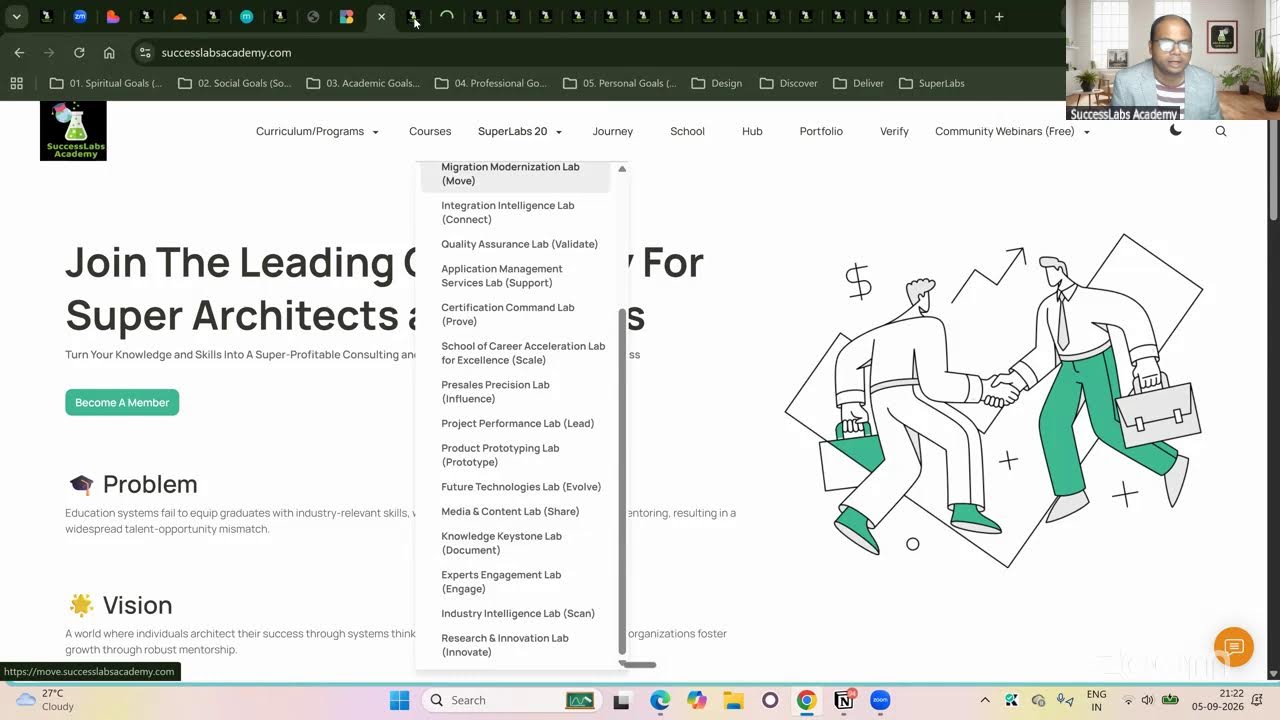
20 SuperLabs for Architecting the Future Autonomous Enterprise (Business Arch & Enterprise Arch)