Super Class on Architecting Growth & Leadership (H2R Series)
In this hands‑on session Dr. Niladri Bihari Nayak walks learners through the core configuration elements required for effective succession planning in SAP SuccessFactors. He begins by stressing the importance of a correctly set up foundation – employee central data, role‑based permissions (RBP), and accurate readiness data – before diving into four main configuration areas. First, he demonstrates how to locate and verify the necessary RBP settings for both user and admin roles, explaining why strict security is essential for sensitive succession data. Second, he outlines the three nomination methods (position‑based, incumbent‑based, and SAP‑recommended MDF position‑based) and when each fits organizational structures. Third, he explores picklist definitions for readiness (e.g., Ready Now, 1‑2 years, 3‑5 years) and walks through the end‑to‑end role‑readiness assessment workflow, showing employee self‑assessment, manager review, gap analysis, and feedback loops. Fourth, he reviews talent‑search settings, detailing basic and advanced filter options (skill, readiness, location, rating, AI‑enabled recommendations) and how to execute internal successor searches. Finally, he references the succession data model inherited from Employee Central, pointing learners to the data‑model view, export, and related succession settings. The session concludes with a call‑to‑action: participants must verify and document each configuration element as homework, preparing them for the next module on implementation strategy.
Chapters
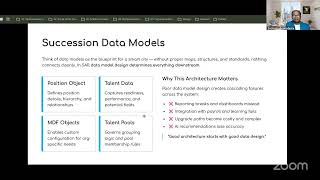
Welcome, welcome everyone. So let's then get started once again. So here we are talking about, in the previous sessions we have explained about the third concept, the Enterprise Architecture Lens point of view, and that the concept of foundation and succession of architecture is an entire part session series. Now we are talking about— we will start the succession configuration deep dive, and here we will be focusing on 4 concepts, 4 topics here. Now we will talk about, uh, permissions and nomination methods, picklist and role readiness forms, talent search settings. Then we will having, uh, succession, uh, data models walkthrough. All those topics we are going to talk about now. Okay, so now let's then get started. So the first thing first, so I will talk about the concept and then we will go to the system. So it's a very short session and also the hands-on session, so be ready. I will spend less time on the PPT and then we will be going to the system directly. Okay, so first thing we will be talking about, can succession planning work properly if the system is poorly configured? So already people who have not completed Employee Central, I recommend to go through that module because it's all depend upon that. So if you're having a not proper permission, RBP role-based permission, if nominations are not properly configured, if you are— so those things are actually, it is very, very important for us. It's opening question for all of you. So configuration is okay, but if you're not having proper data and So you should be having all the data properly. Your data should be properly maintained. Your readiness data should be also there, right? So all these things matter a lot, okay? So success planning depends upon a lot of other things. So you have to ensure these are properly done. Then also coming like RVP, right? So people who do not know anything about the RVP, people who are beginner, think of like you are going to school and, uh, Everyone cannot change the grade, your grades, or you cannot— some confidential records. So whatever is there maintained in your principal's file, right? So everybody requires certain permissions in that, right? So same thing, right? SuccessFactors also different roles we have, we have to have a different kind of permission data, right? Whether it is a succession option, whether it's a talent search data, MDF objects or talent pools, position permissions, right? In all cases you require a certain kind of a permission. So these are the all concepts we've already covered. If you have not seen that, if you watch the previous recordings, and those are already covered in the concept number 2 actually, okay? So the concept number 2, if you have seen that, in that concept we have covered. So that will be available in our platform itself. If you go to the classes and, uh, in our— we can watch the recordings once again. So inside our boot camp specifically for succession planning, in that succession planning and career development, you will be having a section so where, uh The terminologies, whatever we are talking about now, so those are already covered there, okay? So where we have done all the exercises, including, uh, one example for manufacturing sector in US, and in that example we have seen all the terminologies, how those are mattering, okay? So with an explanation. So this is what the codex I also have given to all of you. You can go through and you can check it out. What are this terminology and what is that what, why, and how part of it? A practical example. Okay, and same thing you will be doing it in the hands-on also in your system. Okay, so this is the manufacturing sector example we have studied, and also from an Indian example we have talked about, banking sector example in India. Okay, the same concept, but, uh, the examples what we have covered there, there also we same thing we have gone through. Okay, so this is what exactly your exercise. I'm talking about this exercise. If you're not completed, then you finish it, then only you come to this particular concept. Okay, so So now coming to this concept, we will be going through the lessons. Uh, now we will go through the concept number 4. Okay, so this is our concept number 4. If I go back once again, so going to the class, and, uh, I will talk about this sufficient planning boot camp. And inside that, section 3 is already— we have number 3 already completed. Now we start concept number 4. Okay, so the concept number 4 is, as I suggested, so this we currently— this is the concept number 4. So concept number 4 is all about here today you will be focusing on this one, that is your, as I said, it will be Succession Configuration Deep Dive. Succession Configuration Deep Dive. So Succession Configuration Deep Dive will be this one. Okay, so this is your Succession Configuration Deep Dive. So this is the one. I will go here, deep dive. Now you just started, and this is here we will be putting, uh, I think I will put here. No, I did it wrong here. So I will doing lessons here. then it will be appearing here. Okay, so this is our concept number 4, and we are going to learn this part. So RBP, if you've already studied it in your SuccessFactors Employee Center, the concept remains the same, nothing new. But actually you have to see whether all these things are appearing or not. How do you check all of these things? We will quickly check it in SuccessFactors as well. So if you go to Manage Permission Role, Manage Permission Role and success on specific permissions. If you go anywhere, otherwise directly I will go to any of the existing role and I will quickly show you where exactly these are. Simply you have to search by those name, you will be able to find out then. Okay, so this way go here. Okay, so these are the permissions. If I go here, edit, and if I go to those permissions here, so simply, simply search for this permissions. So if you go here directly, so Succession So we have a Succession Planning, okay, and Career Development. So you can see that these are the different permissions, right? Succession Offshore permission, Succession Approval permission. So these are what exactly the permissions they are talking about here, okay? So I will take a note, I will take a snapshot here and capture it in our thing, and you will be able to understand, okay? You will be able to capture this thing as a future reference, okay? This kind of permissions we require, and you can do it here. This is from a succession management point of view. From a user point of view, similarly, we have, from an admin point of view, these are different permissions, succession management. So both we will be going to capture here. Okay, so this is our notes in the notes section. So we are in the demonstration. So I will say that RVP. Inside that we have provided user permission and admin permission. Evidence. From SAP SF. So it is going here, turn into page. And if I go from here, so you will be— this is our user permissions, and another one is our admin permission. So both actually I'm capturing so that— so you have to create your own thing, but I'm just showing you what are the things required here. Okay, so this is all about the RBB part. Now let's move on to the next part. Next part is why it is required. This already we know that So we are not allow anyone to see anyone's data, right? Succession is one of the most sensitive, okay, data in any of the organizations. You may be having the data for future leaders, their promotion data, their talent rating data, their— whether their readiness for the next role or not, okay? So the manager, manager should be able to view their own team members but not the level of CEO or someone else, right? So for that, the security architecture is very, very important. In this case, whenever I'm talking about security, it's all about the role-based permissions in this context. Okay, so this is very— you have to take care of this, all of these points, whatever we have discussed now. Now, nomination method. So as we have earlier also seen that whenever— what is nomination, by the way? Nomination is meaning the process of identifying a person, whether the person is relevant or future, some future role. We're just identifying those roles, right? And suppose, uh, in this case, so you'll be having SuccessFactors, there are different type of approaches and for different kind of organization model, right? Which model is meant for what, that is actually the method-based. So you're using position-based, incumbent-based, or it could be MDF position nomination-based, okay? But SAP always recommend the MDF position nomination-based, right? Okay, this is the following the typical metadata framework and for also the architecture point of view, which you're ready design point of view, MDF, position nomination-based, actually very, very relevant here. Okay, but maybe banks and enterprises, if they're having highly, highly structured leadership hierarchies, they may use the position-based, but for scalability. But depending upon your organization, again, okay, so these are the nomination methods, and we already see this already in the earlier session, so I'm not going to do that. Picklist, this is also very— now the things are different. So picklist also Whenever talking about picklist, pretty much ready. And so whether they are ready now, ready in 1 year, ready in 2 years, okay. So those kind of details you will be finding here in the picklist, very standardized. So if, if you go here in the picklist also, you will be picklist center, okay. So picklist center, if you go, you will be finding, um, especially the readiness point of view that they are talking about here. So let's see that, and then we will be going to the next part of it. It is pretty much easy, straightforward. And I don't think there will be any confusion here. Okay, so this is the picklist point of view. So let's say, so readiness, okay, readiness is a picklist, okay? And inside that you'll be having like Are you ready now? Immediately. Readiness in 3 to 5 years. Emergency replacement, 1 to 2 years. Okay, so these are different readiness metrics, readiness values actually, and where exactly these are appearing. So if you go to succession org chart again, so already we have covered in the earlier session, so still I'm going to recap here. So if you go to succession org chart and any of the successor you would be like to check it out, you'll be finding these values there. Okay, so let me show you that. So if you see any of— you can see the ready now. This person is ready now. Is someone 1 to 2 years, right? So these values actually, you can see that this is the values whatever you are having ready now, 1 to 2 years, 3 to 5 years, right? This is what exactly they are talking about, right? So this is, uh, you have to do, and, uh, that is what exactly the picklist is talking about, okay? So Nomination, as I suggested, whenever you are suggesting some adding a successor, you are actually having system is also suggesting certain thing. According to that, you can nominate, okay? And that is the way also can be done, right? So you can add this person to the nomination and it is the options you are getting ready now, 1 to 2 years, 3 to 5 years, like that, okay? So this is also the typical nomination process, okay? So now if you go further, so we talked about nomination, talked about picklist standardizations, the standardize, okay? In the role readiness forms, okay, the role readiness is actually measuring how prepared for an employee for a future. Whether it's a ready now means immediately the person can be replaced, okay, while doing this talent assessment. Ready in 1 year means that person requires some kind of a development track, okay, with some peer planning and management. Yes, the person will be going through some learning process, experience and learning process, all those things. And ready to do 2+ years means that person will require some more time. This is a kind of a pipeline candidate. The person is having high hope is a HIPO or high potential employee, but he or she requires little bit of a training or development investment in this context. Okay, so that is what exactly the role readiness form is talking about. And where exactly you will be finding— so you will be finding here, there is something called evaluate readiness, right? So if you select that, you'll be finding this is a detailed form here. Okay, so this is a detailed form, and this is a typical, uh, Performance forms, I will say, goes to— you can see like this. And for this employee, and you can create a form like that, okay? So how— let's say today we are starting 15th of May, and till this person will be, let's say, going through a process, uh, let's say maybe, uh, this is, uh, I will ready make it ready like, let's say, another 6 months, okay? 6 months or 5 months like that. I can just, uh, until December the person will be going through readiness program, right? And, uh, the person will be going through the program and Till let's say December 31st, this person will be ready, okay? And whenever I'll be sending, it will be going to this particular person, Faith Marcel, okay? So I'll be creating this form, this readiness evaluation form. This Faith Marcel will be getting that role readiness form. So Faith Marcel, so it will be going through and we can check that. So if I proxy Faith Marcel, let's see that Faith, uh, the person can check it out or not. I go here. This person is again with manufacturing, and they were talking about manufacturing example in US. This person will be getting that form in his hard inbox, and we can see that. Okay, so this is a typically performance-related forms only, and you can see that, uh, role readiness assessment. Okay, the person will be getting. So Faith Marshall, when you can see that it is, uh, the review, the readiness form is coming up. So the person will be doing a self-assessment, the readiness regarding the readiness form, right? And this is how the readiness form will be looking like, okay? Employee will be doing a— the Preet Marsha here is— see, will be doing 3 things. Your role roadmap, there is a current employee will be doing a self-assessment. And let's say the current— the upcoming role requires, uh, this kind of options, okay? So delivery, you can see that all the details you can see. Employee will be doing a rating herself, delivering high quality work. So let's say the person is already doing, but she thinks that I'm at a 4, okay? And the gap according to that, so this person will be also managing their time like this, okay? So this is the kind of the self-rating the person will be doing, okay? Planning, prioritizing, she is finding little challenging, okay? All the things. And she can also maintain and go and check that, uh, I need support here, like whatever, okay? I need support, uh, in planning. This is what the person can actually be honest about it and give the details about. This is a role-specific competency, right? Now coming to the skills part, actually the person also can rate herself. Industry knowledge, maybe so she requires more industrial training regarding the manufacturing. The project planning, though maybe she has not done that, so he might be having a knowledge, but this kind of ratings he will be mentioning it here. Okay, so now what will happen? So the manager, you will be getting all the details and there will be a gap, part of the gap. Okay, and you will be finding that. So here what it will do, view the form information. So then this person will be— you can see that all the details are here, right? Employee. And so she has completed it, okay? And now the next step is the manager assessment. The manager will be actually going through this and the person will be reviewing it, okay? And the person then— you'll be seeing all those things, okay? The manager will be doing the self— the evaluation again. And based on that, the form details, if you see, so like this, this role-specific competencies he has submitted, the skills-specific piece also he has submitted. Now if you go to the CRM, you can see that the manager sent us. So now Stephen finalizing the form, and once the finalize, so it will go to the manager, Joff Hill here. Okay, so sending for review. So once it is done, the person Joff Hill, so this he will check this and it will go to the next step. Okay, so now I will proxy as the manager, so I will proxy as a manager. So let's say I will proxy as a manager like this, and let me go there and check this. I will go there. Okay, so now let's see. So the job, this configuration person, the evaluation form will go to him. Okay, so the manager assessment, you can see that review episode job field, and the person will be going and checking the role readiness form which is submitted by the person. The employees. So you can see that the person can check. Now the manager can rate that this requires, let's say, higher rating. Okay, maybe employee has rated 4, manager also agreeing on that. Okay, time management also the manager is agreeing. Okay, so he requires more than that. Okay, okay, so there will be a gap. Okay, so if you like, keep I'm going here and putting some higher value, okay, so that the person will be— there will be calculation will be finding here. And focus areas, uh, to increase the proficiency and experience in preparation on this role. So I will say that, uh, in the road readiness, you can see there's a gap actually. You can see 6 is coming up, okay. So maybe I will write a paragraph or some short text I will be writing saying that manufacturing, manufacturing details, basic understanding manufacturing, industry knowledge, industry knowledge, and knowledge, and project management fundamentals, applications, I will say, applications required for this role. Okay. So I will mention like this, and what will happen? So this form will go and, uh, the employee can go and still work on this. Okay, so it will go to the Send to Employee. So the employee will be able to see that, send and open next form. So if you're having multiple such a forms, the employee, the manager can go through multiple these things and it will go to that, right? So in this way this kind of sections the employee can go and review. So manager has already has submitted the evaluation and the action is already— we have seen all the details of the particular thing. So this is not the one. So I will go to now becoming the employee again. So I'll proxy as Faith, the employee. So I will say that Faith Marshall, she will check the role readiness forms which is already now approved. And suggested by whatever has been suggested by the employee, the manager. You can see that this is typical of performance management kind of a formula. You can go and check here. Okay, you simply go here and you can verify that there is a gap. Where there is a gap, you can see there is a gap of 2. Okay, there is a gap of 5 minus 2 is equal to 3. Okay, and there are some comments also I can see, right? And so here also, yes, whatever the gaps are here, gap item, you can verify that. Okay, so this is a gap of 2, gap of 2, all these things, right? So expert level knowledge is required, but the person is having intermediate knowledge, so there's a gap. Okay, so this is how technically it could look like. And the focus area, which focus area, what is your project for the next level readiness, what kind of details you knowledge required, it is already has been mentioned here that the person requires manufacturing industry knowledge, this is the project management application for this one. So in this way the process works here. Okay, so that was all about the role readiness forms. You will be able to find out all the details here. Okay, so I think we have covered everything here. Now the coming to talent search settings. Okay, so talent search will be happy. It's like, uh, whenever you're finding the succession search, so we're searching for someone, whether the person is ready or not, based on skills, readiness, location, department, performance rating. There's so many filters you'll be finding here. Okay, and this kind of a search you can do that, and this searching, search setting also you will be finding in the system. Okay. So I will— what I will do, I will quickly go through the system and I will quickly show you. So here, this is actually the talent search. You'll be fine. So I'll be opening another form. So I'm becoming myself, then only to be easy for me. So I'll go through that and I will quickly show you that this is the way you will be finding the talent search settings, and inside that you'll be finding everything. Okay, so if I go here, Succession, and This is my succession thing, and typically you will be finding the talent search settings here. And in the talent search, we have a standard settings you can see here, and what kind of search you can do based on what you'll be finding. And okay, and also more options are here. So basic information, advanced information, rating and attributes. Okay. Based on multiple things, you can do a search. Okay, so this is what exactly advanced information— these are the filters options available, and these are the different, uh, okay. So based on that, you can search, okay, all these things here. Okay, so this is very simple based on whatever criteria filters you want to apply. Let's say I want to look for manufacturing because the current study, case studies in the US, is more of a specifically for manufacturing. So you can go for, uh for the different, different organizations which is actually having— they're into manufacturing. Okay, so based on geographies also you can check it out, you can apply this filter. So this is all about whenever searching for a next successor. Okay, this is nothing different compared to your recruiting search also, whenever you search your candidates, but these are more of internal people. Okay, you will be finding like this based on department, you can based on division, based on location. If you want to add any criteria, you can also add it here. This is so simple. Okay, so this is all about that talking about. Okay, now also there's recommend that AI-enabled talent search can recommend ideal successors. This is what exactly also happening, but also in this way manually also we can search all of these things as well. Okay, so this was all about the talent search settings here. Succession data model, this is pretty much same thing, whatever we have studied in the Employee Central. If not, go back and study the Employee Central. And there we have talked about the data model, opposition object, talent data, MD objects, talent pools, all of those things. So that is something you can have to go through. And if you do not know how to find out, so how do we find out what's the data model? So you can also check it out here and you can go and revise, revision here. So you can go here and go to succession data model and from there you can basically check it out. Okay, succession data model is pretty much straightforward. In Employee Center, this is the first thing we learn, and corporate data model, succession data model, okay? And you can go and export it and you review it. So I'm not going through this because this is already covered in Employee Center, okay? If not, you can go back and do a revision from here. So pretty much same concept. And also there are some succession settings you'll be finding here. If I go to succession settings, you'll be finding the succession settings here. So some profile, notification, position, view. Those are few settings are here. You can also go through this. Okay, so this is all about the section data model. Now we have, uh, this already we have seen, and typically from a demonstration point of view, okay, I think this is pretty much enough. Section settings we have seen, role permission we have seen, talent search, org chart we've already covered in the position org chart section, org chart everything. So this is pretty much the demonstrations we have done. I think that's all about for now. Thank you for joining in, and I recommend to do a hands-on on all of this topic, okay, just to practice. And this is what exactly we have talked about, this particular SuccessFactors configuration. So thank you for joining in, thank you for your presence. In the next session, we'll talk about SuccessFactors implementation strategy, okay? So stay tuned and do all of your homework. The homework here is complete all this, verify all of this configurations. So That is a task here. So whatever I have already shown here, this is pretty much straightforward. And in this, uh, from a succession point of view, also I suggested in the concept number 4, okay? So I think we are now ready. Concept number 3 also, people who have not completed, ensure you are completed that, okay? So this is done. Concept number 3 is done. Concept number 4 also, just now we have finished. So your homework will be verify all this configuration Okay, so verify, uh, verify or update your configuration according to that. Okay, so verify all config related to, related to RDP, whatever we have covered. You can set up your own thing. And, uh, so RDP we have covered. Then what we have covered So we have RBP, then we have, uh, in this sector, okay, permissions, nomination, these 4 topics basically, these are the 4 topics you just need to verify directly, okay. So these are the 4 things, just go and check and verify, take some evidence just like we have done, taken an evidence like this, okay, verify all of these things, okay. So this is the very straightforward, okay? And also role readiness forms. Picklist is separate topic, so I'll be keeping it for— if there are 4 or 5 things you have to check, okay? So this is how you should go through, okay? Permission, role readiness, talent search settings, succession data models, work queue, okay? So this is what exactly we've covered now. So thank you for joining in and looking forward to the next session, which will be covering your succession implementation strategy. Okay, so stay tuned. Take care. God bless. Recording stopped.
More from Dr.

SAP Procurement with SAP LeanIX x SAP Signavio Webinar | Architecting the Future of Procurement

Global Compliance Navigator by Dr. Niladri Bihari Nayak | SAP LeanIX Sep 2026 Contest Entry

SAP LeanIX to SuccessFactors integration Webinar | Architecting the Future of Work

2027 Leadership for Enterprise Architects : What Changes ? | Architecting the Inner Transformation

Reporting in SAP LeanIX Webinar | Architecting the Future Autonomous Enterprise

20 SuperLabs for Architecting the Future Autonomous Enterprise (Business Arch & Enterprise Arch)