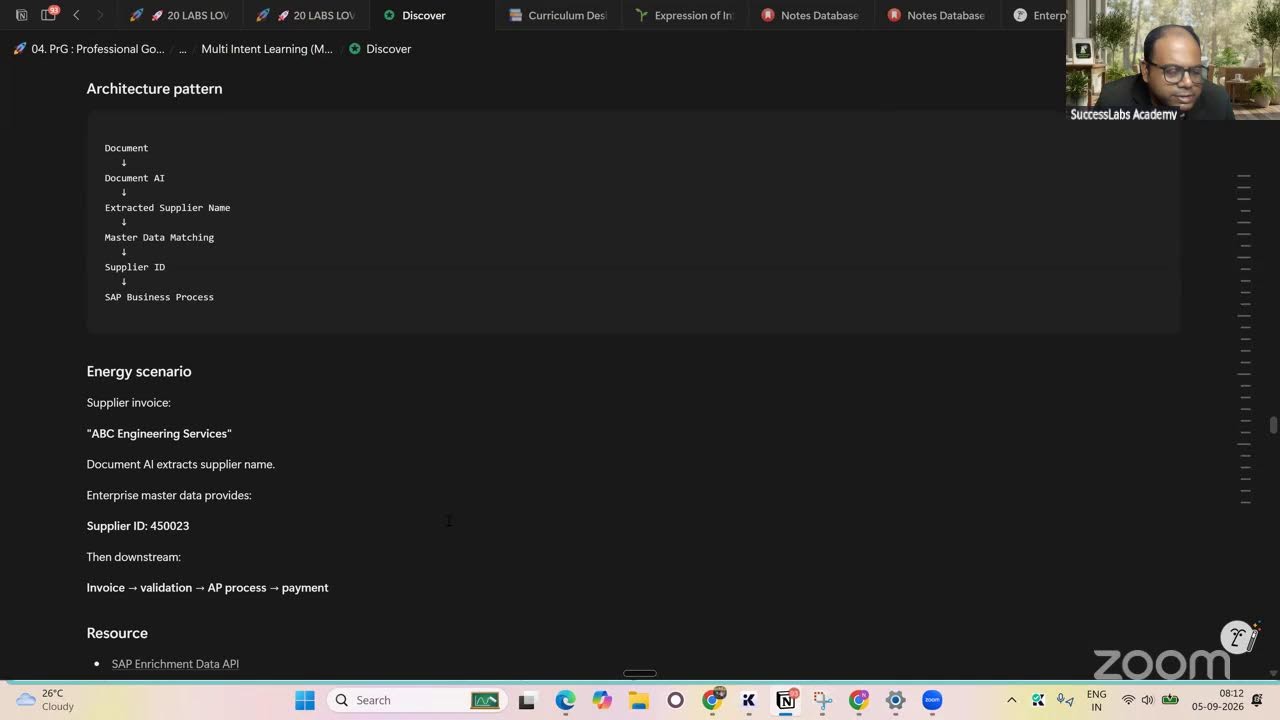
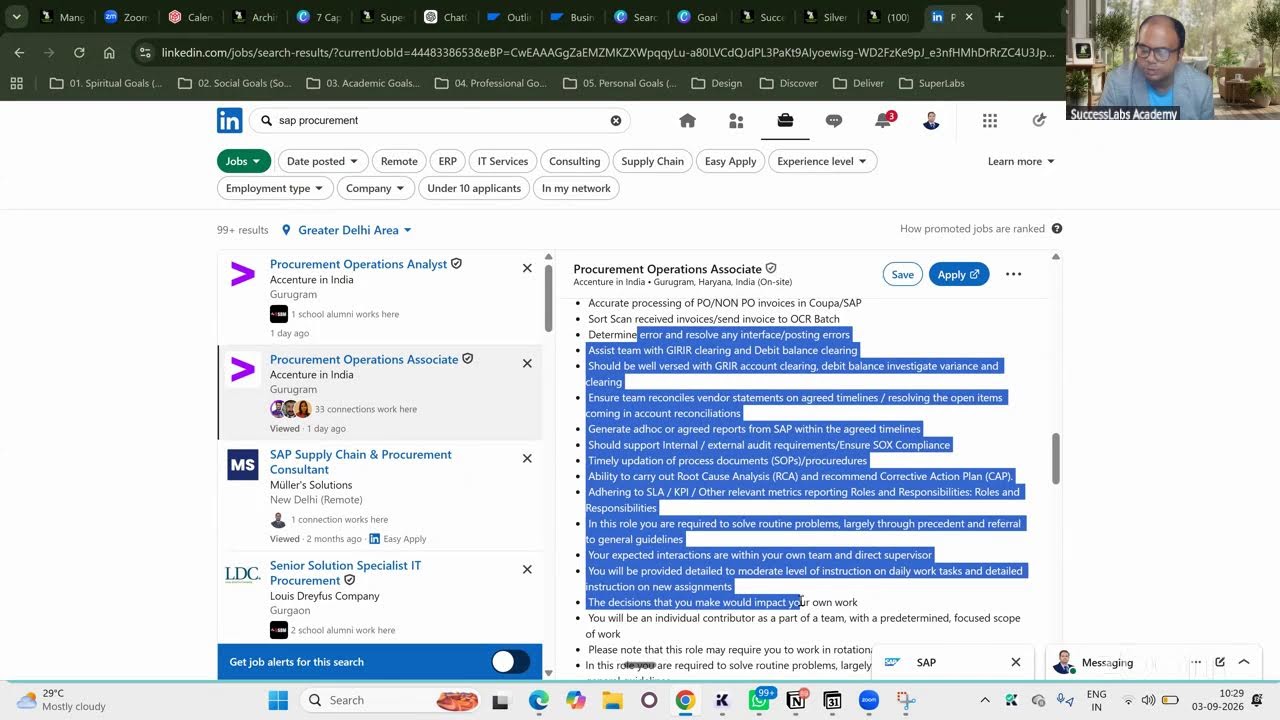
What's REALLY Happening with Data Models in SAP SuccessFactors?
Dr. Niladri Bihari Nayak shows how to set up a Legal Entity in SAP SuccessFactors, including mandatory fields like name, ID, and currency. He uses AI to generate synthetic data for country-specific compliance needs like Canada's CRA T4 and India's Form 16, then explains the four core configuration files that structure the entire data model.
Chapters
So welcome to the new session of our SAP SuccessFactors Employee Central, and today we will be focusing on the case study which we have started exclusively for the logistics supply chain for railway company, right? And we will be now today going towards the data model of it. Before we start, I'd like to understand from you, uh, what do you mean by a data model? Any idea from your knowledge or experience, knowledge, or, you know, typically, um, other understanding. Any, any idea? Have you heard about a data model anywhere? No, sir, I don't remember. Any idea what is the data model? No, sir, I don't remember. No, no, sir. Okay. So database, you must be knowing, right? Back. So that is very sure, right? What is the database from an HR point of view, or in general, if I talk about database, what do you mean by that? We store data. Okay, yeah. So yeah, so can you give some example of what is an example of some database system with some practical example? In an organization, we store data in the database. Mhm. Okay. Educational institutes, industries, student data, you'll be having student data. Yes, yes. In an organization, like any of the company, you will be having employee data, right? So data is everywhere. Okay, so we will try to understand today, and, uh, from a data point of view, okay, what are the different, uh, how this data are connected with each other. And from HR point of view, we'll also try to understand, okay, what are the different data models. Data models is nothing but— so what we say that if you go to— I will go show you the mind map, okay? So in the data model is all about how different data elements talk to each other, how they're related, interrelated with each other, okay? Because data do not exist in a silo, okay? So for the reason, you must have heard about the DBMS, RDBMS, relational database management system, right? So every entities also, you must have drawn ER diagram in your college days and all, right? So we do have entity relationship diagram and all this thing, right? So we'll try to understand the data modeling at initial level, then we will go to the specific topic which is specific to for our SuccessFactors Employee Central point of view, right? We'll try to understand that today. So I will first, uh, today present it in a different way. Let me show you. Let me go. First of all, try to understand the data model. And data model point of view, as I said, we will be having— there are different elements to it, okay? Definition of the data, uh, what are the different types of data, will also try to understand. From HR point of view, try to understand, definitely this, it has a different meaning in a different types of databases and all, right? So when I say data model, we will be having, uh, as for the understanding, so we will be having the data model is nothing but it will— how the data, different data elements are structured within a database, right? So that is the definition of a data model, how different data elements, okay? So in our case study which we have, uh seen the Railway Logistics case study which I was, you know, focusing on. This is Railway Logistics case study, right? So let's see what are the different data elements we are having, okay, based on this, okay? What I have done, I have done using an AI, okay? So we will be going here and we will see what are the different data elements we do have for this particular case study. So let's do a query here, list down, list down. The data elements for these case study in a table. Okay, so let's see, because we have given the case studies and we will try to understand. Okay, and whatever is not there, we'll be creating. Okay, so already some data is already there, okay, but let's see what exactly it is fetching in. Okay, so it is obvious that the legal entity will be starting first. Okay, you can see that there are different kinds of data. So in this, in our scenario, we do have organizational data, we do have employee core data, we have a job and position data, compensation payroll data, time management data, compliance and document data, integration data. You can see so much Right, this is the main major category of the data. You can see that, and, uh, we inside that we do have a data element because in this case studies we do have separate entities for Canada and India, right? And for that reason it has derived those legal entities as a— with an example, okay? And in which module that will be primarily sitting, so that also has clearly mentioned EC, okay? Similar, the business unit, division, department, cost center, location, geo zones, okay? All the things are here. All right, these are my data element. Okay, so now what I will do— so this is something we will be putting in our case study. So we'll be solving this case study. By the way, I'm demonstrating to you how do we solve the case study practically. Okay, in a— suppose you're going into a business, okay, a client, right? They will be providing all this information. So your job will be like, uh How do you structure it? How do you configure it in the system and all? Okay, so that part we will be going, but before that we'll be understanding this concept. Okay, so as I say, data model will be building the relationship among all the data elements, whatever we are seeing here, right? Legal entity, business unit, and everything. Okay, similarly all these things. Okay, so same thing we'll try to understand from here as well as the data model point of view. So you will be having, uh, we already understood the data, basically the definition of data model. Now we try to understand The different types of data, what kind of data you will be having, okay? So you'll be having a people data or employee data, you will be having organizational data primarily, okay? And when I say organization data, it could be your location, company code, okay? Whatever we have seen here in this tool, right? So we have seen that, uh, there are employee code data and organizational data. In organizational data, what are the examples we have seen? Let's now put it up in our mind map. Okay, so the organizational data we have seen, uh, company code I have already covered. So I will say that legal entity, okay, legal entity is one of the type of data. Okay, similarly, what else we do have? We do have a business unit, division, departments like this. Okay, so I will put it here as well. So business unit is another set of data. Okay, similarly, we have a division. Division, then we have a department, right? So these are the possible, you know, data from an organizational point of view. So there are many more, okay? I am not going every detail about it, but you can see that cost center, location, geo zones, okay? So many are there, okay? These are all possible organizational data, okay? So for your information We will see that, we'll try to build it actually, okay? We are learning by doing, okay? Not only understanding the theory, so then we will be building this, okay? So call center is done. Then we have what else? We do have locations and geo zones, okay? So locations and we have geo zones, right? So these are the different possible organizational data we have, uh, seen. Similarly, what else we do have as for the case study? Employee code data. So we have a biographical, national ID. Okay, so there are people-related data. So you will be having your name, date of birth, national ID for sure. And what else we do have here though? So I will talk about its biographical data. So biographical data will be having your name, date of birth, contact information and everything, right? So I will put it here, then biographical data, and this one I will merge it here. Okay, so I will cut it here, Ctrl+X, and I will paste it here in the people employee data. Biographical data will be having this one. So, okay, so it's okay. So the name, date of birth, and all these things. So biographical data will be having what kind of a data? So it will be having your name, date of birth, contact information, etc., right? So that will be part of your biographical data. Some of the examples are like this, so I will put it here: name, date of birth. Instead of that, whatever we have received, name, date of birth, contact information, etc., right? So then what else we do have? This is the biographical data. Similarly, national ID. So national ID will differ from different country. In our case study, we have considered Canada and India, right? So for that reason we do have a specific— in Canada they do have a specific ID. So because it's for our case study, it is Canada and India. So for the reason we do have this one, Social Insurance Number for Canada and Aadhaar for India, right? So this is what we do have exclusively for social insurance. So I'll put it here. I will say that this is where we do have here I will put it here, AI, and I will say that do it for all major countries like USA, Australia, New Zealand New Zealand, Saudi, UAE, South Africa— some random country I'm putting here— and major European countries. Let's see what it is bringing in. Countries. This is my prompt here. Let's see, we are asking AOI. So AOI is actually identified, okay, immediately that in Canada you will be having social insurance number, I will check it out. In India you will be having Aadhaar number. In USA you will be having Social Security number. In Australia you will be having tax file number. In New Zealand, you will be having IRD number, Inland Revenue Department number, something like that. In Saudi, you will be having a national ID. In UAE, you will be having Emirates ID. South Africa, you will be having identity number. In major European countries, you will be having, uh, UK will be having National Insurance Number, all these things, okay? So I'm just putting it here like this, okay? I will be adding all to this, our mind map, for your reference. Okay, so let's see. I will be adding all this to our mind map. Okay, so now this is ready. Okay, so we can always refer this. Whatever countries you are going, these are the major countries, okay, I have considered. Okay, otherwise you can further go for any other countries, but these are the major countries, okay, which is useful for you. Okay, and these are all national ID exclusively for, uh, your employee data point of view. They will be having this, and these are not How it is different from your organization data? Because these IDs do not depend upon which company you will be working, okay? So it doesn't matter, right? Because it is not organization-specific, but it is a person-specific. When— if you're working in India, you will be having definitely Aadhaar number. In USA, you will be having Social Security number. No other options, okay? So definitely this will be giving you an idea, okay, if I'm working on this country I will be having this number for sure, right? So this is pretty much just simple to understand for each and every which are the data we are having, okay? So this is your— comes under your national ID data, right? So now we will be going for, uh, union members. If you are having a union, right, definitely that is something you will be having. That is something, uh, in our case studies we are having it, but again, every organization that may or may not be having union that is something optional, okay? But in our case study, we do have that, so I will be putting that here, union membership, okay? And similarly, if I go for the next one, work permit and visa management, right? So this is exactly, uh, if you are permitted, if you're in India to go to Canada, you will require a visa, right? They will not allow without that, right? So for that reason, in this case study which we are running, this is also an essential element. We are actually trying to pull it out here that this is also, uh, is required in our case, right? So what I will be having is— I think there is some slightly employee code at a point of view I'm talking about, right? So this is something we will be seeing here. And during your organizations and all this thing, this is required, all those things. So, so I'm not going through each and everything, but these are some of the things which are really, really essential. I thought of sharing with you. And there's so many other types of document, okay? Definitely we will be going through this later point of time, but I will be sharing this table. Maybe, uh, let's pull it out, the case study first. So, okay, so I will be going to the case study where exactly, uh, we are have— we are building the case studies in the AOR— sorry, in the Notion itself. Okay, and what I will do, so in this TCRL— I don't think this is TCRL— we do have a case studies already there. So let me pull it out that. So I will go and, uh, go to my case study Basecamp. So we will be having a TCRL. I don't think it is there. No, it is not there. So I will go to Employee Central. Employee Central. Let me go there. No, this is not the one. Let me go to the main page. So we have a Core HCM. Under that we do have SuccessFactors Design. Under that we do have Core HR Transformation. So under that we do have your Core HR Data Management series. Here we are learning the Employee Central, okay? So here what I will do, we do have a now case study as a part of this hackathon, or a part of this bootcamp I will say, right? So I will go here and we will start preparing for the data. Okay, so the base camp we are creating, the base camp is for us is the data preparation. Okay, so what I will do, I will prepare this as a story, the base camp here. So let me pull it out here. In this process, the base camp will be— we'll try to understand today the data model, highly focusing on that. Okay, so I'm turning into a page, and in this, today we are going to learn Basecamp, which your case study is your logistics case study. So Basecamp will be, you are given a railway logistics case study, and in this we try to apply what we have learned so far. Okay, so I'll turn into a page and I will— this case study is based out of Canada, so what I will do, full width, small text. I will say that in this case study So this is the case study which I will copy here and I will post it here in our Basecamp. Case study. Okay, so this is the analysis of our case study. Your actual case study is from Canada plus India. So I will just ensure we are connecting the case study. I will put a railway picture so that you understand this is our case studies which you are doing. It is, uh, looks like a proper one. Okay, so this is the case study which we are running for L&T Logistics and Now let's break it down. Okay, so we are going to understand the data model of it. Okay, so this is the different, different, different requirements and everything is there, high level. Now today we'll be focusing only on the data model. So let's see that KPIs to track Potential pitfalls to watch. These are good. Okay, so now what I will do, I will use a prompt here. Let's say, list down the AI prompts to understand SAP SF EC data model 100%, which the TCRL— this TCRL is going to implement. And as a consultant or a client. As a consultant or a client, we need this project 100% success and award-winning. Let's say so, this is our aspiration. Let's see. So this is a process, uh, we will be following in the sequence. Let me pull it down, all the possible components. We are not going to do everything. Whatever is really needed, we will be going through detail, but this page will be available for you. I will be giving you some brainstorming questions for you based on this case study, which you have to utilize your mind, utilize any of the AI tools, and you have to answer and the tools you have to also produce. You have to take a screenshot from your system and you have to share those results. Okay, so that is the expectation. It is a now onwards, it's all hands-on. I will be checking your assignments, okay, in the platform. Okay, and then only you will be going to the next step. So there will be a— unless you completed, we cannot go to the next step. Okay, so for that reason, this is, uh, you can use AI anyway, but you, whatever we are doing, you have to understand that and, uh, you should be able to answer any questions whatever will be required. Okay, so now we'll be trying to see, this is our AI Codex, okay, for data model. Okay, so we will start with here. Okay, so if we go back to the mind map once again, so there are so many things, I'm not going there, right? But before that, I would like to highlight one thing here. So In SuccessFactors, what we do have is data model is divided into major 4 parts, okay? One is a SuccessFactors data model. It will be kind of an employee data model only, people data. It will be dealing with the people data, all the employee data it will be dealing with. And it will be having a person data, that means employee data, uh, no job information, name, date of birth, nationalities like that. And also you will be having the employment data, the job-related data, hire date, compensation, their salary, and everything, right? Similarly, for a corporate data model point of view, you will be having here as an organization structure, association, all data, the company, either a people data or a company data, okay? So corporate data is, as the name suggests, it's a company-specific data, okay? You'll be having all structure, you would be having foundation objects. These are called foundation object, job, pay, organization data, and all these things. Then you will be configuring those things. There is a tool, this tool will be coming later point of time, how you configure all these things, okay, which I'll be— I'll giving you a task, okay. I'm not going to create everything, I will be just creating one or two, then you have to create the remaining thing, okay. Similarly, in the corporate data model, you will be having the analogies, relationship between different, different OM, organizational management data, and all these things. Then your HRIS elements, okay. So there are— so all these things we're going to discuss, okay. But these are two models, major data model, and there is an attachment also in this mind map. You will see that called Succession Data Model. So if you select this image, okay, and you will be seeing this attachment. This summarizes your Succession Data Model, okay. It, it has everything to do what you have a typically succession data model. So now what I will do, I will put it here in our case study, okay. This is the summary actually which actually I have told to you now. So we have a CDM, SDM, okay? Which CDM is all about organizational structure, and SDM is all about the employee data and person data. And any project you start with a CDM, because without having a company, you do not having an employee, right? So first of all, you have a— first of all, you bring a— create a company with all this thing: legal entity, business unit, department, job classification, pay grade, location, everything should be having it. Then you create your subscription data model. It makes sense. Right, so this is how we actually create a data model. And so we'll be seeing how to create it, but now, for now, we'll try to understand the problem statement. We will be creating these things in our, you know, a mental model. Then we will be going to the actual thing. Okay, so before you that say that, I will say that we have a here, this is the structure, the concept. Okay, I will putting here This is a guide for your understanding the data model, okay? Then we will be understood— understanding the concept of here, the Succession Data Model, which I was talking about. This is a must you understand, okay? So what I will do for this Succession Data Model, I will say this is an example of Succession Data Model, okay, exclusively. And I will put it here as well, so for your reference, okay? So this is a general data model, okay? Then we have a succession data model, as I said. So this is for your reference again. What I will do, I will put it here in the AI and I will be asking exclusively for TCRL, okay? So what I will do, I will upload it and I will say that For TCRL, identify all possible SDM, Section Data Model, objects, objects with example in a table, in a table, okay? And how to create them in— create them in SuccessFactors, SAP SF, okay? So now this is the SuccessFactors data model. All about the employee data, people data. Now let's see, we will see. And meanwhile, I will be logging into the system and we will be see couple of them. Okay, HCM Cloud. Yeah, so meanwhile it is updating this. Okay, so this will be the Succession data model. I'm just visualizing it. Meanwhile, I'm also looking at the Corporate data model. Before you go to the detail about it, we will first visualize this thing, both the model. Corporate data model, as I say, it will be having your org structure, payment, job related information, other things. Right, so this is again, I will be capturing it in our notes so that it will be comprehensive note for you and you should be able to create all these things. Okay, I will show you the path but I will not be creating all the elements here. Okay, one or two element and from here, or one or two element from the corporate data model, one or two element from the your SuccessFactors data model, I will be creating for you, I will be demonstrating to you. Then you will be creating that in your own pace, everything. Okay, so you build your organization in this way in the system. Okay, so this is the second one, the corporate data model. I have put it here. Okay, so now what I will be asking to the AI that what we have used. Okay, so it is still thinking, by the way. Okay, anyway, so what are— yeah, it's now brought in. Okay, SDM, Success Data Model, and these are the typically examples they have given here. right? Person info, right? Global info, home address, right? What are the different, different elements as per our case study? Okay, so let's do that. So I will copy this once it is— I think it is ready. And, uh, So, so there are different type of information, by the way. You can see that TCL customization specific fields also. So it is still building on. So meanwhile, I will be updating this one. The first one is a personal information, okay? I will copy this, the CSV file, and I will go here. Here we talked about section data model right now, but for our case study, what are the what is the— what are different examples of personal information? That is really necessary to understand, isn't it? So what I will do, so personal information, whatever we have captured, so that is our— this is the first set of data, set of object, I will say. Okay, so I will fit to width. Okay, so now these are what kind of a data? As we understood, these are your personal information. Okay, personal information. So where do you see this in personal information? These are the personal— we have a personal information, okay, personal info. This is the first one, core personal record: name, preferred name, marital status, right? So these are the different examples, okay? The first one, personal information, I'll just annotate it. So that you understand it better. So I will say that I will spotlight here, okay, person information. So that is nothing but this person info, okay. Then we do have, uh, global information. Global information is that you will be having your nationalities and those kind of information, global info here, right. And similarly, next one is a home address. So home address, this one, okay, home address. Let's first check it out whether it has captured everything or not, then we will be looking at the other columns Okay, home address we do have. Then we have, uh, what is the next one? National ID card, which we've already discussed. Canada, they have SIN number. In India, we have Aadhaar number, right? This is your national ID card. Okay, then what else? We do have email info. Okay, so the email info is this one, email information. Okay, then we do have a phone info. Phone info, this is a contact information. Yeah, so this one, phone information, right? Then we do have a social account info. If you are sharing your, you know, any, uh, when I say social media, it could be a LinkedIn, it could be your in the office if you're using Teams and Microsoft Teams, what is our email ID for that. Definitely the email ID will be there, okay. The social accounting, which could be social media, okay. So this is LinkedIn also, okay. Social account information we have. Then we have emergency contact and biographical info. Emergency contact, this one All right, so then we do have biographical info. Biographical info is, uh, I think here, Global Information Organization, this one, biographical info. All right, so almost everything is captured here. Dependent info, work permit info. So you can see that there's a dependent info, work permit info, dependent is here. Okay, so all these things are details are here. So these are all about the one box called the personal information. Okay, it captured everything. Similarly, we do have employment information. In this series, we do have all this organization, job, and pay structure related topic. So all those details will be also having a detail. So what I will do, we've already generated that content. So I will just be based on our case studies, we do have all these details, and I will be capturing this from here, right? So these are my employment information. So I will capture here in the CSV format, then And I will be capturing these things in our notes as well so that you can refer them back, and in your case studies you can complete it here. Okay, so these are your organizational related information. Organization, organization. So what is that heading here? We have seen that this is the organizational or your base— no, this is not organization, so employment-specific information, because we talked about that in the case study that we will be having your personal information as well as the employment information. In this case study, what you have is person info and your standard, you do have all this employment information as well. So we have two kind of information, we have personal information and employment related information. So in the employment information, I will be capturing here all those details what you see here. So now these are my employment related information I can see and I will be updating them here directly. Okay, so let me go to the tool and these are my employment-specific object, okay? Your employment info, job info, comp info, recurring payment— all these are related to your specific for employment information. So what I will do here now, I will go here, I will put it here because one segment we've already understood as a personal info, okay? Then another segment is for the employment info, okay? That means whenever a person will be working, he will be definitely having a job title and whichever country he is working, he or she will be working, employment details, compensation details, salary details, okay, payment details and all these things, job relationship, in who is your manager, all those things, right? So these details we are capturing another set of data, okay? So this is your, as I said, this set of data, okay? So Ctrl+V, this is your employment information, okay? So these are your employment information. Now we have seen here Now let's do understand these things in a tool point of view. Where do you exactly configure this system? Now we'll be entering to a system and we will try to understand these things from system perspective, from especially for this case study which we are now running in, right, for this particular, um, Canadian Railway, TransCanada Railway Logistics. Okay, for this case study now we are going to run and we will try to understand How do you really actually create those one by one? Okay, again I say I will be talking about few tools and I will provide you the path. You have to create this super easy, by the way. Okay, once you, you know, start doing this. Okay, so now I will go to here. Okay, so first one we will try to understand from the beginning, Succession Data Model point of view. We have a first one is, uh, uh, Person Info. Okay, personal record name and all. And where exactly it will be? So it is not country specific, okay, because your name is not going to change if you're changing the country, all right? So definitely that will be something across wherever your geography, respective geography, it will remain the same, okay? And where do you create all those things? So you have to configure it in a managed business configuration. There is a transition, and also it is known as the BCUI, Okay, business configuration UI, right? So in at that place we have a path for this. So this is your path, okay, which is exactly you are going to create in that, okay? So we are already in SuccessFactors, okay? So if when I say admin center, this is our admin center, okay? And in this, even if you do not go there strictly, directly go here from, okay? So we have something called— not this one though, this is a notion table. You have to go to my— here, this page, Admin Center. You search for Manage Business Configuration UI. So how do you actually search here? Okay, so either you search here directly, Manage Business Configuration UI. Okay, so not UI, this is called BCUI, Business Configuration UI. So basically you go here, Manage Business Configuration. So we— this is a path, either you can go from here, Manage Business Configuration, or in the top also we do have an option called Manage Business Configuration, right? Same thing, it will take you to the same path. Okay, so if I go here, either, uh, these are two processes you where you can search. Okay, and another way of doing it is again in the Admin Center. There are three ways of reaching it out. Okay, I have shown you the Admin Center tools in the action search tool. Okay, otherwise in the tools that you see, all options This is See All option where you can see all the tools available in SuccessFactors. These are different, different tools you can see, or transactions. So you can see this is available here. You can see 100+ tools are there, right? So here also you can search here, okay? So manage— as soon as you type, it will be coming up, okay? This is the something tool. Suppose you are using it frequently, this comes under company settings, okay? You can make it favorite. And I will be utilizing, let's say, for a while. So I can make it favorite and I can go here, Manage Workspace Configuration UI, right? So this is how your configuration path will be looking like, okay? So here what you see, okay, so all the object whatever we have seen, all the elements whatever you have seen, every— each and every elements are available here, okay? Whether it is a job info, personal info, email info, person info, phone info, right? Almost every elements are here, okay? So what I will do based on this instructions, okay? So I will close this one. This is not the one, right one. This is the right database, okay? Yeah. So now what I will do, I will convert this thing, okay, into Uh, the object name is okay, but I will also say that I will be adding one extra column here, okay, in this table, okay. So I will ask AI to add another column with a proper name, okay, because these are technical name they have given. Add one column for personal information SDM objects table with normal name in first col— in a column before before current first column, that is STM object technical. Let's see whether it is able to grasp it or not. Let's see that. This is all they're doing by coding. And so we do not have to code anything automatically. If it is understanding, then it will be capturing and it will be adding one row— one column, by the way. If it will be understanding that, let's see. It is doing all its work. It has done its work. Can see that it has done— it has added an object name. With, uh, uh, previously this table was there, uh, this column was not there. I have given a name so that you can match it to this one. Personal information, personal information, right? Global information, home address, exactly the similar kind of a naming convention you can see. So it will be easy for you to understand this, okay? So now what I will do, uh, do the same thing for this one as well. I will tell Let's see. It is smart. Okay, because we have had a lot of data, lot of, you know, content based on the configuration guide and all those things. So we have trained the AI model in a way that it is actually remembering that and it is helping us to— otherwise I could have created an additional column typing out all the name by searching the what is the normal name for the particular technical name, right? Because the technical names are different. You can see that slightly, JobInfo, it's a technical name, okay? But the actual object name is, from a general person, it is Job Information, right? There is no space, there is no in between. You can see that this is how these are called as a technical name, technical object, or technical entities, or elements, we can say that, right? So now what I will do, I will be converting into a database, okay? So this table is now a table which I will be converting into a database so that whatever the things we are doing here, we will be capturing there as well. So this is our personal information object. So this database name will be Personal Information Database, and similarly, this database name will be Employment. So I will convert this also as a database. So while doing a data model, we are practically doing a database activity as well. So I will convert into a database now, right? So now what I will do, for each and every object we are going— so I will not be doing it for every object, okay? So I will be asking you to make a copy of it and of this page, and so that you can prepare your own object accordingly. So now I will be also a little bit, you know, decorating this, designing it in a way. So I will say that for each object, object, object page, add an emoji relevant to that object. Let's see. So we will do that, then we will be going inside— what I will not be going for every object But we will be trying to see that in a very detailed way. Okay, so let's see. Yes, you can see it has created everything. Okay, so all the icons and everything, so it has updated. Uh, now we are happy to go. Possible information, that means given a personal information icon and everything. So it has updated everything so that we'll be feeling happy about it and we will be doing it all the things happily, right? So let's start with the first object, person information. So if you see here, person information is go— so we'll be having a page, by the way, for each and every objects. We will be having a page, okay? And inside the page, whenever I go, I will be having an opportunity to capture all of my configuration details and everything, right? We have a— you can see that personal information. So this personal information is what basically it is not country-specific thing, but what is how to create all these things, okay? It has been given, okay? But anyway, you might be wondering why it is required. What is personal information? This is very simple to understand, okay? So for to make it more easy, what I will do, so let me make it another query to this table. I will say that, uh, for every object we do have how part. How, that means how configuration path actually. So what is called that That is how to create or configure. Okay, already. Okay, we have how to configure in SF. That is already we have it. Okay, already in one of the columns. Now what I will tell— oh, I think already we do have, we do have a purpose actually. So purpose is actually what, okay? So what is there, how is already there. So I was thinking what is not there, right? So now I will say what, what means is equal to purpose or key data. Key data, just add one column, why, okay, and, uh, explaining why that data is required in SFEC. Okay, and, uh, okay, arrange what, why, how in sequence. Okay, let's see. Keep other columns as it is, existing as it is, right? So let's see, we will put the command here and let's see how it is working. So it is updating our workbook database primarily, and it is also in the meanwhile— it will be taking some time to, you know, do this. Meanwhile, it is cooking this. We will be checking out. I think it will be doing it very fast, okay? But meanwhile, we'll be trying to understand this again, okay? So as I said, we do have a corporate data model and succession data model. We do also have a country variation of it, okay? So whenever I say country variation, if you're talking about one particular country, okay, for a specific example, for succession data point of view, if you're talking about it the way already we have seen that in succession data model, specific to any country, if you're talking about, you will be having a— that is called as a country-specific succession data model. So in general, we do have a general here, so do not get confused here. So already we talked about people data, but there's a segment we have already discussed. That part of our data will be primarily your, your, uh, country-specific thing. So you will be talking about country-specific thing, then it will be coming under country-specific SDM, Success Data Model. Okay, so if you're talking to US, you will be talking about in the Social Security number, and Canada, all this thing, right? So same goes with here in the corporate data model also. We have already understood this. That you will be having all this information. So that I think we've understood here, okay? So people data point of view, where you have studied all these varieties, right? So now these things, whenever it becomes country-specific, we call it a country-specific success data model. And if it is an organization data, if that becomes a country-specific, okay, it's all GST tax and all those things, right? That will be called as a country-specific corporate data model, right? So now how do you execute it? So there are tools, techniques, and all So currently we have started with, uh, one of the tools, okay? So that is this one, I think. So, okay, not this one. So we are not yet reached there. I will talk about it whatever, whenever you'll be going for that, right? The tool which currently we are going through is the BCUI tool, okay? Our Business Configuration UI. And it also full form is Business Configuration UI, but the transaction name is Manage Business Configuration, right? Configuration. So this is the tool which currently now we are in, and now we'll try to understand this in a much better way. Okay, so this is the tool, and now what I will do, we see UI. This is the Manage Business Configuration, which is something we are going to configure. Meanwhile, let me check whether our table is ready. Okay, I think the table is still updating. Yeah, I think it's almost done. So what it is saying, that added Y property to both databases. The Y is configured to explain all this thing. It is still updating. It has updated now almost everything. You can drag and drop the columns to database view, rearrange them. The Y column is currently at the end. Needs to be moved between so and so. Okay, so to help you populate Y column with the relevant content for each object, the answer is yes, I need everything. Let's say it will be updating that as well, TCRL specific for this organization specific. Okay, but in this way at least we got this fields filled up. Okay, and, uh, now what I will be going to do here is we'll be examining one or two objects Okay, then I will leave to you that you have to continue with this, uh, in other objects as well. Okay, so let's do that. Okay, and, uh, okay, so let's see how much we can do. So it is updating the page. Meanwhile, meanwhile, I'll be going to the system. So this is the system which I was talking about. Let's say the first object which you were talking about is the, your, uh, what is that object? PersonInfo. PersonInfo, that means it's a person information, right? PersonInfo. So I will go to the first object here. Where is PersonInfo? You can see that PersonInfo, okay, there's a checkbox, okay, I can see that. And if I click that PersonInfo here, if I see that, so it says, uh, it's a biographical information, the personal— PersonInfo, this is the These are the different, uh, you can see there's an identifier, okay, there's a label, there's a default label. Person info is nothing but your biographical information, okay. This is the biographical information and it's already enabled. And these are the different HRIS fields, okay. So now let's try to understand this in a full way, okay. So we are seeing HRIS elements Under HRIS elements, we do have HRIS fields. These are your HRIS fields, okay? That means date of birth, country of birth, place of birth, birth name, okay? These are all different, different HRIS fields, okay? And we do have an identifier. That means how do you identify that object? That is called as an identifier. And there's a label— how do you see this, okay? But how do you see this actually? Suppose let me go to a another page. Suppose I will be seeing this at an employee level, okay? So let me pull it out, one employee from Canada, okay? So let's see that in our system. And if I go here, let me type it out, Canada, right? So I will be finding so many people from Canada, okay? So let me pull, uh, VP Human Resources Matthew Brown. So he is from Canada, and where do I see his, uh, details? But how do the front end and works in the back end, right? So that is something we'll try to understand. So if you see this profile, it is the profile of Mr. Matthew Brown from Canada. For now, you just imagine that this person is working in our case study, the Railway Logistics Company, okay? And we see that, uh, there is something called biographical information. You see that this is where this biographical information is connected to the backend. Okay, this is the level. Level means what you see in your frontend. This is the biographical information, right? Suppose if I'm going here and let me— I will try to change this thing, biographical information. I will say that, uh, I will just change it to personal information. It's not the right one, right way to do it, but ideally I will not be changing it. But for now, for testing point of view, okay, if I am changing certain thing here, let's say Canada, I will say TCRL for our case study. We will be just putting it here like this, okay, for now. Then I will again revert it, okay, anyway. So what I will do, I will save it. And now I will try to refresh that page. So I'm just trying to, you know, explain the backend, frontend so that you understand. So this is now the level has been changed here, right? So now what I will do, I will go and refresh this page. Let's see, you can see the change. It has been automatically happened because I have changed the type, the level of it. It is called a level, okay? Biographical information is called as a level because I change the level as per our case studies, TCRL. But ideally scenario, you never change it, okay? This is just for your testing point or for your understanding point of view, I have changed it, right? So this is something we are not going to change it here, okay? So I will just revert it. Now, so this is the meaning of a label, what you see in the front end. Okay, so now I will just simply save it. Okay, now what I will do, we will scan through the entire biographical information. So again, I will refresh this page for Matthew Brown, who is from Canada. So now let's see, I will go here and try to change biographical information as an administrator. Suppose I'm an administrator, I'm going to change any information for this employee, biographical information. So if you're doing any changes, it will be asking me, it will be showing you the different, different fields here. You can see that biographical information is having person ID, date of birth, country of birth, region of birth, place of birth, mark name, T-shirt size, These are the different information there, or you can say as in the language of your SuccessFactors, these are the HRIS fields. We call them HRIS fields. Now let's count them. Okay, so let's do an AI activity now again. Okay, so this is our front end— this is the backend actually. Okay, let's focus on this element, biographical information. I will take a snapshot here and I will putting in our case study. The AI. So let me do that, analyze this field. Okay, so I will be putting— I think it will take up for another— also I will put the front end of it. Let me try. This is our front end. So meanwhile, I will be putting this in our case study, otherwise you will forget it. Okay, so meanwhile Let me go to personal information. So this is actually biographical information, the level is, okay. So what I will do, I will go here. So this is our— and why it is required, as I have asked, we have to add a why button here, okay. So we already have a what here. What is— this is actually what, okay. So this is a core personal record name, preferred name, or marital status thing. Okay, then how to do it, definitely understanding. But why it is required? It is a foundation of an employee's identity, right? And it end up as a legal name for compliance point of view and so and so, right? So now in this section, what I will do, I will be adding this up. So this is our, uh, the backend of it, okay? And now what I will say that, okay, and how we went it to here, it is the path already has been mentioned. We don't have to remember the path. Already we do have a BCUI or Managed Business Configuration. From that we went to HRIS elements, and then we are from HRIS element, we went to the person info. So person info, this is the person info, and inside that we do have HRIS fields. Now let's compare these fields to the front end. Whatever we are seeing here, these are your biographical information, okay? So let's try to analyze it, both front end and back end of it. For this person called as Matthew Brown, okay? And we will try to compare, okay? So for this person, what we do have here is this is a person which we are having. And, uh, yeah, so we can compare. Now you can see that in HRIS field, what we do have Identifier is person ID external. That's a person ID, okay? That's the level is person ID, okay? You can see that. So we already have person ID, that's an employee ID, right? Then we have a date of birth, date of birth, country of birth, country of birth, right? We do have, uh, generally region of birth, it is there also, region of birth, right? Then we have place of birth, place of birth. Bath name, bath name, t-shirt size, t-shirt size. Okay, all these things are there, right? Definitely date of death will not be there. Okay, so as the person is already active and he is working, right? So for the reason we have not enabled the date of death actually. Okay, which is not a good thing for this employee. So we will see now, this is, uh, we have seen that we have tried to compare. This is how Backend, this is the frontend. Okay, so now we will be doing what? We will be doing this activity quickly for all other elements. Before we go there, we will try to understand few more things in this element. Okay, so you can see there are certain fields which are mandatory, right? You can see there's this asterisk star symbol, right? If you try to save them without any, you know, it will not allow you to save. Okay, suppose I'm say mentioning M here, then only these are mandatory field. But these are the optional field. Where exactly these are maintained? Suppose, okay, you can see this is something called enabled, okay, and this is something called mandatory, right? If it is a yes, that means that field is mandatory, right? But if you say this is a no, that is not a mandatory things to do, right? So here in this way you can understand this is exactly, okay, we can override certain things, or you can see that So you might be wondering, date of birth, suppose I'm trying to save it, but still it is a mandatory field. Okay, so this is the question I will give to you, right? Date of birth, we are saying that in this HRIS element field, right? So we are saying, uh, date of birth is not mandatory. If you can see that, okay, but okay, it is not mandatory, right? But in the front end, it is showing date of birth is mandatory. Why so? Okay, so this is a research question. You can try, okay, and let me know what is the reason, okay? You can use any AI or any other documentation. So many things are there, right? But here you will be finding all many more details about here. If you click Tech Action and if you want to see the details about it, these many technical identifier or fields are there, right, which we have not seen. At a high level. Okay, so this is the detailed part of it in the same object, same, same HRIS elements. Okay, we are now exploring. Okay, so we have just chosen one of the field, and for that, so if you see how I navigated to, so I'll just quickly recap. So let's say what I have done is for one of the field I went here. Okay, so let's say this one, person ID external and all this thing. Of, uh, so if you go to any of the ID, let's say person ID, right? So if I go here, inside that I see person ID and so many fields. These are all characteristics. Whether it's a data type, string data type, you already know in computer science that we do have, there are different types of data type, string, numeric, you know, alphanumeric, you have a number, all this thing, date, okay? So there are different, different data types are here. So, so many things are here, you can see. Right, we will try to understand these first before we go to any other topic, right? So what I will do, I will do another exercise here. So this is an example of a person ID. We'll talk about, then we will be going for the other object. So we are now still in person ID, person info. Inside that, we went to one of the HRIS field, that is your person ID. Now we are just digging down. Okay, so I will go here. I have chosen— so you can see how in-depth is. Okay, we are just in one HRIS element, inside that only one identifier, the HRIS field we are in. So now we will be going to deep dive into that. Okay, so I have just chosen person ID inside this. Okay, so I will just save it. Okay. So now we'll try to understand each and every section of it here in this particular elements. Okay, so let's again go back to our AI Companion. Okay, our this thing, what I will be asking here is, okay, anyway, I have not uploaded that screenshot. Okay, and I will try to, okay, upload it. Let me try to upload this one as well. If it is allow me to screenshot, I think it is not allow me. Okay, let's see. So first of all, it will be asking this question and then we will go into second follow-up question on that. Okay, so let's see. So in the context of our, okay, so TCRL case study Explain these, uh, HRIS fields under HRIS element in detail. Consider me as a beginner. As a new beginner rookie in SAP SF. Okay, so let's see. So this is the same way I have done it for— I'm, I'm going to do it for— because, uh, similar thing for any other case study, because the case study will vary, but this concept will remain the same. right? Whether you are going— so you have a different— I will be putting up different, different, different case studies and all. And based on that, we'll be extracting the same Employee Central module. But the thing is, we'll be seeing differences in different, different example, different, different case. So every time I teach, I do not teach— even if I teach Employee Central, but I found I have to tell a different story, different, you know, session, right? So I don't know for the reason I do not find it boring. Okay, so what it has given me an example, okay. HRS element, you can think of like a folder in your laptop, okay. And inside that you will be having like a HRS field is like a some data or a document inside that. You can think of it like that, okay. And your entire Employee Central is a kind of a file cabinet, okay. So you have seen in your colleges, schools, and even your home, you must be having some cabinet or shelf, right? So that shelf you can think of like a Employee Central, okay? And inside that, if you go, you will be having a folder, okay? And inside the folder, you'll be having some document. This is how the structures are there, okay, maintained, right? So this is how it has been. HRS element, as I say, it's a folder and logical section of your data— person info, job info, comp info, and all this thing. But we have seen inside that we do have HRS fields and everything, right? And these details are here. Right, so what it has said that for each and every fields we have identifier, the technical name which we have seen, okay. Then we'll be having what user see, that's a level, okay. So what we see is a level, that is called level, and which we have seen here, right. These are your level actually, okay, in this section. Person ID, uh, date of birth, country of birth, what you see that is called as a level in SuccessFactors, okay. So that is what exactly we do have here. Then we have HRIS fields, all these details, right? Identifier, dateable, enabled, and everything. So most used HRIS elements. So now coming back to our case study, we will be utilizing these many, uh, your info, okay? Especially from HRIS element point of view, okay? And what is the meaning of it? Person info means it's a biographical name. It's a simple English meaning, right? And the TCS example, the case study which you are running in, person ID, name, and all this thing, right? So it is actually brought in the entire context, okay? Work permit— in our case study, we'll be having a cross-border engineer, right? And they will be having— it is actually customized it based on our case study, right? So from our object, again, it has brought in what kind of a data you will be having it, right? So Canada, Ontario, these are all I have not entered this data. If you see that in Canada only we have, but region of birth I have not put it here. So I can at least, I can got an idea what should be a region, right? So the region can be, so let's say if I go here in my data, I'll put here as the region will be, let's say Ontario. Ontario will be my region of this person's, Matthew Brown's, uh, region of birth, right? So now what I will do here as a next step I will go to here again. So your date of birth also, date of birth I missed out, 7th April 1986. So let me put it out here, is a sample data, but any random data for now. I will put it here, not Isu, because this is not— it's a demo system. So 1986, I will put it here, any date here. Okay, so I'm just putting here. Then place of birth can be, and as an example, what we have got it here is Thunder Bay. Okay, this is optional by the way, you can see that Okay, and also there are tips actually which can be a data of optional, which can be, you know, all this thing, right? So this is something we can use. So let's say Thunder Bay is a city, okay? I do not know where, okay? So, uh, we can add it here, okay? So the Thunder Bay is a city or a place of birth. So let me check it out, it's really existing. Thunder Bay, definitely it should be there. Yeah, it's a city in Ontario. You do not give a random idea. Okay, it's a city in Canada. Okay, I see that. Okay, it is good. So now I will check it out for the— this is your place of birth. Okay, then birth name. So birth name will be like your— what is your person, this person's name. So in our case it will be different because we have chosen a different employee, Matthew Brown. Okay, so I will say that brown only. Okay, t-shirt size. Okay, that's okay. So now I will save it. Okay, so now we can see that this data has been saved. Okay, it didn't ask for any approval, nothing, right? So now this is the way we actually, uh, update any of the— this is an operational activity, but ideally This should be done by the employee himself or herself, or as an admin the person will be doing if it is required, okay? But as a consultant, you are not going to— we are just learning it here. How do you maintain one specific data sections here, right? And these are also— you will be finding this a term called portlets and all, right? Suppose you'll be coming across a term called portlet, okay? So here what I will be asking again, so let me see. Identify the portlets here. Okay, so let's say this is my questions to the AI. Okay, so this is somebody asked you, which are the portlets in SuccessFactors for me, right? Because now you're all going forward, your case, your all the certification is the examination is going to be practical. Okay, you don't— for that reason we are not spending more time on theory part of it, rather we are learning by doing, right? So you will be seeing that, let's say I'll be asking this question Okay, so me, I will upload this question, upload this image, and I will be asking, identify the portlets, portlets for given employee and explain them. Okay. Because now onwards, your SuccessFactors or any other modules, most of the modules exams are going to be open book, right? So you have to think in that way. So in the— I used to give all previously, uh, all were exam-based, MCQ-based questions, but now it will be scenario-based questions going forward. So for the reason, unless and until you do a hands-on you will not be able to crack the exam. So for the reason, hands-on is essential now onwards, very much. It is not a choice, you have to do a hands-on. You'd understand each and every fields in detail, okay, so that whatever questions they will be asking, at least you will be able to answer those properly, right? So that is why we are spending more time on, uh, doing learning by doing rather than understanding the theory part of it. Theory is important, but at the same time, we are actually— parallelly we are doing this. And for this, it is very important to go through the learning journey which I had given, right? Based on that, we are following. So if I go back to the learning journey, right, what currently we are learning is this one, right? So at present, we have not talked about the uploading part of it, but actually, if you see, this is what exactly today we are discussing, okay? So I will summarize whenever it comes to time, okay? So we are actually doing this thing today, okay? It is showing 30 minutes, but we are spending time to understand in and out of it. So for the reason, uh, I will be saying that after the session you watch this video, watch this series from entire here, right? So configuring initial elements, now we are in here and we are trying to understand this thing, each something, and we will be doing this activity together, right? So now what I will do So this, let me go there. So I will be going back to the two, the questions which I've asked. So here, portlets is what you see in the UI, okay? So which are the portlets? In our case, personal information, biographical information, addresses, contact information. These are your portlets. So what do you see here? These are your portlets. Personal information. Again, I'm iterating this, okay? So maybe you will be asked a question like, uh, which are the portlets? How many portlets you can see here, right? At present I can see 4, but if I scroll down I can see more, right? So what I will do here, so I will again highlight, this is a portlet called personal information, biographical information. Information, contact information, addresses. Okay, so all these boxes, whatever you can see, these are your portlets. Personal ID information, payment information, right? These are your different, different portlets what you see here, right? Then maybe I will be asking a follow-up question to the AI, right? So these are our portlets on the— but this is called as a page. Personal data, then in that case it will be called as an inside this page. Okay, there are so many pages you can see. Okay, so this is the place you can see that there is an option to— this is called your page. So okay, similarly you will be having different, different pages here, like this. So Job Data, again, this is a page. These are called your pages, okay? Personal Data is a page, Job Data is a page, Compensation is a page, Time Management is a page, Benefits, Payroll, Success and Learning and Development, Employment, Talent Information, Driver License— these are all different, different pages, right? So if I go inside the pages What you see here is a portlet. So portlets inside the pages, okay? So how many portlets do you have in job data? So we have a position, organizational information, job information, job relationship, employment details, visa and work permits. These are your portlets inside the job data, okay? If I go to compensation, it will be having all the data related to the compensation only, right? What are the portlets here we do have? We do have salary information. This person's salary, this much, okay, 168K. Canadian dollar. And Sport Bonus, this is the portlet. Recurring Deductions are portlets. Compensation Statement is a portlet. We have a Personal Combined Statement, Variable Pay Statement, Bonus Assignment. These are all different, different portlets. Similarly, if you go to Time Management, you can see that you will be finding, uh, Time Account Balances, Time Information, Upcoming Time Off, Time Account Balance. These are different, different portlets. Okay, it doesn't matter whether the data is there or not, okay, that's a different story. Okay, but at least we can see the structure Okay, and similarly, if I go for any other model, so maybe I'll be giving a task to explore, to— one task for you is an assignment is in your notebook, you don't need to share, okay, but if you want to share, it's all well and good, but each and every page is to identify what are the portlets you are seeing there, okay, and try to understand what are those, okay. For each and every module, we do have pages, okay, inside the pages we will be having a portlet like this. It's okay that it is not having data or it is giving some error, Okay, being a demo environment, it's okay that to have those kind of an error also, right? So now we will be trying to— maybe whenever you are giving some error, maybe a later point of time I'll give you a task that fix this error, okay? Or you maintain a data here, okay? And you have to do that, okay? You can use AI just like I am doing it, put the screenshot into AI and identify whatever answer you're getting and try to fix it accordingly. If it is, then you will be understanding whether the AI is giving the right answer or not. right? So in this way we can follow this flow, okay? So now we understood pages, and inside the pages we are having portlets, and inside the portlets what we do have, there are different, different, what I call it. So if you have seen those, these are called HRIS elements in behind it, then inside that we have HRIS fields, right? So you will be seeing all the details here. So I'll be putting here, definitely. Okay, so this notes again I will be sharing, okay, which you can go through and, uh, definitely it will be easy for you. Okay, so now with that note, uh, I will go back to the— this data, okay? And we're talking about this information, right? So this is again a technical information what we see here, right? So now what I will do, I will take a snapshot of this explain this technically. Okay, what is the purpose of it? What, why, how? So I always ask a question, what, why, how? Okay, so let me see, ask that WH question, what, why, and how. So I will be uploading this and I will be asking this question, explain What is the screenshot I have taken? This is the one. All the HRIS fields. Okay, uh, details. Explain all the details under person ID. External field. Okay, all the details in what, why, how, or why. Let's see. Okay, I forgot to ask in a table format because always I use a table format. Definitely I will ask for— let's see. By how it is answering. Otherwise, then I will be asking it to make it a table, because tables are actually easy for us to, you know, understand and capture it. Okay, let's see that. Oh no, it has actually not answered it properly. So what I will do, I will— okay, so it has given me an answer, how then how to populate all these fields. Then it has answered also Okay, draft a business rule, auto-generate the person ID. So at present, definitely it will require, but later point of time, right? So what I will tell, present table. So let me understand, let's try to understand first what it has generated. So we understand now what the person ID is now playing, okay? Name is this one, okay? So what I have asked is person ID, okay? Okay, so now what I will tell No, explain me all the fields you see, like label, enable, all these things. Enable. First question is this one. Identifier, label enabled, etc., with, with example, and in a Notion table format. Let's see. Field properties are actually field properties, okay? So this is very, very important for us. So for each and every— these are, I will say, property of the field, okay? And I will try to capture those in our table. Okay, so I will copy this. I will go to our Notion page and we will try to— for this particular person ID. So you can see how much in-depth it is. So for the reason, as I said, I am not going to do this for each and every field. That is a homework assignment for work for you. Okay, so but for now I will try to capture it in a table. Okay. So in this page I am trying to paste it, okay. For one field we'll be trying to understand in depth. So now I will open this page in a full page so that you can understand in a much better way. So then we will be going back to the main page, okay. So now we are only talking about personal information, nothing else, okay. So let's focus on this again. So I will go here. So let me bit expand this page. I will make it full page, small text. Okay, so now as we understand, in this particular page, if I'm talking about Let me— yeah, so we're talking about this. Now what I will do here Why my hand is so engaged? Just a minute. Okay, so now what I will do, I will try to see this and, uh, each and every fields which you have copied, right? So you can see that I am talking about this properties: identifier, label, enabled, all these things. You can see that identifier, label, enabled. Okay, so why we have to understand in depth? But for each and every properties whatever you are seeing, it is a meaning for it. Okay, you may be understand, you have to understand why this— what are the importance of this. So the reason I have said here, label means what you are saying, okay? And example, it would be a person ID, okay? So ideally it will be person ID will be having here, right? If it is enabled, what will happen? Whether the field is active or not active, right? If it is disabled, it will not be shown in the— typically in the UI, okay? If it is yes, it will be shown as a— your in the UI. Okay, so mandatory, that means this is a field is mandatory, it will be shown to you. Okay, otherwise it will not be, right? So we can see that here is a mandatory. Okay, there is a field called mandatory. That means no, that means, uh, this field is optional. Okay, so that is, as we already understood in the system level also, okay, if this field is actually you are saying no, that means it's optional, right? But in our case it is not, ideally. But the reason it was showing like Okay, so this is the way you'll be understanding each and every properties of it. So I've already documented here, okay? And, uh, so this is a— for each and every fields you need to go through is you don't remember anything, but at least for our case studies it is how relevant it is. That is very, very important for us. The column number example, because this is your practical note, not we are understanding. These are all remaining our theory. Okay, but how it is relevant for the case study which you are currently going through, the case studies for digital HR transformation for TransCanada Railway Logistics. This is our case study. So for that, how we are actually practically seeing this, so you can see all the examples are here directly, right? So this is something you have to validate, you have to go through. Okay, and also there are something called regex. By the way, any idea what is the regex, what is the tooltip. Okay, so I will try to show you that as well. There is something called help text or tooltip. Okay, so tooltip you will be seeing, uh, here. Where is that? Okay, so log read access tooltip. Okay, so tooltip is about— these are different, different help file will be seeing here, all this thing, right? So that is you will be finding here. Okay, so guidance to— so this is again, okay, I don't think everything is there, okay. So from the beginning, if I see here up to what it is here, let's see, uh, refresh compensations to team entity type, so much things are— so many things are here, okay. And if I see here, these are the different, different examples, visibility masked. Okay, you can see that visibility must, and all those things are here, right? Audit logging, okay, all these things are here. Help text, okay, if you're having any help text, and all these things are here, okay? But in general, these are the list of fields you will be having. In general, I'm talking about, right? You can have more, you can have less, uh, depending upon your objects, right? So this is— I will highly recommend to have a look into this. Okay, and if you want to change certain things, definitely you can change, make correction. All the things will be— if you want to enable, enable. If you want to make it mandatory, you can make it mandatory. Yes, right. And you want to make it a details, if you see the details, you can also see all the details here. Field criteria, entity, entity type, base object, trigger rules. You might want— so many things are here. This part we have not discussed, right? These are some additional things, okay. So I will be asking another further question. So why it is required, why all these things are required, right? Maybe another question I will be asking follow-up, okay? We can document that as well, like what are the things, these details are required, and, uh, we will be putting that also in our notes, okay? So it is purely magic. Now we will see that this notes as well upload, and I will be asking a question saying that Explain the remaining fields from this screenshot with what, why, how, and make it contextual to SAP SF. Employee Central. Okay, so there are a lot of other things are here. I'm not going to read out, okay, but I will making it sure these notes are there in our, uh, documents, and you will be having an option to, you know, like I will be moving it Okay, so also it is a good suggestion. Also it is not only telling this, also it is telling me that, uh, uh, with, uh, this already we have already achieved it, creating a sample business rule set up to auto-generate person ID. So let's say I do not want to enter— so at present we have seen that this ID which you are creating, actually it is a manual activity, but whenever you're hiring, you do not want this employee ID to be manually to be added. You can see this person ID, whenever I'm hiring someone, this person ID should be automatically generated, okay? It should not be like, uh, editable like this. Now it is editable if I make it 6, okay? Okay, so let's see, it will allow you to save. Let's see, okay, no, it's already existing, so some— somebody else is already having the ID. So there's a possibility that it is allowing me to change Right, so let's say I will be putting 55 or 50, but big number I will give here, right? So you can experiment with this data. Okay, so it is actually allowed me to change my employee ID, right? But ideally you should not be allowed, isn't it? That is a business case, so you think about it. So similarly, if you as a student, if you go to university, you're not allowed to change your, your student enrollment number or registration number, roll number like that. Right, so, but here I can see I'm able to edit it, which is not good, right? So maybe I will be asking this one as a follow-up question, right? What should I do to have this? It is a very important question, right? Create a simple business rule saying that which will auto-generate this ID, right? So this is my next question, okay? So you have to be curious whenever you are doing this activity practically, right? How do you do this? Okay, so it will be creating a business rule, set of code, set of code in the sense as a sample algorithm style it will be giving me, right? So you have to create a rule like this, okay? So on hire, this is set of code, okay, which is create this ID and based on if the person is— because I have already talked about this case study is all about Canada and India, it has actually given me a CDO code basically from the country, right? So this is also an activity I will giving to you. You have to, you know, uh, based on this logic, use AI, okay? And you have to do certain things in a way that the ID to be generated based on the logic, okay? So already the algorithm is here, okay? The only thing is you don't need any coding, by the way. Okay, but this is in depth we'll be learning in the business rules. Okay, we have a concept known as a business rules which you'll be learning in the upcoming days, but it is inside your learning journey. This is the last topic of your Employee Central whenever we'll be learning. Okay, so we have not gone there yet. Okay, but in advance I am telling you, I will be doing this assessment where exactly you have to create a Business rules, okay? I'm just giving you an idea now how to create it. It is given here, okay? How to write if condition, else condition, uh, how to write this if logic, then logic. Very simple. It's not difficult as a coding, okay? And we do have— there are different types of rule events and all these things. So you have to go through this, okay? And based on that, we will be writing the logic. You have to write the logic. You can utilize any AI tools, I don't care, right? But you have to Show me the outcome. I need the outcome. And this is how the business rules will be looking like, right? Okay, so you have to do this, and I will be— if any getting stuck anywhere, definitely I will be helping you to do that. Okay, but this is one of the assignment for you. I am giving you in advance. This is the last topic of Employee Central, but we'll be coming there. We are already having, you know, 5-6 topics in between we will be covering. But in advance I'm giving so that you can start thinking about it. This is a thinking for you now, but ultimately I will be assessing it. Okay, you have to create a rule which is be identifying employees in India, employees in Canada, okay, based on the case study which I have given to you, right? So this is a task in advance. Okay, now with that understanding, so this logic also I will be giving here, okay? So I'm not going to the logic in detail, but, uh, This is a very detailed way. You can see even also they're given a step-by-step process also, okay? And how do you do this and all this thing in general they have given. And they are saying, uh, okay, your generated personality is in this way, but I do not want in this way, okay? I want an alpha— not an alphanumeric. So let's say I do not want, okay, let's say I am not happy about this, uh, generated personality. I want a numeric personality. Let's say I need numeric person ID, not alphanumeric, right? So let's see what it is throwing up. So what it has done, so we will see the logic again. So it has changed the logic. You can see for Canada employee it will start with 1, for India employee it will start with 2. USA we do not have it as such, but you can ignore that part of the code. Right, but at least this is not a business rules, by the way. This is a set of code, as I was saying. Okay, it is not a— it's a logic. Okay, or in the algorithm, because if you're never thinking on paper, so you have to draw, means design this, then you go to system and you have to definitely configure it. Okay, so this is what exactly, and this is what exactly the capacity is always there, full capacity. We do not have a problem in capacity. Okay, so the examples of This is your business requirement, okay? So you have to generate an employee IDs in the sequence, okay? This is a prefix range and these are your example IDs for those country, right? And these are the different, different key components you do have. And this is a task for you which will be already everything is there, question is there, answer is there, right? And whenever you're hiring someone, this is a test case, okay? If you're hiring, let's say, um, Alice Chen in Canada, the employee ID should be like this. Okay, if you're hiring Priya Sharma in India, it will be like this. Okay, it is— I will be testing it. So whenever you have to completing this, this is what exactly you have to demonstrate to me. I will not be seeing your configuration, not business rule, rather I will see this is the outcome. Okay, only for Canada and India I will looking at. So if you're hiring someone, you have to demonstrate to me, you have to present to me saying that this is— I'm hiring for India, I'm hiring for Canada, and this is my person ID has been generated. then only I will be giving you a, you know, score. Okay, so, okay, then we will see that. Okay, so now, uh, this is okay and I will accept it. This is, uh, I— it understood my, you know, note and everything, right? So now we will accept it. Okay, now our typical, you know, notes. Okay, so this is another part of it which I thought of sharing with you. I think, uh, let me go back to— oh yeah, talking about this kind of fields only. So I'm not— in this way you can explore each and every HRIS elements, okay? So we just talked about one HRIS element called as a PersonInfo. Similarly, we do a PersonalInfo also. So what is the difference between PersonInfo and PersonalInfo, right? So if you see that One thing is your biographical information, we have seen. Another is a personal information. So personal information is nothing but your first name, last name, okay, salutation. These are your not a biographical information, SAP calls it as a personal information. So where do you see this? This is your page, okay. So this is your personal. Now, so there's a slight difference between these two. Personal info is known as a personal information. Okay, and person info, that means you as a person. Okay, that is called your biographical information, right? So personal information, if you go here, is all about the same things, whatever we are seeing here. This person's first name, last name, all those details you can see that. And here also you can see there is a personal information, there's a global information, right? So what's the difference? So let's say this person is actually— when I say global information, that means what is the country, health, your provinces. Okay, in Canada they do have provinces just like in India we do have states, right? And if the person is from ethnicity, what is the ethnicity, if what is the minority if he is having, for the how many number of children, all the details information, the global information you'll be finding here, right? And if any fields are empty which you have not used it, you can always select at present these are the fields you have filled up If you want to see more fields, you can see, click that which are this person has not maintained, okay? So like, uh, census metropolitan area, all this information, military service if the person is belonging to, all the additional information which is the person has not filled up. Similarly for here also, the personal information, if you go here, so empty fields, you'll be finding all the fields which are not filled up, right? So you can see in this way, right? So this is a way you can understand person info, global information, Canada specific. If you want to see, these are the Canada specific, uh, you know, you know, like healthcare number, you know, all these details are there specific for this particular country. Okay, so this is where we do have this called the personal information. So same way you can navigate through each and every HRIS elements inside the employee Central. Okay, so this is your data element. Similarly, we do have something called HRS Actions. HRS Action is nothing but all about the employee events, we call it also. Okay, so hiring, so whenever hiring, so you are rehiring someone, you are terminating someone, okay, that means somebody is leaving the organization, right? So these are called different, different hiring or means these are all events also, and here we call it as a HRS actions. Okay, you can also create your own HRS actions also by coming here. Okay, similarly we do have— these are the two things, two major things we do have. And other than that, we do have something called employee profile. Okay, so employee profile, if the client is not using Employee Central, still they can go for this with a basic employee profile master data, basic data. And based on that, okay, they can maintain— this is called an employee profile. So now you'll be wondering why there are two different concepts, right? So this is your employee profile with the basic data, and it will be having your personal information, all the basic details, okay? Courses, certificates, awards, more of a talent point of view, right? Compensation, memberships, and everything, right? So I can see that this is your employee profile, let's say. So now another AI activity will be doing here. Okay, so we'll be posting this in our tool and we will be asking what is the difference between— based on this, uh, what is the difference between Employee Profile and Employee Central? Okay, this is a very common question you will be also asked in an interview, okay, or any exam, okay? So let's see that. Difference between EC and EP. EC and employee profile with examples. What, why, how for our case study in a table format. So we will wait for a while, and meanwhile it is preparing this thing, and, uh, Let me— so if we're generating all the things, then we will be going here. Anyway, we will not wait for that, but it will be generating. So basically the idea is what you see here, there are two concepts, as I say, Employee Profile and Employee Central. Okay, even if many of the— sometimes what happens, people do not have other modules. Generally Employee Central, they will let's say it's not a best practice, but ideally it should start with Employee Central. But if you want to start with some other module, you can start it. But in that case, you'll be implementing Employee Profile at least. Okay, and it will be having— there are different, different templates. You can see it's an Employee Profile. right? The way we have seen here, employee profile, personal information, all these fields are here. These are also similar kind of elements, right? Similarly, if you're talking about, let's say, there's a concept of the background elements. In the background elements, you will be finding information like your education, awards, certificates, your outside work experience, okay? All these details are there in the background elements. Formal education, courses, compensation, all these details are there in the background elements. right? Similarly, if you go for a standard, okay, so inside the standard you will be seeing there all these are fields, okay? Citizen, saved, and address, okay? And competency, compensation. And also there's an option you can add up to custom fields, just like we have seen a t-shirt size. That's a custom field, isn't it? So you can see this is the, okay, we have some kind of, you know, Fields, okay, we can create some custom fields also, okay. So here you have a choice for that, right? And similarly, if you go for the— if you deep dive, we have user info, okay. So what means what this user is all about, you will be having what is this, whether the person is willing to relocate, okay, or whether the person is willing to relocate, willing to relocate, or impact of loss. All these details are here. Right, this is called user— typically user info, right? So number format, what kind of number format is present? We are not using it, by the way. Field display format is also— I don't see we have an element. Tab elements, so tab elements are like your global benefits, payroll integrations, you are doing it, right? So those are the different, different examples under each, okay? So I'll recommend to have a look into it, okay? So we will definitely understanding this in an upcoming session, but for now Okay, we have a DigiFilter. What is the meaning of a DigiFilter? Where it is used? Dynamic group filters, right? So there's a custom filters. What is the meaning of it? What is the default filter for that, right? So more details are here. So I'm not going to overwhelm with you a lot of information, okay? But this is very, very important, okay? And meanwhile, I will be also showing you, uh, uh, meanwhile it is updating, okay? Anyway, so EP, EC. EC is what? EC is actually, if you see that Okay, and we do have a— there are different, different EC versus employee profile they're talking about, right? So this is an EC point of view they have given here, right? But if you talk about EP point of view, okay, so they will give an example also. So employee profile, here this is an EP, okay? You can see that this is an EP and different template, okay? And you can see all those details here, okay? Why it is required— surface profile, okay? Mostly used for any kind of a talent modules and all thing, right? But here we have seen all the details are here, right? So in the talent profile, uh, we have put in the employee profile as a background element. All these things are required, right? So this is what exactly the meaning of, uh, in the context of our use cases, we try to understand, right? If you are implementing employee profile, what information you will be getting like this, okay? To show you the promotability, performance, train, everything and all those things. Special assignments, work experience within. These are all practical examples in this what we are seeing here, right? If you're using EC only, then you will be seeing this. So this is a very good example. I will put it here in our response, okay? EP versus EC, okay? In our context of, uh, so what I will do, this note I will be putting here in another tab. So this is the personal information, okay? So we also understood what is an EP versus EC, right? So for this case study, right? So I will go back to our Basecamp. And in the Basecamp for this logistics railway company, okay, we try to understand a lot of concept, okay? And inside that, we are in a SuccessFactors data model. And inside that, what we are trying to understand here today is about one, only one object we talked about. So all the other objects I am not going to explain because similar concept. Only thing is you have to go through because we are doing for the first time, right? And then you have to go through details. So what I will do in, in this case, as we are progressing here, okay, in the context of EC versus EP, okay, EC versus this. This is also a very hot topic. What is Employee Central and what is employee profile? People always get confused here. Okay, so you don't have to confuse. For our case study even specifically, so I already charted out here. EC first, you know, second, third, and fourth column, these are your EC example. And last three columns, these are your EPA example. Okay, so last So this is more flexible, but EC is more structured, and it will be simple, global, but it has to be validated. It is, uh, so you'll be finding the entire differences, okay, all of this thing, all right. So this is something you have to understand, and meanwhile, I will highly recommend to go through the learning journey parallelly. Because this is what exactly we are learning now. So at present we are here, right? So pre-configured data model, everything. So what, whatever you've learned today, this is more from a your, uh, consulting point of view, but also we have seen how actually it is structured, right? But if you want to see this thing in an end user point of view, as an operations point of view, or as a, you know, admin point of view, right? So in that case, you have to understand. So today we have seen Manage Business Configuration. Similarly, another configuration which you have is Manage Data. Most of your, uh, objects— say, we'll talk about types of objects and all at a point of time, but most of the objects you'll be finding here. Suppose I want to create a legal entity, right? So I will go here, Legal Entity, And whatever existing legal entity, if I want to see, I can see it here. Okay, so this is from one of my other students. He has done— I use Veda, it's an Ayurvedic company, and they have an expanding to Netherlands. Okay, and so this is called one of my students has done it. Okay, similarly, you have to create your own legal entity. So what kind of a legal entity you have to create, right? So I think it is already there in your Case study, okay. But otherwise, if you want to create your own case study in your own— not your case, like same case study but a different data, right? Simply you can come here, create new, come to legal entity. Super easy, okay. So all of this object you'll be creating like this. Create this legal entity and you put it here, 01. By default we put this date, okay. And the legal entity IDs can be what? So if you see, the case study has already been mentioned here. So already we have given some data point. If it is already there, well and good. Otherwise you can create your own data field. Okay, so I think it is— let me check it out. Yeah, for bootcamp point of view, this is our legal entity name, right? So this is a TCRL Canada Limited. This is our legal entity name. This is the code of the legal entity. Okay, so I will use the name first. Legal entity name should be kept here, TCR Canada Limited, and the legal entity ID should be this one. So if you see the case study, CA TCR, this is my legal entity ID. If you want to create more, something additional, I can definitely do that. But for now, all the mandatory fields I will be putting here. So let's say the default location, it can be Canada. Okay, it's not— that's okay. Then otherwise, here I'll be putting here weekly hours, 40 hours. Currency, Canadian dollar, CAD. Country, definitely Canada. So I'll put that, okay? And the remaining, as I— as soon as I chosen Canada, it has me ask me these numbers and all, right? So from where I will be getting this? If it is there in the case study, I can put it here, but I don't think it's directly available, right? So in that case, maybe I will be running another AI, okay? Prompt saying that I want to fill up this, suggest me, provide me some context of it. Okay, so how to fill this number? Okay, so let me ask this question. Autofill this and suggest relevant synthetic data, if any, for PCRL case study. So in this way, literally we can achieve anything and everything. Based on the— if you're understanding whatever I am explaining, understanding is very, very important. Okay, so now what it will see that— so this appears to be company configuration screen and recommended value. Okay, it is giving the 40 already set, whatever you already felt, we have already see that. Okay, so now what I will do, the CRA business number, so it is a recommended value. And why it is required? Is required for T4 reporting and CRA compliance. If you do not understand what is T4 reporting, just to ask another question, right? So if you do not know, so you can further ask and ask question like this, okay? Explain this, okay? And, uh, because we understand India, so it's India equivalent so that you can compare both. What does it mean for in India? Similar thing in India also. Every country has their own thing, right? So, and what is also wrong they are actually mentioned. So they are saying use real CRA number because they are everything in a demo instance. Okay, okay, so we will see that. So meanwhile we'll be filling it up. The country, Canadian dollar, we have already done that. And CRA business number is this one. So it has given me as a number. So that number I will be putting it here. This is our business number. Oh, it's also a dummy number anyway, it's okay. And if I go further— now what I have copied here is, uh, it has not copied the last digits. Okay, let's see. Okay. Oh, it is actually up to 9th character. It is not accepting more than 9 characters. Okay. Okay, so now we can see that, uh, what are the additional fields are required? I can fill it up, but again, this is optional, right? So what I will say that then based on this I can see these are the details, okay? And, uh, T4 reporting. And I can see these are the Canada-specific, uh, Revenue Canada official tax document, okay? For Canada people use it. And I'm not going to detail about it, you can read definitely, I'll say other notes. India equivalent is Form 16, okay, or TDS, right? And they also have given India-specific examples and all this thing, right? So now because I got an error here, okay, so maybe there are some restrictions. So there is a restriction of that the CRA business number can be up to 9-digit number only, okay, or 9 characters only, right? Then definitely you can ask a follow-up why it is so. Maybe is it a business requirement, or this is something— okay, I got an error— or it is standard in Canada. So you can see how I'm using the AI to its full capability, okay? And, uh, so you can definitely— because now it's open book test, only thing is you have to understand and put it together, right? All the things, whatever you know, you put them together in a way, right? So I think we will continue with this exercise. We will from here. And remember all the tasks which I'm giving to you, and you can do all these things in your systems as well. Meanwhile, I'm just trying to see this. Okay, so this is, uh, what we have. I'm going back to the— our learning journey. So this is currently which we are learning. And if I go here, any initial elements— currently we are in initial elements only. We are trying to understand the data model and the structure of the data model. Okay, meanwhile, before— in the next— before the next session, I will recommend go through this 30 minutes in detail, whatever they're talking about data model, what are the different types of whole Employee Central data model I talked about today, right? So those details, and also there is an element of interactivity here, you can see that. So you can always interact. So when you click any other thing, you'll be finding this kind of screenshots like this, which you've already have understood today. You can navigate through this like this, okay, and go through each and every section for it. It is interactive, and how to upload all these things and all, we will be seeing all this in the next session, okay? But this is the general, and here you can play with this interactive exercises, okay? There are some instructions you'll be finding here, okay? And, uh, go through the theory part of it, which you already understood. And these, the 4 data model, some videos, many videos are there. Right, download your XML pad and we will be going through this too. And these two guide, okay, what I have done is we are using LM Notebook, LM Tool. So this is the summary of it what we have seen. So we have a presentation for this, okay. So I will quickly, uh, show you that presentation here. Coming to the data model point of view, right? So this is, I think, presentation is this one. Yeah, this is a presentation, and which is quickly I will summarize what we have understood in general, right? So this is your blueprint for deconstructing the SuccessFactors data model, and we understood that everything is required. Organization data is required as well as your employee data is required. Employee data is all about the people, a profile what you've understood today. And organization data is also— many of these fields are there in the all the files. So it is a fundamental to everything. So the 4 configuration files, these are the 4 things, the data model which I was talking about, core data model. Okay, then we have understood how do you actually break it down, right? The corporate data model. And it's a kind of a non-person entities and the skeleton of the company. And this is actually— there are different, different elements which already understood today. HRS element, inside that HRS fields. In upcoming days we'll understanding HRS association, triggering fields, triggering rules, all this thing. Then we have this one, okay? So we have, uh, you typically, um, we'll talk about this one. So we have here standard materials of the, you know, foundation objects. We have organization structure, we have a job structure, pay structure. More detail we'll be learning here in upcoming sessions. Okay, then Legacy, this is not— we have studied, but we'll be upcoming days we'll be studying all this thing. Okay, how these are all connected with each other. Okay, and how it works. Okay, designing of all this method. Okay, so this is a very, very important topic. What we do in the provisioning, what we do in an admin center. Okay, all these details we are going to learn from this. Okay, so this is the entire package, the architecture toolkit for understanding this. Organization data, employee data. Today only we studied one detail, personal info. So other things will follow. And but this is the way you have to do the setup and everything, okay? This is very, very important. So today we just study the structure part of it and all the detail, right? So I think this is good. I will stop here. And any questions before we wind up today? I know this is a lot. To digest. But yeah, okay, so you just go through, uh, the learning journey which is there in Employee Central. The link I will be sharing once again. Okay, learning.sap.com. The first topic, okay, this is called, uh, the— here we have already there, but this is not required. In general, you just have to go through. There's a small quiz you can go through, but we are learning this one. So whatever it is saying 30 minutes, I spend into 2 hours here. right, to explain everything, right? So you just go through the text here. Again, certain models, certain guides are there. So these guides are already there in our NotebookLM. You can download— I think you can download that as well. In the— otherwise you can go to this link. You should be able to download. If you are not able to download, let me know, okay? And these guides are very, very essential to understand. I will be explaining you in general. This guide will be helping you. So anyway, this guide we will be going through. At a point of time, okay? But, uh, what I am emphasizing is these two guides are very, very important for us, okay? SF, uh, this will talk about each and every field, whatever we are documenting, it is already there in this guide, okay? So in this guide you will be having all the information, whatever you're learning, okay? So this is the link also. Otherwise, I already uploaded this question So basically you can utilize this notebook also, okay? So I'll be saving this notebook, okay? And you can directly utilize this one as well in your learning journey. I think that's it. So thanks for your session, thanks for the, you know, patience and all. And, uh, we're looking forward to next session in the upcoming, okay? Take care, bye-bye. See you there in the next session. Thank you.
More from Dr.

SAP Procurement with SAP LeanIX x SAP Signavio Webinar | Architecting the Future of Procurement

Global Compliance Navigator by Dr. Niladri Bihari Nayak | SAP LeanIX Sep 2026 Contest Entry

SAP LeanIX to SuccessFactors integration Webinar | Architecting the Future of Work

2027 Leadership for Enterprise Architects : What Changes ? | Architecting the Inner Transformation

Reporting in SAP LeanIX Webinar | Architecting the Future Autonomous Enterprise

20 SuperLabs for Architecting the Future Autonomous Enterprise (Business Arch & Enterprise Arch)