A Conversation with Product Manager Jack Lynch About Evernote's Newest Feature, Tasks
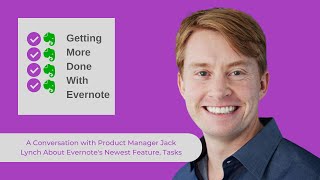
Jack Lynch, Evernote's product manager for Tasks, explains why the company built a dedicated task system after finding over 50% of users already manage to-dos in Evernote. Tasks live inside notes as first-class objects with due dates, flags, reminders, and cross-platform syncing. Coming soon: Home widget, calendar integration, and recurring tasks.
Chapters
And welcome to Getting More Done with Evernote. This is episode 18. I'm your host, Ray Sidney-Smith, Evernote user since 2009, Evernote Certified Consultant, and Evernote Regional Leader for North America. As you can imagine, I love Evernote. And with Getting More Done with Evernote, I hope to help everyone love Evernote, or at least enjoy digital note-taking a little more with each episode. Evernote has launched the latest major feature for the product suite, Evernote Tasks, one I believe is the most important addition to Evernote since, well, Evernote itself was released in beta in 2009. I discussed my thoughts with fellow Evernote Certified Consultant Stacy Harmon, also my fellow Evernote Regional Leader as well, in episode 17. So snap back and go watch that episode or listen to that episode. And to get a peek into what went into the development of Evernote Tasks, I wanted to talk to someone at Evernote who had a deep inside view. To do that, I've brought Jack Lynch to the show. Jack Lynch has been a product manager at Evernote since 2009. He is responsible for tasks, sharing, and reminders. Prior to Evernote, he was the founder and co-CEO of Presence Learning, an education technology company. His prior roles include product strategy and operations positions at Samsara, Lumos Labs, Boston Consulting Group, and the Walt Disney Company. And now on to our interview. With Jack Lynch, product manager at Evernote. Welcome to Getting More Done with Evernote, Jack.
Thanks for having me, Ray. Good to see you again.
Yeah, always good to see you. So let's get right into my thoughts around Evernote Tasks. First and foremost, congratulations on the launch. I'm so excited to see Evernote Tasks come out in early access to everybody, and it's not really every everybody, but for most people who can have access to the feature will have access to it, and it'll actually say Evernote Tasks in your left navigation with a little early access label, and we can and I'll talk about it now. And so with that, I wanted to start us off with just a dialogue around what came— how did Evernote come up with this idea of Tasks? Where did the idea come from? And how long have you kind of been incubating the idea of Tasks?
Yeah, I mean, it's been a long time in the making, Ray. If you go on our forums and just read what people are asking us for, it's not hard to see the demand for this feature. I mean, you will see dozens, if not hundreds of posts where people are saying, saying, you know, why doesn't Evernote have a to-do capability? Or how come I can't do this or that with my checklist to make them work better for to-do management? And, you know, obviously we've been watching this closely and we've also been just like surveying our users. And what we've learned is over 50% of people already use Evernote to manage their to-dos. They already use it as a task management system. So when we looked more closely and we listened more closely, we talked to folks, The, the general themes of what an Evernote task manager could and should be were really clear. One thing is people wanted a way to pull all their checklists together in one place. That was a really strong need. They wanted a way to organize their to-dos, organize, prioritize them in a, in a simple way. And they want to know when they have to do things right. When is such and such due? How am I going to remember to do it? So those 3 elements were really the germs of the feature. And it's been a lot of research, a lot of iteration, and a lot of work by the team to get to this point. But we feel like we've got a pretty good version 1 of this feature to be putting in the hands of our customers.
So with that in mind, you mentioned this ever so slightly just before, and I want to really hone in on this, but what is your vision for Evernote Tasks and how they connect to notes? And so that, so for everybody's edification here, here. Tasks in essence live inside of notes, just like a checklist does, just like tables live inside of notes. So the content of the task lives in there, its own object. Can you talk to us a little bit about what your vision is for how tasks connect to those notes for people to understand?
Yeah, I mean, so the basic idea, uh, our basic belief is that tasks make your notes better and notes make your tasks better. So by having Context for your tasks, you're more efficient, and by having clear action items in your notes, you're also more efficient. So I mean, just to give you a really simple example, the number one way people use Evernote is to take meeting notes. And what's the point of a meeting? It's usually to decide what to do. And when it comes time to doing it, you very often want to refer back to, you know, why did I decide to do that? Why did we decide to do that? What are the do's and don'ts of how we're going to do that? Was there some document or some images or something like that that's important context for the to-do? And so by having your task integrated with the notes and, you know, with all that content, we think it, it really saves you time. And also, it's— I think the other element is just to think of the note as a way to organize your tasks. So rather than having to like right out of the gate, you know, start and curate a really, you know, intricate organizational system, the notes themselves act as an organic organizing construct that you can use that also saves you time. So we think that combination of notes is super unique relative to other task apps in the market. And we think it's really powerful.
Yeah, I think that as a case in point, cat out of the bag, I've been using Tasks for a little bit of time now. And one of the one of the main things that I'm doing is managing what in GTD lingo we would call waiting fors. And it allows me to be able to take notes during meetings, which I'm a heavy note taker when I'm in meetings. The only reason I'm not typing right now is because of the audio being recorded. Otherwise you'll hear my clicking and clacking on the screen whenever I'm in meetings. And when people make commitments, I'm able to then track what those commitments are and then adding reminders to those to those tasks and now I know exactly what people committed to in the meetings because they're tied to the notes. This is a really powerful feature set that I think is, I think a part of the vision of how Tasks can help people even if they are using another task manager be really productive because they know how to find what was going to be done and what was committed to being done in those meetings. I want to talk a little bit as we move our way forward in, Talking about the features within Tasks, can you talk a little bit about the features that are within Tasks? I mean, Tasks itself is a feature set and talk about the primary features within Tasks, at least as it stands right now. And how did you really go about determining what those features were? You talked a little bit about research and talking to users and so on and so forth. I'm really curious about what led you down that road. You know, were there personal productivity methodologies that you explored? You know, what really led you in that space toward the set of features that you chose to launch with?
Yeah, I mean, so we've been researching, testing this for months. We've talked to all kinds of users, Evernote users, non-Evernote users, superpower users, more casual users. And, you know, it's, it's been a long time in the making, obviously, but by doing that and then by, you know, creating prototypes and putting them in front of them and then also doing it kind of a whole beta testing phase, you know, We think we've, you know, got a good start for this feature. And it's really come down to, you know, keeping our customers, what the main pain points they have are front and center. And it, it really comes back to the, the kind of the 3 things I mentioned earlier, Ray, you know, that ability to pull all your, all your tasks together in one place. So, you know, one of the core features of Tasks is that Tasks view where you can see all of your tasks, you know, organized by note and organized in other ways. And then the ability to prioritize. So whether it's, you know, within a note, just how you order them within a note, or the ability to flag them, and then the ability to see within your task view all the tasks that you have flagged, you know, just because they're the most important or what have you. And then finally, you know, just the ability to see like when you have to do things, what's coming up. That's the due date and the— those are the due dates and reminder features, you know, so you can get a really clear view of the things you have to do tomorrow. The things you have to do, you know, maybe a couple months down the road, but you don't lose track of those things that you have to do a couple months down the road. And the reminder is sort of the other half of that, which is just keeping yourself on task. I mean, we're all— I don't know about you, but I've got dozens and dozens of to-dos that I'm trying to keep track of, and I need help knowing what to focus on when. And those due dates and reminders help me in particular, and hopefully help other folks manage as well.
I've been really pleased with the implementation of the due date and the reminder system. How many reminders, by the way, can you set for any given task? Because you can set multiple reminders. Is that my understanding?
Up to 5.
Up to 5. Okay, great. So, and this is really interesting for people to understand though, because as I have, I've spoken to you about this before, right? You know, the idea of any given action in terms of a project, the way, way I see it is that tasks move toward a completion of a project. And when you are really dealing with a task item here, you can now set a due date and then have up to 5 reminders that then ping you before that due date comes because you want to know when you have to get the deliverable to somebody. But now you can have these reminders beforehand that prompt you because maybe one may not prompt you at the right time, but the next one will when you can in that context get the work done. So I really like that. Functionality.
That's good. Yeah, I think that's right. It's usually, uh, uh, it's not usually one and done with reminders, you know. It's typically like you need a couple nudges, uh, you know, I— this is when I need to start this. Okay, the due date is really coming up now. Let's, let's get this thing done. And I think, yeah, we, we, we've gotten that feedback and seen the users really benefit from having those multiple reminders, like you said.
Yeah, I'm really looking forward to exploring different workflow use cases where— you know, now you have a project where the note perhaps contains the project and that due date, that reminder note, you know, becomes the kind of the due date on the project. Then you have each task having the ability to have multiple reminders and a due date. So you have lots of ways in which you can be, you know, engaged in what the timeline looks like for any given project. So, of course, Evernote has just released Tasks. It's not something that has been around a long time, which means that there have been many other task managers in the market that are market leaders. What did you think about Evernote Tasks in terms of being, you know, in parity with and whether or not it can start to replace other task managers that are out there in the market? Really, where do you place Evernote in that ecosystem?
Yeah, I mean, I look, I think every user is going to obviously make their own choice about what, what tool they use. And I think we'll see a lot a lot of folks who, with some of the other task apps, they have 1 or 2 features that they really, really count on, and until Evernote offers those specific features, they're probably not gonna switch. But I think over time, you are gonna see us closing a lot of those gaps. But I would just say like our goal with this is not just to attract other users of other task apps, and it's not even to attract just superpower users. We really want Evernote to be accessible to all kinds of users, including folks who are not are not even using a task app at all today. And you know, that means we have to attract folks like you, Ray, you know, super power users, incredibly organized and productive people, and then also people like me who can occasionally use a little bit of help in that area. So, you know, having empathy for all different types of users, the whole range of users, has been a really important theme for us in this project. And we think, coming back to the main theme, We think that that combination of tasks and notes working together is a great way to attract all of those different types of users because it's such a common theme of needing to do something, but also needing to know the context for how you're going to do it, why you're going to do it, etc.
I'm very excited about this because I think that, as you, as you just noted, I think most people who just casually use Evernote, those are the people who are going to benefit the most because they now have a feature caked into their software that allows them to manage tasks in a fluid way. And I think that really is going to benefit the vast majority of Evernote users without them ever thinking about a productivity methodology or even being more productive in, in the, in the more formal senses. They're just going to be more productive using Evernote, and I think that's really powerful and It's great. I mean, of course, yes, there are going to be people like me who want every feature and will keep pushing you for those features. But I'm actually very pleased with the fact that the feature set that is coming out right now does actually do for the vast majority of people exactly what they need it to do. And then over time, it will only get better. And so, I really do— I'm really excited about that part. What's your favorite part about Evernote Tasks?
Um, well, I think the coolest part of Tasks is how that unified Tasks view and how the, you know, individual notes, how seamlessly they sync together. You know, when you drag around, uh, a task in your Tasks view, it automatically gets moved in the note, uh, and the two, uh, work together. And it, it, it solves kind of different use cases. Like sometimes you're in the note and, you know, understanding the context for the task is super important. And sometimes in your Tasks view, looking at the list of things you have to do and you just want to quickly, you know, sort and reorder, but you don't want to lose the benefit of the way they were organized in the note. So I think that's one of the features that I'm most proud of that the team has been able to build. I think the other thing is just, you know, like the rest of Evernote, Tasks is a cross-platform feature. And I think that really just multiplies a lot of the benefits that we've been talking about. So I mean, How many times have all of us been, you know, out on the go somewhere, and then you think of something you have to do really, and you just want to, you know, jot it onto your phone really quickly. And in this case, not only can you capture that thing you have to do, but you can also capture, you know, you were in the store or whatever, or what was, what was the thing that provoked the reason that you, you thought of it. And then when you come back and sit down at your desk, it's right there. It's organized in a, in a, you know, in a meaningful way. And, uh, you know, you can quickly, you know, have it organized and prioritized alongside all the other things you have to do. So that combination of being able to access it and create tasks, uh, across multiple platforms and is another thing, one of the things that I really love about this feature.
Yeah, I think, I think what most impressed me was the ability that you could move a task from one note to the, to another, just from the Tasks view, which at first I thought Oh my gosh. And then, and then I thought about it for another couple of weeks because I thought to myself, why would I do that? You know, what would be the use case? I found myself consistently doing it where I think, you know, here goes a set of context-based actions and I want to move to someplace else. And, and so this, it's a really fluid experience and I like the ability to be able to convert checkbox items and checklist items to tasks and, and then be able to see them in the task view. So, Lots of good stuff there. So I appreciate that feature set as well. So as we come to kind of the near the end of our time together, I wanted to talk a little bit about what you feel like isn't included in Evernote Tasks that you wish would have been in its launch, at least even in this early access, and, and what you think, you know, was— is kind of missing from the application. Again, going back to kind of where these other task managers are, you know, that are kind of in the market. Where do you feel like Evernote currently has room to grow?
Yeah, I mean, there's, there's a long list of things that I'm incredibly excited to bring to our users. Um, as far as maybe what, what I wished was in, you know, today's release, the, the number one thing would be a widget, uh, on Home. Uh, and I can say that we will have that soon, and I'm super excited about how that's gonna supercharge Home and how that, you know, how Home is going to supercharge Tasks by virtue of having that feature. Just that idea that, you know, the moment you open your, your phone or your computer, right there you see, you know, the key notes and information that you've been tracking. Right there you see the most important things that you have to do. I think it's going to be a huge enhancement to Tasks and Home, and that's the number one thing that I am itching to get into customers' hands.
Fantastic. I'm looking forward to the widget. That'll be great. And so then from a high-level perspective, I know that we can't really speak to specific features or those kinds of things considering the speed at which you're all doing research and collecting data. This early access period is really a great opportunity for Evernote to really learn with a large data set of users and really understand how people are using Evernote Tasks. But from a high-level perspective, What's next for Evernote Tasks? I know this, this has to be the beginning of something. I think he wrote about that very fact in, in his blog post today. Um, what's next for Evernote Tasks on that high level?
Yeah, I mean, it's definitely the starting line, as you said. And, uh, right out of the gate, the number one priority will be listening. Uh, uh, I predict we're gonna get tons of feedback. I mean, now it's in the hands of millions of people, uh, and the great thing about Evernote users is that they're very comfortable sharing their ideas, and their ideas are usually really good, and their feedback is is usually really on point. So we'll be listening really closely and watching all that incredibly closely as we kind of shape our vision for the future. You know, it's just like a really, like a massive new perimeter for us to innovate in. You know, this is, I don't know that we're going to have, you know, another feature as big as Tasks coming out, you know, imminently because we feel like we've got so much opportunity within Tasks to really drive value for our customers. You know, I think some of the broad themes, I think you're going to see us continue to fine-tune that task view and just continue to make it more and more valuable for users, really figuring out exactly what they, what they need to see there. And I think you will see us, you know, add in some kind of pretty obvious feature gaps around like when people need to do things, you know, in terms of how things relate to their calendar, or things that need to be done on a regular or more recurring basis. Those are kind of the general themes, but we've got, we've got a lot of work ahead of us. We've got a lot of listening to do, and, you know, I'm really excited for what the next, you know, few months, few quarters are going to bring.
Fantastic. Well, so I'm going to move us along to the next segment of the show. And so whenever I have a guest on the show, I have a segment called Quick Notes, and Quick Notes are basically rapid-fire questions where I ask you a series of questions. They're always the same for every guest. And so, 5 questions, here we go. What's your favorite operating system to use Evernote? Mac. What's your favorite Evernote feature? Um, Web Clipper. What was your first Evernote note?
I have no idea, but I can tell you my favorite Evernote note, which is the note where I keep, uh, uh, my, my running list of funny things that my 4-year-old does. Uh, that's my, by far my favorite note, and I won't share I won't share everything, but there's some pretty hilarious stuff in there.
Fantastic. Number 4, how many notes do you have in Evernote, approximate?
Also have no idea, to be honest with you, because I'm, keep in mind, I'm taking notes in our Evernote Spaces and our Evernote Business account. I'm taking notes in my personal, in my multiple personal accounts. So well into the thousands, but I haven't added them all up. So, and I know you and many others have way more than that, so I've got a long way to go to catch up.
I actually have— I have, among my colleagues, I tend to have the fewest number of notes because I— oh, interesting. Okay, and delete a lot in my system. All right. Yeah, last but not least, what do you think is Evernote's most underrated feature?
Um, it's, it's a feature that's near and dear to my heart because I was heavily involved with, uh, bringing it back, uh, on our new clients, and that was, um Email a copy. Super simple. Yeah, no, super simple. There's many ways to share notes, but, you know, we brought this one back recently, and I think it's driving a lot of value. So you can just go in and you can just very simply email, email a copy of a note to yourself, to a friend, whoever.
So I love it.
Yeah, it's underrated. I think it's a little undiscovered, but it's a good one.
Yeah, because you don't have to have an Evernote account in order to be able to receive the content of the note and all of those kinds of things. Things, and that's, that's great. All right, this has been a lot of fun, and I really appreciate you joining me here on the show to talk about Tasks that has now been released in early access for Evernote. So I really appreciate your insights and your thoughts and certainly your hard work in leading to get this project out the door. And so thanks so much for joining me here on Getting More Done with Evernote, Jack.
Thanks for having me, Ray. It's been, it's been a great— it's been a blast.
That concludes my conversation with Jack Lynch, product manager at Evernote. You can follow me and learn more about Evernote via gettingmoredonewithevernote.com. I'm Ray Sidney-Smith, Evernote Certified Consultant for Getting More with Evernote. Here's to your productive life.
More from Raymond
The Checklist Manifesto by Atul Gawande MD Productivity Book Group Made by Headliner
First Things First by Covey Merrill and Merrill Productivity Book Group Made by Headliner