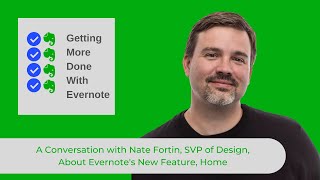
In this audio‑only episode of Getting More Done with Evernote (Episode 16), host Ray Sidney‑Smith talks with Nate Fortin, Senior Vice President of Design at Evernote, about the newly launched “Home” feature. The conversation explains that Home is intended as a day‑start dashboard that replaces the generic All Notes view, giving users a single, glanceable overview of their Evernote system. The idea originated from user feedback and workarounds—people were creating index notes, personal dashboards, and even entering a community dashboard contest. Design priorities for Home were identified as (1) making information instantly glanceable rather than a long list, (2) offering a highly personalized experience that feels like a personal “home,” and (3) serving as a proactive entry point that can surface suggested notes based on context. Aesthetic choices, such as the top‑banner and material‑style widget row, were driven by the need to signal to users that they are on the Home screen while staying unobtrusive as they scroll. Fortin outlines a longer‑term vision where Home evolves from a simple entry point into a continuous hub that integrates future features, does more work on the user’s behalf, and creates a larger gestalt of value across the Evernote suite. The interview also touches on Evernote’s broader strategy of balancing stability and speed improvements with the rollout of major new capabilities.
Chapters
Hello and welcome to Getting More Done with Evernote, episode 16. In this episode, I have back Nate Fortin from Evernote to talk about Evernote Home. I'm your host, Ray Sidney-Smith, Evernote user since 2009, Evernote Certified Consultant, and one of the Evernote Regional Leaders for North America. As you can imagine, I love Evernote, and with Getting More Done with Evernote, I hope to help everyone love Evernote, or at least enjoy digital note-taking a little more with each episode. As I said, today I have the pleasure of having back on the show Nate Fortin, Senior Vice President of of Design at Evernote. In our last episode, we talked about really the design language and some of the design choices around what led to the new Evernote, the new application suite that Evernote has put out. And in this episode, I really wanted to dive into Evernote's newest feature, Home in Evernote. And with that, welcome back to Getting More Done with Evernote, Nate.
Glad to be back. I'm excited to talk about one of our, our new features.
So in Getting More Done with Evernote episode 14, I introduced you all to the concept and the new feature Home Home in Evernote. And so of course I wanted to talk to Nate about all of the really design choices that went into creating this new feature, the first new major feature that Evernote has brought in its new suite of products. And so I'm, I'm really curious, uh, can you explain what Home is, how you perceive Home for users of Evernote?
Sure. Home in its simplest form is meant to be a place to start your day in Evernote. I think previously Honestly, there wasn't a really great place to, to start in Evernote. All Notes was that place. And I think for some people that worked, but for a lot of people, it wasn't really that effective for getting a sense of where to start. And so Home really brings that single one-stop dashboard or that bird's-eye view of your entire Evernote system and helps you to make choices about where to get things done.
Right. And so I think a lot of people are thinking that Evernote is going to be using Home as a place where they're always in throughout the day. But really, this one-stop dashboard is really an entry point into your day. And I think that's really important for us to highlight here for users, is that this is kind of a really great place for you to be able to start your day and know where you're going to go very quickly and easily. And I really like that about Home so far. And of course, there's always places to grow on top of that. So where did the idea of Home come from? Where did it originate?
Well, I mean, it started with our users. You know, the first thing we already talked about, we recognized that AllNotes wasn't a really great place to start. A lot of times it wasn't really showing you what you needed, and you had to, you know, what we call pogo stick in and out of the various areas of the application to really find out what's going on with your organizational system. And so now with Home, you have that all brought together into one place, and you can get this this great view of everything that's happening, what's interesting and what's exceptional. But we also, you know, we saw users creating some really interesting workarounds, you know, so they would create notes with indexes and links to the various places in their, in their system. And they also did a lot of personalization on top of that, where they had images or inspirational quotes and things like that. And so we saw these workarounds as an opportunity to actually create something that's, that's much more optimized, that achieves the goals that users had in mind when they were creating those. In a much more efficient and effective way.
Yeah, you even held an Evernote dashboard contest, a challenge for folks to be able to submit dashboards, and I thought it was just really phenomenal to see all of the various designs and so on and so forth. And so to Joe out there, he was the winner of the dashboard contest. Congrats to Joe again for, for that. But the idea behind creating a dashboard was really having, you know, using like the cockpit analogy, you were in this space where you're capable of working throughout the day and knowing where to go from those particular perspectives, what were some of the design choices that you made as it related to Home as this first release came to Evernote desktop? What, what did you really perceive being the things that were really necessary inside of Home so that users could really take best advantage of it?
Well, I mean, I think there were 3 things. I think first, we didn't want to drop you just into a list of your notes like we formally were doing with all notes. We wanted to really bring your information to life and make it much more glanceable, right? So that very quickly you can get a sense of what's going on and make choices about how to best spend your time. I think secondly, you know, we wanted to really bring a tailored experience, recognizing that there's a lot of users that we have to serve and they use the product in very different ways. And so we wanted folks to be able to tailor an experience where it felt like their home, just like Evernote feels like their Evernote. And so there's, we offer a lot of options to configure Home in a way that really works for the way you work and get things done. And then finally, we really see Home as just a starting point. And it's a place, a surface area that allows Evernote to be much more helpful. We want to ultimately do more work on users' behalf to bring the most important and interesting information to their fingertips. Versus requiring them to do all the work to kind of find value in the product. And so I think you can see the starting points of that in things like the Suggested Notes tab, where the system tries to predict the most relevant notes to you in your current context and what you're trying to accomplish. And I think it's early days in that vein, but I think there's a lot more to come in that area and a huge amount of potential.
And thinking about this from kind of a design perspective, I know that aesthetics means a great deal to Evernote, and you made the choice to put this kind of banner across the top of the Evernote home screen. What were some of the choices you made? It just came to mind here, like, what were some of the choices you made in being able to, for example, that top row of widgets kind of overlays on top of it, kind of in a material design perspective? Were there choices there that you thought, this is, this is really necessary for users to be able to get a cue into the fact that they are in home as opposed to just looking at any other view within the left navigation.
Yeah, so I mean, I think, remember, some of that came from just watching what users were already doing. And I think when we saw that what users were doing in that home contest, for example, or what we— what users have shared with us in research in just how they use the product, there is a lot of personalization happening. And again, I think we wanted to create that starting point for your day that welcomed you into the product and inspired you to accomplish. And so Ultimately, I think that header area is really important for that and just the ability again to configure the rest of the home screen. But beyond that, we also wanted to make sure that when it's time to get down to work, that element gets out of your way. As you scroll down the screen, you notice it moves out of the way and allows you to focus on the information at hand. There's still a lot of opportunity in Home, and I think we're looking at continuing to evolve many aspects of the experience. Or again, remember, this is just the, the first step, but, uh, but ultimately those are some of the reasons and the thoughts that went into that banner across the top that you're referring to.
I know that you just kind of mentioned that there's more to come in terms of Home. In, in an ideal world, what's the thing that you want Home to be able to kind of do for users? Not necessarily features specific, but like, what would you like Home to do for users over the long term? Do we see this as being something that goes from an entry point for the day, to be something that people come back and forth to throughout the day? Is that— is there a future for Home that's beyond that entry point into the day?
I'll go back to something I said earlier. I think the goal is for Evernote to be much more helpful, to really do more work for you. And I think Home is at the heart of that because it brings the power of Evernote together into one place and one kind of starting point, so that no matter where you're at in the application, you come back and get to anything else and see what's going on. With your system. So I think as we start to introduce new capabilities— so Home is really just the first of kind of the new features that we're releasing this year. Of course, we're going to continue to focus on refining the existing features and polishing the core application. But at the same time, we're also working to invent the future and bring new functionality to our customers. So Home is the starting point for that. And I think you'll start to see new features come in very soon that work with Home. And so they'll be represented on Home, and ultimately, definitely each of these features is going to bring new capabilities, but combined, I think I'll use a design term, I think you'll have a much larger and better gestalt, right? So the sum of the parts are going to be greater than the whole because they're going to work together in ways that bring new value.
I've really loved the fact that you guys have been able to walk and chew bubble gum at the same time here, where you are working on refining the stability and speed of the application in each release and also releasing these big features that are really going to bring the cohesion between what I'm storing in Evernote and what I'm actually trying to accomplish with those notes in Evernote. So I really love that component. And so with that, I just want to thank you again for joining me both last time and on this episode of Getting More Done with Evernote, Nate.
Glad to be here. Thanks. Really appreciate it. I'm really excited for this year. I think there's a lot of exciting things in store. And, you know, I hope people really enjoy the things that we plan to deliver.
I'm really looking forward to so much more of the features that are coming to Evernote as we go through this period of getting feature parity, but also new features, which is always fun to see in a product like Evernote. Thank you so much.
You're welcome.
That's all for now. To learn more and follow me, please visit gettingmoredonewithevernote.com. I'm Ray Sidney-Smith, Evernote Certified Consultant for Getting More Done with Evernote. Here's to your productive life.