How to Use the Unschedule - Tutorial
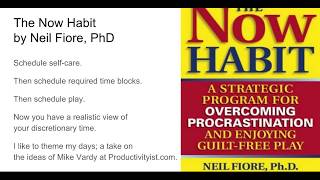
Ray Sidney-Smith walks through the Unschedule, a productivity system from Neil Fiore's The Now Habit that divides your week into self-care, required commitments, guilt-free play, and open time. The Google Sheets template uses color-coded blocks and themed days to show what you actually have time for. The key rule: schedule no more than 60% of open time, leaving 40% as buffer for the unexpected.
Chapters
Hello everybody, this is Ray Sidney-Smith, and I just wanted to walk you through the unschedule, which is a tool that was actually built by Dr. Neil Fiore, and just sort of some of the modifications I've made to it in the template that I've created here for you so that you could utilize it in your own system and hopefully be more productive through understanding your discretionary time. And so the whole idea comes from the The Now Habit, a book by Dr. Neil Fiore, as I said, a strategic program for overcoming procrastination and enjoying guilt-free play. Dr. Fiore was a Navy psychologist and developed this whole practice around overcoming procrastination. But I really focus in on specifically with the folks I work with on the idea of using one of the tools he uses, which is called the unschedule. And the idea behind the unschedule I've modified over time. And so forgive me for not giving the sort of true to form Dr. Fiore Now Habit format, but here goes the generals of what I, I like to do. One is that we schedule self-care. Basically, those are all the things that fit into hygiene, nutrition, sleep, and so on and so forth. Those things that I call the fitnesses of life, right? So all of those areas that are sort of self-care. Then we schedule required time blocks. That is any outstanding meetings. If you're taking classes, that would be classroom time. And as well as study time. So if you have to study for a 4-credit class that takes 2 hours of time per credit, you know, that basically is 8 hours of your week that you need to block off in terms of time that won't be available to do other things with your discretionary time. Next is what Dr. Fury calls guilt-free play, and I just call it play. Sometimes I call it rejuvenation, but those are the things that you really enjoy doing, the things that recharge you. I have a different perspective on the idea between rest, which is sleep, and that which is rejuvenation, basically time away from those things that are professional work and are things that actually feed you spiritually, emotionally, and otherwise. Things that are so engaging with regard to your overall time and attention that you go into flow state but that's not related to work, not related directly to your profession. That's what I call play or rejuvenation. And that could be playing games, obviously, any kind of game, but also it could be things that require you to exert other kinds of physical and mental effort and that are good for you. Those are the things that recharge us in a way, even though you're expending physical, emotional, and mental energy, you're actually recharging your batteries in a way. Next up, we have the, the final format of the unschedule, which basically shows us open, available, discretionary time. That is time that you can actually do stuff, right? So that would be projects or actions that are in your system. By looking at the unschedule, you actually get a much more realistic view of that open and discretionary time. And so that's the whole point of the exercise altogether. And there is one final element to this all, which is the idea of theming. And I'm pulling in some material from, or ideas from, Mike Vardy, who has the Productivityist.com blog and podcast, as well as his coaching services. And Mike Vardy is really great and came up with this idea of, or at least adopted this idea of theming your week and your days and that kind of thing. And I've been theming things for many, many years, but I like the idea of this sort of theming particular days. And so I'm adopting some of that into this methodology as well. So with that, that's, that's sort of the archetype of what we're going to do, what I'm going to walk you through right now so you can see, but that's sort of the idea behind it. Okay. So let's hop on into the, the, the Unscheduled template so you can see how it is. So we are in the Unscheduled template for you when you come across the link to this template here on the website, or if you have to jump over into the link in the description, if you're on YouTube watching this and you want to hop over to the link and pull this template down, you do not need access to the template. I repeat, you do not need access to this template. It is a public template, and all you need to do is go into File, and then you have two options. You can click on the Make a Copy, right? Okay, so you do not want to add this template to your Google Drive. You want to make a copy. That means that you are going to make a copy that will live in your Google Drive that will be yours to do what you want with it. Okay, if you go ahead and use the Add to Drive function here under, under Google Drive, you will end up adding this to Drive and may or may not be able to remove it from Google Drive. People have had difficulty doing that, so do not organize it into your Google Drive until you have made a copy. Okay, next you have the option of downloading it, and you can download it as a Microsoft Excel OpenDoc OpenDocument format, which you can open in LibreOffice or OpenOffice and other open platforms like that. PDF, web page, comma-separated file, and tab-separated file. Okay, so you can go ahead and do that in those formats, and those are your options. Okay, if you want to use it on a local version, I would recommend that you download it in Excel or OpenDocument format. All right, and then you'll have those downloaded on your desk, and you can go ahead and manipulate it as you need to. Then here, Make a Copy will open it in Google Sheets and you'll have that opportunity to tailor it within Google Sheets. Then from your own file, you'll then also be able to download it in any of these formats for later use. Maybe you create your unschedule and then you download it as a PDF to put into Evernote or OneNote or somewhere else where you might want to keep it for future purposes. Some people I've received emails from have told me that they have taken a screen capture and made it their desktop background. On their computers or even on their phone so that they have it available to them. So just as a good idea, just to, just to have that as a, as a thought there. Anyway, so when you go ahead and make the copy to the unschedule, you will then have basically this format. It'll be your document. You can retitle it up here as you'd like, and then you basically have the format of two different spreadsheets within the workbook. Okay, so here goes this, this the first workbook spreadsheet, which is called Unscheduled, and the second, which is called Open Blocks Activities. And I'll explain both of those momentarily. The spreadsheet is designed so that you have theme on line 1, basically, and, you know, basically the, the, in the row 1 is basically the theme. And this is where you can go ahead and place themes. I'll talk about that in a little while. Next, you have in row 2 the day of the week. Right? So you have each of the days of the week listed out Monday through Sunday. If you operate on a Sunday as the first day of your week, you will want to rotate those so that Sunday starts first, then Monday, so on and so forth towards Saturday. I like to have my weekend days together at the end here, so it's just a preference. So you can go ahead and move those down column A. You can see that you have the times of the day. So I start at 5 AM. Again, you can rotate this, and it's very easy to do. So In essence, you could change this to 4 AM and then make this 4:30, 5 AM, and then once you highlight these 3, take the little crosshair and drag it down, and it will go ahead and update the field to half-hour increments from your time frame. But for most of us, 5 AM is pretty much where hours a day start or end. That's how it goes. Okay? So you can go ahead and change that if you need to. On the second spreadsheet is what I call open block activities. This is not something I talked about in the intro, but basically what it is is an opportunity for you to identify things that could fit into discretionary time that are based on things that you want to do. These tend to be sometimes rejuvenative activities that you don't have regularly scheduled into your time, or they tend to be things that are projects or goals of yours where you've broken them down into small chunks, right? So if you have a personal blog and you want to go ahead and personal blog, you can actually put blog in here and then you have that available to you as an activity. You can then tally, and as I've noted here in the notes, you can use the tally for basically keeping track of how many times you've done a particular activity in a given time. And so you can work to say, hey, in a given week I want to do 5 or 3 of this thing. It might be fitness or exercise oriented. It might be any number of things, but it just gives you sort of a small place to be able to do this kind of tracking. You could do this anywhere else. I just found it helpful to have here in the Unscheduled. Also, the Time Needed. The Time Needed is basically a, a rubric for being able to set 15, 30, 60, 90-minute time chunks, and that way you sort of know how much time this particular activity is going to take. So if you're going to go to the gym, you know that that's going to take you roughly about 90 minutes. Say it's going to take you only 60 minutes, I don't know, but you list that time needed and now you can keep track of both the activities in these open time blocks and tally them on the left-hand side. And like I said, it's something that you can manipulate to your own needs, but I find it very helpful to sort of have maybe 2 or 3 of these kinds of activities, what Carolyn Arnold, who wrote the book Small moves, big change. Those, those kinds of activities that you want to do, those sort of micro, micro changes. Okay. Anyway, so back over here on the unschedule, now we're going to go ahead and modify the schedule to basically match what we're looking to do. So as I said before, we basically enter each of those pieces into the puzzle, starting with self-care, and then going into those. What I've done is I've gone ahead and color-coded the areas of my unschedule so that I'm able to very quickly see what things are. So under the gray portion is sleep for me, right? So I've just noted sleep here as the gray portions. Yellow portions are my morning routine, and that typically includes most of the self-care items for me in the morning. That could be you know, brushing, flossing, going for a run, all of those things that I sort of do in my morning routine. And I've just basically bulk loaded those in. And for simplicity's sake here, I'm just giving you an idea of what you could do. Again, this could be very— this will look very, very different for every person who's doing it. I then go ahead and apply labels for all of these. And I'm just going to go ahead and center the text here so you can see this a little bit better. But I'm just giving you an example here of a person who has who sleeps until 7:00 AM, so they wake up at 7:00 AM on Monday through Friday. Okay? They go ahead and go on their morning routine. Their morning routine could encompass going for a run. And so here you could have all kinds of sort of changes, but just for simplicity's sake, I just call it morning routine, right? So if you run 3 times a week, that's fine because Monday, Wednesday, Friday, you could have the run that's going to take an hour, you know, another hour for breakfast and a shower. And then basically getting off to a start of your day. Maybe you take the dog for a walk within the 8-hour, you know, the 8:00 AM hour block. You can obviously move that up and then you're starting your day at work. You could put in your commute, right, to the office and so on and so forth, all in here. All right. Notice lunch is throughout the day and I've basically estimated when this particular individual does their lunchtime, you know, so maybe throughout the week they have several meetings. And so here, say they have a meeting every Wednesday at 12 o'clock, which pushes their lunch to later in the day. And so we can just call this the weekly sales meeting. And voilà, we have a sales meeting that is set there. And we're going to go ahead and center that. And I'm just going to give it a color just for the sake of it. We'll call it— make it green because it's Sales, right? Money. So there we go. So we have these items set into the schedule. And then you can see this person has an end-of-day routine right here. And the dog walk, again, in the evening, they go ahead and take the dog for a walk. And that's part exercise, part whatever. Actually, it's what I do. And then we have dinner. We have the dinner plans, right? Every evening at 7:00 PM, this person eats dinner. On Friday nights, you can see that the person goes out maybe to dinner with his husband or wife, his or her husband or wife, and then you have sort of date night. Dinners on Saturday end up being a little bit later and longer, and then they go back to a normal schedule on Sunday. So they end up having dinner normal time on Sunday, and then again they try to get to bed, or he or she tries to get to bed on Sundays roughly, you know, between 10:30 and 11:00. So I just sort of set the evening hours as 10:30 to 11:00 on Friday and Saturday nights. He or she goes to bed a little bit later and goes back to normal schedule on Sunday. Okay, so there goes the regular sort of idea of that kind of schedule. And you can go ahead in and start to theme particular parts of each of the days. So once you have your own sort of set up here, you can, you know, color code and change these things around so that you have what you need to be done. You can go ahead and do that. And notice I give here an hour for end of day routine. Maybe it's only 15 minutes for you, maybe it's only 30 minutes for you, but I put in an hour for sort of closing out email, closing out browser tabs, shutting down your system, saying goodbye to your compatriots at the office and that kind of thing, and then making your way maybe for your commute home. Maybe you have a 30-minute commute home, 30 minutes to sort of round out your day. It's roughly about an hour. Okay, so finally you have the theming of your day. And so we go ahead in here and we decide on the, you know, themes of the day. So I might put Monday as a blogging day, I might put Tuesday as a podcasting day, You know, if you have a blog and a podcast— I'm just making stuff up— maybe you use Wednesday as your learning day, and Thursday could be your finances day. Friday could be your connecting day, basically time to call friends, call your mom and dad, your brothers or sisters, friends that you might want to go out for the weekend with. Sort of your connecting day. I sometimes have a rejuvenating day, right? So Saturday is your day for rejuvenating, doing whatever you want. Or maybe just call it a fun day and you just basically have that. You can change these as often as you want, but it's sort of nice to have them consistently throughout your system, right? So whatever you decide is going to be up here is what you decide. But I like the idea of sort of theming. So you might decide that one particular day is fun with kids day, right? So it's the day for you to basically have fun with the kids. And that way, rejuvenating day is maybe a day without the kids. Okay? So you have some options there of really being flexible with the system. And then once you're done, you basically have your unschedule prepared. Now, the really cool part now is that you can see the open blocks of time you have available to get discretionary work done. And for any given week, you can actually just duplicate this page and then date it. So what I typically do is I'll go ahead and duplicate. This will get a date. And now the date down here will basically give me the option to now go in and jump over to my open blocks, which might say gym, right? And that'll be, say, 75 minutes at the gym. Now I have gym time, and I can actually say, okay, I'm going to gym right after lunch on, you know, this week, 3 times this week. So I might type in here, go ahead and type in gym on these 3 days. I'll just copy this over. And voilà, now I have sort of identified gym time. And again, this is not perfect because it's not actually 75 minutes, but let's just, let's just let's make it an easy round number of 60 minutes. So it's just an actual hour. And now if I go over to date for this week, right, so this will be this week's date. You can see that I've identified the gym for 3 60-minute sessions throughout the week. And now I'll go to the gym on those times. And now what that means is, is that those times are no longer available to me for discretionary work, right? I now have that time blocked out. And so my discretionary time has shrunk in those 3 days.. And now I have a much more realistic view of how much work I can actually get done in those particular days. Okay? And now I can snapshot this. Like I said, I can download this as a PDF. I can take a screenshot of this. I could do any number of things. And now it's available to me to review. And what I do is during my weekly review, there it is on Fridays, I can now do the unschedule, look at it, and then forecast for the coming week how much time I have based on meetings, Sometimes I will go ahead and— so just so you have a good idea, what I tend to like to do is I tend to like to look at my calendar first, and then look at my, you know, Unscheduled for the current week, and then I identify open block activities, put those in, and then I look at my tasks. And so I only put into my schedule the things that I have enough discretionary time based on the meetings that I have. Now there's one other final element which I have to impress upon you, which is that it is usually a best practice that I've seen from my clients that you do not schedule more than 60% of your time as booked time from unscheduled to then— I'm sorry, in the open discretionary time in your unscheduled, that is these open times, right? You should not take more than 60% of that time. You should leave 40% as basically buffer time. And that will help you identify tasks that show up that have to be done, basically urgent and important tasks, that they're surprises, they come up, those things happen. Work takes more time than it should. People put new meetings onto your calendar. In general, about 40% of your time needs to be open. And again, that's a, that's a gross estimation, but it seems to work for most of the people that I work with. So about 60% of your time you can calculate as open time for doing tasks. Meaning that you can take your items that are on your task list and basically work them into the time that you have available by estimating the time the tasks take or projects take and then applying that to the open discretionary time. So now you can have a more complete picture of exactly what you're going to accomplish this week and how much time you have to complete it. And if a project takes a little bit longer here and a little bit less time there, you'll still be able to end your week on solid ground, having accomplished what you planned planned to do. And again, we always want to make sure you are achieving what you will do, not just what you want to do, when you look at your task list. And I think the unschedule is a great tool for being able to provide that. With that, feel free to message me on my website through the contact page, and that'll send me an email and I'll be happy to respond and answer any questions that you might have. Or you can go ahead and leave a comment on the YouTube video if you're, if you're on YouTube and watching the video there, and you can ask questions and I'll be happy to answer them there as well. But otherwise, good luck with everything. I hope the unschedule is a new and valuable tool in being more productive. And here's to your productive life. I'm Ray Sidney-Smith. Take care.
More from Raymond

The Checklist Manifesto by Atul Gawande MD Productivity Book Group Made by Headliner
First Things First by Covey Merrill and Merrill Productivity Book Group Made by Headliner