Neuer PDF-Funnel für LinkedIn entdeckt
Robert Heineke explains a simple, repeatable PDF funnel for generating inbound B2B leads on LinkedIn. Key steps: validate a high-converting PDF title via a LinkedIn poll, build a lightweight prototype (10–15 pages) then expand after initial traction, assemble a funnel (landing page → thank-you page with VSL → calendar → sales call), and promote via welcome messages, LinkedIn posts/carousels, email and ads. He reports this approach scaled across customers and cites concrete benchmarks (5–10% VSL→appointment conversion).
Chapters
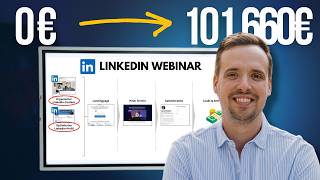
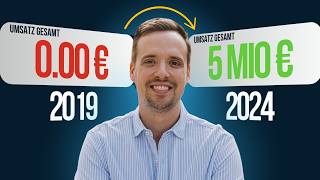
When I talk to founders about what they do to get inbound leads and maybe even scale their business, I get the feeling that most of them make life a bit difficult for themselves because they do all sorts of things, just not the right ones. In the last few weeks, we launched a super simple PDF funnel that really filled our pipeline like never before. The cool thing is that we then rolled it out to our customers and had the same results in a wide range of industries. This means that if you want a sales funnel for LinkedIn that really generates leads and that you can use to scale, then you will absolutely love the new episode. If you are new to this channel, welcome. My name is Robert Heinecke and this channel is all about the big topic of LinkedIn sales funnels. That means we show founders how to make LinkedIn their best LED channel. We ourselves have been able to generate over 5 million in sales via LinkedIn sales funnels in the last few years. This that means if you want to generate more inbound leads and above all scale your business, then you've come to the right place. Today we're going to take a look at a really cool funnel, a PDF funnel, and how we managed to fill our sales pipeline with a simple PDF document. And I'm going to show you exactly how we did it and above all, why it works so Damn well on LinkedIn. The first thing you need to understand is that it's different from a classic lead magnet, because we hear over and over again also in conversations that founders have tried lead magnets on LinkedIn but it didn't work. The PD funnel works a little differently and I'm going to show you exactly why it works differently, because many people actually do everything wrong when setting up and using LED magnets. That's also the reason why it doesn't work. The biggest mistake is often that when I ask them if they have ever created a lead magnet, almost all of our customers say, yes, we have tried it before. Then I ask them how many downloads they have, and at best they have maybe 20 to 50 downloads and that's it. And then you realize pretty quickly that they have built something that people don't necessarily want. And that's the first prerequisite that you build something that your target group absolutely wants. And that was also something I experienced for the first time when we released our algorithm checklist for free. If you don't have it yet, you can find it in the description below. Feel free to download it. When we downloaded or released it, people wrote to me left and right, sometimes on WhatsApp friends wrote to me and asked robert, where can I get this algorithm checklist? And I was like, where did I end up? What's going on here? And that's when I first realized, hey, they haven't seen what's in there yet. They're just hearing the title. And that's also when I first realized that 80% of the success of this PD funnel lies in the title of the thing. Yes. Of the PDF of the document. Um, that's the key, so to speak, to putting out something that people actually want. Now, of course, the question is, how do you get out what people really want? And above all, how do you attract the right people? Because anyone can somehow put out something that attracts the wrong people. You also want to attract the people who are really interested in your offer. Here's another simple trick. If you haven't seen it yet, you can Easily create a LinkedIn survey here. And what I asked was, which tool would help you the most on LinkedIn right now? Bam, done four. So I did that as a survey, and now, of course, four options. And of course, these options all have to be super attractive, so you have to put a bit of brain power into it. You have to take a bit of time and do a bit of research. That means that you get the people that you want. What I did back then was to put my algorithmic checklist into the race again and see, hey, is this really the winner? Then I had the idea for a profile checklist, and that was actually my absolute favorite. I thought to myself, everyone is concerned with their LinkedIn profile, so that means that this was my favorite. You? Yes, my star, however, you draw a star. So then I also had something like a content system and the titles were a bit more attractive. So I'll give them the topics again. And I think I had a news guide. And ideally, these have to be very different topics. So you also notice here that these are very different topics. So that you can then. And that was the cool thing about a LinkedIn survey. Of course, you can also look at the people behind it, and these are the profile pictures who voted for it, and where are the people from your target group? Because, for example, I don't know, it could be that many people voted for the algorithm checklist, but when I look at the people here, the person, they don't look that interesting. And somehow the people in the news guide look much, much more interesting. So this visual diagnosis, as I learned from doctors, right, the visual diagnosis makes sense here. So that you really look at who is Voting for it. You can imagine how it turned out, or rather two parts. Most people now make the mistake of simply posting it and hoping that something will come of it somehow. Of course, it has to get at least 50 responses. That's really, really important. 50 responses that we definitely get. Then some people say, hey, if I post this, 50 people won't automatically vote for it. Yeah. Guess what? Then you can put a little bit of work into it. I always like to tell the story of Yuri, who also started on LinkedIn, did the survey, no one responded. And I mean, Yuri, make it work. See you next week. I want 50 responses. What did Yuri do? He came to the appointment, had 76 responses. And I mean, Yuri, what did you do? Robert? Very simple. I locked myself away for the weekend and wrote to everyone in my Target group on LinkedIn to ask if they could help me answer this survey. It worked wonderfully. Yeah. So if you don't get the responses, then you have to help a little with messages. The cool thing is that you already have a really good touchpoint with the person without having to sell anything. And then people give you feedback, which is really cool. Exactly. We want 50 responses. Who won? Algorithmic checklist won, I think, with 50%. I think the profile checklist was a complete flop with 7%. Now we have to get to 100 somehow. Then we had no idea here. I think the content system was pretty cool. It was about 30%. And then that was the rest of the light thread. So there was a clear winner. And above all, I looked at the people and the people I wanted looked good. So for this PDF. Yes. For our PD funnel, you need this survey at the end and you need to find a winner, so to speak. Find the people. Really find a title that people want. Yes. Algorithmic Checklist was determined as the winner again. And that's it. Now the next part. Now we know what we have to do, so to speak. Exactly. That was step one, the LinkedIn survey. Now it's step two. Now we're building a prototype. And it's also very important to call it a prototype, because now, funnily enough, when you have this title, many of our mentoring clients disappear for six months and start writing a master's thesis. Yes, we had a client of ours. Greetings to Christoph at this point, who really did a master's thesis for his first song, Magnet. It was a huge success. Yes. So you can also draw on it for years. What we always recommend is to always make a prototype first. So that means you start with a lean thing until the first 100 downloads. I don't even want to tell you how small our first algorithm checklist was. It was really two pages. I'm ashamed to mention it today. Yes. And one page was, so to speak, the to do algorithm, and the other was the not to do algorithm. Yes, we launched that. And that was really. Yes, it was. I'm ashamed of it today. It can be a bit more. But to really say, hey, the first prototype is about 10, 15 pages and you have a logic of you make an intro. So for one thing, why was the document created? How much work went into it? What's your experience? Have you been doing this for a day now? Have you been doing this for five years, etc. Then you put the content in, so to speak, and then you put a pitch in here at the back, because people naturally want the next step. Right. If the document is good, then you can, for example, pitch your phone call here. Or of course, it can also be an offer that you have. Exactly. Here's the content. I don't know, but that makes up 10%, that makes up 80%. And that makes up another 10%. Done. When you have the first 100 downloads and realize, hey, this document, it's crushing it. Yeah. Then you somehow build. Then you build the full version. Yes. So you build the full version and then our algorithm checklist. Now I don't need to hide anymore. It's about 60 pages and it contains everything we've learned about the algorithm. If you don't have it yet, get it. You can find it in the YouTube description below. It contains everything you definitely need to understand about the algorithm. Yes, but it takes away a bit of the topic that you have to disappear for six weeks. Yes. And start with that. So it's really, really important to keep it simple at first. Build prototypes first. And that's it. Now comes the next part that you have to promote the thing somehow. Yes. Now comes the next part. And right now you're faced with the question, you now have this PDF document and you know that it will be a hit if you do everything right in the promotion. Let me have another sip of coffee. Now you're faced with the question, do you just send the thing as a PDF or do you build a sales funnel? Right. I don't think I need to explain to you why a sales funnel is worthwhile. Because of course, with the sales funnel, you have the opportunity to have an automated acquisition process. So that means that the thing works 247 for you. And the idea behind it is also relatively simple. We looked at the process at HubSpot. At some point HubSpot probably knows something about them and they grew from zero to over 100 million. I don't even know where they are today, so to speak, via lead magnets. So they have perfected this process a bit, just like we do with our PDF, right? They have perfected it. And the funnel looks relatively simple. At the end you have a landing page where you can register somehow. Then there is a thank you page. And here is a vsl, a video sales letter. This is the document you want. And here is also a bit of a pitch, right? And of course it's much, much cooler if you send people who want the thing here, right? So here's the landing page, let's call it the thank you page. And then of course your calendar comes here. Behind it, here are the available slots that are available calendar. And then of course your conversation comes here. And this is where the money is at. Yeah, simple funnel. But that means you send all the people who want your document here, right? So that's the idea. And you can now build the funnel super quickly with perspective, etc with tools like these or with click funnels. I now have templates for our social leads academy as well as for our mentoring. That means our customers simply have to import this template with one click, just adjust the text and images and have this Funnel online in 30 minutes, just like with us. And of course the coolest thing is that you can do it so easily. How well the whole thing works, so to speak, when you have these templates at the end, right? That's the best thing you can have that you have this funnel and don't just hand out the document. So step number three, click together the sales funnel. If you'd like us to help you with that, feel free to check out the links in the comments or description. Then we've set it up. Now, of course, it's all about promotion. Now it's about getting as many people as possible to read our PDF, so to speak. Yes, now it's all about promotion. And now I'll show you a few cool strategies that you can use for promotion. If you consistently implement just one of them, you'll be amazed at what happens. Oh, and one more thing I can tell you is that you should have a conversion rate of 5 to 10% at best with your video sales letter. So that means if you have 100 entries here, you'll have five to 10 appointments at best. If you don't have that, then there's something wrong with the vsl. Yes. Then there's something wrong here. So. So to speak. Yeah. Then it's either the offer or the pitch or something like that. Right. There's something wrong with that. Yeah. That's what we want here. So promotion. And that's really where you can think about where can I promote this PDF file? Where can I promote this algorithm checklist? Where can it go? The first place we found is the simple welcome message. It means that whenever I have new contacts, I, I send them a simple message like hey, I'm glad we're connected. And then I do a P.S. and say, hey, we recently released a new algorithm checklist for More reach on LinkedIn. Should I send it to you, quote. So I, I have a cool promise in the message. And the second point is that I ask for permission. Yeah. Very important. So please don't make something like a really long message that no one wants, just so to speak, but rather a short message for me. It's like three or four sentences maximum in the body text. And I ask for permission whether the person wants it. Yes. So they want it or not. There are always people who throw it right in your face and you're like, hey, I didn't ask for that. Yes. If you assume that you can add 100 to 150 new contacts and now the numbers get a little scary. If you add around 100 to 150 people, let's assume that half of them accept you, then you have 50 new contacts, then you can send a message to these 50 contacts. 25 people might want the document, so to speak. And of those 25, maybe 20 will sign up in the end because it's a cool document that you have opt ins and now you have a 5 to 10% conversion rate. That means you have one to two additional appointments per week. Just over 50 messages that you send and that you can even have sent by an assistant or something like that. Yes. What I see is that many people A are simply too lazy to send this welcome message and B, don't have this funnel or simply don't have a document that people want. Yes. So you see a super simple strategy. One to two inquiries per week. Yes. From people who are interested in what you do. Please implement. And if not, or if you also want our template for the welcome message, then go to the Academy. You can find the link in the description. Yes. Strategy number two, promotional content. That means that you can of course start talking about it in the content. Now what we always do is prepare at least three promotion posts because of course There are differences in how well such a post works. And then you know this classic game. So first, like this post. Second comment. Xyz. Xyz. And connect with me. Connect with me. Of course, this is where the art of mastering the promotion framework comes in. If you haven't watched my video on webinar promotion yet, it's one of the last videos that you should definitely watch. I'll show you exactly how to do this promotion for a webinar, but it also works for a document and algorithmic checklist. That means watch the next video, because it works extremely well. We sometimes have customers who launch their first PDF and somehow have over 500 downloads or something like that. We had one customer who had over 1,000 downloads. So it's really fun when you know what to Write in the LinkedIn post. What are some other strategies? You can of course do something like a slideshow or a carousel post. I think that's what they're called professionally, to give a little insight into what's going to be there. And then you would use the same strategy to get people to comment again. Of course, you can also use it in your email newsletter. The point is not that you collect new emails through it, but what naturally happens is that people flow into your funnel and 5 to 10% of them then book an appointment. For example, I reactivated my email list by sending 1,000 people to it, and suddenly I had 50 appointments. Right? And of course, that's really fun. That also means you want an email address and an email newsletter. And once you've exhausted all that, you can of course also place advertisements on it. At best, you'll get to the point with the funnel where you quickly realize, okay, I'll throw 100 people in here. Yes, I'll get five to 10 appointments. And that will result in a large project worth €10,000. Let's assume that you're in the B2B sector, so to speak. Then of course, you can say, I'll just throw in €1,000 per week with ads and just see what happens. Yeah, will I maybe get a sale then? Or maybe I get a sale every two weeks. And then of course, you have a funnel that's kind of purring. And of course it's really fun. And it takes time to get something like this up and running. It's perfectly clear on a napkin, so to speak. You can always explain it quickly. But it's a really good funnel that also works well for us organically, where we're now thinking about placing ads in the near future, compared to our webinar funnel, people are a bit more difficult on the phone, so in sales, you have to do a bit more, but that's the next step, so to speak. And these are five promotion strategies. And I would say, especially at the beginning, we'll include ads as a bonus, so to speak. You'll get 80% through this. Yes, if the promotion content is good, this is the welcome message. It's a kind of runner that runs alongside you the whole time. You can do a carousel post maybe once a month and that's it. And if you want to go one step further, then of course you can add a little more to it. And that's how I see you. Now, you should ideally start launching a document or a PDF every month, including a funnel, because the cool thing is that you then have a really steep upward spiral, right? So every single one of these documents will bring new people to your email list, bring new people to your funnel, and bring you new appointments. And that's also the system that we've really built and perfected on LinkedIn over the last few years, which really fills our pipeline every week. And the cool thing about it is that it all starts with a relaxed LinkedIn survey where you first find out what people actually want. Then you build a relaxed prototype of about 10, 15 pages where a chat can actually help GBT a bit. Then you need the funnel, so to speak, with templates for perspectives, etc. You can get everything directly from us and then you just start promoting the thing. For example, with our customer, Christoph analytics, they have filled their pipeline with it. The sales people didn't know what to do with all these people and have now started, for example, placing thought leader ads on LinkedIn and of course now get more leads every week in addition to the post, which is of course the coolest thing you can do. That means if you're interested in doing the funnel together, then feel free to check out our lead flow mentoring if you generate over 100,000 in sales per year. If you're under that, feel free to check out the Academy. It's also included there. And if you enjoyed the video, feel free to leave a subscribe and a like and then we'll see you in the next video. See you soon. M.