how to create high-converting static ads in seconds w/ higgsfield ai
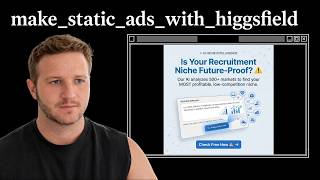
George Foley shows how to use Higgsfield AI to create dozens of static ads for Meta and LinkedIn in minutes instead of hours. He walks through sourcing ideas from competitors, using Claude to write hooks and copy, then converting that into image prompts. Simpler, messier designs often outperform polished ones.
Chapters
Hey everyone, I'm George Foley and I coach over 500 different service businesses and agencies on how to use AI to make more money. Today I'm going to be showing you Hixfield and how to use Hixfield to create static ad creatives, which we use ourselves to drive hundreds of leads every month to our webinar. So we run a monthly webinar which generates over 6 figures in profit every month, and we do this by pushing ads from Meta and LinkedIn directly to a registration for this webinar. So Higgsfield is an AI image creation tool. So, um, I recommend checking it out. The URL is higgsfield.ai. Um, the, the core premise of Higgsfield is it aggregates all of the different image creation tools. So we can see they've got their own ones, SOL, SOL Cinema, GPT Image, uh, Nanobanana, Nanobanana 2, Groq Imagine, and it brings them all into one place. You might be wondering, why wouldn't you just go directly to the, the providers themselves? Like, for instance, use Gemini to create the images there. The main reason for that is it's very slow and time-consuming. So when you go use ChatGPT image directly or Gemini directly, it'll generate one image at a time and it takes usually 30 seconds to a couple minutes to generate that image. Now we know with image creation, it's very, very inconsistent. So that might be the main takeaway from this video today. If you're getting frustrated with image creation, it's not your prompting. You can give AI. The same prompt, and I'll show you this here. For instance, all of these would have been created with the same prompt. Make a new design, make a new ad, keep it simple, right? How recruiters use AI to stop competing on price, right? Look how wildly different each of these are, you know? So, um, completely different designs here. And so it's not a prompting issue. It's actually just a volume issue. You need AI to generate more images faster, and Higgsfield is a way to do that. So I'll show you here exactly how it works. You can give your prompt, you can reference images that you wanted to create, you can choose your dimensions, you can choose the quality. So this is the resolution of the image. And then the best part here is you can batch them. So I can generate 4 images at once. And if I hit this button multiple times, it's going to stack them up. So I could do 4, 18, 12, 16, 20 images at once. And rather than having to wait for one at a time, it effectively like A/B tests against myself for what image I prefer. I can then reference that one and iterate on it from there. So the problem with static ads, they are hit or miss. Just accept that probably 9 out of 10 are going to be garbage and you'll get the one gem. You'll generate 10 from the exact same prompt. So you're going to consistently use the same prompt and then you're just going to pick the one you like. If you want to iterate on it, you can from there as well. So, um, I recommend signing up for Hexfield. Does cost credits. You can see here, I've burned through most of mine. I'm on the ultra plan. I don't know what I'm paying, maybe $100, $200 a month or something like this. So the downside is it is, you know, a little bit pricey, but obviously like endless, that you don't have to just use this for static creatives. I use this for websites, webinars, all sorts of design as well. Cool. So the first thing we need to dive into before looking at the actual image creation here is How you can get the idea for the creative. Two really simple ways to do this. One is just going and stealing from your competitors. So that's called swiping. Classic copywriters, they've rebranded that as swiping rather than stealing. I'd call it stealing, but you effectively look at your competitors. Shout out to Mark Builds Brands. He's got a tool, Get Hooked, which you can— I'm not affiliated with this, but he's a good guy. You should also check out his content because I learned a lot of this stuff from him directly as well for— I'm not like an creative guy, more of an AI person. But, um, yeah, he has a software, GetHooked, which lets you just see every other Facebook ad that's performing so you can sign up. Um, so one, one option is just going and seeing what your competitors are doing. Mark talks about how when you're advertising, you're basically just buying data. And so you're paying money, you know, $10,000 to find out what ad resonates when you're A/B testing. Your competitors will have spent a lot of money already. So if you just go find what their best ad is and iterate on it, then, um, there's a good chance that's going to work. So that's one option, swipe or steal. The option that I'm going to be showing you more of today is how you can get Claude, uh, specifically to write these for you. So the first thing you're going to do is create a new Claude project. And you need to decide which platform you're going to run these on, whether it's LinkedIn or Meta. And then your goal is just to fill up these files here with all of your context. So you can see I've got our avatar. I put our entire webinar in the editors, I've given it our offer, the beliefs of our customers. I've even given it Hormozy ad training. So a really good way to do this. If I wanted to run Meta ads, I would go run Meta ads 2026 static images, something like this. There's, there's Mark there, there's Hormozy there. And I'm not going to grab just one. This one doesn't look like it's got too many views, so I'd probably find someone that's a bit more established, you know, like, okay, 50,000 views, that's a bit better. Uh, 100,000. So maybe this is good here. I'm not actually going to watch the video. I'm just going to come down here, show transcript, copy the transcript, and then I'm going to paste that into the project for training. So I'll go get, you know, as many videos as I need. Um, so it understands like the dimensions, the rules, all of these things for the platform because they get updated all the time. In this case, we were doing LinkedIn. So you can see LinkedIn here. Cool. Next step is I've said we need ad variations for 2026, a bit of info about the funnel and our previous ad scripts for LinkedIn. Cool. So then it's gone through and researched. It's given, it's given us some here out the gate, but from memory, I don't think I really liked these. So again, with AI, you should always be the taste and the filter. Get AI to do the work and then you're like, do I like this or not? And when you get it to do multiple iterations or like 10 versions, you get to A/B test against yourself. I've given you more training on our niche. So again, I gave it more context. It did its thing. And I've said, here's the transcripts from our testimonials. So I gave it some more testimonials. So again, like when I see something I don't like, I'm just pushing it, giving it more information. These are quite abstract. Let's start with just the hooks, one-liners. So then we broke it down. And then you can see here, it's given me many, many different ones. And I can say these are the ones I like, right? So A/B testing against myself. Now, if you can give it sales calls, if you've done any cold email in the past, that's going to be really useful as well. If you've done organic content, telling it what videos are performing at the best at the moment, what hooks, anything organic is going to be really useful as well. Cool. From there, you're going to plug it into here. And it's going to start to generate body copy, creative direction, and effectively the copywriting for the ad. So from there, you can jump back over to Hixfield. I'm going to show you a few different versions of ads that we tested. These ones here were the ones that I see most people doing, and transparently, it didn't work that great for us. Just pure text, for whatever reason, our market just didn't resonate with this. Now, to show you the exact prompt. I've given it the dimensions, white background. So once you've created this, you can just say, take this ad and make it an image prompt. With image prompting, less is more. You really want to let the AI design and come up with the fill in the blanks, I guess I should say, because they don't handle detail well. So if you're going to give it If you're going to give it an instruction on words or like text to put in the ad, make sure you put it in speech marks so it knows specifically. As you can see here, the exact same prompt, it made a mess of this one here. This one looks probably the best. This one, the colors are off. So this gives you an idea. You should be able to see how bad some of these are, right? And then you're picking out the ones that are gold amongst them, like this one here, right? That's just garbage. So if you're waiting through, you know, 2, 3 minutes and that's what it generates, you're going to be very frustrated. If you generate 20 at once, you just grab the one that's good and move on. Another example, you can do these ones here. Again, at the moment, higher volume of ads, just A/B testing a lot to see what works in the market. I think we did run some of these. We ran some of these ones that are branded, which look good, but don't always perform as well as the ones that are a bit messy or a bit ugly. In the end, the ones that actually worked for us are probably my least favorite ads, go figure. So these ones here, like the style and angle, by far were the best performing. They were the cheapest, most engagement. Now the only thing with this is obviously you've got to think about the people this attracts. So, definitely did notice that the people we start having to come in are a bit less technical. So that may change your product a little bit. You may need to think about how to handle that because the broader we went, we got more people and more people into the webinar, more sales, but also people downloading playbooks, things like this. You know, they're more introductory. For instance, I would never click in an ad like this, you know, personally, but I've got the AI knowledge already, right? So you can see here we've just created lots of different designs, and I've said keep it simple. Like, this prompt here is way less complex than the one before, and that's because I've fed into it the previous one. So again, once you find something you like, you select reference, okay? And then you can say change the color to yellow, right? And that's going to go through and do that. So sometimes it's easier to just iterate with one change at a time. You can get it to the original concept, but say I didn't like the way it said 80% AI, 20% human, then I would iterate on that where I basically come in and select— where's it gone here— reference. And then I might say remove 80% AI, for instance. So that's, that's how you're going to iterate on it from there. Cool. So yeah, jump into Hixfeld, get playing around with it. And if you have any questions, let me know below. I'll answer every question. If you liked the video, give us a like, give us a comment, subscribe as well, because genuinely, I don't know if I'll keep doing these videos, but if the, you know, people are getting value and you've made it this far, let me know and I'll keep going. Also, if you have any suggestions of what to do next, drop those in the comments as well.