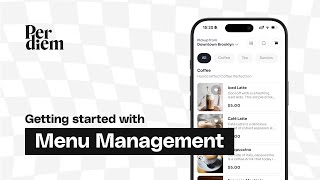
A step-by-step tutorial by Tomer Molovinsky showing Per Diem’s menu management interface and its integration with Square. Covers signing in, viewing/reordering/archiving categories, assigning items to categories, toggling visibility for app and web ordering, creating scheduled custom menus by location and day/time, using promoted and upsell flags, performing bulk actions, editing item details (promote, out-of-stock, paired items), generating web-ordering SEO links/landing pages, and managing modifiers/variations synced from Square (including hiding or preselecting modifiers).
Chapters
Hey, welcome to Per Diem. In this tutorial, we're going to be covering our menu management page and how it impacts your app, web ordering, and your catering. So let's jump right in. Okay, first things first, you're going to come to Per Diem's website, and that's tryperdiem.com and you're just going to go ahead and sign in. These are the same credentials that you created your Per Diem account with. And then once those are in the system, it'll just take you straight to the menu management section. And this is where we're going to do all the work. Okay, great. Now that we're in the menu management page, this is our test site. Here you'll see your menu laid out. Here you can scroll down the page and you can see the order of the categories. Here is basically the order which we import them from square. And then we have this categories tab. And then you can reorder things on the categories tab. And then also for categories that aren't relevant, you can actually archive them. So you just select that category and you can archive it. And then it's going to be in the archive and you'll be able to view these and restore these archived categories later on. For an item to be visible in the app and on web, the category that it's placed in needs to be visible, and then the item itself needs to be visible. So one thing to note is sometimes when you add things in square, they will come over as uncategorized. It won't read the category that's in square. There might be a mismatch or something. In that scenario, you're going to need to take, you know, whatever item it is. Let's take this test menu item and we're going to assign it to the right category. So, hey, let's just put this into our dessert category. And then that's going to be in dessert. Right. So I'll go down to dessert. You can see test menu item. It's still. The visibility is still turned off, so it won't be displayed in the app. So if I wanted this item to be displayed, then I would just go ahead and turn that visibility on. All right, so we've talked about the items page, we've talked about the categories page and how you can move things around. We also have the menu page. So this is where you're going to be able to create a custom menu. Typically, this is something like breakfast, like you can see here. So I would just go ahead. You know, let's Say let's call it the brunch menu. You're going to go ahead and select the locations that you want to appear at. So let's just say I'm doing this at my Jackson park location, right? And then I'll go ahead and assign the categories that are going to be relevant, right? So I'll say it's my coffee, dessert and my Sandos. I'll go ahead and save. And then we'll go ahead and say, hey, this is my brunch menu. I only want this appear to appear on Saturday and Sunday. And I would just go ahead and, you know, set the hours there. Awesome. Now you can see I've set up this brunch menu and and so this menu will only appear on a certain day at a certain time, otherwise it'll be unavailable. That's how you use the menu tab on the menu management page. Okay. So now that the visibility of my items and categories are turned on and keep in mind, our team is going to do that as part of your onboarding process. But now on the menu management page, I can go ahead and I can filter by by certain. I can either filter by my visible items, by all the hidden items, what I'm promoting, what I'm upselling, and then anything that's uncategorized, as I mentioned before, you're going to want to fix those. So in terms of the promotion, that's going to be the promoted items you can see here, I can select. There's this status here that says promoted. And again, we can just go ahead and filter on that. These are all going to be the items that appear on your, the homepage of your app in a carousel, as well as on web ordering. They're going to be featured at the top of the web ordering page. So you want to make sure that those are obviously the items that you want there. And then the other things that I'm going to be able to see here are the ability to upsell these items. That means that on the checkout page when people are checking out, we're going to be offering these items as part of upsells. You can see as well the location that each item is assigned to. You're going to be doing this assigning in square, but if it isn't assigned to all locations, then you'll see how many locations or what location. If it's just a single location if want you. And then I can select here and obviously see where this chai latte is. Additional functionality that you can do here. You can either do bulk actions here. So for instance, I can go ahead and select all these coffees and then I can, you know, disable the upsell on these if I, if I want to upsell something else, for instance. So I'll just go ahead, make that bulk action. And now all this upsell is off for this. I'm going to also remove this promoted tag. And then let's just go to all items here. And then I can also edit individual items. So let's say I want to take my ham sandwich. I'll just go ahead and click that. And I can either promote this item if I need to. I can mark it out of stock. We also pick up squares out of stock. I can assign it to a category or I can, if I go ahead and edit this item here, you can see I can assign the categories. I can actually add different paired items. So this is something that we're going to enable on the product page that will sell these other items in addition to. And we'll use this to help with upsells. I'll go ahead and save that. And then we're going to also have this web ordering SEO link. So if you want to promote this in email or on social media, you would just go ahead, click that, and then you're going to see for this item, we'll go and put that in. We're going to have this item, we're going to have a unique landing page for it. And then this is going to be a call to action for people to either download your mobile app or just view your menu. And then they'll go straight to your web ordering page where they'll be able to see it here. Cool. All right, let's talk about modifiers. We pull in all your modifiers from square and your variation. So you would set that up on a per item basis in square. On our side, you will be able to see the different modifiers. So if I go ahead, click on an item, hit edit, you'll see, okay, this, this item has sweetener and has milk. And then I would go ahead on this item, which is nice latte. I would go in to square if I wanted to make any modifications here. If I want to add a variation, if I wanted to change the order of the modifiers. So let's say, you know, let's say I want to put sweetener up top and then I would go ahead and save that. And then we're going to get that update instantly on our side. Also, if you mark anything out of stock or, or the other thing that you can do with these modifiers is you can basically hide certain modifiers. So you can go into here and we would just go ahead and hit customize and then you can see here you can either pre select certain modifiers and that means in per diem that modifier will be preselected and also any of the hide on lines. So so if I don't want to offer monk fruit online. Okay great. And then also if you want to do like you know allow more, more than one modifier then obviously you would select all that criteria here and we would pick up those rules as well. So here I'm going to hide this monk fruit online in the iced latte and then that's going to save and then that's going to automatically carry over to per diem. I'll go ahead and close this and then we would just go and check that out under iced latte and you can see there's no monk fruit here under this drink and so that automatically removes that as well. Cool.