A Full Demo Of The New AI EasyWebinar Platform
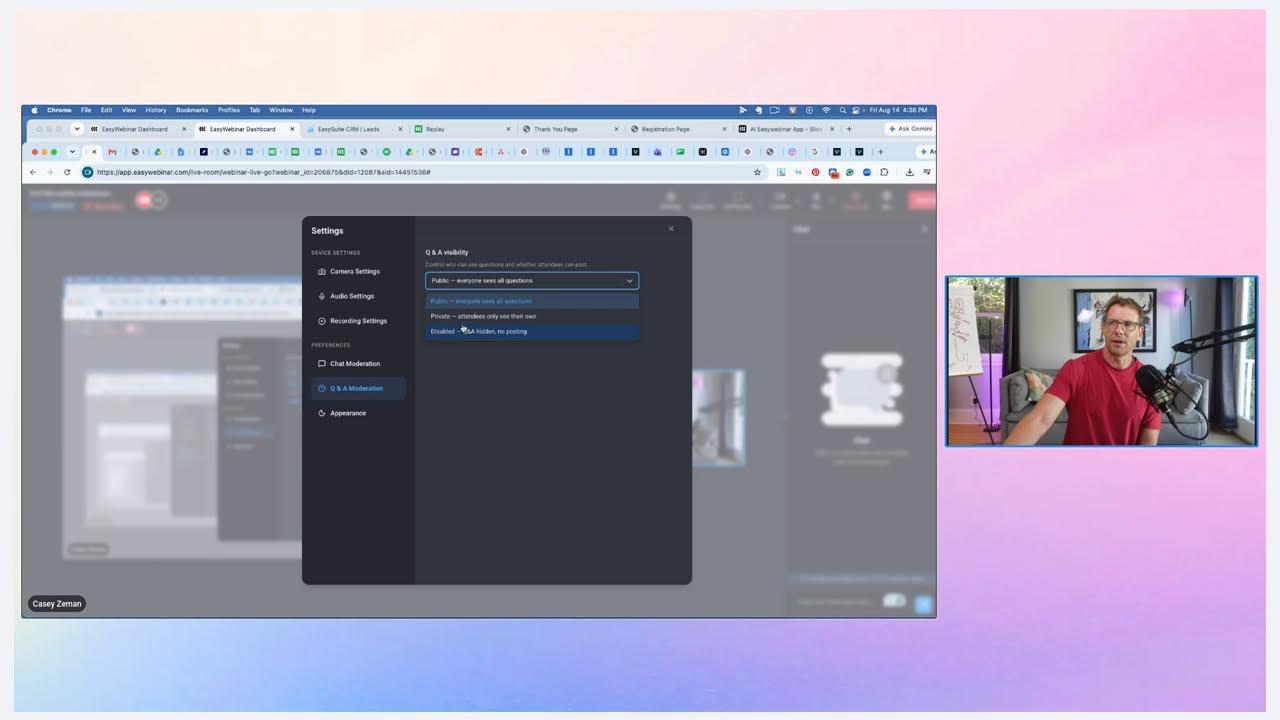
In this walkthrough, Casey Zeman demonstrates the new EasyWebinar V3 platform, focusing on its AI-driven webinar builder that can generate an entire webinar—including script, slides, landing pages, emails, polls, and offers—from a single natural‑language prompt. Using a sample "Off‑Leash Freedom" dog‑walking course, he shows how the AI creates a detailed webinar profile, script, and supporting assets, and how those assets are hosted and editable within the platform. He explains the three webinar delivery modes (live, simulated live, evergreen), the chat options (live chat, third‑party AI chat, upcoming AI moderator), and the ability to schedule polls and offers throughout the presentation. The demo covers automated email sequences, poll creation and timing, offer configuration, and publishing the webinar. Zeman also highlights analytics that segment attendees by engagement, integration capabilities (GoHighLevel, HubSpot, Marketo, etc.), SMS/WhatsApp notifications, paid‑webinar setup with Stripe, replay page customization, and the emerging CRM and lead‑finder tools. Throughout, he emphasizes speed, flexibility, and the end‑to‑end funnel capabilities of EasyWebinar, inviting viewers to a workshop to see the system in action.
Chapters
The recording isn't started, but let me just get that going. Okay, I think now we are recording. You can see we are live in the in the Easy Webinar room, and I'm just gonna do a quick video because I just wanted to share with everybody that Easy Webinar, our our V3, the new the newest of the new, the baddest of the bad, the coolest of the cool is out, and the intention of it is to. Help you to build high-converting webinars at record speed, faster than any other platform on the planet. And it's pretty exciting. We've just launched out our AI webinar builder, which with just a prompt, you can, you can create a full webinar. And when I say a full webinar, I mean the script, the landing pages, the emails, the polls, and the offers. You decide what kind of webinar you want to do— live, simulated live, or evergreen— and you are off to the races. And we've done this for a series of webinars. I've already tested out for many different webinars. In fact, I could probably find this one. Let's see if this one— what this one looks like. Registration page. Let's see how this one looks. So as you could see now, the, what happens here is with the dawn of AI, with a single prompt, it will build all the elements of a webinar. You can decide how long you want the webinar. It'll then build out the profile, the topic, Off-Leash Freedom: How to Walk Your Dog Confidently Through the City Streets of LA. This is kind of just one topic I've been playing with. Here's the full topic. I'm gonna create a webinar. This is what the prompt was: all about how to walk your dog in the city without a leash. I've been walking my dog 13 years through the streets of LA. He doesn't require a leash. It doesn't pull. He never runs in the street. I have a course I'm doing all about this. Write me a webinar script that positions the course, and the price point is nine is four nine seven industries. That was all I did, and then it did all this. Okay, gave me the solution. A proven step-by-step training system developed over 13 years of real-world experience walking dogs through the streets of Los Angeles. The course teaches urban dog owners how to achieve complete off-leash control, limiting pulling and building rock-solid recall and system street awareness so their dog walks calmly and confidently beside them without restraint. Right? All this was done based on this prompt, and from that, from the audience, urban urban dog owners who are frustrated with traditional leash walking challenges, seeking more freedom and control while navigating city environments with their pets, etc., etc. All that, the audience and the details, confident, um, you know, you're speaking from confidence, inspiring and reassuring with a touch of inspiration, right? That's the profile it built, and then it built everything off of that. So, um, this is 10 slides, 9 sections, 60 minutes And it basically— this— these are what it creates. It creates sort of like slide by slide, uh, and the script goes with it. Now the cool thing is you could download this and run this literally from a live webinar straight away. And by the way, I'm, I'm streaming this in EasyWebinar out to the streamers. So I'm streaming this— sorry, my dog is coughing— I'm streaming this to YouTube, Facebook, and LinkedIn and from EasyWebinar, from inside the EasyWebinar room. These are some of the features and functionalities that you have here. But this is the other part of it. So it's saying, hey everyone, welcome. I want you to imagine something for me for a second. Picture yourself walking through the busy streets of your city, cars honking, people everywhere, distractions every corner. Now picture your dog walking calmly right beside you. No leash, no pulling, no anxiety, just pure connection and trust. Sounds impossible, right? Well, that's exactly what people told me 13 years ago when I started walking my dog through the streets of Los Angeles without a leash. They said I was crazy, it was dangerous, that my dog would bolt into traffic. But here's the truth: over a decade, my dog has walked beside me through the— some of the most chaotic urban environments that you can imagine, and he's never once run the street. He doesn't pull, he doesn't chase, he just walks. And today I'm going to show you exactly how I did it and how you can too. That's the intro, and then it just keeps on going. Here's what we're going to cover in the next 45 minutes together. First, I'm going to reveal why everything you've thought, uh, you've been taught about leash training is actually keeping you in a— in it, trapped in frustra— in a frustration cycle, right? So I love that it kind of like sets up all of that. Um, 13 years. Let me establish something right now. I'm not some dog trainer who teaches this in a controlled environment that then goes home. For 13 years, I've actually lived this type of thing, blah blah blah. So anyway, this is what it creates. And then what's really interesting is that from the script, everything else is built. So the landing pages are created with the same continuity as the script. And the thing you have to understand of why this is different than, um, you know, uh, ChatGPT or Claude is because this is all hosted from our platform. So the pages are created, they're then hosted, and you can actually run your live webinar or upload a video into the system and run and do evergreen webinars, right? You can do simulated live webinars, which are webinars that are streamed in, in a single time zone with the perception of live and streamed in real time, but the don't have to be there. The video plays. You can actually have multiple different chat options. We have live chat that you can use with it. We have simulated chat. And now soon we're having, uh, AI moderator coming into it. Okay, so every webinar can now have an AI moderator who's helping to close the deal, who— and build connections with your peeps, right? Anyway, this, this is what some of the pages— this is what the page looks like, right? Uh, and you can see it's got an image of, of me and my wife and, and Wendell at the children's hospital where he used to, uh, volunteer. And, and, and this is, this is what it does. So it builds out, uh, you know, kind of all the pages for you, right? And then, you know, you save it. And by the way, everything can be edited. All this stuff can be edited. So you can go in and change any of this. If I want to, like, here's an example. I want to change that image. I'm going to put that image in there. And now I'm going to click save. Okay, and again, you— this is, this is what you can do. Um, and then, then from there, um, you know, once I have the pages, the emails are created. Isn't that cool? Emails are automatically just created. Uh, they have the same design as the, as the pages that you're building. Uh, we have a welcome email, reminder email, reminder email, uh, 1 hour before, 15 minutes before, and then a couple follow-ups. Right after that, very cool stuff. And after your emails are created, what happens next? Well, I'll tell you. It's your polls. Your polls are then created, and and so that what we want to do is we want to then go in and say, how do you want to engage on this workshop with your people? Do you want to validate your offer? You know, are you are you looking to to validate? If your offer is really landing and hitting home. Maybe you want to validate, um, you know, your audience, really understand the pain points and unders— and understand the struggles of your audience, right? That is what the polls do, and the polls are here. Now actually, as you can see, I haven't actually built the polls for this particular webinar yet, so here's what I'm going to do, and, and this is what it asks: what should these polls help you accomplish? Um, I'm going to say increase engagement and keep attention. You know, I actually want this: understand the pain points of my audience. And I'm gonna do qualify leads, right? Identify best prospects. And, and let's do segment audience for follow-up. I've never actually tried that one. Let's see what that looks like. And now, so it's got to go through the analytic analysis flow to be able to give us this data, but Well, once it does, and this is the flow, you, you want one prompt will take you through all of these series of things. Webinar profile, the, you have the script, the web pages, the emails, the polls, even offers are being done here. And then boom, you're complete. You have a full webinar ready to just promote. You have a link, you just start promoting it out. Um, and here are the polls. Now There are 3 polls under this one topic, understanding your audience's pain point and challenges. You could choose one, you could choose more than one, right? Um, it's nice because it says, you know, start 3 minutes. It's suggesting, um, it's suggesting, uh, when, when and where to put it. So it's like 3 minutes in, you put it there, you have it there for 5 minutes. That's what it's actually telling you, and it gives you actually, uh, what it's intended to do. Identify the primary pain point each audience faces to tailor the message and demonstrate understanding of their specific struggles, right? So what's your biggest frustration with walking your dog in the big city, right? Maybe constantly pulling on the leash, maybe fear that they're gonna run into traffic after a squirrel or something, maybe physical strain on your arm or shoulder, maybe you have the big old dog that's just yanking on your arm, huh? How about reactive? Reactivity to other dogs or people. Maybe you're terrified of walking your dog on the same block as another dog coming, and you go to the other side of the block. Um, and maybe it's a lack of focus and obedience from your dog, and it's just such a struggle. I love that. I'm gonna say that we're definitely gonna use that one. This one could be at, uh, the 8-minute mark, right? How many times per week do you avoid walking your dog because it's too stressful? I love that. And then you have it for 5 minutes. I'm gonna say yeah, man. I like— you know what, I really love these. That's why I want to use them. Um, this one, 13 minutes in, it's kind of giving you a suggestion of where to put it. 5-minute duration. What have you already tried to improve, um, your, uh, what have you already tried, what have you already tried to improve your dog walking behavior? What have you already tried— sorry, I can't read. What have you already tried to improve your dog walking, your dog's walking behavior? Um, so different leashes, harnesses, or equipment. Uh, group obedience classes, private dog trainer, YouTube videos, and free online tips. Nothing yet, still looking for the right solution. Um, yeah. What have you already tried? What have you already tried to improve your dog's walking behavior? Sorry, I don't know why I read that so just so, so off. My dyslexia is kicking in. Sorry about that. Uh, I'm gonna say yeah. Now these are the other ones. Uh, 3, and again, it's given me more time, right? Qualified leads. How much would you invest to solve your dog walking challenges permanently? Now, this could probably show up more closer to the very end. If you could achieve off-leash control with your dog, when, uh, when would you start to, uh, training, right? I like this one. Um, this one, I think it should be before the offer is made, right before. You can say, see, identifies attendees with budget alignment to the $497 offer. You know, what's interesting is if you do put this out there where you're like, how much would you invest? You know, it would really give you an idea of like, you know what, I'm gonna say yes. Because honestly, if you are talking about the pain points ahead of time, like these would come before this for sure, right? Pain points, then you're like, you make that realization come true for them and then they're like, I would pay this. I also think, You know, then what this does is this kind of says, are you ready to commit within the month? Where are you at? How long have you been dealing, uh, with difficulty dog walking? Uh, how long have you been dealing with difficult dog walking behavior? Um, now this I think would be— this would show up ahead of time, and I, you know, I probably would bring this one, um, Down is my thinking. Yeah, you know what? And you can see it here. So instead, instead, I would probably have this come at the 40-minute mark, right? 40-minute mark. I would have this come. I'm gonna edit. You see, you can edit this. I'm gonna have this come at the 50. Oh yeah, okay. So it's— I'll have this come at the 30-minute mark. So because I am— the way I'm doing this is as a, um, yeah, the way I'm doing these, uh, is I am doing these as a 40-minute webinar, right? Um, But let me actually change this one around. We'll go 35 minutes. 35. Okay. Now the cool thing is that this is being set up as an automated webinar. That's why they're asking when you want these things to show up. Now for a live webinar, all these would be populated into your account and you could just choose which ones make sense to you based on when you're going to be talking about them in the workshop itself. Now let's look at the segmentation. What type of urban environment do you live in? Dense downtown. Okay, this to me would be showing up early. What's your primary motivation for, uh, wanting off-leash walking? I am going to, uh, this is very interesting, although I'm going to remove it. I don't really need that one, I think, right at the moment. I'm still going to be testing this stuff out. Um, what's your primary motivation for wanting off-leash control. I like that. That's probably going to be more in the beginning, uh, of the— of everything. So it's going to be, I'd say, okay, 3 minutes. Save. All right, and approve. And now we're moving to the next phase right here. Now we've done that. Now it's about your offer. Um, I'm gonna have a balanced approach. What do you— what special offers do you want to present? I'm, uh, um, my dog walking program, uh, uh, Off Leash Freedom, right? And yeah, so let's do that. Okay, Off Leash Freedom sells for $497. Okay, and I don't have a website for this because, um, even though I have thought about making this an actual webinar, I have not yet done this. All right, online course coaching. I think it's a bundle deal. Uh, I'm gonna bundle up, um, like a course, like a, like a training and live session type of thing, like a a boot camp. I'll probably run this as like a boot camp, like sell it for $500 to $900. $500 normally, $997, but then I'm gonna do it and run it for, um, you know, a series of, uh, of a little bit of time. Try the Off-Leash Freedom. Yep. So here I'll use this one. Um, set timer. Um, I don't need to do that. Um, All right, I will set timer. So this is because it is a, um, an automated webinar, so that's why we're kind of having this set. And if we're doing— I'm going to start it at 40 minutes, end it at 50 minutes. Okay. 50 minutes. Okay, there we go. All right, we're gonna grab 2 offers. No, I don't want 2, I just want 1. Select. Okay, now we've done that, we've gotten everything done, and we would now publish. Now the presentations are coming where you can actually build out a presentation with the script already there, but that's not done yet. So we're not going to do that. We're going to push publish and boom, it's now giving us everything we need. So it's got the registration page. You can see here, right? You can sign up, right? I think it's for Monday the 17th. Okay. So I would sign up, boom, free, you know, come and there we go. Then it brings me to Uh, the registration page. And if I click on Join Live Now, that'll take me to, um, the waiting room page, which— that is right there. So that's all of what the AI Builder can do. But with, with the, the new, uh, with the new EasyWebinar, some of the cool things are, uh Let me just show you. Let me flag some stuff up. So if we go to my webinars and we go to, let's say, this one, and this is where you're building your webinar out, right? First you're creating your content, which is your registration page, thank you page, waiting room. But again, all of this can be done with AI now, right? Your call to actions. These are the things if you're using AI, it would have already built these things out for you. See these polls right here? See these offers right here? All of these are, uh, what are built within the, um, within the AI, but you can also edit all of them as you can see here, right? Um, and I'd say one of the, one of the coolest things to flag up now are the options around what you can do with, uh, chat. So, you know, you could do, uh, live chat If you wanted to, you could also add third-party chat. Like currently I'm using what's called a Delphi AI chat, which is embedded onto my webinar, which is— it's an AI Casey. Basically it's handling questions that are coming in, etc., etc. The notifications here are notifications where you build out your pre-notifications here. And you can either build out your, your follow-up notifications here, or you can use, uh, your own CRM system if you want. Which leads me— oh, and I forgot to mention, so now we have SMS and WhatsApp, which is super cool. Uh, SMS, uh, you'll be able to, to have this happen straight away inside here. And again, these are going to be launched very soon. Also with WhatsApp, we find that the, the thing that people are having the most questions on or wanting the most of are ways to get access to, to get people to the room, right? How do you get more people showing up? The best way to get people showing up is have good thank you pages that encourage them to show up, emails that follow up that still create the urgency, potentially maybe onboard like indoctrination videos as well, like a couple indoctrination videos prior to the event starting, but also WhatsApp and SMS pushing people into the workshop. Okay, and the cool thing about what we already have, um, if you have like GoHighLevel, GoHighLevel has a lot of those elements already built in, but we, we're going to add them too. Um, but we also integrate with HubSpot, um, we integrate with Kit, uh, and so on. We, we actually integrate also with, um, uh, Marketo, etc., etc. So, um, So it's pretty cool. Uh, now one of our coolest features that I'm going to show you is the, uh, are the, is the analytic, uh, area. Now the reason this is so cool is because this is the, the insights that you need in order to be able to build a webinar that makes tons of sense. Now in the past we had this people section, which to be honest with you, it was a little challenging navigating. But recently we've just rolled out our newest elements of this, and in the newest elements, you can actually see that there are cold prospects, hot prospects. We will now show you who's hot, warm, and cold, and you know that this person is hot, right? They watched 67.5 minutes of the webinar out of 70. Um, they didn't watch the replay because actually, to be honest with you, I haven't set up the unique replay link inside HubSpot, uh, inside of, um, uh, I think this is connected to GoHighLevel. Um, but you can notice other things like the source by which they watched, okay, the status attended live, on-time arrival, yes they watched, what device they came, they're from Florida, they clicked on a link which is a Book Your Launch Map call, right? And they clicked it. They actually responded to a poll and the poll answer was people sign up, but they don't actually show up, right? That's her most frustrating part of a webinar for you right now. And that's really great insight. And so we know that that person is probably closer to being a sale, right? And so that's really some of the cool stuff about the analytics Um, and now of course we have revenue, which is not tied to anything at the moment here, but now you can really see your webinar, uh, your, your stuff here. Um, there's also, uh, what we also do is paid webinars. So every webinar, by the way, can be a paid webinar. You see here, um, and you could decide pay or free. Price, title, description, live webinar price, etc., etc. What do you want to— what payment gateway you're going to use? I have mine set up with Stripe and that's all you really need to do and boom, you're good to go. And you could do this with any of your webinars. You can turn them into paid workshops. Now I'll quickly flag up a couple other points. The replay page is really great because our replay pages, they are in the steps of things. It goes the event, you know, a series of emails and then a replay and you can decide how you want that replay to look. You can build out the replay to have its own experience and feel to it where can have like different buttons show up and different chat options show up and all sorts of cool stuff. And you can do that simply by here, like custom build out where you upload a video, add call to actions, add your chat settings, right? Where you can have like simulated chat, all the things, right? Um, or you could just do it as a webinar replica. Means that's the same video, same offer, same polls, everything is the same, right? You just are copying the entire, entire thing basically. And if you want to see what that looks like, I'll just quickly show you, uh, what it can look like. And remember, I have a live chat going right here, and here's the event right here. Now this is, this is a replay, so it's got the scrub bar, but an automated webinar streams in real time does not have a scrub bar. It plays plays in real time with the experience of live. You can't fast forward or rewind it. And this is where the chat happens. Um, you know, you— for people, you have to put in your email, and then what happens here in this chat is, uh, the, the AI Casey starts talking to these guys. Um, and it's actually pretty cool. I have some good conversations that have been, uh, that have been going already, um, inside here. Which, uh, which is, which is kind of exciting. Um, so yeah, so that's how it's used. But again, as I said, we have our own chat that's going to be rolling out. We're going to have our own, uh, AI moderator that's coming very, very soon. Um, but I'm just really pumped because, um, things are, are much easier to use. Um, let's see, I'm gonna make You can also do this, by the way. You can change the, the back end of the platform to just be sleek and black. It's, it's super cool, um, which, which I dig. Um, and, uh, and then, you know, it has all those elements, but one thing I haven't talked about is the CRM, which this is kind of coming out and launching. It's not quite all the way there yet, but it's a— but the CRM is a, is a sales CRM system that we're integrating into the platform where leads can be pulled from the webinar into this system where then those leads can be called. You can set up auto dials to call all those people, uh, and all that data of if they're hot, warm, and cold, it pushes into this system so that you can then decide who you want to call— Ghostbusters— and, um, and go from there, right? So you have the— you can It also has a lead finder tool as well that helps you prospect. Uh, one of the biggest things people say is like, I can't find leads to drive people to my webinars. Well, this platform actually has a lead finder tool that you can use to find leads and then send them to a webinar. Those same leads then come over through here and then they are used more in this way of following up with them. So this can be sort of a full campaign system from top to bottom or from front to end, and it's pretty cool stuff. Anyway, this is not fully done yet, it's coming out soon, so be on the lookout for that. But yeah, like this, these are some of the things, you know, you can do with webinars, but more importantly with EasyWebinar to create things on a much faster, in a much faster way. And finally, What I'll do is I'll just— I'm going to pull this over here. You can see here is the EasyWebinar live room. It's got a few bells and whistles. Now there's no chat because I'm just streaming it into EZCast, and I apologize for this. This is only because of the fact that where I'm showing what I'm— it's a stream within a stream. Excuse me. But this is the flow. This is how it works and how it looks. So it's pretty cool. And, you know, you have all sorts of stuff that you can do within the room itself. So I could, I could have different backgrounds if I wanted to. Um, you know, I could, uh, I could do a blur situation in the background. Uh, I can do a beautification and make myself, you know, young and gorgeous. Uh, as you can see, it did so much there, it actually doesn't look like it did anything. Um, Audio settings, uh, recording settings. You can have auto recording set on, uh, or you can turn it off actually and then turn it on when you start your thing. But I think a lot of people like that it's auto recording. The chat moderator, um, you know, for, for anybody who's coming in as a moderator, um, you can choose— you could choose like those who are watching your webinars to not see the public chat, uh, just to have a private chat, let's say. Um, QR, uh, Q&A moderation. Um, everyone can see the questions, or you could say like private, only attendees, uh, see their own question, you know, type of thing, and the, and the, and the person running it, right? Uh, appearance. Yeah, so we, so we have these cool settings that are, that are pretty cool, and you could do a lot with them. Um, and yeah, that, that is, uh, you know, that's effectively what EasyWebinar is doing and what we're able to do now. Now I want to invite you to a workshop where I'm sharing some of this stuff, and I am going to grab that URL. One second, I have to find the URL registration page. Nope, that's not it. Nope, that's not it either. I'll find it and I'll paste it here. Yeah, okay. And anyway, we'll be good to go. So I'm going to invite you guys to that and you'll actually, if you go through that funnel, you'll see how I build webinars where I put urgency on the thank you page. We actually drive people to a free trial before they come to a workshop. And how I use the webinar pages more so as like a part of a complete funnel, right? So, you know, if you were like, as an example here, just let me quickly show you what I mean by this. So we go into here. If you go to the content, the thank you page, the thank you page, as you can see here, it's got like a next steps It's got a video on it, download a worksheet, you know, save the date. That's why it's really important to use our thank you page because it has all the pieces that you need, like the link, the save the date, and all sorts of stuff. Then there's a waiting area page, which is actually another option and opportunity for you to do more. So I have a— this is where I have a testimonial reel right here, right? I'm still trying to get them, getting people into the 14-day trial here. And just trying to motivate them through, right? And then of course when they click on, you know, join, you know, this is where they're going. So this room will redirect them into the live room when it starts, right? But first, this is what they can do. So you can see here, right? So anyway, these are all active right now. And the other final thing I'm gonna do is I am going to go back out. And so we have this registration widget that's embedded, I think, on a GoHighLevel page right now, uh, and I'm going to live preview it, but I'm going to view and customize. And what I'm going to do is— what we've done is we have a thank you page that's set up right here, um, which is an external thank you page that we've set up through GoHighLevel. But what I'm gonna do is I am going to use just the EasyWebinar one for now. I'm going to test out EasyWebinar instead of just using a different, uh, the one that's already— that, that, um, that we've added with GoHighLevel, just to test out if this helps to improve any conversions. Um, and the reason is because our thank you pages have links and things like that, uh, that they, um, can click on. And so I'm gonna do that. I'm gonna push click Publish. I'm gonna save. Okay, so there we go. Now, now it is live and, and, and we're, and we're good to go. So yeah, so that's it. I just wanted to share some stuff with you guys. I gotta go hang out with the kids and the fam, but I thought I'd make a quick, quick video with you, for you, where we We're, we're doing some cool stuff. Uh, let me just move this over. And, uh, anyway, I just want to say thanks. Um, this should have been pushing into, uh, all the spots, so I'm just gonna end this and test it out. And guys, thank you so much. See you soon. Bye-bye. Bye.
More from Casey



How to Scale Your Business With AI | The Casey Zeman Show Ep#7 | ft. Gary Guseinov & Sean Whiteley
Terrible at Golf, Great at Building an Audience | The Casey Zeman Show #6 ft. Kira Peterson

Certainty Is a Lie. Clarity Isn't. | The Casey Zeman Show #5 ft. Keith Cowing