In this video, Colin Brown demonstrates the Directory of Associations research tool, explaining how users can filter the database by state, category, type, and size, and view record counts. He shows how to download search results or the entire list as CSV files, including how to view a sample download and the associated cost. Brown clarifies that zero member or staff counts indicate missing public data rather than actual zeros, and points viewers to statistics on association counts, email availability, and website presence. He advises reviewing FAQs before any purchase and stresses that the data may be used freely except for resale. The video warns that cold emailing is ineffective and recommends building relationships with associations. Finally, Brown promotes a CRM solution with pipelines, email and workflow automation, SMS, calendar integration, and competitive pricing, encouraging viewers to click a button to learn more.
Chapters
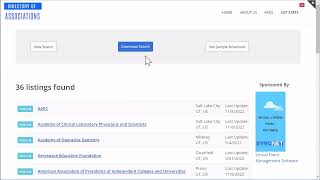
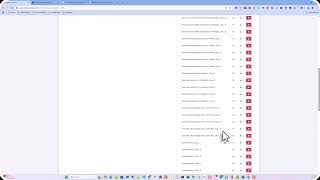
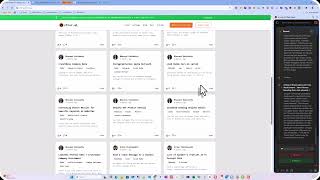
The directory of associations is a great research tool. When you come to the homepage, you'll see that we have the database sorted by state categories, types, and sizes. You can search on any number or any combination of all of these criteria. So you could say, I want all in the state of Utah. Comes up with 192. It lists whether they're national, state, Chamber of Commerce. We also are fully transparent in that we show the last update of that record. We can also use multiple criteria. We could say we only want to list national associations in the state of Utah. Tells us how many records are found. In the event that this is the criteria you are searching for and you would like to download this list to your computer, you can go ahead and click on Download Search., and it will tell you how much it's going to cost to download this in a CSV, comma-separated value file that can be viewed in Excel and uploaded to your CRM. If you'd like to see a sample download of what that looks like, you can go ahead and click on See Sample Download, and it will show you an example of what the file is going to look like. If you would like to download the entire list, you can go back to the homepage Go to the bottom and click on Download. All the information that's contained in our downloads is absolutely free on the website and is delivered simply by drilling down into your search criteria and then clicking on the link. In the event that you find information showing like 0 in the member count or staff count, doesn't mean they necessarily have 0 staff or 0 members. It just means that they are not providing that information publicly because most associations are private entities. We highly recommend that you look at our stats that shows the numbers of associations, how many emails exist for those associations, the contacts, and how many have websites. And then before you make any purchases, make sure that you review the FAQs. You can use this information in any way you choose, except that you cannot resell the data to another person or party. But if you think you found the answer to all your marketing problems because now you can just do an email blast and everyone will be calling you to do business, think again. Cold emails are very ineffective in today's marketplace, and you'll need to develop a relationship with these associations to find any success. If you don't have a system to load this data into, we can highly recommend a CRM that has everything you need to market to associations and run your entire business. It has the best pricing in the industry with features like pipelines, email automation, workflow automation, and integrates with your email, SMS texting, and your calendar for scheduling calls. You'll definitely want to check it out. Just click on the button below.