1:03
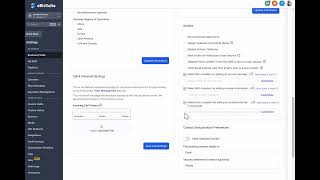
Colin Brown shows how to set up your Business Profile in eBizSuite by filling in your company address, language, and communication preferences. Skip most optional settings to avoid duplicate contacts, and only turn on texting if you need it.
Colin Brown shows how to set up your Business Profile in eBizSuite by filling in your company address, language, and communication preferences. Skip most optional settings to avoid duplicate contacts, and only turn on texting if you need it.
In this section, we're going to go over setting up your business profile. It's the first step in setting up your eBizSuite CRM. You'll simply go to Settings down here at the bottom, Business Profile, and then what you'll want to do is fill out all of the information as best you can. We'll go ahead and check this at a later time in your onboarding call, but fill it out as best you can. You can always come back and update this information. Basically, you've got the physical address, language, outbound communication, put in an authorized representative of the company. I recommend that you leave this off. In fact, leave all these settings just as they're set. I don't like to have duplicate contacts, so I leave that off. You can turn this on if you think you're going to be using the texting features. It's also not important that you have your voicemail settings set up at this point, But that's where you do that. And that is everything you need to do to get your business profile settings up to date.