Colin Brown shows how to set up and optimize a Google My Business listing for local service businesses. His wife's wedding-cake business grew from 12 to 270 cakes per year after GMB optimization. The video covers each setup step, from claiming your listing to uploading photos and writing a detailed description.
Chapters
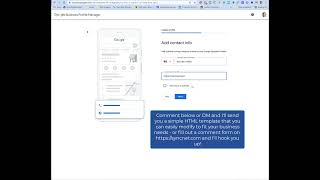
Google is the most searched search engine out there. You'll notice when anybody goes there, it's used by the majority of all searchers out on the internet. You'll notice that when you type in, for example, so if I type in wedding cake St. George, that's where I live. First one that comes up here is Frosted on Top, and you'll see Nothing Bundt Cakes and Flour and Honey, and it puts them on a map. So you can see where they're located. If you want to be in this spot, this is the best place you can be. This is called Google My Business. This is how I'm going to show you how to get into this place. If you're in the top 3 or even if you're into the top, let's see what this shows here, you know, the top 10 or so, you're going to get a lot of business. So it's important to be found by the search criteria that people are looking for, for your particular service or product. So the way you do that, you're going to go ahead and go to google.com/business. You could also type into the search bar Google My Business and it will bring you to the same place. It will first ask you to sign in, so you do need to have a Gmail account, and it's best to have one that would be something similar to your company name. So if your company name is Frosted on Top, you'd want something like frostedontop@gmail.com. @gmail or @gmail.com and get some variation of that. Then you'll want to go ahead and sign in, and then you're going to want to type in your business name. Now, if it's in there already, it should show up. If it's not, it'll say create a business with this name. Now here it is important to put in a good business category. Now you'll notice, even though I want digital marketing agency, it's not in their typical business category. So it's going to be better that I use one that they already have. And initially you're going to just select one. You can go ahead and add additional ones later. Click next. This location will show up on Google Maps and search when customers are looking for your business. Even if you work out of your home, obviously no one's going to come. If they see, if they happen to drive by because they want to visit, um, they're going to see that you're out of your house. At some point. And so it's okay to put your address on there even if you're not taking customers. The nice thing about putting your address on there is it will show up in the Google Maps and the search, and they'll know that you are closer to them than maybe a different— maybe a competitor, for example. So you want to put in your address. At this point, when you say the option, do you provide deliveries or home and office visits, you could say yes, and that will definitely— it'll list you on the Google Maps. You'll want to add some additional areas that you serve. I'm gonna go ahead and put my entire state, and then also Las Vegas is very near to where we live. I'm also gonna put in Mesquite, Nevada, and then click Next. If you don't have a website, then you need to get a website. And if you don't have a website, I will just give you a website, if that helps any, especially if you're getting started. I know there's a lot of expenses to get things going and may not be going as well as you'd like, but I've got a, just a standard template that I'll just give you that allow you to create a website that will work for most service-based industries. The next thing you will need to do is get verified by Google. Now, there are a couple steps in this. Put in your address and then they would send you a postcard and you have to put in a code that they send on the postcard. So it could take actually a couple weeks to do this. You can add additional services, the days that you're open. You also need to put in there your times. Now one thing you'll notice, I actually open at 8, but I don't want people knowing that I'm available at 8. [LAUGHTER] So I'm gonna put in the times that I want to be available. Nothing wrong with that. It's just going to let them know when you are taking calls. It's very important, especially if you are working from from home, which most people are doing today. I recommend that you go ahead and let people message you. If you turn on this call history, it's going to allow people to call you through Google My Business through the Google phone, and you'll be able to see that history. So it's okay to turn that on. And then you'll want to put in your description. You'll see you have 750 characters, so you want to be very detailed in the services that you offer. Go ahead and click on next and you'll want to add some photos. You can just drag and drop that. And the first one I'd recommend is you put your logo in there and then you'll want to add some additional photos, maybe of products or other items. I'm going to go ahead and skip next for right now so I can move along. You'll definitely want to claim your credit if it's available and then go back, continue, and you are set up. You will want to go ahead and create some posts, add some photos, maybe even create an ad. Very, very important to get that started. If you just do that very minimum, then you're going to be in a much better place than 90% of all the businesses out there that don't even do this. So it's really important, but I recommend that you go down. You'll see It says complete your business profile and it's going to give you some recommendations about, you can see I'm 70% done. You'll also to verify, you'll see it's pending. Your business is verified. Listing may be reviewed for quality and can take up to 3 days to be published. That is how you get it set up. And I will just tell you from experience, I set up my wife's cake decorating business. She was doing about maybe 12 wedding cakes a year. I set this up for her and today she gets about 270 cakes a year. So she's extremely busy. In fact, I'm considering taking her site down. She gets too much business. And of course that's, I mean, that's a good thing. It's fun for her. So, but just be aware, it can send a bunch of traffic to your website and give you a bunch of new customers and prospects. So this is a very effective use of your time. Definitely recommend that you go in here and get everything up to date as much as you possibly can. And every once in a while, post in some photos, add some products, add some more additional services. And you will find great success with Google My Business.