Colin Brown demos Workshop Suite AI, a platform that generates course outlines, presentations, and activities automatically. The AI cuts development time in half and reduces costs, while smart suggestions help creators build trainings faster.
Chapters
Is crafting courses, training, or workshops part of your daily routine? Supercharge your impact with WorkshopSuite AI and watch your success soar. How would it be to have an AI agent working for you? She never gets tired and never runs out of ideas, and she works for pennies. Give you faster course creation. AI-driven tools cut content development time in half by generating outlines, presentations, and materials quickly so you can focus more on strategy and engagement and less on repetitive tasks. You'll have smart content suggestions. Your AI agent can suggest the most relevant examples, activities, and insights, helping you create comprehensive and engaging workshops without combing through endless resources. You'll have reduced costs and effort. Automation of manual tasks such as support materials, outlines, and activities will save you time and resources while increasing your ROI.
So let's hop into Workshop Suite AI.
You're first gonna wanna log in.
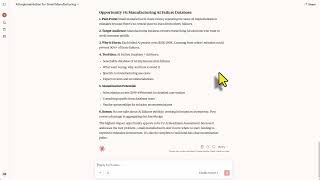
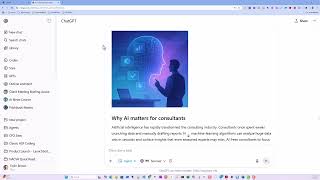
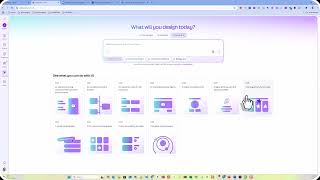
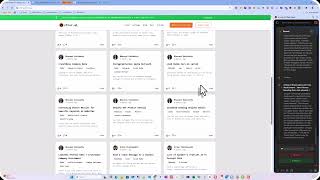
And you'll come up with this dashboard which is going to show all of the workshops that you have created up to this point. We're going to load up a couple workshops for you. As you can see when you log in, this is just to help you get started. From the dashboard, you'll notice that you can view a workshop, you can visualize a mind map, and you can delete. So if we take a look at View Workshop, We'll be able to see all of the elements that it's created. It's given us a workshop idea with details, some content, what they get, some bonuses. It gives us an outline of what to teach. It'll give us some features and some marketing hooks that we can use in our marketing. It'll create a complete mind map of the thought process going into the development of this workshop. It's also going to create a recording outline, which you can use in creating your workshop materials. It's very detailed. It's also going to create some promotional emails that you can use to help sell your workshop, create some content for Facebook ads. You could also use those in Google Ads as well. And then it's going to create a welcome script and some support materials to create. You can also export this entire project as a Word doc, can export it as HTML, or even as a PDF. So it pretty much creates everything that you're going to need to create your workshop, the ideas, the concepts to cover, how to market it, a mind map, what to record for an outline, the emails you're going to need to use to engage people, Facebook ads, welcome script, and support materials. So that's the first option. The next option, if we want to take a look, is we could see a visual version of the mind map. As you can see here, and you can download that as an image that will help you visualize what you're going to be teaching in your workshop. Now one thing I always do so I don't start off the blank screen is I'll go ahead and click on Create Workshop. If I'm not exactly sure what I want, I just have a basic idea, I can go ahead and go to ChatGPT. I can ask ChatGPT for a good topic that business valuation analysts could use to learn about to help them grow in their career. And it's given me some great ideas here. So I'm gonna go ahead and we'll use this. Copy that. Workshop niche is going to be the valuation of intangible assets. And it comes up immediately with some workshop details, a name, a headline, an outcome, some of the content, what they're going to get, 'Attend the workshop,' and some bonuses. You can go ahead and click 'Auto-generate complete workshop.' However, there is a limitation within ChatGPT OpenAI's API, which is what we use, and it will time out. So you might have to regenerate some of those pages at the end, or you can just click on 'Next step' and generate each step along the way. It's going to give us an outline. Click on 'Next step.' If there's something that it generates that you don't particularly like, you can go ahead and click on 'Regenerate.' In this case, we're Creating features and marketing hooks, say regenerate, and then we could give it some instructions for how we want it to change. Maybe we want it to be more technical or more detailed as an example. In any case, we'll go ahead and click on next step. We can always go back to the previous step and regenerate. We're now into the mind map area. We'll just keep going through and clicking on next step. And to save time, I'm going to go ahead and click on next step and finish out. Each of these steps, then we'll review. Okay, once you get to the last step, which is support materials to create, you'll be given the option to save the workshop, give it a name, and it comes out here on your dashboard. You want to take a look at the visual mind map there, and you can also use that outline to create your PowerPoint. Just click on New Slide, comprehensive and detailed. It is Slides from Outline, find your outline, and as you can see, the details on this is very, very comprehensive theme to it, name for the workshop, and you have headlines, cleanup work, outcomes, got a presentation, content, the ideas, features, marketing, going to help you, mind map is fantastic, reporting outline, this probably used to create presentations, to create, now obviously you're going to want to review it, emails, the content is correct, already written for you, ads, welcome script, you could actually just simply read and have it rewritten if it doesn't look right, virtual sections, live, and For example, you just review this and rewrite, use it for notes, instructions, and it gives you all the ideas you've got. Your workshop outline, creating supporting materials, templates, guides, valuation checklist, trademark valuation cheat sheet. Anyway, it is fantastic and it gives you a great starting point. This has been one of the greatest time savers in my own business, and I'm sure it's going to be a great time saver for you as well. Grab it today. I can't wait to see the amazing things you're going to create with it.