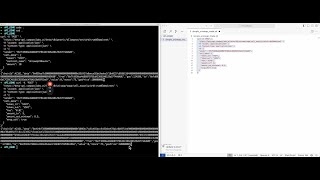
A mathematician uses Emacs shortcuts and Mathematica to compute the 7th root of 5 via Newton's method, automating repetitive steps with keyboard commands. The workflow chains symbolic computation to Google WaveNet for AI narration of the results.
Chapters
I'll show you my technique for doing mathematics only using a keyboard and Mathematica. In this example, I'm going to show you how to estimate base-10 representation of the 7th root of 5 to, I don't know, 5 decimal places. Let's let the 7th root of 5 equal x. Programmed in Emacs shortcuts into Mathematica firstly.
Paste it. Wrap and cut out. Paste it.
So that's what we want to do first, and then we want to rearrange into a function. Which crosses the x-axis at this irrational point. Now in Mathematica, it's easy to manipulate this display form even though it looks horrible. So it's got by display form, and I've made a shortcut df which does this automatically. Let's re-represent this.
Copy, paste it.
And the trouble with pencil and paper is you have to write out the same stuff over and over again, whereas in Mathematica you can automate a lot of the repetition.
Copy, paste it. Copy, paste it. Now we can define a function, f.
Which has a zero at this point.
Copy. Paste it.
And let's write it. f(x) equals this.
Copy. Paste it.
Let's recall Newton's method in canonical form.
We need to find the derivative f'(x), which is the derivative of this.
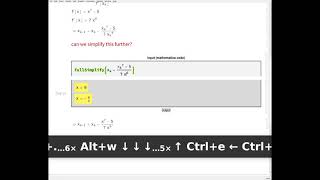
And we can evaluate in place. Now if I evaluate this in a Mathematica cell, it gives me that. But we can also evaluate it in place by going Ctrl... until we select the whole thing, and then Shift+Ctrl+Enter, and it evaluates the derivative in place symbolically. Okay, well let's fill in these values into new It's better now. Can we simplify this further? Let's try. Yeah, we can simplify this further. These are x_k's. And let's do 3 iterations of Newton's method by hand. Okay, so let's let our x_0 equal 1.
Copy.
X1. And we can evaluate this in place with a Shift+Ctrl+Enter, but we have to highlight it first using Ctrl+. And the highlight extends across the tree structure of the formula. And you'll notice if we do a tree form of this, "I did it." And let's make all of these strings so Mathematica doesn't automatically evaluate them. You can see the structure here. So if we put our mouse at 6 and press Ctrl+. It'll expand along branches all the way to the root of the tree. Okay, so that's X1, and let's do X2.
Copy, paste it. Move the— So this is X2. Paste it.
Let's do X3. Can actually simplify this using the same technique as last time: Ctrl+. Then Ctrl+Shift+Enter. And now let's do "Xtree." And again, we can expand using the same technique. So Ctrl+Shift+Enter. And there we have it. And if I go HL—
Copy.
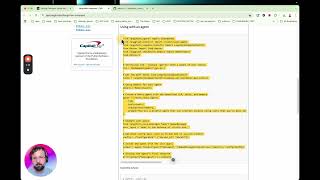
—we can put our answer in a nice highlighted box. Thanks, Steve. And also, another secret is that these sentences get sent to Google WaveNet in Google Cloud. Recall Newton's method in canonical form. Can we simplify this further? Let us do 3 iterations of Newton's method, quote unquote, by hand.