Day in the Life of a Professional UX Designer: Design Along - Part 1
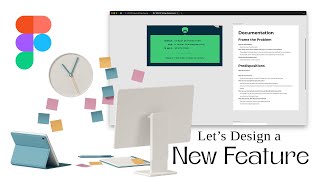
In this design‑along video, UX designer Ritzie Williams simulates a product‑team kickoff for a new feature: an edit‑settings form on a ticket‑purchasing platform aimed at sports fans. She documents the entire early‑stage workflow, starting with a brief prompt and moving through problem framing, user assumptions, information architecture, user‑flow mapping, and competitive research. The video shows how she creates a kickoff document in Figma/FigJam, defines the problem (sports fans struggle to find tickets they want), lists knowns and unknowns, outlines assumptions about user behavior, and sets success metrics (reduce time on home page, increase event‑detail views and ticket conversions). She then builds an IA hierarchy (home → profile → settings → account, security, content, sport, team settings) and sketches user flows for navigating to each settings sub‑page. To inform design decisions, she conducts quick competitive research on Mobbin, SeatGeek, Netflix, Twitch, and other entertainment apps, noting how they handle preferences, onboarding, and settings. Throughout, she reflects on scope limits (focusing only on the edit‑settings form for the current sprint) and plans next steps to prototype and collaborate with product. The video ends with a promise of a follow‑up part where she will create visual designs based on this groundwork.
Chapters
What's up everyone? I want to try something new today. I don't really get to do as much individual contributorship as I used to be, like actually doing the design. I have to do a lot of like reviewing design and looking at design and talking about design, but I don't get to do the design as much and I kind of miss it. I'm not gonna lie to you, kind of miss it. So what I want to do is maybe do some design work here. There's a couple like tools and stuff that'll fill in some of the gaps. Realistically, I'd be working for a company and I would be, you know, just putting myself as a position of a UX designer. I'd be working with the product team, I'd be working with research, I'd be probably working on a specific product. You know, I'm not gonna go through all that, all that, but I'm going to kind of simulate that I do work at a company, there is an app or a product we work on, and I'm a designer that's gonna design a feature. So I'm going to use a tool in order to pick that feature and I will talk about the details around it and everything like that. So let's jump in. It's, uh, the goal is to design an editing— edit settings form for a ticket purchasing site to help sports fans. Now that we kind of have the feature that we're working on, we want to, uh, there's an edit settings form. We need to think about that more realistically because that's not just a feature. That's kind of like just a page. What settings are we actually editing? Now assuming it's a ticket purchasing site, there's probably a few different types. Now let's, um, what I'm going to do now is I'm going to screenshot this so that I have this prompt. Now I'm going to get into like the documentation and normally what I would do is there'd be some kind of kickoff here, but, um, Let's get to the setup. Right, let's assume this is scheduled for a sprint. And I'm now going to start like as the designer, this is now what the sprint is starting. So what I'm going to do is I'm going to get my little kickoff document here. So if I go to the community, I'm going to search Ritzy. I'm going to take this process template. Normally I would copy it. I'm going to open it in Figma. Which is going to open the file for me. I'm going to duplicate it because that's how it works for me. Okay, and we're going to call this feature, uh, let's see, what was our prompt? Settings Design Exercise. Cool. Um, I actually like this preface for my files. It's the year 2024, and Q2. That way we know that this was designed in Q2 of 2024 because we may iterate on this later, you know, in like Q3 or Q4. Um, obviously this could go into Q3 or Q4, but I want to say this design was done in Q2. So let's go into our research and document, uh, documentation and research. Um, I'm just going to slap this screenshot in here. So that we know what we're talking about. And now we can go to this documentation. Okay, so who has the problems? Who has the problem? Well, we assume it's sports fans based on the prompt. Now, what is it that sports fans are doing? That's, that's the question. It's a ticket purchasing site, so we assume they're going to an event, right? They're going to purchase tickets to go to an event. Purchasing tickets, right? And it looks like the design or the feature has to do with an edit settings form. So what settings would they, they be needing to edit? Um, just off the top of my head, you can do, uh, profile settings, which can entail their sports preference, right? Maybe they set a favorite of what sports they want to see, right? So that we're not just giving them everything, we're giving them more of a tailored experience to see tickets. So the sport itself. What about the teams? A team preference? Obviously you have all the regular account stuff, so— oops. Let's look at account. I'm summing caps. Don't mean to yell at you guys. Account settings. We've got security settings. Also, I hate this. And some of this might be a little bit of information architecture work, but I still like to, for me to kind of just, normally there's some more context, right? Like there's an app or something that already exists. We're kind of starting it from the beginning, so we're thinking about this holistically. But, you know, it's good to kind of think about this holistic experience. So, what else would there be for ticket purchasing site settings? You know, maybe when we start getting into the research we'll figure it out, but let's say that the problem that we're trying to solve here is that there's too much vague, I guess, too much ambiguity for browsing sites, and it's hard, browsing the site, and it's hard to do. So in which case we're gonna update this. Okay, so the problem— and I like this little setting, it's kind of like template, this layout of how you write a problem document, I mean a problem statement— is the problem is that finding tickets to the activities the user likes is difficult. This is a problem because the user is missing opportunities to attend sports— sporting events they like. Uh, even saying that, I was almost thinking content types, right? Content settings. Because what if there's, you know, what if I, like, as a sports fan, I want to go to, uh, I only want to go to live events, or what if I want to go to digital events, or I want both, right? Like, sometimes there'll be, um, different types of events that I might be interested in going to, and I don't know if it necessarily makes sense for content settings. but, you know, maybe it does, right? Some kind of preference, and maybe that's just a filter, but maybe it's a setting that we can save or something like that. Just throwing it out there. The idea came to my head. I want to save it. When we're actually doing design, it might be worth discussing. Okay, and where does this problem arise? So when does the user actually experience this problem when looking for events to attend, right? So assuming the kind of journey that the user goes through, and we can actually, you know, document this journey, is that a user, you know, user comes to our site, they're looking for sporting events, they're looking for— let's give an example here. We're looking for Lakers tickets for tomorrow, right? We want to go to a Lakers game. Lakers is a basketball team. We want to go to the Lakers basketball team game tomorrow. I imagine there may be some, some, I just want to go to a basketball game, right? Or I want to go to a Lakers and Clippers basketball game, or Lakers or Clippers basketball game, or, you know, whichever preference. I want to watch the Dallas Mavericks game, right? Right, there's a couple ways this user journey can go, but the problem is, is they're having a hard time finding that Lakers basketball game that's at the Staples Center or at the Crypto.com Arena. You know, like, we need to make sure that that's an easy experience for them, because when they're looking for it, they need to be able to find it. And number one, if they're booking through us, our business makes money, and also it helps them find find their, you know, find what they're looking for, right? They're looking, they're sports fans, they're looking for that. Now, the question will be a few other things, right? Like, 'cause I know there's some competitors, like I've seen commercials and ads for stuff like this around finding immediate tickets or finding like overflow tickets that are cheaper. So there'll be like a level of preference in selecting the seats, which may go into this flow, but maybe not. It's gonna depend on the scope, right? 'Cause if we're designing the entire app from scratch, There's a lot to design, but if we're just kind of setting up preferences, then we have a lot less, and then we'll assume some of these experiences are already designed or they're— we're going to come back to them in a later sprint or something. What do we know? This is our predisposition. This is stuff we know and we don't know. It's kind of good to document this because then we can say where we are in our journey, but we do know We do know sports fans are using this to— well, even that's not really a know. What are our assumptions about the users though is we are going to assume they're sports fans. We assume they are sports fans looking to attend sporting events. That's what our assumption is based on this prompt. We have no research, so we can't really say, uh, what they are, but we're going to assume they are. We're also going to assume they need personalized results to help them better find sporting events they actually want to attend to. Huh, what else? What do we not know? We don't know where the user expects— we don't know anything about the user really, but we don't know what the user expects to see, or we don't know what the user expects in terms of pref— uh, in terms of filtering and searching. right? Is search just enough? Like, search may just be enough, but it might not. And then what are our assumptions about this feature? Well, we assume— because think of this as now, if we build this feature, what's gonna happen? We assume— oops— if we build a way to save preferences, It will increase user satisfaction and increase conversions of— like, people are going to buy more tickets, right? They'll find their tickets, they'll be able to see more tickets, then they're going to buy more tickets. So that's kind of what we're saying is going to happen if we, if we build this, which If they buy more tickets, our company makes more money. So it's a win-win. They get to find things they're looking for and our company becomes more successful. So how are we gonna say that? If we increase user satisfaction, increase conversion of ticket purchases. Yeah, thinking about this, there, you know, there may be upsells on, you know, season tickets and notifications on, better seats or seat discounts. There's all kinds of things I feel like we could potentially solve in this overall app idea, but, which is a good thing to know. I feel like as a designer, you kind of want to think, have some big picture and think of these ways that we can help. And, but making sure you do understand that what you're designing right now is limited to what you're going to deliver in this, this timeframe, right? Because like I said, we're not designing the entire app within this sprint. We're designing just the edit settings form, or just— I mean, realistically, that's, that's a pattern. I wouldn't even say we're designing that. But we're designing the settings experience to help the user help better navigate our app. And like we said, we want to increase that satisfaction, we want to help them find things that they're actually looking for, so that they are, they actually purchase tickets that they want. And this is kind of the same thing. This is kind of setting an example. So if we increase, let's say right now we, if we had more analytical understanding, we'd know like how long people are spending on a page. But we want to decrease time on page. So this is the time on the homepage. Page searching. Increase, um, event detail, uh, views. So page views, page views. So assuming we're lowering time on the home screen and they're seeing— they're looking at more events. Um, okay, I think that's good. That's good in terms of documentation, at least for me. Um, may have some follow-up questions, but You know, we'll see. We will see. Uh, next steps is I'm kind of gonna move into some old FigJam just to start kind of laying this out. It's a little hard to like say where this is gonna live without this. So let's kind of get some information. Uh, so obviously we have authenticated, right? There has to be a setting. You have to be authenticated in order to know that the user has preferences. You have to have been authenticated, so that being said, there is an unauthenticated experience, but we're not going to focus on that, right? And in that, assuming you will have, uh, some kind of home and you will have an event details page. Right, you will also have a profile to see your information. Now here's, here's where things get weird. Inside your profile, what is there? Saved events, that's worth putting. Right, and a lot of these probably have, you know, realistically should have their own time dedicated to designing this. I'm kind of throwing this together, but, you know, we'll see. But I do imagine inside profile you'll see your profile settings, or really just settings overall. Which will have all the stuff we just said, right? We went through all this and now we know what's gonna be in there. So account settings, see, 1, 2, 3, 4, 5. Security settings, content settings. Maybe we can put that with, um, the account settings maybe, or it'll be specific to, um, to the team or something. TBD on the content settings. We might have to think about that a little more. It may even get backlogged. And, um, not go there at all, right? That's one of those things as we start getting to design, like start designing, we may have to figure out what's actually there. Like what content do we actually have? You know, we start getting from vague to more specific. And that's kind of, if you notice what we're doing here, we're starting to go from an edit settings form prompt into something more specific where we have an auth, uh, authenticated experience that has a home screen. And event details, assuming with a, uh, a purchase functionality or flow, right? Who knows, right? Um, and it also has a, a profile and, uh, that has, you know, user profile details like upcoming events and a settings section, um, with account settings, security, content, sports, and team settings. And some of this stuff, like, this is a little bit more like it's design specific. It's— I wouldn't— I'd even say some of the stuff I'm talking about, it starts getting into product strategy, like looking into that content settings and things like that. Um, some of it becomes a little bit into understanding the product and then product strategy for the future and what's going to happen. But now that we've kind of figured out our IA here, um, I like to get into like the user flow, which, which is pretty similar to this, uh, or at least what we're gonna prototype or what we're gonna design out. So from here, I'm gonna assume, so I don't need this and I'm gonna organize this a little better. Okay. So home was where we started. I like to organize this a little bit better. So we're gonna call these user flows. Huge. Alright, I'm gonna call this Information Architecture. Hope that's spelled right. If not, it's fine. Section that, IA. I'm gonna make another section and call it User Flows. So people can get there and I can link specifically to those if I need to. So from Home, what's going to happen? How do I do that shortcut? Okay, Command, uh, Enter is the shortcut. So from Home, we're going to go to Profile, we're going to Settings, and then this is where we might need some deviation here. So we're going to need to see Account Settings. Um, let's say basically all of these, right? So you're going to need to go to all of these specific pages, right? Because assuming none of these exist, so we need to build them. Update Settings and then Save, which then— oops, not save, save— which is gonna take you back to the account settings section, the updated account settings, right? Same for security settings. You're gonna update, you're Security Settings, and we'll need to talk about what's actually in Security Settings momentarily, but these are the same functionalities. Update, save. Okay, and all these will go back. I should— I can get more detailed here too, but we are gonna have to start thinking about what's gonna go into these, which can be done in the IA or in the drawing section. Now I was gonna say I'm gonna draw it offline, but I feel like talking through it would be pretty beneficial. But you know, I guess I'll just present it. Normally this is kind of done on your own too. Assuming you've— you already had your kickoff meeting and this is all kind of done offline or by yourself. I'm also— I guess what I can show is doing a little bit of research too, which might influence my, my drawings. So I'm going to pull up another browser tab. Now assuming this is going to be a responsive website or the website version, if it was an app, I'd look up— I'd look up apps specifically, but I like to go to Mobbin. Mobbin has a lot of, uh, a lot of flows and screens saved. So I'm going to do this and I'm going to go to sports. Let's see what they got. It's an app category. They've got Bleacher Report. They've got the Athletics Sports News Stories. Um, open app in new window. Okay, cool. And then Bleacher Report, I know what that is. That scores highlights in your team, right? So might be worth looking at because I assume people have the same problem. They don't want to see all sports all the time. They may want to see specific sports. This one, possibly Sports News, same scenario, right? So let's see how it is they're actually going to do that. Now, what else is there in terms of preference? It's a tough one. Let's see what they have. CRM, shopping, education, food and drinks, productivity, health and fitness. Let's move over. Entertainment, communication. Entertainment, maybe, right? Because you get a lot of different types of categories you may want to filter through too, right? Comedy, action, adventure, things like that. So that might be worth looking at too. Let's think about that. Communication, travel, collaboration, development tools. So it looked like entertainment might be worth looking at. We got Hulu, Patreon. TikTok is more discoverability. Hulu and Max might be good. Netflix is big. Then we've got Disney+. Twitch is interesting too because it's a lot of browsing. It's a lot of esports, so this one might be worth looking at. Let's do Netflix as well. We can always come back. Oh, oh, look! SeatGeek. Your ticket to sports concerts and more. Maybe this will be a good reference. And I'll open Netflix in another tab too. But let's check out SeatGeek. This one seems like it aligns with our our application pretty, pretty well. So they've got their onboarding. So you've got browsing unauthenticated. Remember we were talking about it when clicking login. You go to, oops, you go to your login, you enter your email, you can sign up. Cool. Let's look and see if they have setting up preferences during signup. Looks like they don't. You immediately go into the, um, you go into your, your, or you're into the flow without it. So there's no preference set up during the onboarding. That's kind of important, cuz right, if you've already set it, you're changing your settings. If you haven't, then you're setting it for the first time. So worth exploring. Home. Cool. This is their home screen. Trending events. Here's some categories. So they bring the categories to the top and expect you to click through. Uh, check this though. Change location, filter by date. Um, that's interesting. So they're expecting you to browse. Now every time, say you come here often, you need to go to NFL, the Lions, right? Or whichever team. NBA, the Lakers. Um, that's a lot of, that's a lot of work to do if you buy tickets more often, right? We want people to buy more tickets more often. So we want to help create that information earlier. Here goes favorite details, favoriting a ticket, filtering tickets. Let's take a look. Filtering. Okay. These are specific filtering the tickets, not the event. Sorting tickets. Let's see. Browse concert tickets. Let's look at that. Oh, hold on. They have one more specific browse NBA basketball tickets. So let's see how we do this. Browse Yankees events. Okay, so NBA basketball tickets. We go to NBA, we go here, it loads NBA basketball tickets. You can see a few. Let's see, it's weird. Look, you see Yankees events, Mets events, like neither of those are basketball teams. I don't know, maybe that's a preference we set somehow. I don't know. So we've got popular NBA games, we've got all NBA games, then you have all NBA— let's see, let's see if the prototype works. Okay, we go here, it's loading, it loaded. Events near New York, so near our location. Somehow we set our location here. Cool, whatever. How do we get here? Scroll down maybe? It's events in New York. Weird though, 'cause it's like showing Yankees and Mets. Okay, whatever. Don't wanna get into their UX, but cool, we scroll down or however we got here, assuming this is just a different section. Up here is the darker section. You see all of these carousels, all NBA games, popular NBA games, and then you get down, it's all NBA teams. What is this? Hover? We hovered? Here we go, Los Angeles Lakers. What is this? How did we get here? Oh, further down the screen. That's what it is. It's further down the screen. So that's browsing that. What about Yankees? Uh, browse NBA basketball tickets, the Yankee events. Okay, let's see this here. So yeah, we clicked on Yankees events and it took us to baseball. Let's go to the prototype again. The prototype was kind of cool. Okay, let's check the Yankees events. Okay, now we're on the Yankees. We're getting a list view here. We're gonna look at parking and all this stuff. Cool. Not super useful. Broadway tickets changing locations. Sure. Filtering events by date, searching for events, Search is obviously necessary. Navigation, browse a sports team. Okay, sports, we look for a team, we're going to Lakers. Funny they use the same reference. We go to events, all games, scroll down, bunch of info, tickets. Good information about a sports team. Let's look at some more of our details. Is there a my account? So we go up here to my account. Let's go to the prototype. We go to my prototype. We've got tickets, tracking, my account. So they don't have like a profile. It looks like they just have a dropdown. Might be worth it, right? Like you might want to put these together. You might want not. You can put this on a page, whatever. Depends on some of the technical functionality. But here we are. We're on the account, promo codes, connected accounts. Personal. We're really in like the settings. This is settings to me because there's no like profile details. It's just settings. If we scroll down, we've got authorized apps, logout, and then our footer. So we go to promo codes, not really interested. Connected accounts, personal info. You've got— see, you have your location here, which may be beneficial for finding, uh, stuff, right? You enter that. Payment and shipping. Delivery, whatever, payout. I assume that's if you're selling notifications. We don't have, which we might need, login and settings, uh, login and security, authorized apps. Cool. So similar to kind of our idea overall, uh, there's a little bit more information that we may want to look at and talk about product strategy that we may want to have or add. Um, maybe in this feature, maybe not, right? Like notifications may be necessary. But selling, we may not have selling and it might be worth looking at later. So we're probably not going to, um, think about that too much. Signing up, about, yep, yep. Events, SeekGeek Enterprise, Let's Talk, Creator Platform, just looking at anything else. So that's all we see there. Now let's look at some other stuff. Onboarding, gift code, um, learn more about security code, who can use your account, home. Explore categories, show details. We're looking for browsing. We've got My List, Browse by Languages, Searching Netflix, Kids, Switching Profiles, Managing Profiles, Account. Account's kind of interesting. Let's take a look at Account. Notice they also do the dropdown thing too, but there's— they have My List somewhere else. You go here, you've got Everything on one page, plan details. Mm-hmm. Interesting. Billing, viewing activity. You know, activity might be worth exploring. Logging in, profile, ways to watch only on Netflix, media center, about. These are just more details. Jobs. Yeah, whatever. Twitch has a lot of browsing. They literally have a browse in their home thing. Watching a stream, following a channel, channel details, browse categories. Let's take a look. Browse categories. Look at the prototype. I assume we click browse. So it's got all the categories here. No saved preferences. Maybe we're on to something here, right? Save preferences— that allows you to remove saved preferences or automatically apply tags, or even a saved search of some sort. Right, we got to go through basically everything, pick a game or pick a category. We go through a category, then we choose a stream. I think, I mean, uh, sure, I mean, I'm familiar, but it's no preference here. It's like, you know, it's too easy. And I don't get me wrong, I think there is a, there is a value in showing an ability to see everything, but most of the time when using Twitch, you're pretty— if you notice, look, default is following. You want to see things you've already saved, channels you've already saved, which may be similar here. Maybe really you can just save and favorite teams instead of having all those preferences, like having a setting for it. But then, then you need to manage, almost like YouTube, right? YouTube gives you everything as well, and then you can manage who you follow and stuff like that. So, there's some references. What I'll do is I'm going to end up going through more details, and as I start drawing and looking at some of the information, I'll definitely— I'm going to put— I'm going to draw it. I'm going to use that inspiration. I'm probably going to save some of the screenshots in order to say, "Hey, these are what we looked at," because the next thing, when I take these drawings, I'm going to collaborate with the product team and the rest of the team members to show this is what I'm proposing. This is why I'm proposing it, and here's some of the stuff I've looked at. Basically, here's what we're trying to solve. All the stuff we've done so far, I'm going to present that to everyone, and they'll give their input and feedback, and we'll talk more about it. So I'll be back with a part 2 or something like that, because this video is already getting long. So thank you guys for watching, and I'll see you soon.
More from Ritzie


I started my career doing lots of graphic design and having to create and edit images.



How to Upload a Project to GitHub (Using Claude + Cursor) | Step-by-Step Tutorial