In this informal live‑stream, the host (Speaker A) and a co‑host (Speaker B) walk through a real‑time UI/UX design workflow while also managing the technical aspects of streaming. They experiment with background music, troubleshoot audio and video quality, and interact with the chat. The core of the session is an iterative redesign of a signup/profile form: renaming pages, restyling buttons, adding and adjusting validation rules (e.g., minimum/maximum character lengths, no spaces), and reorganising fields. Throughout, they leverage an AI design assistant named Claude to generate pixel‑perfect components and to speed up the design process. The stream showcases multitasking—research, AI prompting, and UI tweaking—while maintaining a conversational, playful tone. The session ends with a brief wrap‑up and a sign‑off.
Chapters
Are we live or are we not? Are we live? Yes, we are. Yes, we are live. All right, cool, cool, cool, cool, cool. Maybe we can get some music on the background here. Um, Okay, wait, I did save Ian's music. Is this gonna work? I don't even know how people do this. How do you use this thing? See if I can just do Like 3 of them. Is it gonna give me like a playlist? You're gonna send me like mad music, so let's just throw them all on there. All right, we're just gonna see what happens. I just did everything. I like this so far though, I'll tell you. Can I see the playlist? Recent play queue. Okay, I gotta play queue here. Okay, that was so loud on my end. Oh, you guys aren't getting it.
Okay, okay, now I think you're getting it.
Oh, this is nasty. Okay, okay. And let me know how that is on you guys' end. Yeah, yeah, yeah, yeah. Oh, okay, look, so my screen is cut off. Oh, I see why. That's why I have this sticker here. Now what do I want to do? Oh no, is that too far over? It is too far over. Almost to the beginning of the tape. Terminal, what happened? Okay, let's see, let's see, see it working here. I say password, I say username, right? So you guys, what I have currently— this is what I have currently, and then I'm gonna restyle it. I can find cursor. Where's cursor? Where's cursor? Where's cursor? Okay, okay, let's see what we got here. Okay, so it did something like that. Yeah, I don't mind designing like this, just, just telling it to do its thing. Prompt, prompting. You go, you go do the pixels, man. You go do the pixels, Claude, my personal designer Claude. There's got a lot going on here. Let me throw a random one. Okay, let's refresh this bad boy. Oh, that's a lot. Not on everything. No wonder people do it two steps. So let's hide them on first. Uh, first name, last name, email. What's the taste page? Okay, so this is on the same page.
This is cool.
Do we have these in settings? Oh, they have a— I don't have this. I just kind of go into it. Yeah, we do not have that. Mm, I'm feeling this one. Yeah, so when I, when I'm working like this, I can legit work on like 3 things at once. Like, I can be running this, I can be doing research on something else. Like, this is too easy. Okay, let's see what happened here. Okay. What do we got? What do we got? Music's building up. Okay, cool. So that's updated. Nice, that's way better. Let's fill it out.
Let's see, that's clean.
Yeah, that's clean too. Okay, so I like that.
Hmm.
Yeah, that's cool.
Oh.
Was the most activity, uh, I just realized I probably can increase the quality of my stream if I figured out what the problem was. I like this one. Share the stream to some people. How do I even get to my channel on this phone? Oh, right here.
View channel.
Let's see, can I hear it?
If you're a designer and you're trying to connect If you're a designer and you— Oh, you wanna see? Let's go! Yeah, I'm not gonna be able to give you this package without a mask. Have a good— Masks for sale! No!
No!
No! You think I want to be here right now? Masks for sale. No, no, no, no, no, no, no, no!
You think I want to be here right now?
See you!
Oh, I've been muted this whole time. Oh, there, my chat did work. Ryan Cole, what's up, man? Sorry, I, I said hey a thousand years ago and it just never— I guess I've been muted this whole time. Oh, and I need to fix all my inputs. I mean, my labels. There's like re-enter or confirm stuff you never think about.
Confirm.
I feel like, uh, subscribes to Marketing is Lame.
Value password input. Oops, that's why this is the wrong So when that's right, that'll do that. Contains—
how do you even search for this? That's what ChatGPT is for.
Oops.
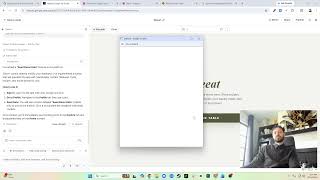
Okay, so we'll leave this for now. Let's do— let's change the name. Profile setup, let's call it user setup. Sign up. Okay, so now we go to profile sign up. Oh, I should do them both sign up first. So I'll call it Sign Up Profile and then Sign Up User like that.
And then sign up user.
There we go. Now in my organization, they're together.
Okay.
And what does it say here? Okay, now it says pick.
Small.
And then I want to make it rank. Secondary. Cool. So now let's take out a bunch of this stuff. So name, email, passwords— like, we already have these now. And then it That, that's all good. Okay. Oh, I like— I need the form. Actually, do I still have it? No, I don't. I definitely don't. So let me go back to the signup user, the validation row. 3 and 20. Oh, I got current. They're me, that's why. All right, so yeah, nice, nice, nice, nice. Okay, so let's see, step one, let me fix the sign up. Okay, now we need a page. Sign up profile. Yep, I'll fix that. So now we're going to make changes to the user. Value, um, lowercase. Then also Okay, so now— oh, that's why. Are my, my buttons are okay? I'm gonna have to restyle my buttons, which is fine, no problem there. Is there— let's change this to the right label. Okay, so what is my validation again? I've got like a bunch. Okay, these were my, my validations before. Okay, so you can see here, first conditional Okay, has to, has to be there. Got it. I don't even think I need this one, but this one Right, right, right. So that's right. Okay, uh, let— no, it has to be greater than 20. Oh no, I messed up. Okay, I don't even know what I'm doing there.
Greater than 3.
Is what? Less than or equal to 20? Okay, so that's saying it's less than 20. Okay, that's right. Go back to here, delete that one.
Oh, you're within 20.
At least 3 characters. Can't contain spaces. And where's my error? I just need the expression.
Perfect.
Oh, so if the username is greater than zero Showed. Wait, wait, my— is my math wrong on all these? If it is zero, it shows. Otherwise, it's an X. And for these—
cool, everybody, be right Oh!
All right everybody, this was fun per usual. I'm out, I got a call coming up in a few. Thanks for hanging out, thanks for stopping by. See you guys later.