Designing A Meal Planning Feature with Claude Code
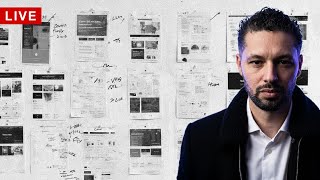
A design team builds a meal planning feature, debating whether meals should be reusable collections and how to organize them by day and week. They sketch UI layouts, test a 400-pixel column width, and draft an Explore page with Cookbooks, Recipes, Restaurants, and Orders sections.
Chapters
Oh, I had the mic off. Is the mic the right mic? Sure is. Cool, cool, cool, cool. Let me see. Let's, let's test out, let's test out a hit. Let's test out one of Ian's hits.
I want to try and add some stuff to the screen.
Yes, he has a problem. Not gonna go to the next song. Can I have this autoplay? Let's see, so we could use download Streamlabs plugin for OBS.
Oh, you can do multiple chats, that's cool. So let's see, I'm going to What is this gonna do?
Browser.
Let's see if this works. Sure does. Okay, that's cool. I'll come back to this. Next song. Let's set this up here.
Let's see what it does. Let's see if I can put it together here.
The battery's low on my high-speed.
All right, let's see, let's see what we got here. It's also to fix the—
did we already fix that?
What did we do? No, let's also fix the link.
There we go. Okay, that, that's better. Um, obviously this is broken. Now let's fix it on the meal— on the plan page.
So this is interesting because it's making the meal the way I kind of imagine it, like you would You'd make a meal. See? Just gonna, just gonna throw at something and see what happens here.
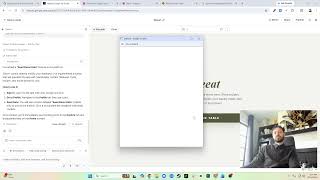
While that's going, I can do something else. Design YouTube. So what I'm designing is 16 by 9, and then we're also Yeah, so if we did something— I'm looking at the stream, and if we did something that took a bite, because it's about the same size as the screen, right?
I mean, I think, I think this is about 16 by 9.
Let me look. So let's say we do this down here, right? So if we did this to be about 400 pixels there, this— oops, see how much, like, there's so much space? It's small. Yeah, tough scenario because, uh, 16:9. I mean, I could cut a piece of the bottom off. Like, do we really need to see the bottom here?
Can you do that?
Capture method. Sure you could. So then we could have some like text on the bottom, chat and stuff on the sides. I do wonder what it's going to come up with. Oh, it's broken. Let's see, properties. Oh, my song ended.
Full screen, right?
What am I doing here?
Display capture.
Do a window capture. Oh, so it's just me, but no.
Okay, cool.
I found a helmet.
That's a profit. I want to pick out the bottom.
Yeah, got that. But now this is more squared.
This is going to look a lot of— oh.
Okay, so cool, we got breakfast. We can do the add recipe or add meal up here, and then morning food, right?
You—
but you wouldn't like— breakfast is the meal. It's like the category of meal, right? So like if the meal was pancakes and bacon, so like am I thinking about it as Monday, Monday add a meal called called Breakfast, and it contains eggs and bacon and a recipe for pancakes. And then I'm gonna add something else called Lunch, like—
yeah, I don't know.
Oops.
A tough one here.
Like, or on breakfast, am I adding this meal which is called Morning Boost, which has avocado toast, something something, right? And then I I can add another one below it. I almost see a meal as a group of recipes that I may use again.
Like, do I—
but do I save meals? Do people want to save meals? Because I don't want you to have to like recreate this every time, right? Next week I eat the same thing for breakfast. My brother is the same thing for breakfast every time. He doesn't want to— he's going to want to create a meal So I need to figure this out a little more. This is important.
Um.
Okay, so for this, right, you have week, day. Sure, like your meal, like an orca is already a meal essentially, because you can, you can have, um, like everything in your order.
So you may have scrambled eggs And then, let's see, breakfast burrito.
All right, and that's your, that's your meal.
What did we call it here? Breakfast morning boost. Now when you put it, does it need to say morning boot like, or will it just add these recipes into breakfast, right? Like, this is a tough one. This is a tough one right here. I'm going to update the design. Uh, We'll see what, what that happens.
Oh, I probably should have said and keep the color yellow.
Um, yeah, so this is why the meal plan is hard. Explore, we don't have. Home, we do have. I do like some of this. Here goes tags. Normally this will take you to a detail page. This will be closer. Today's cool. Take you to today. Monday we got the breakfast, lunch, dinner. Tuesday we've got— see, but it's like almost too stacked.
Yeah, so when I designed this I didn't have a meal here.
It was just the recipes.
This was the meal.
Should I just have a day where you can just throw in a bunch of meals? So it's like a day, but these aren't here. No meal categories. You know what? I'm interested to see how does—
what is it? My business pal?
Maybe I don't have one.
Let's see.
I definitely have one. Let's see what— let's see what this did. Okay, food.
Is it just not responsive? Wow, it's like just not responsive.
Crazy.
So they do have breakfast, lunch, dinner, snacks. I don't know, I don't like it. You know what, I guess what we could do is something like this where it's still, you know, it's still like a Um, you're, you really can either do it to the day or you can add a meal that, that is just the recipes, but the meal is really just saving it. Let's see. Oh, that's much cleaner. I like that much better.
Yeah, cool.
Plan. Okay. Let's see if I can, um, give it something like this.
I could do something like this.
Further like this, and then I can crop cursor or whatever and have this whole section lift it up. I could do this, but how do I, how do I consistently keep it like this? And then what if I, what if I was to close this? Okay, it still stays like that, so that's cool.
Yeah, let me just do that, and then I will—
let's see, transform, edit transform.
We'll still take the bottom off. Okay, so if I do something like this, I'm going to minimize this to here.
Okay, let's see. Right, and then this stuff can go over here, but this needs to go all the way to here. Yeah, so I can do something like that.
Got the chat window here. I'll put something down here, but generally like that.
Cool. Um, Tuesday, Wednesday, Thursday, Friday, Saturday.
Now, how do I keep a consistent spacer here? Like, how do I know which part that is. I guess I could put like a little piece of tape on my monitor, like down— yeah, like on my monitor down here so I know that that's how far it needs to go. It's not a bad idea. I don't have any tape on me right now. Actually, I think I know where some is. Okay, while this does that, I will Set that up to the next song, and then I'll go What?
What is my mic doing?
Oh, it's, it's picking up the audio from the thing. Okay, I see. So what we'll do is we'll change my mic.
Let's see, because Yeti—
let's do the Yeti.
And can we turn the Yeti up? Does this turn it up? Is this turning it up? I'm not even sure if this is turning it up.
Hello, hello, hello, can you hear me?
Is this turning it up? Is this turning it up? It doesn't really look like it, huh? Oh, there's some more knobs over here.
What do these knobs do?
Let's see, does this turn it up? Does this turn it up? Is this turning it up?
I don't know.
Nope, this looks like it's turning it down. Yeah, that's turning it down.
Got it. What about this one?
I guess that's like sound tight. Is this turning it up? Okay, that's all the way.
That's all the way.
So at this point it's just not close. Okay, clean. Oh, this is broken up here, and this is weird. Okay, let's see if I can, um, In the meantime, while this is doing all its stuff, I'm gonna go here. There we go, I got a screenshot of this. So now I can lay out my layout correctly. And back to cursor. Are you done yet? No? So in the meantime, I can design the layout. So the plan looks pretty good for an MVP, for sure. The home It looks kind of like what I have, to be honest, which is cool. Okay, so I can do this like this. Oh, and I can use a little tape. Perfect. So let's go to— yeah, see, so now I have this. I can set some Boundaries like this. I can even go like this. I get that exact—
I'm gonna set the height as 50.
Okay, so that should be the area right there. And then if we do this, right, let's say width Let's say 1080 minus— oops, let's move it over just to ensure it. Minus 50 is 30. Yep, that's about right. Okay, and then this should be fixed. I don't know what it did. Plan, remove plan. Okay, I guess. Yeah, this looks great except for that, for some reason, whatever that is.
This is cool.
Yeah, that's really cool. I like that. Okay, let's see. So that's, that's super cool. Um, I think in terms of this, we're all good. I'm good with this. We do have to do like the actual adding of a meal, but we'll get back to that. I do want to do this explore page. So for the explore page, I'm gonna move this here, same situation, right? And then I'll just toggle between the two. Okay, let's build out the explore page. Um. Users, um, let me look at my notes. What's on the explore page? Cookbooks, recipes, restaurants, and orders. We'll see if it gets what that means.
All 6 pages.
Oh, oh.
Okay, alright, it's getting crazy. Hasn't built them yet. Okay, it added all the styling. That's crazy, it added the styling before it even added the HTML. Like it knows specifically that it's going to do it. Let's look at the CSS. See assets, icons, images, okay. This is under app.css. So it does have components, which is cool. So button, button-active, button-primary, super cool. Then it has the app. So this is just page layouts. Here's the shell nav on mobile.
That's cool.
Base, yeah, okay, this is just general, I guess.
That's cool.
Main Explorer page. What is this? My love, you're gonna have to look at your— you don't have to look at your calendar because I'm telling you, but do you notice there was something special tomorrow at 11? Yes.
Well, I have to get ready for it by then. Cute summer dress, heels?
Nope, nope, none of that.
It's outdoorsy.
Oh, outdoorsy. White Air Forces or nope, regular shoes.
Got it, got it.
I'm thinking Docs.
Docs.
Oh, I know what—
I know what's going on.
What do you think is going on?
I can't tell you cuz I know it's a surprise.
Docs, jeans.
If you had some cowboy boots, I would—
not yet.
Concert, a country concert for that one day.
That's, that's, that's what, that's the vibes.
Okay, okay, I think I have a better idea.
What is it? What do you think?
Do you want to, do you want to know or do you not want to know? It's something like that. Yeah, I, I told, I told, I said we were going to do something and you know me, I get it done.
Yeah, yeah, and we just saw that all today. Oh, I know, randomly too. I was like, what is this person out there doing right now? So I can't wait.
Thank you.
I love you too.
Uh, we have to get the girls soon. Hey, make sure we bring something warm.
Remember last time we did it and we were freezing?
Oh, so cold, right?
Yeah.
I'm wringing that whole jacket, like, I am not about to freeze again. Okay, look, look, look. Explore cookbooks, orders, people, and then there's an explore page. Perfect. And that is, uh, you see, I was— I'm full on my usage, man. I, I have like the free plan and I hit the— I hit the usage every time. Is that what it says here? Like, what does it say?
No.
Cool.
Let's relaunch the terminal. Actually, let's close this down. Now let's see what it did. Okay.
Oh, it did work.
Okay, this is clean. This is real clean. Um, it did this little off-the-edge thing.
That's cool.
But like, you know, since we have— there's no actual container there, so to me it's weird that it just cuts off. Like, I'm like, you can just keep showing it or only show that many. Um, let's see. Recipes, cool.
Cookbooks, I would have put above restaurant.
So it really just laid them out individual like cards. Past orders— it's actually not past orders, orders. And I have to give it the information, but looks cool. This looks real nice. Oh, tags on a restaurant, don't have that. Clean, clean. Now search is weird because you can't search. Like, I mean, maybe I just don't know how to do this search situation. I guess you, you could do it as you just have another page of results, and then if there's results and you show it or not. But for me specifically, look at that, boom, that's all the people. That should be a long list, and you could search that way. Go this way. I dig the visuals, but if you look at mine, I almost like mine, the minimalism of mine better. But I may adopt some of those patterns. So let's go here. Get started. You see here it's, it's more white, more, just more clean. The Explore page, it's a lot more imagery, a lot, you know, more imagery that's bigger, in-your-face. I only have recipes and users at this point. Activity is notifications. That's just the bell. Profile. A lot of this I already have, and this I can make sticky, I guess, or fixed.
Clean, clean, clean, clean.
How did I do your profile? I did the name and then the username. I think I did username and then the name. Let's compare again. So this to this. I do like the outline here. Theirs is— it's not much bigger. It feels bigger. Maybe their text is just smaller, like significantly smaller. And I have mine above the picture, which I did not know I had. Yeah, I have to fix that. Is that always like that? No, that can't be. I have connect— yeah, I did. I gotta fix that.
Okay, cool.
Well, I, I do like some of this design. I don't really like the gray background situation, but I can always have that updated to white.
This is cool.
The last thing I do want to do— I'm working on another project here. Where's cursor? Ah, so I'm gonna open a different session and I want to push these changes. To, um, to get the site. Site. That should be under 2%, right? Yeah, 1%.
Nice, cool.
All right, well, that was fun, everyone. Thanks for stopping by. Stop— thanks for hanging out.
More from Ritzie
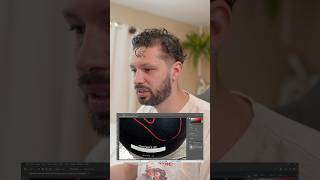
I started my career doing lots of graphic design and having to create and edit images.

How to Upload a Project to GitHub (Using Claude + Cursor) | Step-by-Step Tutorial