A tutorial on using Claude to create a GitHub repository, push project files, and deploy to Vercel. The presenter shows how Claude handles authentication and commits, then deploys the site live. A key fix: naming your main page index.html so Vercel doesn't return a 404.
Chapters
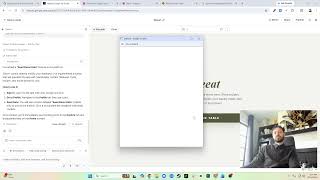
Okay, really quickly, I wanna show you how I use Claude to upload things to GitHub or publish them live. You can see here I have a really cool product I've built. I've got it coded. I think I even have something, just finished, finished something. So you can see it's, I had Claude build a lot of these sections. I've got a few pages here and it built all this, including a style guide here. And it just finished updating this. But say I wanna publish this live, I want people to see it.
And let's say, hey Claude, let's upload to GitHub. I'm gonna go back.
I say yes to whatever that is. I logged in. Now I had to do this login on terminal or something else prior. So I did already authenticate to GitHub. I've posted, I've, you know, pushed quite a few things on there as you guys could see. So the setup's already good, but now it's updating it. You can see there's like.gitignore files, it's uploading these things. Sure, I just say yes. Oh yeah, so, uh, it made its own repo here as you can see. So we can go back here if we go back to my profile.
We can look at my repositories. There it is.
So it— Claude even was cool enough to make its own repository and put it, published everything there. So now let's say that I want to create a website that I, you know, that people can look at. I use Vercel. It's a lot easier. You see, I'm already logged in. I'm going to add new project. It already normally connects to my GitHub, but it looks like it didn't. So I probably need to re-sign in. There it is. And now I have that repository. I just import it, trust it to do its thing, deploy. And in like a few seconds, it'll be, it'll be live. Building logs. Once this is done, like that, it worked, but I don't have an index page. So I do need to go to, um, /home.html. Is that it? Uh, oh no, slash here. I can go here. Style guide. Yeah. So because I don't have an index page, there's nothing found. So if you look back at the files here, right? So when it pulled this, it doesn't know which page to pull up because there's no index. Now you see it worked for style-guide, style-guide.html because I have that page, but there's no index page. So it didn't know which page to pull up initially. If I had a page called index.html, it would have worked. But since I didn't, I had to manually type it.
Now I can go here.
And it takes me to, you see the URL is /app/profile, but that's because all my pages are in an app folder. So, and that's all published to GitHub. You can see the same thing here, right? Same thing, app, assets, CSS. Yeah, so that's how to publish it on GitHub and how to push it live using Vercel. All right, let me know what you guys think. Thanks for watching. Bye.