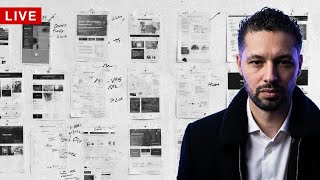
In this introductory video, designer Ritzy Williams announces a new live‑design series where she will redesign her existing iOS app, Weet, for the web. She outlines the full product‑design workflow she will follow—starting with strategy and planning, moving through feature discovery and research, lean UX/lo‑fi conceptual work, usability testing, and finally UI design. Williams explains the problem that the current mobile‑only app presents: entering detailed recipes is cumbersome on a phone, prompting a web‑based solution. She invites viewers to watch her hands‑on redesign process, promising detailed explanations of each phase and an authentic look at real‑world design decisions.
Chapters
Alright, we're live and direct. Hey everyone, my name is Ritzy Williams and I'm gonna start a series in which I actually go through designing live with you guys. I plan on going through all the phases of the process, starting initially with the strategy and planning, moving into feature discovery research, then into the lean UX design phase, which is the conceptual. Some people go with the, call it lo-fi. I call it a lean UX enabler. Then moving into usability testing and then UI design. So I hope to get into detail, talk about process, show you guys how it's actually done, really get hands-on the situation and really break it down. I hope you guys enjoy it. Come along for the ride. It's gonna be a little, little rough because I'm gonna actually be designing for an app I've built. The scenario really is I already have the app and I released it for mobile. I have an iOS app, it's called Weet. It is a social recipe and restaurant recommendation a community platform that allows people to create and share recipes as well as specific orders that they like at restaurants. They can follow friends and comment, like, save recipes or orders so that they can interact with them. And there's been some, some problem with it being specifically mobile is that recipes are actually relatively challenging to enter. There's a lot of information, so it ends up being quite a long form. So that being said, having gathered that feedback, um, I'm starting to look into building it for web so people can use it on their computers and actually type some of this information. And now we're going to try to schedule this from a strategic standpoint, which features go into it, and then designing out those individual features. Here we go. I hope you enjoy it and come along for the ride. I hope to really get into detail and show you guys how I do design, some of the strategic thinking of the product as well. So enjoy. See you guys later.