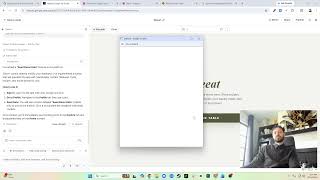
In this instructional video, the presenter walks through the first day of a Lean UX Enabler kickoff for iteration PI 1 (the first of six planned iterations). The session begins with a review of the assigned UX enabler in the project board, linked to the user‑profile feature, and emphasizes the importance of a kickoff meeting with product owners and stakeholders. Using a custom Figma template, the presenter demonstrates how to structure the enabler documentation, covering sections such as cover, concept, documentation & research, information architecture, and user flows. The core of the walkthrough focuses on framing the problem (who has the problem, its nature, why it matters, and where it occurs) and populating the predisposition section with known facts, unknowns, and assumptions about users and the feature. Assumptions are articulated around user behavior (minimal data entry, desire to see others’ profiles) and feature expectations (account creation, profile updates, post association, saving posts). Acceptance criteria are defined, and a SMART success metric—100 new user accounts within six months of release—is set. The presenter explains how this metric will guide post‑release discovery, enabling the team to assess whether the feature met its goals and to plan further research. The video concludes with a brief outline of next steps: gathering inspiration, conducting comparative research, and preparing for subsequent design work.
Chapters
Hey everyone, so for this part of the, of the series, we're gonna go into actually designing, and I really want to take it from a realistic standpoint. So in, in this scenario, we're, we're starting an iteration. So maybe it's 1.1, right? We'll say it's iteration PI 1. That's the first iteration out of 6. As the designer that's, that's assigned to work on this, or is going to be working on this, I'm I really would initially start off with the first day. So looking at the screen, what we have here, you can see that there's a UX enabler scheduled for this iteration. You can see it's assigned to me. It's in Q1.1. We have some, some information about it. It's connected to the user profile feature, which we can look at, has some documentation. This will be helpful for doing the design. But real— realistically, what I normally do when I have this is I usually like to have some kind of kickoff with the product team, with the business owners, really everyone that has some background understanding of this feature so that we can start diving in. And so I'm gonna get into Figma here. I'm gonna go to the community, and I actually have a template that I have created so that you guys can also use it if you wanted to. And I'm going to download a copy. So now inside this template, let me give you a walkthrough. So there is a cover, there's a concept. This is just a, just a description of what goes here. But inside the concept, which is what this Lean UX Enabler is, is understanding a concept and figuring out what we're actually doing and what goes into it. So I will look here here at the documentation and research, and that's the first part we have, or we're on. Then we have the concepts, which has information architecture, user flows, drawings. But as of right now, just starting this, when I have this kickoff meeting, I'm gonna go through this documentation and really document what the understanding of this is. So framing the problem, we have, uh, who has the problem, what is the nature of the problem, and why is it a problem worth solving, and where does the problem arise. So knowing that, we can kind of document what it is we're— what we're trying to solve by, by building this. Additionally, we have some predispositions, and that's what do we— what our expectations are, assumptions are going into this feature. And you can see we have what do we know, what do we not know, what are our assumptions about the users, what are our assumptions about this feature, so benefits, benefit hypotheses, KPIs, and what does success look like. So what's, what's very important is in this predisposition section is what do we, what do we know? Like, what are some facts that we have? How we already know the user does things like this, uh, we already know this things, but we don't know how they're using it, right? So we'll document some of these things here. Assumptions by— we assume that if we build this, it will, uh, do this, right? We assume if we build this, the users will adopt it. If we, we build this, we assume that the use— this will increase user satisfaction and they'll tell people about it, right? What activities do we— or assumptions do we think the user will take with— we build this? And then any specific assumptions about actually building this. So if we build this, first off, we assume we're going to build this kind of flow that does this, right? We don't actually know we're going to build it yet. So first off, we assume this is going to be the answer. Then we assume by building that, it's going to do this, right? We assume it's going to save time. People will sign up and do this stuff, or they'll start purchasing more things, right? And we'll be able to track that by the increase of sales, increase of accounts created, something like that. So we'll have— we'll track this and we'll use this to inform the rest of the process. So I'm gonna take a second, and normally this is done with people, like I actually make this an open conversation. I'll even try to talk less and try to ask for background and say like, "Where did this feature come from? Like, why are we doing this?" I'll pull out little bits that fill, kind of fill in this. You know, we'll say, well, the business wanted to build this. And you go, okay, why did the business want to build this? What are they trying to do? What are they looking for? They say, well, they heard users are doing this. So now we start getting some of that. Okay, so we know that the users are doing this. We know they're doing this because of this, right? They might say because they have a problem here. So I'll turn this dialogue into things here. So let me take a second, I'm going to pause the video and fill this out so you guys don't have to watch me type, but I'm gonna fill this out and then we'll review. So give me one second. Okay, so I have filled out this document and I want to go over it. So first, documentation, uh, the documentation. Let's just review what feature we're looking at, the user profile. So within this, let's talk about who has the problem. So it's new users that want to add content. To, to the application. They assume they want to add content, so they don't want to continuously enter a bunch of information. Also returning users who want to see activity around their content and other interests. So assuming you post something, you want to see how it's doing and things like that. So it's either new or returning users, so basically all users. What is the nature of the problem and why is it a problem we're solving? Well, the problem is, and we actually got this from here, the, the problem, the feature problem. So we actually just kind of added that here, but the problem is that users are required to associate themselves with certain actions. This is a problem because they have to continuously re-enter their information, thus creating friction. And this is one of the benefits of having a pretty well-groomed feature, is that we can utilize some of the information that was used to create that feature overall in our documentation. Now we're passing the information from product team to designer. Where does the problem arise? When trying to access information associated with their account. Pretty straightforward. So our predispositions, what do we know? We need to update language around the privacy policy and terms and conditions. We know that we don't, we have a certain language, but we know we need to update it on the web version. What do we not know? Are there any gaps, any problems around the, the native onboarding experience. So currently there already is an onboarding experience for, for mobile phones, and we're interested if there's any problems. Right now we don't know if there's any problems, so that might be an area that we need to explore. Uh, what are our assumptions about the users? The user wants to enter the application with as minimal data entry as possible and will update their profile information. So we assume that get them into the app easily, uh, immediately and make them, you know, don't force them to fill out a bunch of stuff. And the other additional information, they will be willing to go fill out later. But their main goal is that they want to get into the app early. We also assume they want to know who created posts, so like meals and recipes, and see associated information with that user. So it might not necessarily be when associate— like when connecting with me, it might be when looking at someone else's information, you want to see that information. So we assume that they want to see other people's information. What are our assumptions about this feature? Well, we have this from the acceptance criteria. We assume that these things are, are necessary. So if you look at it, we assume the user needs to be able to create an account. They need to be able to access and update their information, information entered in their account. The user can see associated posts in their account. The user can save posts. And if we solve this problem, we will get a higher user satisfaction and higher conversions when creating posts or interacting with other users. So we basically say we're going to add these things. If by doing these things, we'll do this thing. That's our assumptions. We— how are we going to know if this is successful or not? Well, um, 100 new user accounts created within 6 months of releasing this feature. If you notice, this is a SMART metric. So we say there are at least 100 new user accounts created within 6 months. So within 6 months of time, we want to see if there are 100 new user accounts. Now, in 6 months after we release this, we can look back, do discovery again, and see, did we hit that mark? If not, we can roll review why, and we can create another benefit hypothesis, or we can— we say we hit that mark and exceeded it, so it exceeded our expectations. Or it just did exactly what we expected. So it helps to have a SMART, SMART goal so that you can actually add, okay, so we need to do this. After we release this, we should add a discovery enabler to go reassess how we did. So that way you can plan follow-up work after release or additional research to find out whether we actually hit the mark. And it can be qualitative or quantitative research, but You still should see, did what we build solve the problem? And that's the documentation part. So now from here, this is when our meeting would disband. It's usually about an hour meeting. You end up having a lot of discussion, a lot of talking. You might have other features that people are working on, but I will take this and I'll, you know, I'll break off and I'll start doing research. I'll gather research from other apps. I'll review user research. I will, you know, review what exists today. And I'm going to gather all that, I'm going to post it in here. I'm going to take a pause now, I'm going to gather some inspiration, and then we'll come back and review.