Testing Stream Settings then Design Work
Three people test streaming gear then overhaul a design system, updating typography, colors, and components in code and Figma. They build a dashboard UI with auto-layout and Phosphor Icons, then configure Jira with custom work hierarchies for sprints and epics.
Chapters
Okay, okay, so we got the stream going. Now let's see, where's my, uh, where's my webcam?
This is like not plugged in. What's going on here? Why can't I select any device here?
Um, hmm.
Window capture. Is my camera working? Oh, okay, so that's an issue. Is my mic working? Let's see.
Mic.
Yeah, the Yeti mic's working, so I don't know why the Logitech Brio isn't working. It's been plugged in. I guess let me—
oh, oh, it's not plugged in.
That's what's happening. It got unplugged.
That is what happened.
Okay, cool.
Oh, I know what happened. I know what happened, Tion.
Okay, cool.
There we go, there we go. Nice. Okay, let me double-check and make sure this is streaming. Excellent. Okay, cool. Now where's Ian? I gotta text Ian. Connect it to my—
geez Louise, it was so much work trying to figure this out.
Okay, now we can get back into doing some design work. Man, oh man.
Oops.
Okay, back to where we were at here. We did have this AI concept. This is cool.
See, here's the, here's the problem. Actually, I'm gonna, I'm gonna even do this live because there's some updates I need to do to the, uh, my core design system here. Okay, so check this out, check this out. Um, firstly, I'm going to be fixing some of the variables. So on the responsive behavior, these are cool heading sizes.
Let me duplicate this group. And we're going to have these called, uh, do we even—
do these need to be responsive? Let's say display settings. Okay, so display sizes, change all these. Okay, cool, that's good.
Add display sizes.
Um, what else is there?
So typography, you have your header, paragraph label, and then layout is cool. Components. So I'm definitely missing page, um, and this is surface, new group.
So page, uh, modal TBD doesn't need to be TBD anymore. So what you will have is fill.
Okay, sure, I'm— I kind of called that the surface. And this should connect to your surface color, which I'm actually gonna change here. So if I go back to regular colors— let me make this big, full screen so we can see them.
So if we go back to colors here, In my learning, so this is like, you know, this is a generic updated, like I start a lot of projects with this, but then when I start doing the project, I realize, oh, I need to change this, I need to change this. So now I'm trying to update it on the core system so that it passes everywhere. So primary, primary contrast is cool. Text color, um, both of these realistically, uh, because we have these here, but I do think it ends up being better if you have, um, part of global. Huh, okay, what I want to do is surface.
I'm going to make a new group here. I want to call this surface or elevation. And I'm gonna pull it. I don't want it to be part of anything.
There we go. So elevation surface on light—
oh no, I'm going to call it surface light and then surface dark.
And we could just pull these from the grayscales, um, if we wanted.
So for example, we want white background to be white, and let's say dark background, we want it to be dark gray, right?
That's cool. Now the problem with this is like now you can't change the mode. So that's why we have our component in the page area where we match it with the surface light and then libraries surface dark. Right, so now when we have, when we have, let's say, a page All right, like this.
We fill it with the— let's see— page surface. All right, so now we have that.
And if we wanted to make it light mode or dark mode, it changes that, and it'll change everything inside of it because of the way this is set up. Now later on, we can get crazy with multi-brand where we can call it Brand light mode, brand dark mode, you know, brand 2 light mode, brand 2 dark mode. So you could have these both, but in truth, I, I found you may have parts of your product that may be on light or on dark where you need these. For example, if you're— if your design, you know, you have a section that's on top of an image that has like a dark background, then you may want a you may want, like, you're just going to slap that section on and change that section to dark mode, but the rest of the page is like light mode. So that's why it's important. Now looking at, and I'm going to pull up some documentation for you guys just so you can see how this works, some, some fire. So I really think Material does this well because one area I think that gets crazy with visual design is, um, you may have your buttons, you may have your you know, everything laid out, your typography, blah, blah, blah, right? But you may not have, um, you may not have how you group things together. And I think Material does that really well with firstly discussing what elevation is. So if you look at this kind of thing, right, you have stuff that sits on top of it. So if you look at your elevation, you have a surface which is your plain background. Then you may have a card or something that sits on top of that background. Then you may have an image that sits on top of that background or a grouping that's on top of that background, right? Like you might have something that needs to have a border because it's on level 3, right?
And where's—
here's kind of that example, right? So you might have the background, here's level 2, level 5, you know, and then you have different colors and how that works. So level 2, level 3, level 1 being the surface. And if you look at applying elevation, this is going to show— yeah, so here you have these, these levels. Level 0, I just call it surface, right?
Because you—
I do want to have some, some, you know, definition. Uh, level 5, we may be talking about the overlay, and number level 6 is like the modal, right? That's the top layer you're gonna go, or, or maybe it's a different level, you know. Um, So that's why I, I do it. And it's cool, they have shadows and stuff. They also have another— because I, I did a whole project for this on, uh, when I was working, I had a brand team and I had a visual designer, just UX designers that would do visual design. And to try to change the ambiguity, because we had designers that were doing these crazy gradient backgrounds or things like that, trying to make it look different. I needed to start defining this, right? Defining container styles. So this is what I saw. I also saw there's something that connects it to colors, which is under Styles, Color, Color Roles. Maybe, you know, you have primary, secondary, tertiary, general concepts, accent colors, primary Material is so good at this definition, though I think it's a little overkill. Look, surface, right? Surface, on surface, on surface variant. I think it's a little too much. So I've taken this, I've refined it to something that makes more sense. So let's look back at what we had. So now we may have an elevation 1. Elevation 2. Let's go up to elevation 3 overlay. All right, so let's do that. So now on light, say for elevation 2, we do a light gray. Or elevation 1, we do light gray. Elevation 2, we do, we do a white again, right? And then elevation 3, we do a light gray. And this one, let's just go off-white. Now on the other side, we do the same thing but just dark. So you see, we don't have very many dark dark colors here, or darker. So I'm just going to leave those white for now. You can change those how you want when you, you know, if you download this. There's another thing here that is very important— divider. Divider is something that may change based on, uh, light mode or dark mode as well. So this divider, I'm going to also use a shade of gray. We'll do gray And the overlay, I forgot to do. I'm going to set this one as something custom here because there's some alpha.
I like to do 60%.
So when I do like backgrounds and stuff, I'll use this overlay.
Okay, so that's cool.
Um, what else? Let me look at one I did a lot of updates on more recently. Let's see, there's Flourish I did a lot, but I feel like I did the most— ah, you know which one I did the most on is probably Cloud Hands.
Where is the design system?
So this design system was crazy because I had to use gradients and modals and stuff. So if you look at this here on colors, let me make this bigger for the variables. I had global, I had brand and a brand secondary, semantic, you know, semantic colors. Those are success. I don't know if you really need a light and a dark of these, but I had them. Those may just be styles. Grayscale, I had a lot of grayscale from 0 to 900, but even in between. Elevation, like I said, Surface 1. There was an elevation shadow, which is kind of cool. So if there's shadows, you don't want to have to guess those colors, so you would use a— use that. And then gradients. So I had the gradient start and gradient end, and these connected to a style that we would reuse. That way, if we wanted to change anything that uses that style— and I'll show you that here.
Right, so looking at the styles here, you'll have these gradients.
Let's look at Gradient 1, for example. Linear, it's using that gradient and then the end gradient. So anything that uses those styles also uses that gradient. And then also, if I needed to make that gradient on something that couldn't use a style, I would just use Gradient 1 and Gradient, you know, 2, or Gradient Start and Gradient End is what I used. I did eventually start doing components too that would have specific styles because they would use like strokes for their gradients for their strokes and stuff like that because it's very gradient heavy.
Fill active, border active.
So there were some, I can't remember why exactly, but this had a lot of updates. Now let's look at everything else.
Components.
Yeah, and look, you'll see the page— page even had gradients. Um, page itself, which was above organism, which I guess makes sense realistically because look at these organisms have, you know, more that I should have in there. But, um, let's see, page itself, divider, surface elevation, active status, elevation shadow overlay. Overlay.
Yeah, that makes sense.
Layout, gutter, border, yes. So these are things that don't change responsively, otherwise they'd be in responsive behavior. And you see I have overlay there, probably don't, don't need it there because it's a color. So I'm going to keep it with the, with the page components because it may change. You may use a light color. Responsive display, heading, body sizes Body sizes I have here, but realistically these don't change. As you can see, the numbers stay consistent. So does it make sense to have it here, or should I have it in typography? You know, these are— these change over, you know, over responsive behavior. So that's why it's important to have them. Yeah, and that's about it. So I guess I did, I did add body sizes and label sizes, but I guess it depends on if you're going to change it or not. If you are going to change the sizes, you put it in responsive behavior. If you're not, then you put it in typography. Okay, so there wasn't too much. I do want to update this though, because like we said in components, page is not under an organism, it is a higher level situation. And then in organisms we do have a lot more.
I can collapse these atoms components. Do I even have those? Okay, no. Form components, then organisms.
Oh, oh no, these are templates, so I probably should even have one more here. I mean, technically a page is a template. The page level is a—
oops, I don't need to do this. I'm messing up. Oh, I'm messing up badly. So, okay, so modal, what I'm going to do here is I'm going to Ungroup. No, I don't want to ungroup.
What I'll do is I will do this and group these and call this a page. This will be a template or templates, modal templates. And we just lost, uh, organisms.
Something of an organism would be like Site header.
Oops.
See, this is me lollygagging. I'm supposed to be working on something myself here. Okay, so we need to create a variable. Boom, let's create this, and we're gonna call it fill_default. Okay, and then let's group this, and this is gonna be An organism is a group of components.
Let's say we're gonna create a new group here, and this is gonna be site header.
So let's make sure the—
I mean, I don't feel like— because some of these you don't need to do, but say site header, the site header has a different you know, like a different background, right? So the fill will be different, uh, or the, you know, stuff like that, right? The fill will be different, the, uh, maybe a button's different or something like that. You can put it in here so that you know to go update it here. Just giving an example.
Okay, so, um, now I have a page for updates on this thing.
Notes.
So I like to keep the notes updated. Jeez, I haven't updated this in a long time, huh? So where are we? 03/19/26.
6.
So added display headings to response. Added page Let's see.
So, create. Moved.
Anything else? That's about it. Lock that layer, and then let's share this. We need to update the community file. Yeah, everything's the same.
Hmm.
Oh, you can share as a team.
Interesting.
Okay, let's publish this and let's get back to work. Oh, so let's close this.
Now, am I gonna make a whole design system for this, uh, activity?
Or am I not? That's the question.
Is this worth a whole design system, or am I gonna just kind of build it as I go? Probably build it as I go. I mean, it's just—
I'm not doing too much.
I'm gonna do a few pages.
So firstly, let's start off with what we're going to do.
What do you guys think the most common screen size is for desktop?
See, I think it's 1920x1080, but it is. Yep.
So I think it's, it's funny because like 1920 is so wide, so a lot of sites you end up having situations that are like, uh, here I'll show you an example, right? Um, look at ChatGPT, you end up a lot of white space, which I'm totally fine with.
It's just whenever you, uh, you know, work with clients and stuff, they're, they're always like, ah, so much whitespace here. Look at, look at this one, right?
So it's— there's a container here, right, that keeps this part contained, but then the background goes, it just continues.
Same here, you see like there's a container for just the section and then the background continues. I don't even know what this is, but just an example. So in this scenario we've got, um, so we've got the dashboard. Let's look at our drawings. Let's start gathering our drawings. What was that thing called? Uh, Notability. Okay, so let's see, Ctrl+Shift+S.
No, is that how you do—
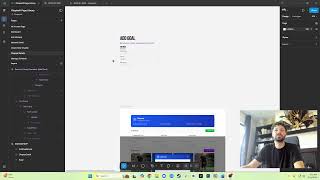
nope, I don't know what I'm doing. That's kind of cool. I think I was— I don't know how I did this. Okay, no, it's— yeah, Windows+Shift+S. So let's take this screenshot, go back to Figma, go back to our stuff. Concepts. And this is called the— what do we call this? This is the dashboard. So I'm gonna copy this, I'm gonna put it into my— no, okay, so no, no, let's close this. Alright, I'm not feeling these colors personally, but let's do this. Let's do this. I'm gonna use Phosphor Icons for iconography. Menu. Yep, there we are. Okay, cool. That's the list. Now I am interested in how, how good this is. So we do have a header, we have a container containing everything, and then we have a footer below that, which there's nothing in. Inside the container, sidebar and main content. I hate this, but it's not the worst. Like I said, if you notice how, like, unless this is—
because you have the whole website that has a border on it, right?
48 pixels or margin or whatever. And then from there you would have, you know, I feel like sometimes it's not always consistent, so I wouldn't put it like that. Like this is gonna be our header, right? Let's set it as a max of 72 pixels high. We are going to move everything in the middle, and let's say it's gonna going to go all the way across. So I normally work with everything in auto layout, everything including this. This is the bottom, we're not going to do that. It's fixed, perfect. Okay, so now we have this header that's like this. Maybe we only want 16 pixels and then 0 from the top and bottom, namely because we're going um, it's a fixed header, right? So I am going to take this SupportPro logo— problem there, needs to go this way. And then we have the user. I'm not mad at the user icon. Okay, so we have left accessory, we're gonna have the right accessory. Did that turn that frame into it? Yeah, it did, which is fine. Right accessory. Profile. All right, so now let's just make everything fill container. Oh, we don't even have to, to be honest. So like, that's good.
Now we did want, uh, I think in our drawing we said we were going to have a—
some drawings up here— a search bar that spanned through the whole thing, right? So now we're going to have to design an input field, which we can do here. We'll do Text search. Okay, because this is like this, we're gonna hug and then we'll turn this to auto.
Yeah, so now you see it's not centered, so that's—
we'll figure that out momentarily. So search, Sena is a pretty cool font, I'm not mad at it. We're gonna do regular, we're gonna do, this is like 16. Now we're gonna turn it into an input, so search container.
48.
Let's say we want a width of 320. We don't need that like that. 600.
Clean.
Okay, and then obviously we're gonna need a border So stroke, let's say, ccc. Oops, I'm doing on the wrong thing. Okay, what we can do—
so see how this width is at 210?
We can set this width at 210, 2, move that there, and that centers it.
So now it's equal, equally on both sides like that. Now this, I'll start making some deciding— I almost feels like too much after seeing it the other way, right?
So let's actually turn this into label.
Search.
Yeah, this may— I mean, I don't know if there's going to be more inputs, but this may end up being our our main thing. Oh yeah, conflicted here. Okay, so let's say we add a stroke, right, on the bottom.
Cool.
So we've got, we've got this. Header now. Now I want to do this sidebar here. I'm okay with like the design, this highlighted feel. So let's say this is dashboard. We'll keep the label and then— oh, my layers is minimized. Want to add this. Now let's say this is going to be the side nav. So let's say 400 pixels wide, top left, and we're going to fill the container. Right now we have a gap, we don't need the gap. This though will probably have a gap, 16 by 16, at least, at least. So now we have What is this called? Uh, list menu?
No, link menu nav list item.
All right, which will be fill. And let's set this with a fixed height of 48, right, like that. Let's go to Phosphor. Let's see what comes up for dashboard. Home it is.
Right now, so we're gonna have different states here. Now I can be lazy about it because I don't think it's gonna really be clickable more than one screen or multiple screens, but in truth I should do it like that.
Oof. And then I'm gonna add another 16. Let's do— I don't know if I'm really here. We'll go with this color. Okay, so the question is—
fail, pass.
Doesn't that feel weird?
Fine.
Um, so after this we're gonna have another one. Oops. This needs to be downward, right?
So see, I just can't do it. It irks me.
Boom. You pieces. Side nav. I'm gonna copy this. I'm gonna add another one. Active. True, oops, false. Firstly, we're going to add this as a color style. So brand-primary. I don't know why I call it brand, to be honest, but And then we're going to take it away.
And what were our sections?
Uh, tickets.
Reports Automation. Okay, so now you see we're starting to like— we've got something.
Now I do need to do some stuff here.
This is what I do for icons. Something like that. Oops, I don't need this to be— have a status.
I want to do here.
And if you go into it like that, and you go like This, I was supposed to place it inside. Boom, boom, scale, scale, Tab, Delete. U, scale, scale, perfect. Center U just in case, and then We want the property build false, true.
Yep.
Shift, Shift+A, icons. Alright, so obviously we're gonna need icons. Reports. Go back here, report. Okay, where is it? Right here. Scale, scale tab, delete. Not attractive in my opinion, but whatever, you get the gist of it. So then I go to, let's say, reports. Oh, okay, because I don't have that there. Okay, I did have that. Oh, I don't have the other one there. Tickets. Do I want to take it like that, or do I want to call it like more like a list? I feel like that feels more appropriate to me. Just like that. So when I do that— oh, still doing the same thing. Annoying. And then automation.
Tickets.
Cool. We've got the page. Content here.
Okay.
Now to start filling this thing with some content.
Oh man.
Okay, okay, so back to our drawing, back to the drawing board. 15 things— tickets need attention. Seems large. Let's go with 32. I'm also gonna bold this bad boy. So now we have a page wrapper. Let's say it has a max. It's going to fill container. It's going to have an add max 1320. Right. And inside here.
So now kind of like ChatGPT, we have that container. So you have that, you'll have that white, that white space. But is that, is that based on section, or is that by, you know, the full page? Realistically, it's by section, because say I wanted a whole page to go here.
So let's call it a section wrapper, because only this part— the next part may go full width, like here. I'll give you an example. This needs no spacing, right? Because this holds the content. But let's say this one has 40 pixels. I normally do like 24 from the top, right? And like 16, right? So it's gonna have some cards and stuff, whatever. And I'm actually gonna have this, so header. But so say this, this section was gonna have a fill, right? Like it's gonna be like this. We might want to not have this, this section container. Like we may put something right here, right? And do something like this. Or we take this off and then we put the fill here, right? So the whole section has that background and like, let's say it's like longer like that, right?
Both of these are, are bigger, right?
So you may have something like that where this still is in that container, but I don't know if we're going to do that. But realistically, that's how you have it. Section wrapper, and then you call— have another one. Let's call it section container, right, which is fill, and then has that in the body. There we go. Okay, I'm burnt out. I'm tired of designing. Now I'm thinking the card's kind of similar to this, right, where it's, it's got like a, a number and then something like that.
So let's do Do it.
And let's see, so we're gonna have this, it's gonna go downward, the number underneath It's gonna have a label and it's gonna say— what is it gonna say? Recoverable actions.
So this is something I'd have like elevation to, right?
Something like that.
See, thick card, huh?
28. Weird, weird to do, you know.
The fact that, like, you know what, I think I want it to be a square. That's why it's weird.
So if I go 189 like that— oof, it's huge.
The ratio is better.
So instead of like, let's say, 400 by 300, right? And then keep that and then and go something like this. No, I'm gonna just take these same situations. 158, 243. Okay, it looks terrible. Mainly because there's just no content. These labels can be bigger. This can be bigger. Something like that. Data issues. Assignment issues. Agent assistant needed. Okay, that's better. Okay, okay.
Yeah, so that's kind of the, uh, something like this. I mean, maybe there's a, there's a CTA here or something that's like fix You know, or something.
I don't know.
Like, to me, it's, can this, can this give more attention, right? Like, seeing a bunch of these, I don't know if this means I need to take action. Like, literally, this was, this is like, okay, well, there's 3 recoverable actions.
There's 3 of them.
Okay, where do I start? Um, How do I— like, how do I know which one of these I can— like, I can take action, me as the— the— so what I could do is remove ones that I can't take action on.
So maybe the connection failure, maybe even those, maybe we just have 3. Right?
Like, there's only 3 things I'd actually be able to take action on. I could put some that have like higher priority based on waiting time. So 2, 2 of these 3 waiting for, uh, you know, long, long wait, something like that. So I can add some more detail here, like status actions, right?
So 2 waiting over 2 days. I'm about to share this stream with Han P. Let's see.
Oh, I'm like live live.
That's sick.
Okay, um. Yeah, maybe there's some additional metrics here that can be helpful, right? Like, so they're coverable actions, but 2 are, you know, waiting over X amount of days, um, something like that, right? That gives some more context. Okay, in the meantime, I'm going to take a little break of that.
Check some emails real quick. By check, I mean like literally check them off and then mark them as red. Nothing here is really— looks like it needs to be red.
Oh, look who it is. Let me, let me make Takes one to know one, Hanpy. I don't know why I'm typing it as if you can't hear me. I mean, maybe you can't hear me, but so I typed it anyway. More people chatting, I guess. Maybe that's beneficial.
What else am I doing?
I need to do a couple things on my to-do list. I need to— this is for a design, some new job exercise.
I don't know.
Yeah, so some exercise for a job. Another thing is I'm working on startup work I need to do. Okay, good. So you can't hear me good, so I don't have to type it every time. Oh, Han, you want to see my Jira stuff? Okay. Look at your boy. Now someone else has been touching this, so it's not just me, FYI. Now I, I created it and now someone else, like, look, they did this and I'll fix this because there does not need to be contributor flow or UX enabler.
So I'm assuming just copy pasted it.
Okay, so, um, I have— I made this, right? So I've got the epics over here, and then I've got stories. You can see they're associated. These are missing them, so let me add them.
Contributor flow, contributor flow, frames flow— where does that go? Um, I think that's parent and athlete. Sharing Flow is parent and athlete.
This is— there's nothing here.
I didn't create this one. UX Enabler Full. Yeah, that's just—
these are just like— that's testing.
And this is parent athlete. Parent athlete.
Okay, so yeah, here's what I've got, and this is what I created, right? Yeah, so it's just a few—
oh, thank you, thank you.
I try to keep it nice and tidy. I do put— so a lot of the stuff, let's see, do I have any of these? I hate filling these things out, but yeah, so I did fill some stuff out here, as you can see, and then I created the sprints. I do this technique with sprints where I do, I learned this from another company where they have the year, the month, and then first and second. So it's, if 2-week sprints, 2 of them is a month. So you have 2603_2, 2604_1, then 02, 51, and then we can start putting together like a, now there's kind of this roadmap. I don't know, is— is I obviously— so I— on a, on a story, so let's look at one for here, implement coaching. This is probably way too big of a story in my opinion, um, and there's nothing here. So like, would I type a user story here and then like, mostly I focus on like the acceptance criteria, um, but like was out. I guess that's what I put in there. I don't know, this is just, I guess, what I'm putting together, huh? I feel, I feel like it's right. I don't— yeah, I know, it's all good. It's what I feel like.
This is right, right?
Um, let me look at my— what would I look at? Timeline. So you can kind of see the timeline based on the epics. So we should be finishing the work. Yeah, yeah. So the user story is here, but wouldn't we write something like, as a blank, I want to do blank so that I can blank type of thing? For you, so UX enabler is a design story. It's, you know, the, the output would be a finished design, hopefully, right? Because sometimes the design, you don't know if you're going to finish it. In that time, right? You're saying, I'm gonna spend X amount of time trying to figure it out. So that's like the— why it's a UX enabler. Yeah, yeah, I'm sure there is a delay. So like, let's see, UX enabler, coaching team flow. So this is—
let's—
this is what I'm working on, right?
Both of these in progress, in progress.
So for the UX stuff, I've got it down, right? Because the UX enabler here, I have, I actually have some of this typed out for each enabler. Let me copy and paste it. Because like for UX, it's the same thing every time. It's like redundant to type it. Because you're not, most of the stuff you figure out in the UX enabler, it goes into the feature. So I was looking at details for the feature. right? So I'd put some acceptance criteria for, at the epic level or the feature level here, right? Now you'll notice I made the space MVP. I think you have a higher level, right? Like I wanna do, I like, I wanna do epic feature story, right? But I can't, there's no epic or there's no higher level than feature cuz I'm using the epics as features. Is that right?
Let me see, where's my work here?
Huh, there's a delay. So I don't— you said yes. I don't know what you're saying yes to. Okay, initiative. So that is at the epic level, essentially, is the initiative, while these epics are considered features in my, my book.
Oh no, I know where it is. Yeah, yeah.
See, I only have— I mean, I can— you can create these, right? Like, you can add work types. Enable. How do I enable it?
How to enable initiatives in Jira. Okay, settings gear icon. Yeah, yeah, add issue type. I know I don't want to do that. Let's go to Manage Work Types. Yeah, yeah, I have admin access.
I made this.
Okay, add work type. Okay, subtask. No, I don't want to do that. Let's create a work type. So initiative. I'm gonna make sure I spelled that right. Yep. Okay, and initiative. Are there any other cool icons? Hmm.
Light bulb, light bulb.
Okay, thank you, thank you. Okay, cool. Do I add a workflow? Yeah, no, that's fine. So can I— I can—
okay, thank you. I found it, I found it.
I got the initiative. Perfect.
So how can I assign multiple— do I have to do anything here to assign multiple epics to the initiative?
Fields, environment, original.
Okay, hold on.
Then I go to plan settings. I see what I'm doing here. Okay, navigate to plans. Where the heck is plans? Plans.
Oh yeah, it's under plans, settings, hierarchy configuration.
Unlock the van plan. Boost agility with capacity planning, dependency mapping, and more. Try Jira Premium high-level cross. Let's read the guide. How much does this cost? Look at that, that's what we're talking about right there.
So look, initiative, epic, story, story, story, story, story.
You said click, click on the spaces. Okay, spaces, ellipses. Yeah, I got manage spaces, change view, hide from sidebar. Manage space is really the only thing, right? Hierarchy.
This is for my Next space. Yeah, not there.
Yeah, because I'm looking at—
I have it Googled here. It says to configure the Next to MVP, there's, there's one here. So it says plan settings hierarchy, locate the epic level and add a new level above it named initiative.
Space settings, okay.
I feel like I should be able to do it here, right?
Okay, I'm on space settings, right?
I'm really just trying to move this above here because this all makes sense.
Can I set this to default? No.
Nice. Looking at a real gyro board, true professional gyro board. I'm telling you, it's under plans, man.
Here, I'll show you, I'll show you what this is saying.
So it says you got to navigate to plans, settings, hierarchy configuration, and locate the epic level and add a new level above it named initiative. Okay, okay, thank you, hon. Thank you for your help.
Thanks for coming though, you know, coming through.
Okay, so now I'm in the mode for that. I'mma lock in too on some.
Let's go back to it. Let's go to Chapter It. Thanks for your help, Pompie. Okay, so let's see.
The way I have this set up is I have a page library.
I'mma close Exercise for now.
Oh, Ninjitzu's in the building. Ninjitz, what's up, man? It's going, you know, it's going. My friend Han just left. I would give you the formal, oh, this my boy Ninjitz. He's— we, man, we've been through it, but like, you hit me with every time, every stream. But there's just me and you in here now, my boy Ninjitz. We used to eat them cinnamon toast back in the day, man. We've been through a lot. So I was just reviewing with a friend who is like a big-time product manager. He was showing me how to do some stuff on Jira, but now I'm starting this. I need to finish this MVP for this startup I help. Here, I can show you the prototype. Yeah, you're too famous. There's no need. You're running YouTube right now. Music production, baby. I always, man, I used for a long time, Ian, I'd be like, man, nah, Ian is the man. Look, I don't know anyone that says, yo, I'm gonna become a ninja as a profession, and that there was no job before that, and you had made it happen. And I just think that is so amazing, Ian. Okay, so you go here, you can create an account.
You create the account, you got nothing going on. You create a chapter, boom, create the chapter. Now you got a chapter.
You go here. Oh, watch, look at your boy. Hold on, hold on. Oh, I don't know what was going on. This is a picture of a picture. Yeah, right. Channel, channel will be popping, man. You think your channel's dead? I got like one person in here, so I don't know. Who knows? I, I do think, and this is my thought, you know, we'd be talking about this. I think there's a level of audience that you have to build. Like, I told you and I told Han to come to my channel, and both you guys came. So I think there's a— like, I mean, you have your Discord. I feel like stuff like that, like stuff like you got to tell people, hey everyone, I'm live, and then be posting out massive content. No, have a scheduled like live, because I don't think live itself is what makes it. I think it is the like the shorts, it's the videos. But looking at people like that do live, they get the clippers, right? They get the people that clip content and then they use that for everything else. Obviously when you're by yourself, how the heck you gonna clip content? I have no idea. Like, I literally don't know. I don't see like a thing on here that says, hey, clip this content. So yeah, gotta build a community.
Okay, so what I do need to do is I need to open up my—
oh, perfect, I'm already on Google Drive.
So I need to go back home, ChapterIt, I need to go to product designer view. Here, this is what I'm looking at. Is there a way to do it from here, or do I gotta do somewhere else?
Because I even feel like talking about that just now would have been good, you know, how to build stream, you know, content.
Okay, on here. Okay, so post-stream, after I finish this process, there will be a remix icon. You can just clip the segment.
Ah, but see, now you're going— you have to watch your whole stream. What if I stream for 8 hours? I need the live, live right now stream, the clip. I mean, you know how on Twitch they have that, right? Like you can create a clip. You know, and you have like— I don't know, it gives you like a minute to go back to and you can change and edit it. I'm sure there's a way to do it on YouTube.
Chapter details. Okay, so I'm gonna take this section.
Oh, so I have this as just a section right now.
So let's— side panel. So we've got this, then we have this. Let's see. Okay, you have to have a hotkey for OBS to help mark when something significant happens. Like, I have SFX on my Stream Deck to trigger when I know something good.
Oh, that's cool. So you can like— okay, here, that way— okay, it makes like trackers, so then you can go back and be like, okay, I see from here to here, or something like that. Yeah, okay, I don't know how to do that. I do see like a hotkey section, but I'll have to look into it. I mean, I'm happy to just have this working currently, so that's a, uh, that's already a big leap for me personally.
Okay, there's gonna be a lot more.
No, I appreciate the info, Ian. I'm gonna need that.
I'm going to need that info because right now I have no— you know, why not? No, I might as well stream. Hey, why is this not going anywhere? Oh, because this is on fill. This should be hug. There we go.
Yeah, I couldn't even go live 30 minutes ago, so I'm happy, happy I've made it this far.
Yeah, and then I'll learn the tricks of the trade as I do this a little bit more. Milestones container.
Yeah, I figured in— I'm just work and talk and chill, you know, like I'll, I I have this, you know, I'll be working all the time, so it's like, why not?
Okay, up, and this needs to say Milestones. And you can't add a milestone, so we go here, no button container.
No button.
Oops, now I need to fix this.
Completed.
Yeah, you'd be hanging out, right? I mean, it's like, I guess it's kind of similar, but I think making music is just so much cooler, right? Because you get to hear music. I'm about to start dropping— play my, play my Suno in the background because like it gets kind of dead, you know. Oh, what are you thinking about organizing it to?
What are you thinking, ninjas? Dying to know what you going to do with it.
I, I do hear what you mean. Yeah, I guess there is some sound, but you're right. Like, I, like, I join and I'm like, oh, I can't have this in the background. It's just, you know, the snare being mixed, you know, and just tweaking, and then hearing it. Music— I mean, music editing and video editing, they're not sexy to watch because there is like that audio you have to hear and you hear it like repeating.
You—
it's, it's a, it's a, you know, it's a vibe, I guess. While video games, right, there's like a play, there's action, there's music. Episodes that focus on more entertainment in short bursts. That's cool. Yeah, like if you're doing something specific for a short amount of time, something fun, right? I guess that's why people like, like I like to watch speedruns because there is that focus on something entertaining that you might hit this milestone for a short burst. Sometimes you get up, up, up, we gotta run here. Oh, what's gonna happen? No, I'm locked in for an hour and a half. Okay, they failed. Are restarting. So I definitely think that sounds like a great idea because that's typically kind of like what does well, you know, at least my, my mind. I mean, I don't know, speedrunning even does well. 30-minute portions, okay, then you can just upload the whole stream essentially, and then you can just cut the stream, take a break or whatever, then come back and do the next one. I do think, uh, are you gonna have like a routine, like a certain time you'll, you'll make that?
Oh, 3-hour streams. Yeah, 3 hours.
Yeah. Oh, okay, so you'll do a 3-hour stream, but for 30 minutes you'll focus on just this, and then 30 minutes you'll focus on just this. That's cool. Yeah. That's kind of like— I feel like that's how like variety streamers do it. I may be wrong, but Yeah, that's sick.
400, so this needs to be 400.
Yeah, so you have each, each segment is a full video in itself. That's sick. Now you don't have to worry about clipping or something like that. You just are basically making videos live, which is dope.
Boom.
You, you, and then we're gonna fill container here. I go back here, so then we got milestones. Okay, and this guy asked me if to put a content switcher. Here. I'm gonna do like 6 of these things.
So you have Moments, Schedule, Goals, What kind of category, like, what kind of like things, 30-minute segments are you thinking?
Because I wouldn't know what to do for just 30 minutes. Shoot! That shit's whack. Okay, okay, ninjutsu.
Okay, so I need to do goal creation and updating.
So we've got full description. Switch over to the computer.
Yeah, it's a 30-minute beat with no sound design. Okay, so you have this, you'll go in, have the sounds, and now be rearranging it. That'd be cool. Yeah, that way you don't have the, uh, you know, you're kind of sitting there playing with the sound.
30-minute atmospheres and like, yeah, that'd be cool.
Oh, Ian, you wanna— you wanna hear some heat?
I don't know if this is gonna work, to be honest.
Um, oh shoot, this is so fire!
Give me that boom boom boom, give me that beat beat beat, give me that groove that makes you want to move your body and make you move your feet! Give me that boom boom boom! Give me that beat beat beat! Give me that groove that makes you want to move your body and make you move your feet! Give me that boom boom! Give me that boom boom! Come on, give me that boom boom! Give me that boom boom! Give me that boom boom boom!
Give me that boom—
listen to the rhythm and you know you can't stop when you're feeling the boom boom pounding in your heart!
So I took my dad's song, threw it in the Suno, played with it, tell him to make a dubstep mix of like his old song. Like, here's the, like, the original. My dad's original, right? So I took this to Argentina and said, "Mix it up, you know?" Yeah!
So I took that—
said yo dubstep it...
Give me that boom-boom-boom give me that beat-beat-beat gimme dat groove da makes you wanna move your body an' make ya moove yer feet gimmie dat boom-boom-boom gimme dat beat-beat-beat gimme dat groove tha makes you wanna move your body an' mak'ya mov'e y'r feets gimme dat boombum gimme dat boomboom c'mon gimme dat booomboom Boom boom, give me that boom boom, give me that boom boom, give me that boom. Listen to the rhythm and you know you can't stop when you're feeling the boom boom pounding in your heart. Look at everybody, they're humping and bumping. Yes, the boom boom's got them jumping. Give me that boom boom, give me that boom boom.
Yeah, it's nasty. It's nasty. I know it is. He loves it. We've been playing with it. He's got a couple hits right here.
We've been playing on Suno.
Now I don't know how— like right now, so I'm using a— I have my webcam down here, right, right here, and I have a mic up here. I guess what I could do is I can go audio, like I could just some headphones where I can do audio to my headphones and to, um, and here, because like I feel like the audio is going to come out. Yeah, I muted it, but it should be back now. Can you hear me in?
Can you hear me, Ninjutsu?
I muted it, I unmuted it, I see the thing going up. Testing, testing, testing.
I know there's delay, but am I using the right one?
Yeah, Blue Yeti. Uh-oh, speaking of, hold on. Ninjas, I gotta go. The kid is calling. I'll call you in a bit and we'll talk about it. I, I don't know if it's— oh, maybe— yeah, that should be better. Maybe I lowered the audio or the volume, but gotta go, gotta get the kid.
Talk to you later, ninjas.
More from Ritzie




I started my career doing lots of graphic design and having to create and edit images.



How to Upload a Project to GitHub (Using Claude + Cursor) | Step-by-Step Tutorial