This content was created by David Castellanos. This content was uploaded by David Castellanos. This is a YouTube video titled "Cómo ver si se envió tu Whatsapp y Cómo reconectar tu línea" (created 2025-06-19T16:31:17+00:00). It's a Spanish-language tutorial by a single presenter (one speaker) demonstrating how to check whether a WhatsApp message sent through a system was actually delivered by inspecting the activity/pendings, how to detect a disconnected line in the integrations/configure section, and step-by-step how to reconnect the WhatsApp session (scan QR, name/save session, wait for syncing). The presenter also explains how to restart a previous task to resend messages if they failed while the line was disconnected.
Chapters
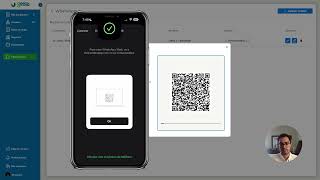
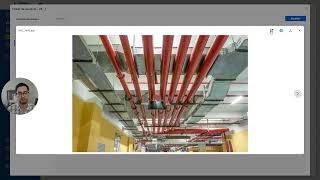
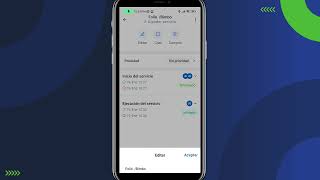
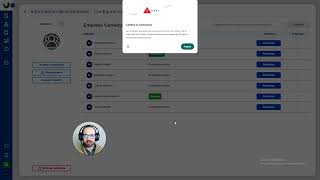
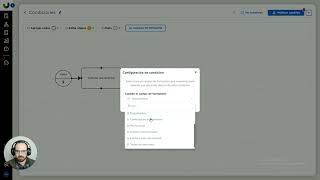
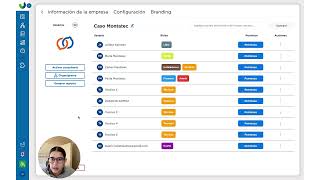
Hola qué tal, bienvenidos a un nuevo tutorial, hoy les voy a mostrar cómo detectar si un WhatsApp se envió o no y cómo reconectar tu línea, entonces vamos directo al grano y vamos viendo, aquí tengo una prueba de un mensaje que sí se mandó correctamente, entonces abrimos el pendiente, vamos a la sección de actividades y vemos efectivamente que se envió todo bien, sin problema el mensaje y la cotización, ahora cómo detectarían si un flujo envió un mensaje incorrecto, no se envió, prácticamente es porque se desconectó y no se envió, entonces lo mismo vamos a ver detalle, vamos actividad y se vería de esta manera, la cotización no se mandó y el mensaje tampoco porque está desconectado tu línea, entonces qué hacemos en este caso, bueno debemos de ir a la sección de integraciones, vamos al botón de configurar y veríamos aquí que efectivamente está desconectado el WhatsApp, entonces nada más basta con darle clic en estas flechitas para restaurar el número y aquí les voy a mostrar, a un lado se va a ver prácticamente, vamos a WhatsApp lo mismo, le damos vincular código QR, una nueva sesión, lo escaneamos, le damos un nombre gist WhatsApp, guardamos y aparece sincronizando y listo, sesión activa, entonces en cuanto está esta sesión activa en el celular ya podemos dar clic afuera y ya nos aparecerá conectado, así podemos continuar haciendo pruebas y listo, los mensajes de WhatsApp se mandarán, algo a tomar en cuenta es que los procesos avanzan, entonces si aquí tenías el WhatsApp y se trabó y tú ya avanzaste por algo estaba desconectada la línea pues no se mandó, si quisieran volver a mandarlo pueden reiniciar en la tarea anterior y volver a ejecutarlo, entonces voy a probarlo ahorita, este prueba desconectado rápidamente esto que les acabo de comentar, entonces reiniciamos una tarea previa y le damos terminar y ahora sí está conectado y si vamos a ver detalle, actividad, efectivamente ya nos dijo que se mandó, entonces listo, de esta manera pueden reconectarse, hasta luego, que tengan excelente día, nos vemos en un nuevo video tutorial.