Spanish instructional video demonstrating how to configure an organizational chart (organigrama) and how that hierarchy controls user permissions. Using a demo account, the presenters show how to access "Mis empresas" (under the bell icon), open the Organigrama section, enter Edit mode, assign who reports to whom, and save the configuration. They then explain permission implications tied to subordinate relationships (which processes a user can manage or view), listing actions like cancelar, eliminar, reiniciar, editar, and visualizar, and describe the option to let users see processes of their subordinates or only processes they participate in.
¿Qué tal, bienvenidos a un nuevo vídeo explicativo, hoy vamos a ver el tema de organigramas, OK?
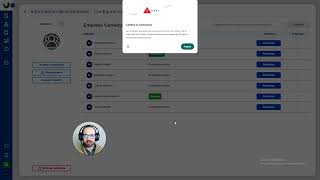
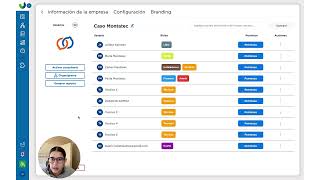
¿Dentro de la sección de mis empresas que como sabemos está aquí debajo de la campanita, vamos a entrar y aquí tenemos, bueno esta es una cuenta demo, tiene solo un par de cuentas y al lado izquierdo siempre va a estar la sección de organigrama, esto sirve, vamos a ver adelante el tema de la relación de los permisos, OK?
¿Para eso sirve básicamente, entonces en este.
Ejemplo si yo le doy arriba a la derecha la parte de editar nosotros tenemos selecciona usuario que responde a cada usuario, acá yo estoy diciendo por ejemplo que Yahana no tiene a nadie que le responda, por eso es que la empresa de prueba tiene a dos personas pero nadie responde a otra persona, sin embargo si yo digo no sabes que sí el usuario prueba GIS responde a Yahanna y guardo la configuración entonces el usuario prueba, se coloca el usuario prueba GIS por encima de Yahana, pero si yo digo que la relación es ahora diferente y nadie responde a Yahanah pero viceversa no, el usuario que responde al usuario de prueba GIS es Yahana, ahora se invierte, OK? Entonces aquí tenemos una relación de pues ahora sí de qué personas están por debajo de otras personas en el lugar anigrama, ¿Para qué sirve esto? ¿Entramos a la parte de los permisos.
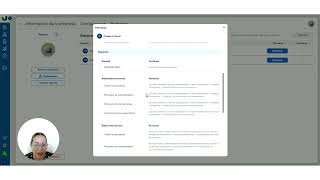
Y en permisos yo puedo notar que tenemos algunos relacionados con subordinados y esta es la parte que está relacionada, va? Entonces aquí tenemos procesos subordinados, ¿Qué puede hacer la persona a la que yo le doy permiso de pues administrar estos procesos?
Cancelar, eliminar, reiniciar, editar la información, visualizar.
Y visualizar el flujo de los procesos de los subordinados, esto quiere decir que si hay algún subordinado que participe en un proceso y yo activo esta casilla entonces la persona, recuerden gris va como en gradiente arriba, bueno traemos todos los procesos o los procesos de sus subordinados o una persona que no tiene subordinados verá solo los procesos donde participa o ahora tenemos la opción de ciertos procesos específicos y esta es la manera en la que se usan los permisos, al igual que en la parte de editar información y en la parte de visualizar información y así sucesivamente, entonces recuerden, basta con ir a empresas, la sección del organigrama, configurar las relaciones y con base en ello delimitar los permisos para hacer un buen uso de quienes verán qué información.