Presentation by Vufsevik Snia (CITA Energy Management) describing the IEA-funded project “Smart Use as the missing link in district energy development” (focus: district heating, user-centred control). Project ran since 2014 with limited budget and explored a home energy management interface connecting users, district heating and smart appliances. Key concepts introduced are the personal energy threshold (for electricity and heating), a discreet in-room status unit (prototype controlled by a Raspberry Pi) and an activity organizer (scheduling appliances, watch/iPad notifications). Prototypes were installed and tested in Samsø (two private homes and one at the Energy Academy); the project produced a short demo film and web resources for further reading.
Questions this video answers
Vufsevik Snia (CITA Energy Management).
2014.
International Energy Agency — District heating and cooling programme (including combined heat and power).
Samsø: two in private homes and one at the Energy Academy (Energi Akademi).
A Raspberry Pi unit.
Chapters
So, yes, I'm Vufsevik Snia from CITA Energy Management and I will tell you a bit about this project, the International Energy Agency project, which has a long title, Smart Use as a missing link in district energy development. It's mainly about district heating. Smart District heating and the subtitle, A user centered approach to system operation and management.
We'll keep that. We'll cut that a bit shorter. Smart Use as the missing link are the key words there.
It's been a cooperation between. Well, it's a project, I should say funded by international agency. The cooling and heating. The program for cooling and heating, sorry, District heating and cooling, including combined heat and power. But then we've had a sister company of ours, Boyd, involved in the project. We have Ulrike Roy and Solar.
Shalmesh Industrial Technique. Still.
We'Ve had myself and it's a cooperation with Henri Academy for some Sudan Mart as well. We've had a lot of interesting discussions and meetings. It's been a long project, it's run since 2014, but it's had a limited budget. But onto the action. Smart Use as the missing link. That's what you need to remember. We come on to buy.
These days a lot is controlled automatically, but in order to really reach a lower energy performance, we need to involve the users. And the question is, how do we motivate the users? Of course us here are motivated already, but we're talking about the mouse needed to engage in this in order to reach the targets. And how do we motivate them to learn more and to adjust their habits. Now we know I put my iPhone away. It needs to be easy, like the iPhone, and it needs to be fun.
For that mouse that's not as engaged as we are.
The project, quite soon, all of it was mainly focused on district heating involved also electricity, because of course as a user you need both.
We also defined the need for a home energy management system. I come on to what that entails, what that involves.
Skip that point.
The project mainly.
Consists of developing the user interface of this home energy management system. And it is, sorry, very visionary. It's not.
Some of the ideas that we've brainstormed about, they are very, very visionary, I should say. But still, some aspects have to be realistic enough for us to test it in the portfolio.
I won't spend too much time with this picture, but the energy management system is an interface or it's a parting between the energy supply, the user and all the smart appliances that are.
Expected to be used in this future. Hold and I should ask actually, but.
We created a scenario where it's a residential home, a villa, but a large villa with a home office that might have a bit of cooling as well, or a needle cooling.
We leave this picture and jump further because we have identified a number of features that we have to take into account.
Is for the user to be able to interact with the scheduling of the energy use. Not only the use, I should say there, because it's also the production.
Naturally the reduction of the use as a whole, but also particularly for the peak demand.
We also foresee that district heating in particular may be used for more appliances than today. So it's also not producing the right kind of end user energy and also considering own production.
Oh yeah, the scenario I already told you about.
And while we conducted the project, there were lots of discussions and a number of ideas. Key concepts, features you could say were developed that you see them.
Briefly. At the moment we defined the personal energy threshold, we came up with a status unit and an activity organizer. Now these three features partly are shown in the film, but due to lack of time, we'll see if we may get back to showing this a little film. It's two minutes long, but we skip that at this point in time. I'll tell you a little bit about these various features concepts.
The personal energy threshold obviously connects to the peak demand situation where.
You will see how this applies in the. In the other.
Things that we have come up with. But we define a personal energy threshold both for electricity and mainly I should say for electricity because obviously the heating has other features to it. But also for district heating.
Obviously the thermal mass of the building and up. Many other aspects come in when we're talking about heating. Nevertheless, we define both of these.
I won't go into detail how we define the electricity pet. Sorry, but it may come back.
You see some wooden things here. I come back to what these actually are. But the little marker defines the personal energy threshold.
Here we have a slightly. Well, it's not a modern thing anymore because it's been out on the market a few years now. But the personal energy threshold is also shown in the smartwatch.
What you saw in the picture two pictures ago was the smart so called status unit.
During the project we realized that, okay, we need to have something to be an indication to the user to know when he or she comes too close to the personal energy threshold.
It should be something that can be placed in a room like a clock or a barometer or whatever that's quite rather discreet and it should not contain Much information just be a trigger that. Okay, now it's coming too close to close to the pet.
There I mentioned the activity organizer again we come back into a little bit briefly what that is and how that works.
And for the status unit we developed a prototype which was installed in Samso. It was installed well, two in private homes and one at Eneri Academia, the energy academy that they have there. There are a couple of more to be installed still.
Here is the one from the actual house.
And here is one that is in react. Elmir and I can. Here you have the two bars. One is this district heating, one is electricity, whereas on this one there's only the single one that's just the electricity.
Unit. And.
The picture you just saw, that was from an exhibition they had at Samsung in mid October where they had some 200 people seeing it. And their comments together with some of the homeowners comments were that they. There are some that I haven't mentioned here. Some were quite annoyed with the light because it was too bright. So there are minor comments to the actual status unit, but generally it was a positive response. It helped some savings on some occasions.
And yeah, there is a difficulty to set the personal energy threshold on this prototype, but that was also. We were well aware of that there is a Raspberry PI unit that controls this thing that's connected. I won't go into the technical details now because I don't have time, but there's much more information for you onto the activity organizer briefly.
Sorry.
When you have this indication that okay, I'm coming close to the threshold, then the next step to be able to get more information and also control that, set some parameters.
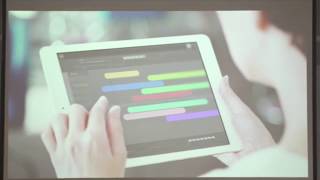
Then you need to go to either your Surplata, your iPad or whatever, or your computer.
You can organize and schedule.
Your use.
And I'll just show you this picture as well.
There's a lot you can do with it. This is very well explained in the film, so I won't go into detail too much about it right now.
But for example, starting a washing machine or. Or you.
Imagine that you've prepared the washing machine at home, you need to run it so that you can hang it up when you come home, but you don't know exactly when. And this is naturally connected to price as well. When it's the cheapest and best time to actually start it, then you can have the indication in your watch when it's the right idea, the right sort of time to start it. Now this activity organizer is a concept. We've had feedback on this as well, from people who asked, when can I buy it? You can't yet.
But nevertheless, it's a very, very interesting thing. I should say that some of these things that you've seen will be tested in the Poor Spirit Living Lab by solariansground together with others. And there's a lot going on in this field. Actually, there's more to be read.
Via this link. You can watch the film. Lloyd has made a nice presentation on their website and you can also contact me if you want to know more about the project.
One or two questions related to.
Otherwise we go back to the future.
And if there is some time at the very end, we may watch the thing.