Luke Wang shows how to export custom PDF line sheets from your catalog that consolidate product images and details into a single file. You can adjust page layout, choose which product fields to include, set how many lines per field, and save your settings as a reusable template for future orders.
Chapters
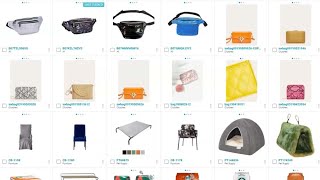
Today we're going to be talking about exporting custom PDF line sheets. Line sheets allow you to view and send multiple items in a PDF file. They can include images and custom product information. Line sheets can be viewed from anywhere an item is found, including Product Information Management, Catalog, which is where we are now, Customer Relationship Management, and product lifecycle management. Simply select an item or items. In the catalog, select More, then Download. For other screens, you can go directly to Download. A line sheet download screen will pop up. You can select your different orientations for your page. You can select if you wish to display components or not. And you can see how many products per page you would like to see, whether it's 3, 6, or 9. Please note that if you have 3 items per page, you can have up to 9 lines of data. 6 items per page, up to 6 lines of data. 9 items per page, up to 1 line of data. You can decide whether or not you want to include header information such as company name, company logo, Email, Separator, Title. If you choose a title, enter a title. You can choose if you want footer information, and then you can select the product fields, and you can even search based upon product field name. You can see as I select an item, it'll show how many rows of information the field takes. In my case right now, I'm on products per page 6 products per page, up to 6 lines. So currently freight rate is 1 line. I have description as 2 lines, but I can easily change that to 1 or 3 lines. FOB point, freight rate. We can add in other items that you like from your catalog. Once you are finished selecting all the items you wish to select, you can type over the word default, and you can save the template for future use. And then you can download that template. A download screen will automatically appear and your download will start.