Add team members to SureFront from Administration > User Accounts. Each additional user costs $99 per month. New users get an email invitation to set a password and log in.
Chapters
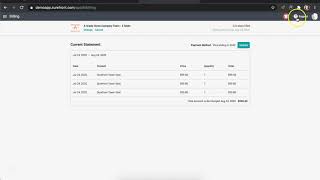
Today in this tutorial, we will be reviewing how to add a user to your account. Head to your left menu panel and search under Administration for User Accounts. Here in the User Accounts page, you will only see your information. Your account will always be free, but to add a team member will cost you $99 per user per month. After clicking New User, click Continue and a popup window for payment method will appear. Fill out your name and credit card, and once complete, go ahead and click Save. You have now successfully added a new team member. An email notification will appear in that user's inbox prompting them to accept the invite by clicking into the email. They will then be redirected to fill out their password. Once they click Submit, they are now connected with a new account on SureFront. I will now head back to my account and head to the billing section. Here you will be able to see your monthly statements with every user listed on your account. If you need to update your credit card information, you can do so by clicking next to your pre-existing card. If you need to change or deactivate an employee, you can go ahead and click Change at the top of the page and it will redirect you back to user accounts. If you would like to deactivate your account, select Cancel and a window requesting if this change is correct will appear. Confirm the cancellation and a red banner at the top will provide the end of your billing cycle with an option to undo this cancellation. And there you have it. You are now able to add or remove a user and learned how to view your billing statements in SureFront. For additional questions, please feel free to contact support at the top of your page to chat with us.