How to add products to the Catalog on Surefront
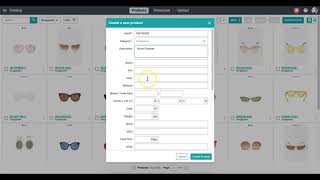
In this concise tutorial, the narrator walks new SureFront users through the process of adding individual items to their product catalog. Starting from the main catalog page, the video shows how to click the “Create Product” button, fill out the required fields (item number and category) and optional details such as description, tags, and high‑quality images, and then submit the product. After creation, the user is taken to the product details page where further enhancements can be made. The tutorial emphasizes that newly added products appear at the top of the catalog and that the workflow can be repeated indefinitely to populate the catalog with unlimited items, highlighting best‑practice tips for richer listings.
Chapters
More from Luke









THE COMPLETE GUIDE TO PLM IMPLEMENTATION I PART 1: SHOULD YOU INVEST IN PLM SOFTWARE? (4K UHD)

THE COMPLETE GUIDE TO IMPLEMENTATION I PART 2: HOW TO PURCHASE THE BEST PLM SOFTWARE (4K UHD)

THE COMPLETE GUIDE TO PLM IMPLEMENTATION I PART 3: HOW TO IMPLEMENT PLM SOFTWARE (4K UHD)