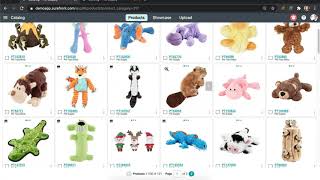
Learn to organize your Surefront catalog by moving products to the correct category and archiving items you want to keep but hide. Select items, hit More, then Move or Archive. Archived products go to a folder at the bottom of your list where you can restore or delete them later.
Chapters
Manage your products with ease on SureFront by learning how to move and archive in this video. You may accidentally place an item in a folder that it was not meant to be placed in. Instead of deleting the item and starting all over again, you can simply just move it to its correct location. Let's get started by heading to your main catalog page. Select a few items you would like to move into another category. At the top of the screen, there will be a "More" button you can select. Click "Move" and a pop-up window will appear for you to select the folder you would like the items to be moved into. Once complete, select the category that you moved your items into and you will find them all in there. Now let's look at how to archive. You may not have a need to keep a certain item in your catalog but would like to store it away just in case you may need to reference back to it. Archive is also the step before permanently deleting an item, which is in its own folder. Let's archive some items you currently don't have a need for. Select another set of items on your main catalog page. Head to the top for the "More" button. There you will see another option to select "Archive." A green notification at the top right-hand corner will confirm that you have archived these items successfully. Click on your list of categories and scroll all the way to the bottom. You will find the archive listed. Select on "Archive" and you will be redirected to the folder of items you just placed there. Here you will be able to continue to delete or restore the items if needed. This is a quick and efficient way to keep track of all your items in your catalog. Continue to move and archive items as needed. For more information, head back to the article.