How to Create a Company Profile on Surefront
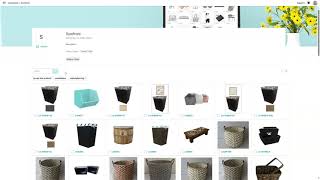
The tutorial walks users through setting up a company profile on the Surefront platform. It begins by clicking the Edit button to add or modify company information and highlights, then saving the changes. Next, it shows how to edit the cover photo, choose alignment, and delete item photos before saving. The guide proceeds to adding products from the catalog by selecting items and clicking Add Products. Users are instructed to use the Preview button to view how the website and categories will appear, with the option to hide categories. The video also demonstrates tagging items to improve searchability and concludes by using the Share button to obtain a link to the live website.
Chapters
More from Luke









THE COMPLETE GUIDE TO PLM IMPLEMENTATION I PART 1: SHOULD YOU INVEST IN PLM SOFTWARE? (4K UHD)

THE COMPLETE GUIDE TO IMPLEMENTATION I PART 2: HOW TO PURCHASE THE BEST PLM SOFTWARE (4K UHD)

THE COMPLETE GUIDE TO PLM IMPLEMENTATION I PART 3: HOW TO IMPLEMENT PLM SOFTWARE (4K UHD)