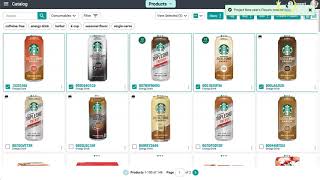
Learn how to create a project in Surefront's catalog to collaborate with suppliers on seasonal products. Select items, fill in Program, Quote Name, and Freight Terms, then click Create Project. Request quotes from suppliers and the system automatically organizes each response in the Quotes tab.
Chapters
Projects are a great way to work with your supplier on new products for an upcoming season. You or your supplier can work out the details and changes within a project on your account. Let's create a project here in the catalog. Select a few items and at the top click Buy, then click Project on the dropdown menu. In the popup window, select which category file you want this project to be placed in. The next 3 fields that will be required are Program, Quote Name, and Freight Terms. Once you are done filling it out, select Create Project at the bottom. A green notification will appear with a link to redirect you to the project itself. Once in your project, select all the items you have and click on Request Quote button. On the popup window that appears, a list of your suppliers will show. Select all the suppliers and write a quick email message at the bottom. Click Send once you are done, and another green notification will appear letting you know how many quotes have been generated from this project. Projects automatically are transitioned into your Quotes tab and separated into individual quotes so you can work with your supplier directly. Continue to create new projects in your catalog, and for additional questions, please feel free to reach out to support at the top of the page.