Learn how to create a purchase order in Surefront by selecting items, filling in required fields like freight terms and supplier, then sending it through the More menu. The order is confirmed when the supplier acknowledges it with double green check marks.
Chapters
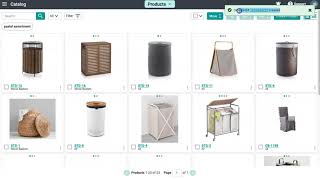
Placing an order is easier than ever now with the ability to order straight from your catalog. In today's video, I will be demonstrating how to place an order right from the catalog. Let's get started by selecting a few items to place on an order. Select the Buy button at the top and on the drop-down menu, select Order. A pop-up window will appear and you will need to fill out some required fields. The required fields to create a purchase order are freight terms, copies, supplier, and buying category. Once you're done filling out the information, select Create at the bottom of the page. A green notification will appear with the link to redirect you to the order itself. Here you can fill out any information applicable such as quantity, unit cost, or unit price. Since this is a buy order, your unit price will not be relayed to your supplier as this is considered internal information to you. At the top, select Edit and fill out additional information that may apply to the order, such as ship dates, pre-tickets, and any other information. Click Save when you are complete. You are now ready to send out the order. Select Send under the More button, and it will show you your supplier and your teammates as an option to send the email to. If you do not have any additional teammates on your account, then it will only show the supplier. Write a quick email message at the bottom and click Send once you are done. A green notification will appear in the top right-hand corner showing that you have successfully sent out this order. Once your supplier opens it on their end, be sure to have them confirm the order so you will see the double green check marks and you are then truly finished with the order being placed. Continue to submit purchase orders on SureFund And for additional questions, please feel free to reach out to support at the top.