How to Create Bill of Material for Parent Items & Components on Surefront
2 Nov 2023 · 1 min
1:11
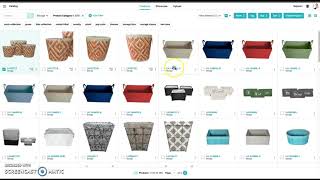
Learn how to add parent items with linked components to a Surefront project quote. The tutorial shows how to identify parent items by their distinctive icon, create a new project, switch to table view to see parent items and their three linked components together, and click any item to view its details.
Chapters
More from Luke









youtube.com
THE COMPLETE GUIDE TO PLM IMPLEMENTATION I PART 1: SHOULD YOU INVEST IN PLM SOFTWARE? (4K UHD)
2y ago

youtube.com
THE COMPLETE GUIDE TO IMPLEMENTATION I PART 2: HOW TO PURCHASE THE BEST PLM SOFTWARE (4K UHD)
2y ago

youtube.com
THE COMPLETE GUIDE TO PLM IMPLEMENTATION I PART 3: HOW TO IMPLEMENT PLM SOFTWARE (4K UHD)
2y ago