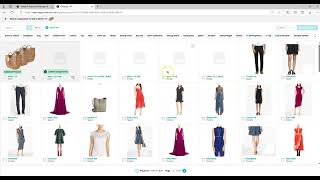
Learn how to create components and build Bills of Material in Surefront. The tutorial covers entering item numbers, selecting categories, linking existing items as components to a parent item, and adjusting quantity ratios. Cost and list-price values roll up automatically for comparison.
Chapters
Today we're going to discuss Bills of Material, creating components, linking components. These can be used for Bills of Material. They can also be used for packaging sets of items to sell. You can create a component from scratch to link to an item.
Enter an item number. You can select a category, or you can leave it as All.
You can enter a description if you like. You can also fill in as many UDF fields or come back to it later on. Create product. If the item doesn't show up at first, please refresh your screen.
You may also link components to your items as well from existing items. Link components. You can adjust your ratios here or save until later. Click Save.
Notice the icon for your component linking. Each of the linked components will have this icon along with the parent item. You may edit your information for your ratios by clicking Edit. You can adjust your ratios. You can click the X if you do not want that item on there any longer. You can click Save when you're finished or Cancel to cancel out and not save anything. Any component that has pricing will be listed in this section as well. The cost of the components will be rolled up for comparison purposes only. Unit costs, total components rolled up versus what you currently have in the system. The same thing will happen with list price. What it is rolled up based upon calculations below compared to what it is listed as a group itself. You may also click on the individual item to update the product details for that individual component or bill of material.
You can click the Edit field to edit as you normally would.
You can even link additional components from this item. If you have any questions, please contact Customer Success under Support, Chat with Us. Thank you for joining us today.