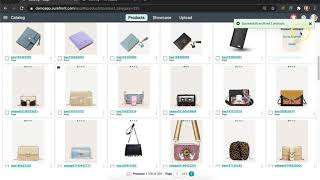
Learn how to archive, restore, and permanently delete products in your SureFront catalog. Archive items to keep them for later, restore them from the Archive section, or delete them permanently with a confirmation message.
Chapters
In this video, we will show you how to delete your items from your catalog. Sometimes you may want to archive to later reference an old style you didn't want to delete just yet, or you want to permanently get rid of some items altogether. Simply head to your catalog and select a range of items you no longer need anymore. Once complete, scroll back up the page to click the More button. Then select "Archive." Your items will reflect that you have successfully moved them into your archive folder. You can then click on your category menu and scroll down to "Archive" to be redirected to all the items you have previously placed there. We put this precaution as a preventative measure, just in case you didn't want to actually delete those items. You can head to the archive folder to retrieve them, and no information is lost. Here, You will select whether you want to restore or delete your items for good. Once complete, you will receive a confirmation on the top right corner of the page. Continue to restore or delete as many items as needed in your catalog. For further assistance, the customer success team at SureFront is always available. You can send us a message at the top of your screen.