How to Edit Cost on an Item's Product Detail on Surefront
19 Dec 2023 · 0 min
0:19
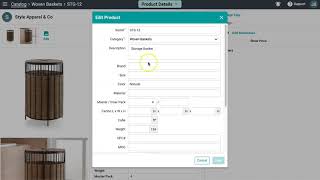
Click Edit on the product detail screen, scroll to List Price, and enter the new value. This updates what your customer sees as their first cost in their account.
More from Luke









youtube.com
THE COMPLETE GUIDE TO PLM IMPLEMENTATION I PART 1: SHOULD YOU INVEST IN PLM SOFTWARE? (4K UHD)
2y ago

youtube.com
THE COMPLETE GUIDE TO IMPLEMENTATION I PART 2: HOW TO PURCHASE THE BEST PLM SOFTWARE (4K UHD)
2y ago

youtube.com
THE COMPLETE GUIDE TO PLM IMPLEMENTATION I PART 3: HOW TO IMPLEMENT PLM SOFTWARE (4K UHD)
2y ago