How to Find and Add Products to a Project on Surefront
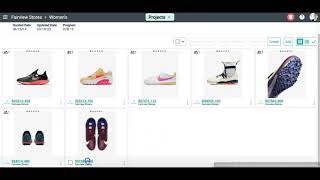
The video provides a concise, step‑by‑step walkthrough for using the Surefront platform to add catalog items to an existing project. It instructs users to navigate to the Projects area under Departments and Categories, select a specific project, click the Add button, locate and select items from the catalog, and then confirm by clicking Add Products. For each added item, the tutorial shows how to open its product details page and use the Request Quote function, which opens a pop‑up to compose a brief email that is sent to suppliers. The speaker concludes by encouraging viewers to contact Surefront support via the link at the top of the page for any questions.
Chapters
More from Luke









THE COMPLETE GUIDE TO PLM IMPLEMENTATION I PART 1: SHOULD YOU INVEST IN PLM SOFTWARE? (4K UHD)

THE COMPLETE GUIDE TO IMPLEMENTATION I PART 2: HOW TO PURCHASE THE BEST PLM SOFTWARE (4K UHD)

THE COMPLETE GUIDE TO PLM IMPLEMENTATION I PART 3: HOW TO IMPLEMENT PLM SOFTWARE (4K UHD)