SureFront lets you upload product data from Excel or CSV, map columns to custom fields, bulk-import matching images, then export into quotation formats or marketplace feeds for Wayfair, Walmart, and Amazon. Tasks that took days now take minutes.
Chapters
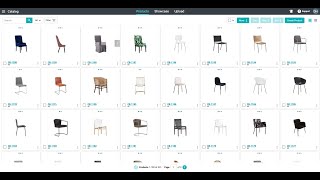
Welcome. Today we're going to show you how to import products into your catalog and then export those products into customizable formats to fit your customer needs. First thing to do is to come over to the upload tab. From there, we can drag and drop any Excel or CSV in any different type of format into the upload. So here you can see our CSV. We're going to download that and then drag and drop it into the file upload. Once that file uploads, we're going to get a preview of the file. Here, the system will recognize some of these headers, but it will also show us what that data is so that we can come in and map the data that we had in our file into any field that we want in Shorefront. After we do this one time, Shorefront will remember our column headers So the next time we drag and drop a file with the same column names, it will automatically map those values into Shorefront's system. As we go through here, we might see some fields that are out-of-the-box standard in Shorefront, and of course we may also see some fields that are unique to our business. This case, Item Class. Maybe we don't have anything that fits right away. We can take that field, create a user-defined one very easily, select whether we want that to be private or shared, and then save mapping. As we go through this file mapper, we can map all of the data for thousands of different products and hundreds of different attributes very quickly to bulk import those products into our Shorefront catalog. This allows us to use one single file to import all of the products into Shorefront, which will then allow us to export those products into other customer formats or share them with our customers using Shorefront sales tools. Here we can see us completing the process. This will give us a report: 200 new items created. Now if we come back to our product catalog, we're going to see all 200 of those new items and the data that we've imported for them. Now that we have all of our item data, we might want to add images. We can add images one by one at the product page here, or we can go back to the bulk upload Select Bulk Import of Images, and then drag and drop all of our image files directly into Shorefront. Shorefront will take all of the products that exist in our catalog and find the files that are their match based off of data that we provided it or based off of the item number and file name. Here you can see we're dragging and dropping about 700 images in here, and Shorefront's gonna do all of this work for us. As that item upload, as those image uploads continue, it will give us a report on how many were successful and how many didn't find any matches. Now when we come back into our product catalog, we're going to see beautiful product images, maybe even multiple images per product, all quickly uploaded into the system just with a quick drag and drop. Now that we have all of our product data in our catalog, we can now use this data to engage our customers. So SureFront has a suite of tools to help give our buyers and our customers first-in-class experience with our products. That being said, some buyers like to do things the way that they've always done it. SureFront can now leverage all of the product data that your team has imported into the catalog and exported into customizable formats. So maybe if your buyer wants a specific product format or a specific quotation format, You can take all of that product data from Shorefront. You can finalize the quotation with quantities and pricing, and then whenever it looks good to your team, you can export that product data from Shorefront directly into the format that you want to present to your buyer. This will allow you to create customizable formats for each different buyer or for even things like e-commerce syndication. As we see the file download and generate here, it's going to take all of that data from the products in SureFront and populate them into that customizable Excel format. In this case, one even with images so that it's easy to present to your buyer the quotation format that they're used to. This is something that our customers told us used to take them a day to put together individual quotations from their buyer, copying and pasting that information into Excel. and now clearly takes just minutes in SureFront. Separately, we have other customers that like to use us for eCommerce syndication or eCommerce product setup. This is where you can take all of that product data and export it into those enormous eCommerce files and formats like for Wayfair or Walmart or Amazon. Again, it takes just a few seconds to grab the products from your SureFront catalog and click export, and our customers have told us that this will save days from their sales admins sometimes even taking a week to create a new product setup sheet for the new products that they have in their Wayfair formats.