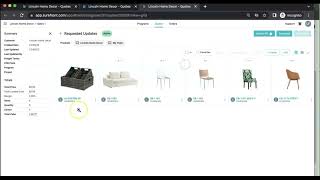
In this tutorial, the presenter demonstrates how to handle a received Request for Quote (RFQ) from Doug at Lincoln Home Decor. The process begins with an email notification, which the user opens by clicking “View Request,” revealing six requested products. The interface displays two chat windows—one for communication with the customer’s team and another for internal discussion. Users can select all products and perform bulk actions such as bulk edit, arrange, add products, send to product development, download, or create a sales order. The presenter then drills into a specific product (a sofa) to edit its details. Attributes that affect cost (freight rate, duty rate, unit cost, margin) are highlighted in purple and are visible only to internal users, while the unit price is visible to the customer. Editable fields also include color, material, components, and images. Any changes made are saved, updating landed cost, margin, and unit price, and are instantly reflected in the RFQ view that the customer sees. All modifications are tracked, ensuring both parties see the latest information.
Chapters
So in this video here, I'm going to show what it looks like when you receive a request for quote. So here you can see I've received this email from Doug at Lincoln Home Decor, and it says, "Hey Libby, please see request for quote." You can see these 6 products in the email that he's requested for quote, and I can click View Request right here. So when I pull this up here, you'll see the 6 products that Doug at Lincoln Home Decor has requested for a quote. You can see this chat right here. This is our chat with Doug and people on his team, and this is the chat just with my internal team here, right there. When we go back to products, you can see that we can select all of these, we can bulk edit them, arrange, we can add products to here, send to PD, download, or create a sales order. But most likely what you're going to want to do is going to product details So I'll take this sofa for example. And when you click into these product details here, you can see a number of things. So on this page, we can edit a number of different attributes that affect the cost of the product. And please keep in mind, all of these in purple here, these are things that only you and people internally on your team will be able to see. Doug and his team at Lincoln Home Decor will not be able to see any of these things right here, like freight rate, duty rate, unit cost, margin, and so on. But he'll be able to see the unit price. So here you can see we could edit any of these and hit save right there. That will update and affect the different things like landed cost, margin, and unit price. We can edit anything like color, material, and so on. We can add components like color, size, material runs, add product sets, We can edit the images right here, so if you need to edit or rearrange any of the images, you can do so. And any changes that you make here will be reflected in the request for quote that Doug and Lincoln Home Decor team see on their side as well. So you can also just hit Edit right there, and you can change any of that product information. So let's say that we wanted to call this Cream. We could do that, and so on. And then I will just go back to the quote right here, and all of those changes are tracked. Doug will be able to see them on his end, and you can make any other changes as you please.










