Software to use during COVID-19 for suppliers and sales reps in retail - Live Webinar (4-24-20)
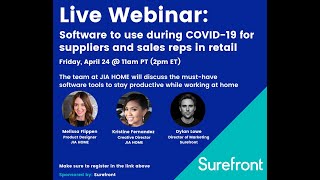
Gia Home's sales and product teams share how they shifted to remote work during COVID-19 using G Suite, SureFront, Zoom, and WeChat. They manage product specs, customer quotes, and supplier coordination entirely through software now. The company also uses Instagram Live, Nintendo Switch, and MasterClass to keep morale up while factories in Southeast Asia face early disruptions.
Chapters
Thank you everybody for attending our third webinar in this install— installment of webinars. So we're trying to bring you webinars that are relevant, of course, to COVID-19. Our audience that attends these webinars are largely suppliers and sales reps. So our last few were on how to apply to PPP and the EIDL loans, which you can find on our YouTube channel by going to YouTube and entering in SureFront. You'll find all of our webinars posted there. This one will be posted afterwards as well, and we'll also send you a link. And this webinar is more about the tools that you can use for getting through this time while working at home. And then we also will discuss some just for your own mental happiness at the end. So what we're first going to discuss is internal communications. So those apps that you can use to communicate to your team internally. We're going to talk about the product development process and the apps that are found useful across those. We're also going to discuss our own software during that time. Communicating with customers, so the best way that you can communicate to your buyers, to your customers, and the retailers that you deal with during this time. And then also how to communicate with overseas suppliers. Of course, this is a worldwide disruption, so those suppliers that might be in China or Southeast Asia or other countries are also have been disrupted. So we'll have recommendations that you can give to them, which might help for you both to get on the same page. And of course, mental survival at the end of that, which is important. Make sure you're staying happy during this entire time. It's not all just about work. It's also about some mental stability too. So we'll go a little bit into that. And we are fortunate to have our team from Jia Home. I'm going to let Alex introduce Jia in a second, but I'm going to introduce the whole team. So I'm going to start with— Melissa Flippin, who is the product development manager and senior designer at GiaHome. Christine Fernandez, which is the creative director at GiaHome. And then Alex Aaron-Push, who is also the VP of sales at GiaHome. So without further ado, Alex, I'm going to hand it over to you if you just want to give us a brief introduction into GiaHome, and then we'll hand it over to Melissa, who's going to talk about those internal communication apps. Thank you very much, guys.
Yep, thank you. Uh, yeah, so Gio Home, we're founded in 2001. We're based just outside of Los Angeles. We specialize in storage and organizational product, so think of anything decorative baskets and hampers outside of your standard plastic. So anything printed fabric, natural materials, things of that nature. We also supply small furniture, so council tables, end tables, and some storage towers. As well as some wall decor and tabletop items. We work with the major retailers, so the big box stores, off-price, specialty stores, doing a little mix of direct import and domestic shipments, POE as well. And we produce our product in a variety of different countries around the world.
And just for clarification, you guys are all working at home right now as well, right?
We are all working at home.
Yeah, yeah, okay.
6 weeks.
Yeah, about 6 weeks now, I think, of predominantly working at home, almost, yeah, 100% almost.
Okay, great. So for all of our attendees, these are the tools that Gia Home is using to stay productive during this time. So it's all pertinent, it's all being used. That's great, Alex, I really appreciate that. I'm gonna hand it over to Melissa now if you wanna talk about all the internal communication apps that you guys are using to stay in touch while you're all working separately at home.
Yeah, so our internal team uses many different programs to communicate while in the office and obviously while working from home or remotely. G Suite and SureFront are two of the programs that we use. We use Gchat about everything. It is the quickest way for us to communicate, to get immediate feedback, whether we are talking about cost updates, a design detail, or just to discuss our daily schedules. It's really a fast and easy way to communicate. We use Google Meet video every day, which we call it our standup, which It's incredibly nice to use while working remotely because we can discuss our workload, our daily tasks, and it's just nice to like see and hear one another to stay connected. You know, we used to have a company server which we called the L drive, but we have now transferred everything over to Google Drive. So that has all of our like files and all of our documents. So it's easy to access everything. While working from home and remotely. You know, what's also been really helpful for us is the workflow tab in SureFront. So it's exactly what it's called, workflow. So you're able to like kind of put in everything that you need. You are able to add exactly who you need to communicate with. So for example, us being in product development, if we need to have artwork created and anything like that, we can send that over directly to our graphic designers and everything's there, which enables you to check it off and it's easy for us to see exactly what we're doing. So that's pretty much it. So G Suite and ShareFront are the top two programs that we're using while working from home, and we are very thankful that we have these programs now.
Great.
And what has been the one that you've leaned on the most?
Honestly, I would say Gchat. We use that for everything. Like I said, it's like literally if we need like a quick answer, Gmail, you know, we have our group emails and stuff like that. But, you know, it's easy just to like send a message and, you know, get an answer right away.
Okay.
Got it.
Great.
Uh-huh.
And then Christine, for the PD process, as you're the creative director of Jiahome. Would you be able to go into that and what you've been able to use, how you've also been affected? I'd love to hear that at the top and what you've used to remedy that and make sure that you've stayed on track with all of your product development.
Okay, so on— when working on a collection, I want to physically have a mood board where I can see exact material and swatch reference, like browsing through Pantone books in front of me. But with being remote, I'm limited to using Digital visual references, so a lot of like Google image search, Pinterest for inspiration, online product comparative search. I also get my colors from pantone.com via color finder. Or if I need to reference an old existing SKU, instead of looking for them in our showroom, I can search easily in our catalog via Sharefront and modify what I need to do with the product. If I need to find a product, I can find them easily through, like, keyword search or through tags instead of going through a pile of physical samples. So after everything that I need, the goal is to translate all the details in one view to suppliers, which I am able to do so via RFQ in SureFront since all specs, images, target cost, or all other details are all in one view. Even negotiations and changing in pricing are all logged under events, so I know how far I've progressed. So that is the RFQ process and like negotiation back and forth. With a sampling of the attachment portion of the Product View and Workflow Tool are the most helpful tools, especially now that we are— remote. The attachment portion, the print cards are attached, so I can easily reference whether the color scale of prints are correct, or like when approving samples. With the workflow feature, Melissa already talked about that, but that's great because I can easily like track the progress of like each team members when sampling. As regards to PD sales interaction, sales and I interact a lot, specifically on what the buyer wants to modify to some of the products. In our office setting, my office, Alex, and also Melissa, we all sit each other, next to each other, so that allows us to interact easily. But with being remote, there's a lot of like GChats and all that stuff that Melissa already discussed. So what Melissa didn't discuss is the notification that I get from Alex via ShareFront, which is through Send2PD, is great because I know exactly what I need to work on. So that's for my part, generally, for the PD sales interaction.
Got it. And then other than, uh, SureFront, are you guys using anything else for product development?
Um, we use a lot of Photoshop, Illustrator. Yeah, those, those creative things.
So you're primarily going to use Photoshop and Illustrator on your own, and then to share and communicate, uh, with Alex or Melissa, then you're using probably SureFront or Gchat for your communications on, on sharing designs or colors or samples?
Correct, correct. So yeah, so there's a lot of back and forth, I guess, with the ideas that we need to translate to each and every team members that we have to do. So it's like Photoshop, Illustrator, Pinterest, and then, you know, we attach it to the portion of Sure Fraud, so it's all in one view. And then Gibbs will— Gibbs, our graphic designer, will mock it up for us and then translate it all in to the factory after all is done.
Got it, makes sense. And just out of curiosity, do you guys have like, you know, to stay on schedule and on task, do you guys also have maybe like a daily meeting that you're doing to check in with one another? And then, you know, how are you communicating over and during that meeting?
So there's a lot of G-Chats. I typically put like, for example, the most recent project that we did is for Walmart line review. So Melissa Gibbs and I work on that part, and then we kind of like had just our private group chat messages on G-Chat where, you know, this is where we are, where we're at right now. Are you like, you know, can I have this at the end of the day? And then Melissa is like very interactive and we're all like pretty much all in one group. And sometimes, you know, we, we have our own like stand-up meetings, video, video calls, just the two of us or three of us. So we're great. These offers are really great.
Okay, that makes sense. Awesome. Thank you so much. That's really, really helpful. Alex, and then I'd love to hear from you, you know, how you're communicating with customers and how you're going through the sales process. Obviously now you can't just hop on a plane and fly to New York and meet with a big box retailer. So what are you doing? And then also if you can maybe talk to, you know, if it's been a, you know, a struggle to get a hold of them at all and maybe any tools or tips that you've had to in general stay on, you know, in communication with them too, that would be great.
Yeah, definitely. That's actually an interesting point. But yeah, we use a wide variety of different resources with the customers, and that hasn't really changed, I would say, so much, other than replacing those face-to-face meetings that, you know, obviously aren't taking place at the time. But email, I mean, obviously still reigns king. It's the main one that everyone uses, and it's still the case, you know, work from home or not, doesn't matter. It's mostly email. And then on a customer-to-customer basis, it really depends on what their organization uses, honestly, that dictates what we use with them. For the most part, they kind of set those standards, obviously. But one thing I have noticed, speaking to your point, the question, is a lot more buyers seem to be on the phone more than usual, to be honest. When I'm at the office, I mean, there's obviously times where I hop on a phone call with our customers, our buyers, but for the most part, you know, they're really busy in and out of the office, at markets, traveling overseas. So mostly, you know, email is probably 90%, and then every once in a while if something's important, we'll hop on a call. But I've definitely had more phone calls in the past 4 or 5 weeks with buyers than probably the whole first 3 months of the year, honestly. So they do seem a little more, you know, just being at home and them having all the extra time that they would probably be at markets or traveling around or overseas, they definitely seem a lot more willing and able to hop on a phone call and spend some time discussing everything and, you know, really try to feel out what's going on out there and kind of get ahead so we could make sure we're all in it together when everyone gets out of this and what we're going to do and our plan moving forward. So definitely had a lot of phone calls in that way. But since we're not doing those face-to-face meetings though, the, you know, the most important— we're not doing them at all now, but usually it's monthly traveling to see these clients. So we've been mostly using Zoom. That seems to be the, the main form that these organizations are using. So setting up the meetings on Zoom when we do have to have a face-to-face. And then more of a— we've been building out, you know, PDFs and PowerPoints on our end to then be able to hop on these Zoom calls and do a share screen. And walk through these presentations over Zoom that we'd usually do in person. And the one thing that really changes on that is when we do these big meetings, you know, that would usually be traveling to see these customers, is that we'd bring our samples and we'd actually have physical product there to show them. So I guess it makes it really important to have a nice presentation. So I know our PD team has been working really hard on, for me, for the presentation that I have to share with the buyers to really have as many details as possible and the best photos possible, because that's, you know, everything we have to go off of and kind of point out strengths of the product and everything like that is really just what they could see on the screen. So it's definitely changed a lot in that aspect where, you know, we're putting a lot more effort into those presentations than we would before when I'm there in person and we're just kind of going over the product one by one. So it's definitely been a lot more important to focus on all those details.
And are you staying in touch with them personally? I mean, are there any retailers that you're texting or, you know, calling individually aside from like these big presentations that you're having?
Oh yeah, definitely. I mean, email still, you know, with most of buyers that I'm not, you know, that you don't have the best, I guess, personal relationship with. But I've definitely had some more texts going back and forth. It seems like when you're just at home, I guess, with the buyers seem a little more likely just to kind of text you, reach out to you like, like you would in normal day-to-day life rather than kind of in an office setting where it seems most everything goes through email. But I've definitely noticed, yeah, definitely a lot more personal calls on the cell phone and definitely more texts.
That makes sense. So if you could, could you take us through, say, like the beginning and end of, you know, how this process works for you? So from, you know, building, sending a quote to, you know, negotiating pricing to doing a, you know, finalizing a PO, how is that looking now? What is the software that you're using now from beginning and end of that process?
Yeah, to start the process, or any pre-meeting, or even just sharing random items with the customer that I think would work with them. So either way, our PD team would usually work in SureFront and build everything out and put the product into our catalog. And one thing that they could do with that is, if it's like a specific review for one particular customer where we're working on specific products for them, they'll kind of put it in one group. That's easy to find in the catalog. I just like tag it so then they can have all the products in one place, and then they would just send over that to me, uh, so I have all the product in one place. And then I could easily from there just build out an offer where I select those from the catalog and then put it into a, a quote, and then easily, uh, go into that quote and then work on the details, uh, pricing, you know, uh, shipment terms change per customer. So we'll work on, you know, if, if we're bringing it in ourselves, there's obviously different costs involved and bringing it in domestically as opposed to selling it direct import. So in there, I'll work on all the details in SureFront, change sizing, pricing, tweak any details like that, which makes it really easy. And then honestly, it's like a click of a button, I could get an automatic email sent out with that offer to the customers. Well, they'll get a link on an email where they could click in and see this offer I just built. With all the details. And then for some of the customers who aren't as willing to go on and click onto a link from maybe a company they haven't heard of, if they're not familiar with SureFront, it's easy to just download the PDF right there. So from on my end, I could just click a button to download the PDF. And what I used to have in Excel and then kind of save as PDF is now just a click of a button, download the offer for me, and then I could go separately on an email and just create that email to send out to buyers and go through the process that way.
Interesting. So for those not familiar with SureFront, so your entire catalog is on SureFront?
Yeah, we have all our product in there. We used to, I guess, have, who knows, 50 to 100 Excels floating around of different materials and different, uh, you know, types of products. And we would have to, like, you know, go and choose different products from 50 different Excel sheets to build one offer for a, for a customer and then change all the details in that Excel. Uh, but you know, now it's as simple as, you know, a visual catalog that has all our product in there that easily searchable and you can sort by time created, when it was sold and things like that. So it's easy to find the most relevant products visually right there and honestly just click on them and build an offer real quick. Extremely fast, much faster than it was before.
If the retailer needs any adjustments or modifications to that PO, are they— They're doing that in the same platform with SureFront, with you guys, right?
Yeah, it really depends. Some customers, like I said, aren't as comfortable just hopping onto a new software, and hopefully that comes over time, 'cause we use it personally 100% almost. But yeah, some are really willing to jump on there and put in their retails and look at what that gives on their margin and their side, and then we'll go back and forth on pricing right there based on what the numbers are spitting out in SureFront, which gives all those details. So we could really look at how everything's matching up on both of our sides, because buyers obviously see their retails and their margins on their end, and then on our end, we could see our costs and all our pricing and everything like that.
That's great. When you guys set up SureFront initially, was there any kind of integration you had to do with an ERP system of yours or a PLM system of yours?
Yeah, so we use SAP B1. On the backend, and we were able to download our initial catalog. So everything that we had ever sold, I guess, since the company was started, obviously was just all in there. So we were able to get all those products that we had ever sold into SureFront as a start. Because of course we've had other products through the years, but after 10 years, really the most relevant products are probably ones we've actually sold. If it's something we developed and didn't sell, probably not as important. We were able to get everything we sold into SureFront, and then from there we started, you know, the actual development process inside of SureFront. So now any new item from the start of when we started using the software now lives in there with every item that's ever been sold by our company. So it's a mix of those two.
So you do that, you build out PO, maybe during this process then you're doing presentations that you're having on Zoom, of course everything remote at the same time. Anything I'm leaving out that you're communicating with the retailers during this time?
No, I mean, that's about it. Yeah, Zoom meetings for the face-to-face and the, you know, share screen going over presentations. Yeah, text, emails, and phone calls. That pretty much covers it all.
Awesome, awesome. Thanks so much, Alex. Really appreciate it. And then Christine, I'd love to talk about communicating with overseas suppliers. So that was— this is kind of the last topic on the business side that we're talking about before we get into those more mental survival tools. But when you're talking to suppliers in China or Southeast Asia, wherever they may be across the world, we're obviously all affected by this. So what changes have you seen there, and what has helped you to stay in communication with them during the product development process?
I guess the changes, I don't think, because pre-coronavirus, we've always communicated daily via email, SharePoint, and WeChat. So just to differentiate how each tool is used, like we use the emails when there are long conversations about particular sets of products. For example, like, you know, status of a certain collection, where we're at and all that stuff. With Sharefront, I'm able to go into details. That's how we communicate exactly, pinpoint what needs to be done on a certain product. With WeChat, it's more of like a tool for me to bug them almost, I guess. Or if I need to call them for like something urgent. Then I have to use WeChat. But I guess I think now on top of like business dealings, I get WeChat messages almost from like everyone continuously expresses their concern for like our health and safety, which is actually nice of them. And like, you know, if we need anything, just like let them know, let them know if we need masks and stuff. So that's like, I think the major change that I've seen with like with our like relationship with vendors and communication with, with them.
Got it. And I can speak to my personal experience too. I lived in Shenzhen, China and Hong Kong for about a year and a half up until very recently. And in Shenzhen, what we used the most to ensure that we could stay in touch with overseas, so from their side, was a product called ExpressVPN. If anybody's used that before, it's very important to have a useful VPN, especially if you're doing any kind of chat over a cloud server type platform. So if you want to stay in Gchat or stay on a, you know, Google platform, be able to use that in China, of course you need to use a VPN. I highly recommend it. ExpressVPN is about $10 a month. You can have 5 devices at the same time on it, and I believe they have like 160 VPN locations and serve over 100 countries. So I recommend that. I think that your factories, Christine, or maybe some of your suppliers use ExpressVPN.
Oh yes, yes, they do that. I think it's because I'm surprised that they know news over here. I'm pretty sure they get media outlet from their VPN. Yeah, and they use VPN too because I think it's a lot faster when they're browsing and using the internet too.
Got it. That's cool. And do they, out of curiosity, do they use GChat? Do they use any Google software?
No. No. I've never come across a factory that uses Google platform.
So is the only US software that you use with them is SureFront?
Yes, sure, fraud.
And with them using ExpressVPN, I'm guessing that's okay.
Yeah, well, I, you know what, I think some of my factories uses Facebook sometimes, which is weird. But yeah, I try not to go there.
Okay, got it, cool. Great, well, I'd kind of like to, you know, open this up to all of us at this time is you know, what software tools have you guys used for your own, you know, happiness? We're all stuck at home right now, you know. What, what does your daily life look like outside of work? You know, what, what has been able to allow you to say maybe stay connected with family or play games at home or, you know, get outdoors at least virtually in some way? I know, like, my, myself, I just bought a Nintendo Switch with my girlfriend. I haven't played like games forever. That's kept us happy, playing a lot of Mario Kart. We're looking at getting a Peloton because it's like, I think it's 0% down right now and 0% interest, so you can get it for like $60 a month or something to, you know, stay fit. So that's my side. What have you guys been using to stay happy during this time?
I—
what has kept me sane is Instagram Live videos. So there's like Ryan Heffington, who's like a professional dancer. So he'll do like weekly dance videos or PopSugar, which is another like well-known platform for fashion and decor and fitness. So it's nice to be connected in that way because I love going to the gym. I love going to spin classes and everything like that. So it's kind of a little bit hard for me not to get a little bit of exercise. So I've become an at-home professional worker outer. And also just Instagram in general just like helps me keep in communication with all my friends through, you know, stories and private messaging and stuff like that. It's nice to like see people still trying to, um, be creative, uh, with images. I'm inspired by photography and stuff like that, so it's just nice to like visually be stimulated still by your friends and your family.
Cool.
And I will say to all of our attendees, you can start asking questions right now. We're gonna have a short Q&A after this, so sorry to interrupt you, Melissa, but there's that little Q&A button if you want to ask anything about any of this business software that we've been talking about, or any other software, or any suggestions that you may have as well. I can share those with the audience too. Alex, how about yourself? What have you been using to, to stay sane during this time? And also, you have a family too.
Yeah, so I mean, for my own personal well-being, honestly, probably with last 3, 4 years, I've stopped playing video games at all. And then I find myself like an hour or two every night playing either the new baseball game or the new Call of Duty. And I bought myself a headset. So actually, I've been starting to play with all my cousins and stuff. So I mean, funny that I'm actually probably communicating and hanging out with them more now playing video games at night than I even was during normal life. And on top of that, yeah, so you talked about my kid. So I do have one and we kind of turned into, I guess, part-time teachers. So we're running his online school and he uses exclusively the Google Classroom. So it's nice, there's a lot of, from there it's all the slides and different Excel sheets and Word documents and they link videos in there. So everything that the teacher teacher puts up is all inside of this, you know, Google Classroom. And we go in and do all the work and then you could submit all the work from there and everything. So doing a lot of that outside of work.
Cool.
Got it.
And Christine?
So I use a lot of Zoom actually because I have family all over. So one time there was like 45 of us in like all in one call. And then, which is nice. Then I use a lot of Pinterest because now I'm at home. I have to cook for my husband, so I need to be creative with all my recipes and stuff. Then I downloaded MasterClass just to learn more while we're at this stay at home. Period. So that's about it.
Got it. Cool. Great. So I'm going to let some more questions come into the Q&A channel. So any questions you guys may have, please go ahead and fire away at those. And then let me screen share really quick. Give me a second here. So, I do want to, you know, point out that, you know, at SureFront, we believe in our suppliers so much that we're trying to do everything we can right now. So, that's why we're hosting these webinars for our suppliers, for retailers, for everybody in our industry. You know, we understand how difficult this is, and that's why we're trying to put on these, you know, helpful webinars talking about tools that you can use anytime that something comes out about PPP that you can use. Also, we've made our own software free during this time, and as everybody from Gia Homes just pointed out, you know, this has been amazing for them to use while working remote. So very simple to sign up. If you just go to SureFront.com, which is— should be on my screen right now— and so you can Google it or go to SureFront.com and just click on that sign-up button at the top right. There's also a sign-up button over here. You can sign up Immediately. Then it takes you through this quick tutorial process and you can upload your catalog automatically. Again, this integrates with SAP B1. It's very fast to integrate if you use any other kind of PLM or ERP system and to get your entire catalog in there and start sharing this with retailers and other suppliers and your internal team and during the PD process with suppliers overseas right away. So You know, please take advantage of this, you know, while it's out there, while we're making all of our software free. We're doing that so we can help you guys, you know, while working at home to stay productive and stay safe. So, you know, please sign up. Can't hurt to try it and see how it works for you. But I assure you that for all of our suppliers, it's been an incredible tool to use. So with that, I saw a couple questions come in. One is, and, you know, Alex, Melissa, Christine, feel free to answer this, says, are there any business processes that you can't do during stay at home or have been severely restricted from and any creative workarounds that you've been able to do? So, you know, I mean, one could be the fact you can't travel, can't travel to meetings, but anything else that you guys have come across that you haven't been able to do that you've been severely restricted from?
Oh, just, I guess the interesting thing about that is, uh, other than the travel and the face-to-face meetings, uh, on the sales perspective for the buyers, I guess that, that's by far the main thing that's kind of missing during this time. Um, but with the Zoom, you know, and everything out there that's, uh, and the share screens and all the presentations, uh, we really like, I think noticing it's actually pretty crazy how little we've missed from being in the office, uh, and how easy it is to kind of have everything, uh from home, to be honest.
Got it. And another question was, have you guys— I think this probably happened initially— has the pandemic affected any of your partners in Southeast Asia? Did you see any initial, you know, effects from this with them?
I think sometimes. I think that they're more affected back in like January, February. Because a lot of the workers are not there, so, you know, the production is really close. So I think, but now they're almost back to like normal, I would say.
Okay, so they're getting back to normal. We're far from it.
Mm-hmm.
Okay, understood. Great. Well, thank you very much, guys. Thank you very much to everybody at Jia Home. I really, really appreciate your participation in this. And, you know, of course our goal is that, that you guys stay safe. And thank you for sharing all those tips with all of our suppliers and partners. I do want to say we have a webinar coming up next Thursday that will be at 11 AM Pacific Thursday, so 2 PM Eastern. And that is going to be on the COVID crisis response planning. So what are you going to do after this is over? And what are the future impacts of that? We're going to have Kevin Lee, who is the Director of Supply Chain Planning and Analytics at Mountain Equipment Co-op, which is kind of the REI of Canada, massive group over there. So they've had all sorts of effects in supply chain. And so he's going to be a great panelist to speak about those effects and what to do when this all comes back and how we're going to deal with those, you know, remaining effects after this. We also have a Facebook page. We'll share all this in a subsequent email, so we'll send you an invite for that next webinar. We'll send you this Facebook community that we just started recently. You can ask any question you want in that community. It's a private community, so you have to ask to sign up, but we'll send you a link in the follow-up email to this. And then also we'll send you a link to sign up for SureFront and all the recommendations that we made during this time. So thank you very much again for tuning in. Thank you to everybody from Gia Home, and, you know, stay safe out there. Thank you.
More from Luke









THE COMPLETE GUIDE TO PLM IMPLEMENTATION I PART 1: SHOULD YOU INVEST IN PLM SOFTWARE? (4K UHD)

THE COMPLETE GUIDE TO IMPLEMENTATION I PART 2: HOW TO PURCHASE THE BEST PLM SOFTWARE (4K UHD)

THE COMPLETE GUIDE TO PLM IMPLEMENTATION I PART 3: HOW TO IMPLEMENT PLM SOFTWARE (4K UHD)