A short tutorial by Paul Bohlen describing a blank "Income 24 Policy Value and Growth" spreadsheet template used to model policy cash values, death benefits, growth, premiums and income taken as withdrawals or loans. The template holds up to 24 policies (hide unused rows), has two tabs (individual per-policy pages and a one-page summation), and requires running carrier illustrations and copying premiums/cash values into the sheet. Carrier-specific notes cover Emeritus, Security Mutual, AUL/OneAmerica, Penn, MassMutual and Augustar/Ohio National; some carriers must run illustrations themselves while others can be run by the analyst. Example rates mentioned in the video: Emeritus interest 5% and one AUL example at 5.28%. The workflow includes verifying formulas, copying rows into the summation tab (rows to 408), and printing the summation one-pager for review.
Questions this video answers
24 policies
Individual (per-policy pages) and Summation (one-page summary)
5% (Emeritus example)
5.28% (AUL example)
Paste down to row 408 for the summation tab.
Chapters
Foreign.
This video is to talk about a policy value and growth spreadsheet that also includes income as either withdrawal or a loan. Normally that occurs later on in the policy.
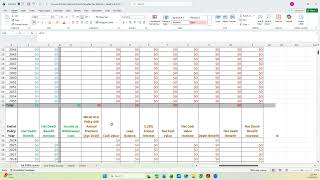
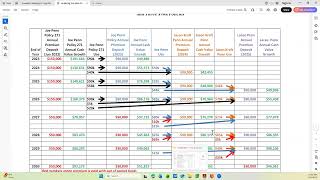
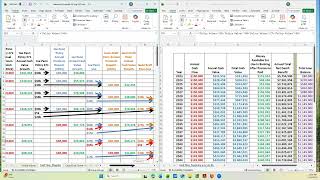
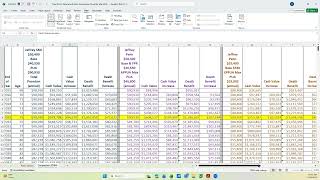
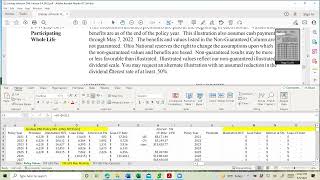
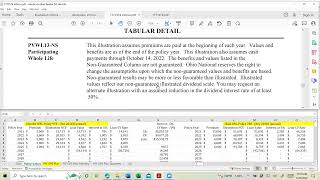
Years. But this is just a template. I'll do a separate video on an actual spreadsheet with real policies. But this is the template with all the policy information pretty much removed. But I'm going to go through how you use the template to build the spreadsheet. This one has space for 24 policies, so if you have less than 24, you only fill in the ones that you need. And then you hide the rows that you don't need. And there's two tabs that we do with. This one is the individual and the other one is the summation of the individual. And so the first thing you do is you. You have to get all the policy illustrations run. So let's talk briefly about that. If it's an emeritus policy, the only way of getting those run is to contact emeritus and they run it. And if you have a loan balance, we normally ask them to keep the loan balance the same by having them pay the interest out of pocket. And then you have to tell them what year you want to start withdrawals loans. And normally we start with withdrawals up to the cost basis and then loans.
And it. Depending on how you're doing it for the client, you may or may not continue to pay the premiums, or you may be using the withdrawal loan to cover the premiums and extra income.
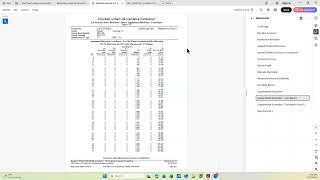
So that's emeritus. You have to have them run it. Then if you have a Security Mutual, it's a similar thing. You have to have Security Mutual run it the way you want it. If it's an AUL or one America or if it's a pen or a massmutual, then we can run it ourselves and design it the way that the client wants to operate that policy.
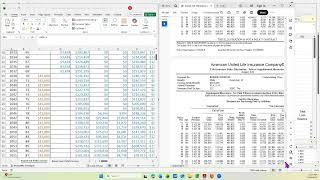
If it's a Augustar or what used to be Ohio national, then you have to have the client contact them and request that illustration run the way that they want it. So even though there's a lot of blanks in here, some of these are already set up to calculate. Once you put in the needed information, the premium column is normally gotten off the illustration and it's a copy and paste. The cash value can be one of two ways this particular.
Cell is set up. Where it was an emeritus policy that had a loan balance, and the loan balance.
On this template is over here, and it stayed the same. So that's why this says AG1 with the dollar signs and then below it would be the cash value and the death benefit. And those are net. So we calculated that cash value first and then got the net cash value by taking the gross cash value minus whatever the loan balance was. And the, the loan balance. And this particular setup was put in.
From either manually or from linking it to what's on the illustration right up here, whatever the initial illustration loan balance was. And then it's designed to stay the same.
After that.
And this one looks like went down here where it made it. Whatever was in this cell was copied down to that cell. And the interest on an emeritus policy is currently 5%. And that was calculated. The net cash value is set up to be calculated. The increase is set up to be calculated automatically. Death benefit comes from the illustration with the net death benefit, the gross death benefit minus the loan balance. And then the increase is calculated. So for each policy, you need to check that the formulas match what you want to do with that policy illustration to make sure that it's the way the illustration is run. And the first column in green after the year, that's the income that's as a withdrawal or a loan. And you would get that off the illustration and put it in. And then it's set up to add up what all the incomes were, add up the amount of premium that was put in, and then to give you the net cash value, the loan balance and the death benefit. So that's one policy.
And there's two policies per page. This is another policy. This happens to also be emeritus. So it was done the same way, Emeritus done the same way. And aul.
It is probably run differently than the emeritus. And in that you can have the interest paid. And you, you, when you get the AUL illustration, if you go to the one page, it is without loans. So you can put that in as a copy and paste and then put the loan balance next to it. This particular AUL at the time had an interest rate of 5.28. You have to adjust that depending on if it changes or not.
And then these are AULs.
No, no change there. AUL.
These were PENN policies. And again, Penn, you can run that where you either have the loan balance being paid or the interest being paid out of pocket or being paid as, as a capitalization. And it is set up where the loan balance might change. So there's a column where you can put it all in here. And then the cash value would be net cash value and net death benefit. And then you copy it or link it to the values. And in this column. So that would be.
The net cash value would be calculated from the gross cash value minus the loan balance, where the gross cash value, if you notice, it's.
Designed on this particular spreadsheet to be the illustration loan balance plus the net cash value off the illustration.
So again, you have to look at each one of these to make sure that the formulas match with the way the illustration is run. This is a mass. Same thing there.
And when you get to the bottom, there's another security mutual, or not another one, I guess that's the first one.
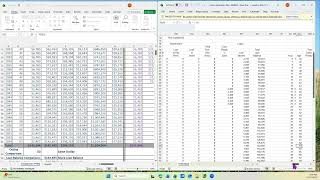
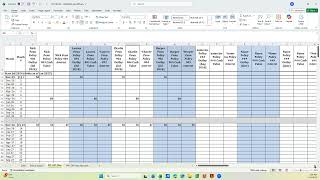
Pen, pen. And at the bottom is a summation of all the individuals. So it's going to calculate on this sheet, but then you copy the first rows all the way down to 408 and you paste it in this tab. That's the summation. And then you print out just the summation. So this is a one pager, where the other one is a 12 pager. That's going to be individual and it won't print out the summation. But it gives you a chance to use.
This to make sure the numbers are the same on both tabs in case you've made any trans, you know, made an error in your formulas or made an error in typing different information.
So that's the. The template.
Two tabs.
So I will do another video on an actual income policy, value and growth and include that.