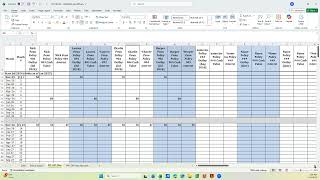
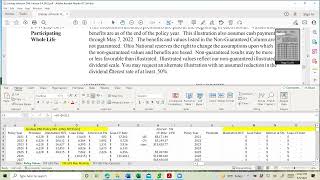
Paul Bohlen walks through reading an Ameritas life insurance illustration when loan interest capitalizes into the loan balance. He shows you where to find the loan balance on page 2, then how to track year-by-year figures in a GPS spreadsheet to calculate gross cash value and see what interest accrues on the full amount available.
Chapters
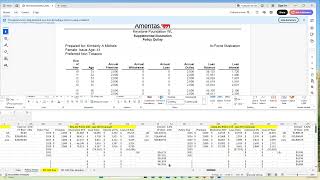
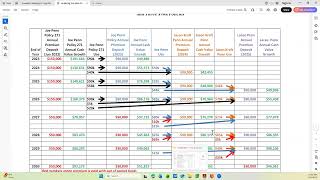
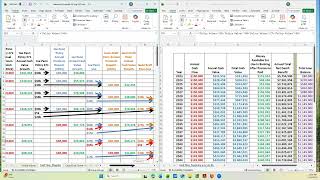
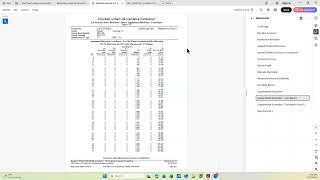
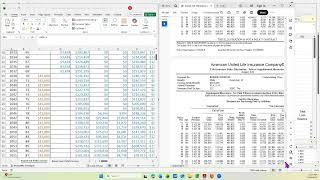
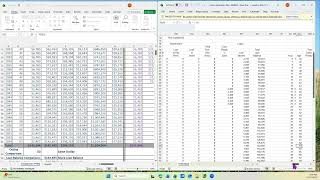
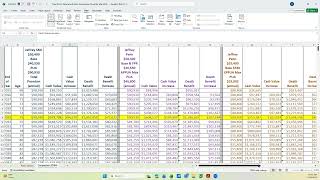
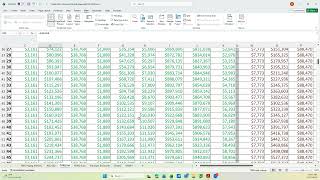
You. Hello. This video is another part on how to read an emeritus illustration that's in force. But this one is with the loan interest not being paid every year and instead it is being capitalized or added to the loan balance. So how do you know the difference? Well, you can't tell until you go through the illustration to see and you look first to see if there's a, a loan balance and if there's no loan balance there's not going to be any interest added. But so the same place we did on the other one, you look at on page two and it tells you that this policy has a loan balance. Now I'm going to go to the next page, couple pages on and it's got the cash value and the death benefit. And again it doesn't tell you that it's net, it just gives you these numbers. And then if you continue on with the illustration, you'll notice there's a page that has a loan balance and you see that loan balance is going up every year and they tell you what the interest is. So this illustration was run with the interest capitalizing versus the way I showed it before where we had the interest being paid out of pocket each year. So how do we deal with this in putting the data into our GPS policy values tab. So I'm going to go to that illustrate spreadsheet as soon as I get there. Here's the spreadsheet. This is on the policy and I'm going to go first. We have a place down here loan balance and I just add the loan balance right off of this illustration. There's the 36, the 37, the 39 and continue there's the 41, then there's the 43. So I put the loan balances in. Then underneath it I put the net cash value that we get same way as we got it before from the earlier page. And here's the the 18, the 20, the 22, the 24, the 26. So I have both of the net cash value and I have the loan balance added. And then I'm going to maximize this just to make it easier to see. We then for the column that says Illustrated ncv, we just add the loan balance and the net cash value. You put it in once and you just copy this down. And now this is the gross cash value. And the reason we want the gross cash value is we want the interest to be calculated on the full available cash value or possible catch value, not on just what's left with the loan taken out and pretty much the rest stays the same as we've described before on the emeritus illustration. So this concludes the video. Thank you.