Reading SML inforce monthly with loan, and new SML monthly and how to show on PFF GPS value and plan
Paul Bohlen walks through reading Security Mutual Life policy illustrations with loans and monthly premiums, then shows how to extract the numbers and input them into an Excel spreadsheet for financial planning on PFF GPS.
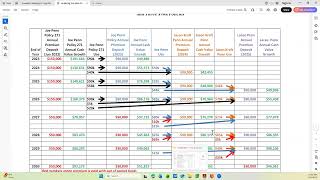
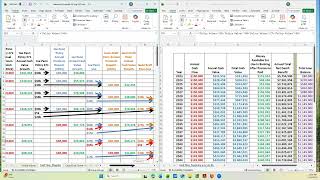
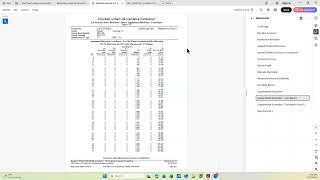
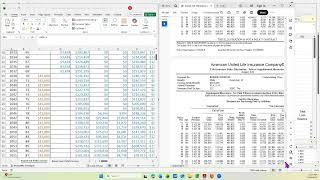
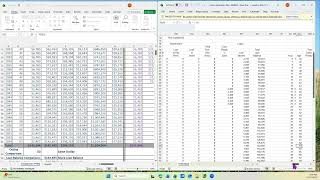
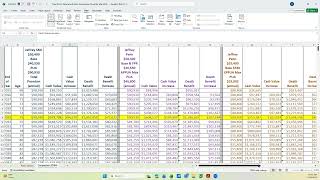
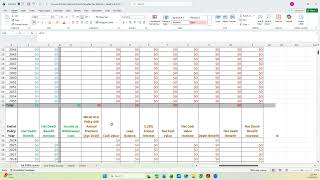
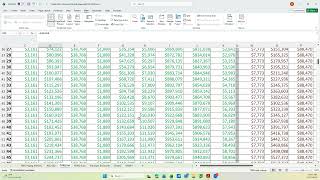
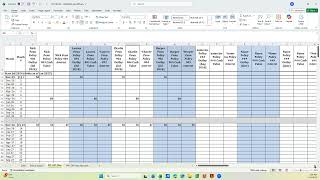
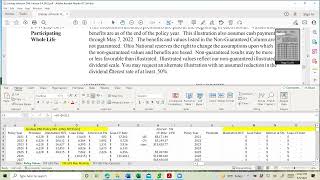
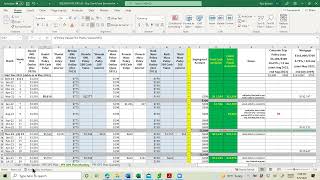
This video is to show you a security mutual in force illustration that's monthly with a loan and also security mutual illustration that's brand new. So you know where to get the values and how to put that information into the Excel spreadsheet for the policy values and then the monthly plan. So to start with, this policy is the one that's in force. Its last three is 8,06. So that's what we use on the Excel. Its anniversary date or its or issue date was December 20th. So that goes here. I'll show you in a minute how I know it's monthly. And when I go down here, I'm on page six of the illustration. I'm going to show you the bottom of page five that shows this illustration was prepared on May 22nd. So since it's a December anniversary, I know I'm in policy year 2021. So that's how I know where to start this. And on page six, this column tells me it's monthly. If it's not monthly, this column isn't going to be here. So that says it's 1581 27. I can calculate it here by taking that times 12 or with an SML illustration, I can take the number directly off the illustration because it gives you the monthly total. So that's where the 18975 comes from the illustration net cash value or the cash value without a loan. I get it from this surrender column. And I can tell there's a loan because there's two negative numbers. And I just add these three numbers together, which is what I've done here in the formula, equals the 21534 plus the 64 plus the 213. So I know this is without a loan. This is the full gross cash value. I'm just going to show you something else on the illustration. Since this is the monthly payment and we know it's 18,975, this is what it would cost if they paid annually. So it's about $200 savings and they get access to the money earlier. Okay, so that takes care of the 2021 numbers. Where do we get the 2022 and beyond? If I go one more page, I'm going to open this totally up. That says guaranteed. I don't want the guaranteed. It does also verify it's a monthly premium and it gives me the numbers and it calculates it here annually. But I'm still not on the right page to get my values. So I have to go a couple more pages until it says non guaranteed and it tells me year three. Well, does that make sense? Year one was 2020. Year two was 2021. That's starting December 2021. So year three is starting December 22nd. And so that's what it shows here. So this is the values that go on the 2022 line. So I've, I've got my premiums, so there's three more of these and then it goes to 6,600. Then I go to the total surrender value, 35,009,3. This is without loan, so I don't have to add any loan dollars to it. So it gives it to me, I put it there. Most of these I can copy and paste, so I'm just sticking them in. This is the 90% of the end of year cash. I look at this column, this is what online said their current loan balances and their cash available. Those two added up needs to be less than this number because we haven't finished the year. And it also needs to be less than this number. This is 90% of the 21,008. And in this case it is. So we know we're good. So now I have the calculation of each year and because it's a monthly, I need to allocate the funds to their spreadsheet every six months. So how do I do that? I'm going to go to the plan tab and I'm going to expand it. Now this is the plan tab and this particular policy is a December policy. So this is the cell 3 divided by 12. Does that make sense? Cell 3, that's this one here. So yes, that's the premiums, the entire 2021 policy year. And that is the annual divided by 12. And it's calculated here since I built it in May. This number represents the actual policy value, which is this number here. That's what we got online. How much that he could borrow from this policy. Then when I come here, this is going to be the rest of this policy year's money. So how do I calculate that? It says F3 minus H5. Let's go here. F3, which is, that's the end of the year. And this is what is already out. So there's about a little less than 5,000 left. This 90% minus the current loan plus cash available. And so does that track with here? Yes, less than the 6,000. How do I get the interest? It's the end of this policy year and it's already calculated for you right here. So that's the end of this policy year. That's the Total interest. So back here then the next year this is going to be this premium changes the policy year 2022, this is still 2022. This is going to be the first half. So it's F4 divided by two. So what's F4? That's this amount of money divided by two because he gets the first half every. The first six months. Yes, there's money every month, but we only show it every six because the insurance company is not staffed to do monthly loans. So there's the first half or correction, this is the rest of this year's. Here's the first half of the next year, here's the second half. Then we do the same thing. This is the first half of the following year and the second half of the following year. And the interest we already went through, how you get the interest? It's calculated right here. And this is the interest first year, second, third. Okay, so that's fine. Now with the policy that's in force and has a loan, what about the other policy? That is December 21st. That means it's a brand new policy still because we're not the December 22nd yet. So I find that illustration. Go back to policy values, minimize it. Scroll over to this particular policy. Oops. That's the math. So let it go to the December 21st policy. It's right here. And let's get that policy up. It's going to be right here. This is the original illustration. It's on Brenda. I have an infusion. I know it ends in 288. I know it was effective December 21st and I know it's monthly and it agrees there and it's 75amonth. Well that doesn't say 70 or 775. So let's just double check. It equals 775 times 12 and we get the same thing other than the round off because it's, there's sense in there. So I'm gonna undo that so I don't mess it up and go back up here. I know it's monthly. Now this illustration, you go to the non guaranteed side. We're in year one, which is 2021. Here's my premium. So I use these numbers rather than calculated and I go to the non guaranteed total surrender value, that's the 5383 and it goes down the line. This says the current cash value is that and it's. Should it be about half? Yes. So that makes sense. So what do we do when we go to the plan view? I went here's my monthly premiums is 775. Here's what it is in May. This is then the rest of year one's money. So 03 minus Q5.03, which is that number minus what we gave them here. So that's what's left projected at the end of this policy year. This is the interest for this policy year. That takes that number. Then we go to year next year. This is the first half of year 2s. This is the second half of year 2. And here's the first half of year 3 for that policy. And the interest is calculated this last the same way. I just go to the interest calculation that's already done right here. So that's an SML monthly new policy and an SML in force monthly with loan. So I'll end the video at this time and.